





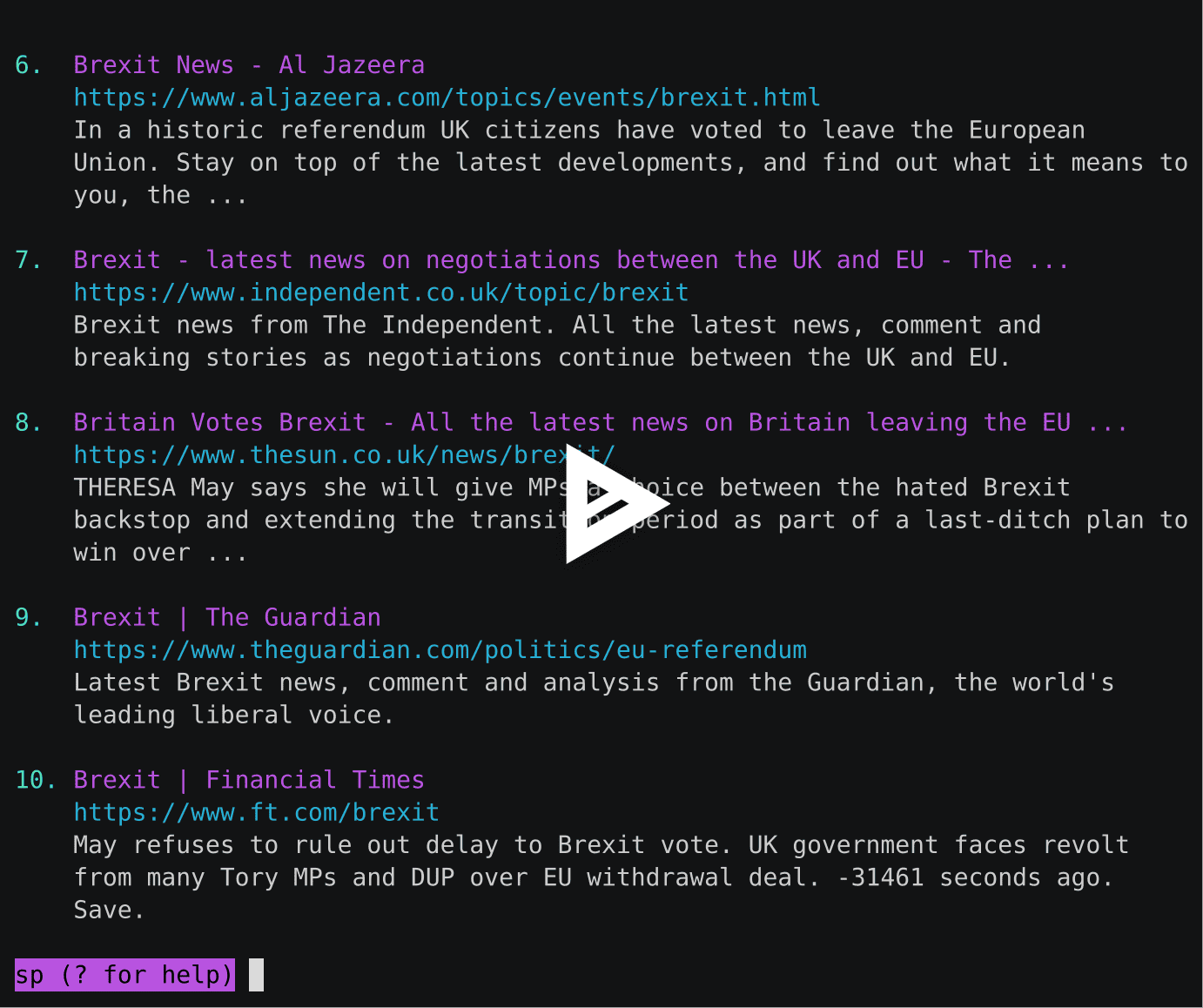
sp is a command line utility to search Startpage.com from the terminal.
It is inspired by the projects ddgr and googler.
Table of contents
Installation
$ pip install spcli
Usage
Command Line
$ sp -h
usage: sp.py [-h] [-d] [-f] [-s SITE] [-t SPAN] [-u] [-v] [-np]
             [--browser BROWSER] [--json] [--no-color]
             [keywords [keywords ...]]

Search Startpage.com from the terminal.

positional arguments:
  keywords              search keywords

optional arguments:
  -h, --help            show this help message and exit
  -d, --debug           enable debug logging
  -f, --first           open the first result in a web browser
  -s SITE, --site SITE  search a site
  -t SPAN, --time SPAN  time limit search to 1 d|w|m|y (day,week,month,year)
  -u, --unsafe          disable the family filter
  -v, --version         show program's version number and exit
  -np, --no-prompt      do not enter interactive mode
  --browser BROWSER     open results using this web browser
  --json                output the results in JSON; implies --no-prompt
  --no-color            disable color output

Version 1.0.4
Copyright © 2018 Gary Blackwood <gary@garyblackwood.co.uk>
License: GPLv3
Website: https://github.com/garee/sp
Interactive Mode
f          view the first set of results
n          view the next set of results
p          view the previous set of results
[index]    open search result in web browser
c [index]  copy the search result link to the clipboard
s KEYWORDS perform a search for KEYWORDS
?          show help
q          exit
*          all other inputs are treated as new search keywords
Examples
- Search for terms.
$ sp hello world
- Search
bbc.co.ukfor news about brexit:
$ sp -s bbc.co.uk brexit
- Search for results from the past 24 hours.
$ sp -t d barcelona fc
- Open the first result automatically
$ sp -f python docs
- Disable safe search.
$ sp -u pawn
- Output in JSON format.
$ sp --json climate change papers
Browser Support
If the BROWSER environment variable exists, it will be used to open search results. If not, sp will attempt to use one from the this list.
You can specify which browser to use using the --browser flag. This also accepts a path to the browser executable.
$ sp --browser firefox
Proxies
The requests library is used to perform the HTTP requests. You can configure proxies by setting the environment variables HTTP_PROXY and HTTPS_PROXY.
$ export HTTP_PROXY="http://10.10.1.10:3128"
$ export HTTPS_PROXY="http://10.10.2.10.1080"
Development Quick Start
Create and activate a virtual environment.
$ mkvirtualenv -p python3 sp
$ workon sp
Install the dependencies.
$ pip install -r requirements.txt
Format the code.
$ black sp/*.py
Run static analysis on the code.
$ pylint sp/*.py
$ flake8 sp/*.py
Troubleshooting
Please create an issue for any problems that you encounter.
- Disable the coloured output if it does not work correctly on your system:
$ sp --no-color
1 maintainer

Metadata
1 maintainer
Release files for spcli 1.0.4
For a detailed explanation of source distributions (sdists) and built distributions (wheels), please see the package formats documentation.
Source distribution (sdist)
| File | Size | Uploaded | Provenance | Actions |
|---|---|---|---|---|
| spcli-1.0.4.tar.gz | 22.3 kB | Without provenance | Details for spcli-1.0.4.tar.gz |
Built distribution (wheel)
| File | Interpreter | ABI | Platform | Actions Reset |
|---|---|---|---|---|
| spcli-1.0.4-py3-none-any.whl | Python 3 | none | any | Details for spcli-1.0.4-py3-none-any.whl |
Total release size: 43.1 kB
Release files / spcli-1.0.4.tar.gz
| Download URL | spcli-1.0.4.tar.gz |
|---|---|
| Size | 22.3 kB |
| Tags | Source |
|
SHA-256 checksum How to use checksums |
57fbcb127ce70d006c84009daf9689dcfe77845a625c69970574f9d08de8d0b1
|
|
BLAKE2b-256 checksum How to use checksums |
dd67e9b6a4f3f542e055968472987de8e3b5439cfe662ee0e65ee8f13bc1604c
|
| Upload date | |
|
Uploaded using Trusted Publishing? What is trusted publishing? |
No |
| Uploaded via |
twine/3.4.1 importlib_metadata/4.5.0 pkginfo/1.7.0 requests/2.20.1 requests-toolbelt/0.9.1 tqdm/4.61.0 CPython/3.9.5
|
Release files / spcli-1.0.4-py3-none-any.whl
| Download URL | spcli-1.0.4-py3-none-any.whl |
|---|---|
| Size | 20.8 kB |
| Tags | Python 3 |
|
SHA-256 checksum How to use checksums |
b8d72432fa7f71c4aad9679484bb0e22bd291e375ca1329b31d0543c81fda2bd
|
|
BLAKE2b-256 checksum How to use checksums |
a2de31eed203e071111c95664e268fda9681b98de2d6f66c82a9e4864568c276
|
| Upload date | |
|
Uploaded using Trusted Publishing? What is trusted publishing? |
No |
| Uploaded via |
twine/3.4.1 importlib_metadata/4.5.0 pkginfo/1.7.0 requests/2.20.1 requests-toolbelt/0.9.1 tqdm/4.61.0 CPython/3.9.5
|
Security for spcli 1.0.4
Provenance
Provenance describes where a file came from. On PyPI, provenance is shared via attestations, which provide a verifiable record of the build or publishing details. View details, limitations and caveats.
No provenance found
None of the files in this release were uploaded with provenance metadata.
A note on package security
PyPI is a repository for distributing packages, not a service for auditing them. While third-party security researchers and our staff do their best to detect and remove malicious packages, PyPI cannot guarantee the quality, security or suitability of any given package.
To learn more about protecting yourself from malicious actors, visit our package security documentation.














