
Track & analyze your computer activity. Focus on work and don't forget to take breaks

Project description
Speaking Eye


Please read more information in project README.
👀 Looking at
- your working hours/breaks
- activity in any apps (IDE, browser tabs, terminal, etc.)
- distracting activity (custom list of apps/time limits)
📯 Speaking about
- your activity on the computer
- overtime
- time to take a break
- distracting apps if you spend a lot of time there
Installation
The simplest way of installation is
pip install speaking-eye
Also you will need some system dependencies.
sudo apt-get install \
    python3-dev \
    python3-venv \
    libcairo2-dev \
    libgirepository1.0-dev \
    python3-gi \
    gir1.2-gtk-3.0 \
    gir1.2-wnck-3.0 \
    gir1.2-appindicator3-0.1 \
    gir1.2-notify-0.7
After it you can run Speaking Eye with command line or using Applications Menu in your desktop environment.
$ speaking-eye
To install application for developing please read steps on wiki pages.
Demo
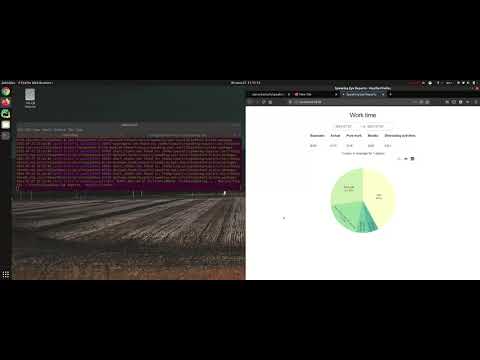
Release history Release notifications | RSS feed


Download files
Download the file for your platform. If you're not sure which to choose, learn more about installing packages.
Source Distribution
speaking-eye-0.1.1.tar.gz
(63.4 kB
view details)
File details
Details for the file speaking-eye-0.1.1.tar.gz.
File metadata
- Download URL: speaking-eye-0.1.1.tar.gz
- Upload date:
- Size: 63.4 kB
- Tags: Source
- Uploaded using Trusted Publishing? No
- Uploaded via: twine/3.4.2 importlib_metadata/4.6.3 pkginfo/1.7.1 requests/2.26.0 requests-toolbelt/0.9.1 tqdm/4.62.0 CPython/3.6.8
File hashes
| Algorithm | Hash digest | |
|---|---|---|
| SHA256 |
432a979f2eae979931a112c441086d9789961b368cad1610e3983849ac5e479b
|
|
| MD5 |
90539d2d08ccaab13077a8d0146f3e55
|
|
| BLAKE2b-256 |
0eeeca9024cfd364ee21f41aa5c342cb29e63bb7a439367d71edd4de13dbee43
|






