
Realtime AI Voice Interface using OpenAI Realtime API

Project description
SpeakNow
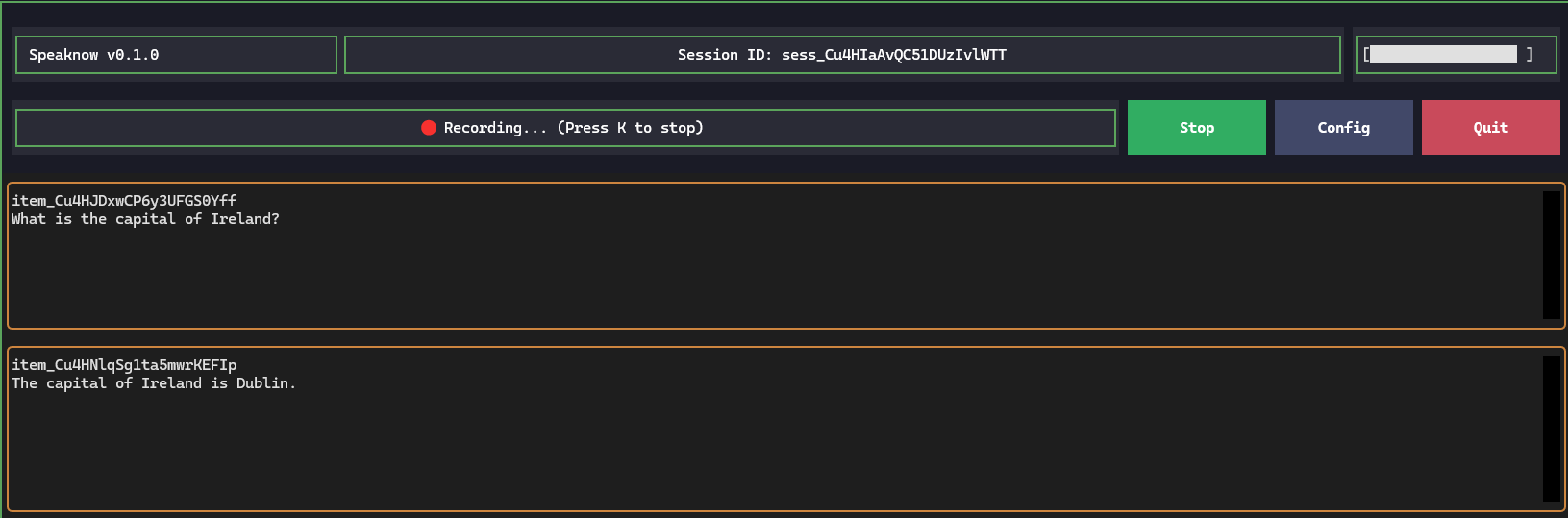
SpeakNow is a high-performance, real-time AI voice interface built on the OpenAI Realtime API. It provides a seamless, low-latency speech-to-speech conversational experience directly in your terminal.
This project is based on and inspired by the push_to_talk_app.py example from the openai-python repository but with lots of features added.
Features
- Low-Latency Speech-to-Speech: Direct multimodal interaction using the
gpt-realtimeorgpt-realtime-minimodels for near-instant responses. - Real-time Transcription: View live streaming transcripts of your conversation as you speak.
- Advanced Audio Handling: Save input speech to local WAV files for record-keeping or debugging.
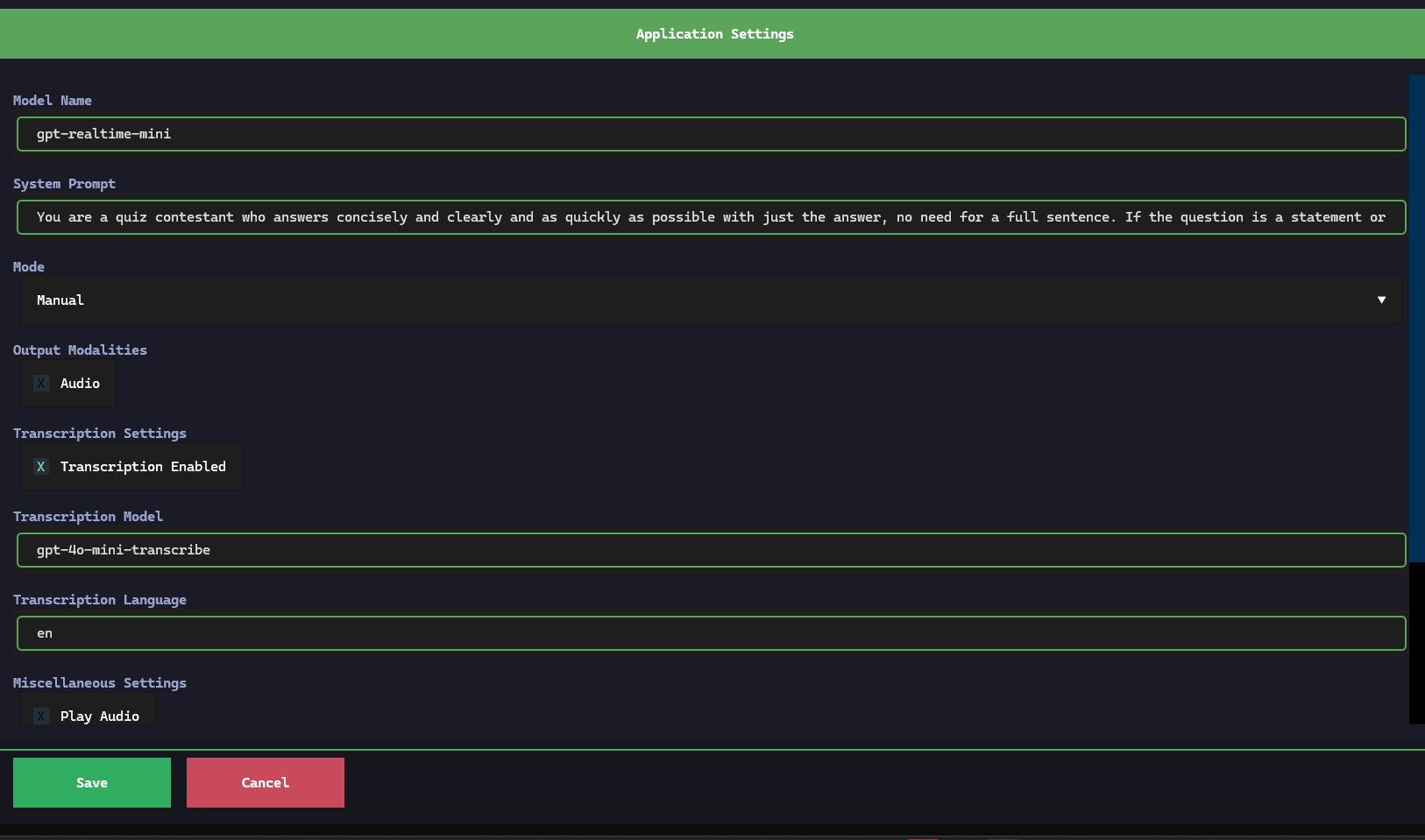
- Configurable Parameters: Easily adjust system prompts, model names, mode, and transcription options through a built-in TUI settings menu.
- Professional TUI: A clean, "sticky" interface with persistent headers, footers, and scrollable settings panes using
textual. - Voice Amplitude Monitor: Monitor the volume of the voice input
Installation
SpeakNow requires Python 3.11 or greater.
To install the latest version from PyPI, run:
pip install speaknow-gui
For linux, portaudio19-dev and ffmpeg are required. For example, to install on Ubuntu:
sudo apt install portaudio19-dev ffmpeg
Usage
Configuration
Before running, ensure your OPENAI_API_KEY is set in your environment variables.
In Windows open the Edit Environmnent Variables GUI and add it there.
In Linux:
export OPENAI_API_KEY="your-api-key-here"
SpeakNow provides two main entry points for different use cases.
1. Standard Application
Launch the main TUI application to start a real-time session:
Windows:
speaknow.exe
Linux:
speaknow
2. Web Service Mode
Run a server-side version optimized for shared or remote environments:
Windows:
speaknow-serve.exe
Linux:
speaknow-serve
Modes:
The mode can be changed in configuration. Manual mode is triggered by hitting "Start," speaking and then hitting "Stop." to send the audio. Server VAD and uses periods of silence to automatically chunk the audio. Semantic VAD uses a semantic classifier to detect when the user has finished speaking, based on the words they have uttered.


Download files
Download the file for your platform. If you're not sure which to choose, learn more about installing packages.
Source Distribution
Built Distribution
Filter files by name, interpreter, ABI, and platform.
If you're not sure about the file name format, learn more about wheel file names.
Copy a direct link to the current filters
File details
Details for the file speaknow_gui-0.1.2.tar.gz.
File metadata
- Download URL: speaknow_gui-0.1.2.tar.gz
- Upload date:
- Size: 20.5 kB
- Tags: Source
- Uploaded using Trusted Publishing? No
- Uploaded via: twine/6.2.0 CPython/3.14.2
File hashes
| Algorithm | Hash digest | |
|---|---|---|
| SHA256 |
d2d0467369a47785d9e4ca3b76ab717b30c55d420fce44b0cd415a99c88d0c2f
|
|
| MD5 |
fce558a6fcf68518fa16ad123861417a
|
|
| BLAKE2b-256 |
8fdee4fd3a39262ac2af7c9e2c4c923d17588e3ee1d30300ddd84c3865b67c48
|
File details
Details for the file speaknow_gui-0.1.2-py3-none-any.whl.
File metadata
- Download URL: speaknow_gui-0.1.2-py3-none-any.whl
- Upload date:
- Size: 22.2 kB
- Tags: Python 3
- Uploaded using Trusted Publishing? No
- Uploaded via: twine/6.2.0 CPython/3.14.2
File hashes
| Algorithm | Hash digest | |
|---|---|---|
| SHA256 |
95f7e259adae963ea033e308769e8b266d971aa62f3d456c0aeaba150c1122d3
|
|
| MD5 |
08d817981cfb8227469742557072d7f3
|
|
| BLAKE2b-256 |
a1d55206b4efaf53619eebeca8e90ae070b1c0d21fdd3eb32d9fa0eff174ca21
|






