
Specification-driving development toolkit

Project description
spec-driver
Your specification-driven development framework construction toolkit, with multi-language spec sync and documentation generation.

Why?
- Instead of expensive throwaway research, maintain verifiably accurate, evergreen specs
- Use cheap, fast, deterministically generated docs to complement and audit the work of messy, stochastic agents
- The combination of markdown and YAML is a surprisingly powerful platform for structured, legible data
- Tooling joins related entities through a registry for fast lookup, validation, and relational data
- Stop banging rocks together
What for?
- greenfield spec-driven development with Claude Code & friends (Codex, etc)
- adapt and evolve processes as your codebase grows
- large codebases - 150kLoC+
- legacy conversion
- nobody can force you to use Jira
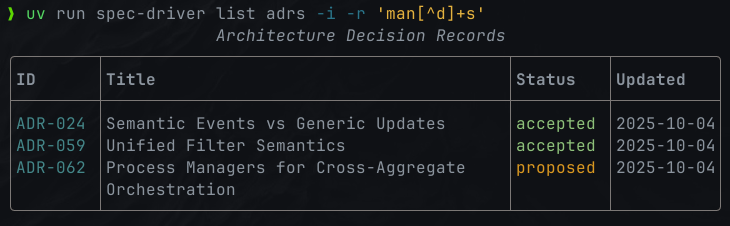
- a low friction, conceptually coherent, unified CLI for spec-driven development you can adapt as your needs change
Status
Beta - Under active development. Muggles should stick to Cursor.
Features
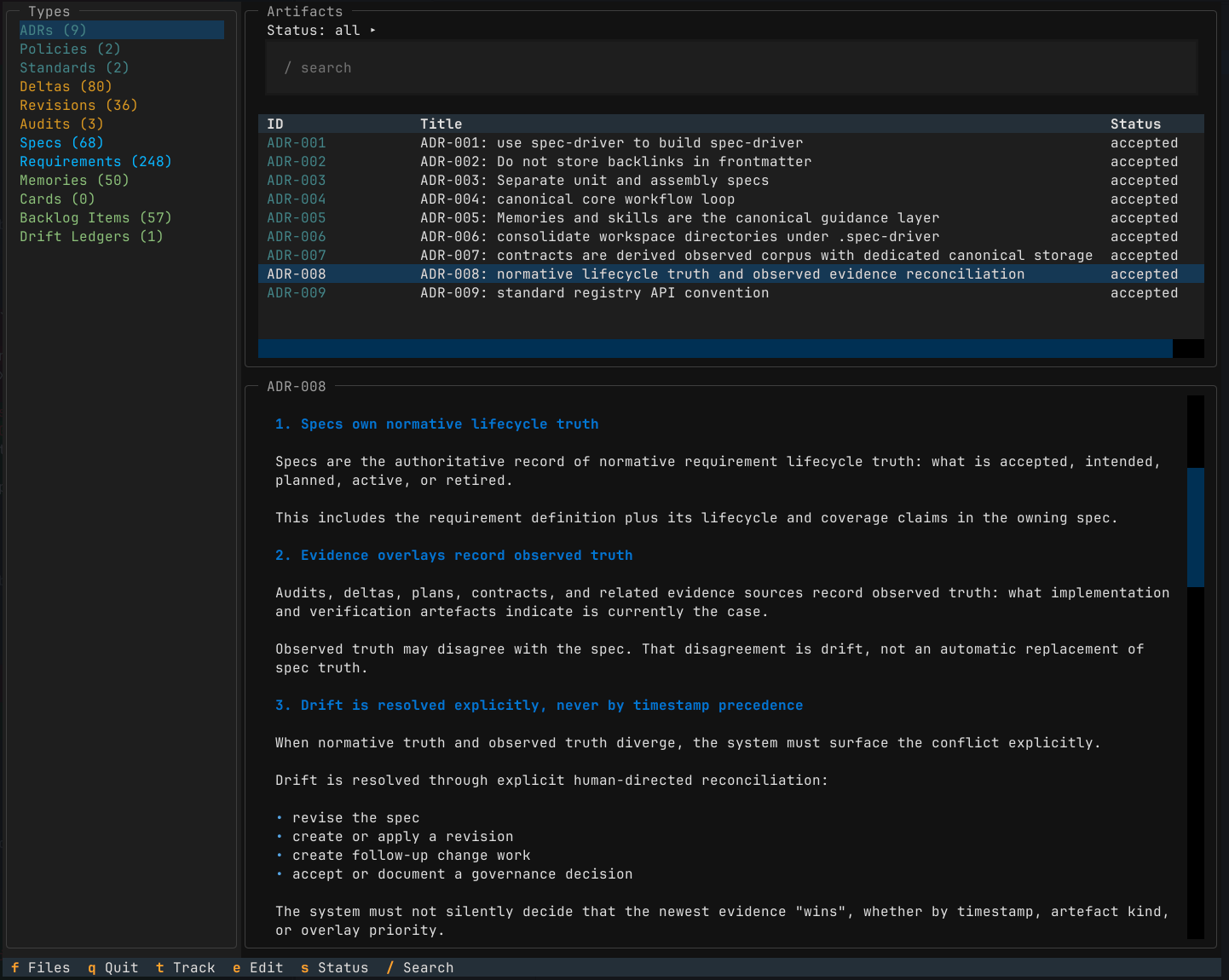
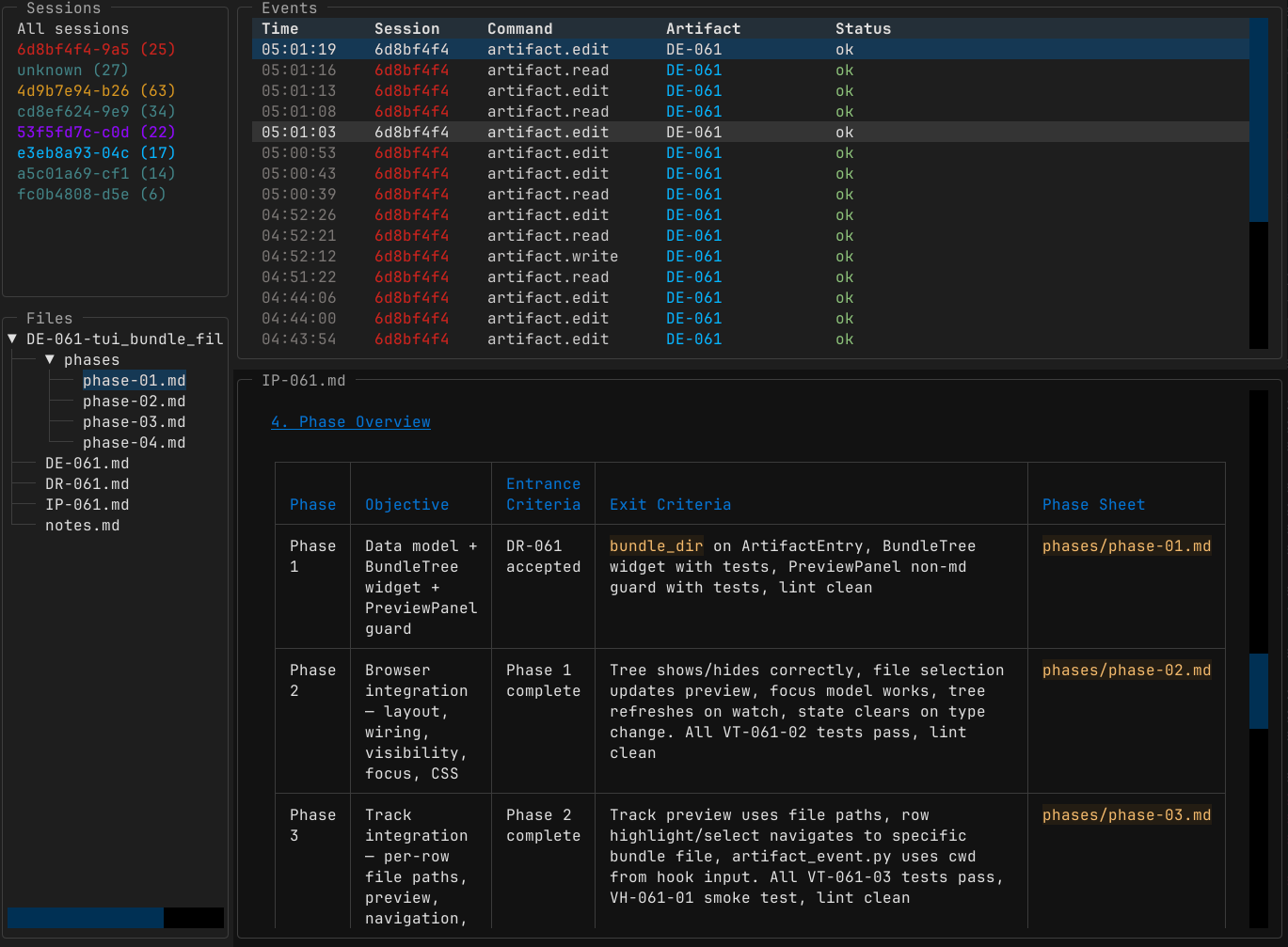
A smorgasbord for you to build your own workflow around. CLI, TUI, agent memory, skills.
Boot up, install, and ask the agent to show you around.
| Feature | Blurb |
|---|---|
| Multi-Language Spec Sync | Automatically sync specifications with Go, Python & TypeScript/JS codebases |
| Architecture Decision Records (ADRs) | Record, find, manage and track architectural decisions |
| Product Specs | Product requirement docs, with customer-focused value drivers, use cases and personas |
| Tech Specs | Start with architectural vision - or fill it in after the fact, scaffolded by deterministically generated documentation |
| Requirements | Create and track requirements with categories, tags, and rich lifecycle support - functional, non-functional, technical and product. |
| Policies & Standards | Enforce project-wide policies & standards; encourage conventions and sensible defaults |
| Delta/Change Tracking | Create a delta to implement a set of requirements or backlog items, deltas, implementation plans and revisions. Record structured data (entry / exit criteria; files and commits) through planning and implementation. Record verification evidence (automated tests, agent or human review), driving requirement status updates. |
| Backlog Management | Tooling to create, search & filter Issues, Risks, Problem Statements, Improvements and related artefacts. Prioritise your backlog - just by moving lines up & down in your $EDITOR. |
| Documentation Generation | Compact, legible, deterministic markdown documentation from code. Autogenerated spec stubs for new code; change tracking. |
| Metadata Schema Validation | Ensure consistency across specification artifacts. CLI tooling support for agents: schema documentation and validation. |
| Customisable Templates & Agent Commands | Optionally install templates & commands locally to customise your workflow; fallback to defaults. |
| Orphaned Spec Detection | Identify & safely remove tech specs for deleted source files. |
| Audits | Record agent (or human) research & inspection to verify implementation, feeding back into requirements & spec status. |
| Spec Revisions | Optionally contextualize changes to product/architectural specs, with data as structured as makes sense. Start your changes with a revision to capture the design changes - or end with one to represent your findings and what actually happened. |
| Markdown + Git | Why use a shitty Saas when version controlled text is this powerful, and agents can work with it so fluently? I'm sure you can pipe it into other, lesser tools if you need it. |
| Zero Lock-In, Zero Cost | Things change fast, but if text in open formats goes out of fashion, all bets are off. |
Installation
PyPi package
# try before you buy
uvx spec-driver --help
uvx spec-driver install

# install as a tool (recommended)
uv tool install spec-driver
spec-driver install

# Or set up as a python project
uv init
uv add spec-driver
uv run spec-driver install
From GitHub (Development)
# Install from latest commit
uv init
uv add git+https://github.com/davidlee/spec-driver
uv run spec-driver --help

# Or use it right off the tubes
uvx --from git+https://github.com/davidlee/spec-driver spec-driver --help
Brew
brew tap davidlee/spec-driver
brew install spec-driver
Nix Flake
nix profile install github:davidlee/spec-driver
Or use the flake input:
inputs.spec-driver.url = "github:davidlee/spec-driver";
example dev shell.
Extras: Contract generation
If you're writing TypeScript / JavaScript, Go, or Zig, you'll want to install the appropriate contract doc generator:
- gomarkdoc
- zigmarkdoc
npm dependency: ts-doc-extract
TypeScript/JavaScript contract generation requires the ts-doc-extract npm package. It's a small library which uses the tsc AST to generate compact documentation.
If ts-doc-extract is not installed, sync will skip TypeScript contract
generation with a warning and install instructions. The installer also detects
TypeScript projects and advises.
# install globally
npm install -g ts-doc-extract

# or locally in your project
npm install --save-dev ts-doc-extract

Quick Start
claude
If you use Claude Code or Codex, your agent can manage the workflow, and you can stop reading here.
The rest is for reference if you need it.
Tool use
All commands are accessed through the unified spec-driver CLI.
Depending on how you installed it, you might need to use uv run spec-driver.
I suggest adding alias to your .zshrc or .envrc:
alias sdr="uv run spec-driver"
Installation & Setup
# Initialize spec-driver workspace structure
spec-driver install

# This creates:
# - specify/ directory (for specs, ADRs)
# - change/ directory (for deltas, revisions)
# - memories/ directory (agent memory files)
# - .spec-driver/ (YAML registries & configuration)
# - agent skills (depending on your configuration)
Synchronization
# Sync all specs with source code (auto-discovery)
spec-driver sync

# Sync only existing registered specs
spec-driver sync --existing

# Sync only specific language
spec-driver sync --language python

# Sync specific targets
spec-driver sync go:internal/foo python:module.py

# Dry run to preview changes
spec-driver sync --dry-run

# Check if docs are up-to-date (CI-friendly)
spec-driver sync --check

# Remove specs for deleted source files
spec-driver sync --prune

# Sync just the markdown registries (not generated tech specs / docs), log level INFO
spec-driver validate --sync --verbose
Creating Artifacts
# Create a new technical spec
spec-driver create spec --kind tech

# Create a new product spec
spec-driver create spec --kind product

# Create a new delta (change proposal)
spec-driver create delta

# Create a requirement breakout
spec-driver create requirement

# Create a spec revision
spec-driver create revision

# Create an ADR
spec-driver create adr
Delta creation scaffolds a full bundle by default:
DE-XXX.md— delta summary and scopeDR-XXX.md— design revision capturing architecture intent, code impacts, and verification alignmentIP-XXX.md— implementation planphases/phase-01.md— first execution phase sheetnotes.md— scratchpad for research and findings
Listing Artefacts
# List all specs
spec-driver list specs

# List specs for specific package
spec-driver list specs --package internal/foo

# List specs with package details
spec-driver list specs --packages

# List deltas
spec-driver list deltas

# List deltas by status
spec-driver list deltas --status active

# List all changes (deltas, revisions, audits)
spec-driver list changes

# List changes by kind
spec-driver list changes --kind delta
Architecture Decision Records
# Create new ADR
spec-driver create adr

# List ADRs
spec-driver list adrs

# List ADRs by status
spec-driver list adrs --status accepted

# Show ADR details
spec-driver show adr ADR-001

# Sync ADR registry
spec-driver sync --adr
Policies and Standards
# Create a policy (hard rule)
spec-driver create policy "All code must have tests"

# Create a standard (convention/default)
spec-driver create standard "Use Google Python Style Guide"

# List policies
spec-driver list policies

# List policies by status
spec-driver list policies --status required

# List standards with "default" status
spec-driver list standards --status default

# Show policy details
spec-driver show policy POL-001

# Show standard details
spec-driver show standard STD-001

# List ADRs that reference a policy
spec-driver list adrs --policy POL-001

# List ADRs that reference a standard
spec-driver list adrs --standard STD-001
Validation
# Validate workspace consistency
spec-driver validate
Completing Work
# Mark delta as completed
spec-driver complete delta DE-001
Project Integration
spec-driver integrates into your project using:
- Directory structure:
specify/andchange/directories - Registry files:
.spec-driver/registry/*.yamlfor cross-references - Templates:
.spec-driver/templates/for consistent artifact creation - Agent instructions:
.claude/commandsfor AI-assisted development
Common Workflows
Daily Development
# 1. Create a delta for your change
spec-driver create delta

# 2. Write code, update specs as needed

# 3. Sync specs with code
spec-driver sync

# 4. Validate consistency
spec-driver validate

# 5. Mark delta complete
spec-driver complete delta DE-XXX
Onboarding New Code
# Auto-discover and create specs for existing code
spec-driver sync --language python

# Review what would be created first
spec-driver sync --dry-run
Cleaning Up
# Find orphaned specs (source files deleted)
spec-driver sync --existing --prune --dry-run

# Remove them
spec-driver sync --existing --prune
Continuous Integration
# Verify specs are up-to-date
spec-driver sync --check

# Validate workspace
spec-driver validate
Caveats
Installs claude hooks and skills (project-local only), but you can install your own and customize their behaviour.
Probably doesn't work on Windows, but what does? If you can't afford Linux, I don't know what to tell you.
I'll aim not to make breaking changes to data formats.
Related
- PyPi project
- npm dependency for TS doc gen
- A Socratic dialogue wherein I talk myself into building this thing
- me
License
MIT, go nuts.
Release history Release notifications | RSS feed


Download files
Download the file for your platform. If you're not sure which to choose, learn more about installing packages.
Source Distribution
Built Distribution
Filter files by name, interpreter, ABI, and platform.
If you're not sure about the file name format, learn more about wheel file names.
Copy a direct link to the current filters
File details
Details for the file spec_driver-0.7.5.tar.gz.
File metadata
- Download URL: spec_driver-0.7.5.tar.gz
- Upload date:
- Size: 689.7 kB
- Tags: Source
- Uploaded using Trusted Publishing? No
- Uploaded via: uv/0.8.23
File hashes
| Algorithm | Hash digest | |
|---|---|---|
| SHA256 |
b4da020ff3ff881899d7df0240dacbb31030ab7acfad0493936ed59c15544437
|
|
| MD5 |
4f489385c636c5ce944a241a7851692a
|
|
| BLAKE2b-256 |
ecfc2e1a43ceab8c9d73bd332b0ce352c3d2db4f822ebdaf6ea4ae99f7fcb573
|
File details
Details for the file spec_driver-0.7.5-py3-none-any.whl.
File metadata
- Download URL: spec_driver-0.7.5-py3-none-any.whl
- Upload date:
- Size: 927.9 kB
- Tags: Python 3
- Uploaded using Trusted Publishing? No
- Uploaded via: uv/0.8.23
File hashes
| Algorithm | Hash digest | |
|---|---|---|
| SHA256 |
b211896e9dac3c89c77928c8477586eba15bcb31d1dbfc98f7e95ff156792635
|
|
| MD5 |
b69c4909ffc5bb0cb2e9e33328665641
|
|
| BLAKE2b-256 |
a73bd9cc4527d4cb2c374249530c987684a86674b65e759e65533115adf4061d
|






