
A library for parsing and manipulating RPM spec files.


Project description
specfile
Python library for parsing and manipulating RPM spec files. Main focus is on modifying existing spec files, any change should result in a minimal diff.
This project is still a work in progress.
Motivation
Originally, rebase-helper provided an API for spec file modifications that was also used by packit. The goal of this project is to make the interface more general and convenient to use by not only packit but also by other Python projects that need to interact with RPM spec files.
Important terms used in this library
Section
Section is a spec file section, it has a well-defined name that starts with % character and that can optionally be followed by arguments.
In this library, the starting % of section name is ommited for convenience.
There is a special section internally called %package, often also referred to as preamble, and it represents the content of the spec file that preceeds the first named section (usually %description). This section contains the main package metadata (tags). Metadata of subpackages are defined in subsequent %package sections, that are not anonymous and are always followed by arguments specifying the name of the subpackage (e.g. %package doc or %package -n completely-different-subpackage-name).
Tag
Tag represents a single item of metadata of a package. It has a well-defined name and a value. Tags are defined in %package sections.
For the purposes of this library, a tag can have associated comments. These are consecutive comment lines directly above the tag definition in a spec file.
Source
Source is a source file or a downstream patch defined by a Source/Patch tag or by an entry in %sourcelist/%patchlist section.
Source can be local, specified by a filename, or remote, specified by a URL. Local sources should be located in a directory referred to as sourcedir. Remote sources should be downloaded to this directory.
Sources defined by tags can be explicitly numbered, e.g. Source0 or Patch999, otherwise implicit numbering takes place and source numbers are auto-assigned in a sequential manner.
Prep macros
Prep macros are macros that often appear in (and only in, they don't make sense anywhere else) %prep section.
4 such macros are recognized by this library, %setup, %patch, %autosetup and %autopatch. A typical spec file uses either %autosetup or a combination of %setup and %patch or %autopatch.
Examples and use cases
The following examples should cover use cases required by packit.
Instantiating
from specfile import Specfile

# using an absolute path
specfile = Specfile('/tmp/test.spec')

# using a relative path and a different sourcedir
specfile = Specfile('test.spec', sourcedir='/tmp/sources')
Reloading
# if the spec file happens to be modified externally, it can be reloaded
specfile.reload()
Saving changes
# no autosave
specfile = Specfile('test.spec')
...
# saving explicitly when needed
specfile.save()

# enabling autosave, changes are saved immediately after any modification
specfile = Specfile('test.spec', autosave=True)

# as a context manager, saving is performed at context exit
with Specfile('test.spec') as specfile:
    ...
Defining and undefining macros
# override macros loaded from system macro files
specfile = Specfile('test.spec', macros=[('fedora', '38'), ('dist', '.fc38')])

# undefine a system macro (in case it's defined)
specfile = Specfile('test.spec', macros=[('rhel', None)])
Low-level manipulation
with specfile.sections() as sections:
    # replacing the content of a section
    sections.prep = ['%autosetup -p1']
    # removing a section
    del sections.changelog
    # swapping two sections
    sections[1], sections[2] = sections[2], sections[1]
    # accessing a section with arguments
    print(sections.get('package devel'))
    # inserting a line into a section
    sections.build.insert(0, 'export VERBOSE=1')

# copying a section from one specfile to another
with specfile1.sections() as sections1, with specfile2.sections() as sections2:
    sections2.changelog[:] = sections1.changelog
Mid-level manipulation - tags, changelog and prep
# accessing tags in preamble
with specfile.tags() as tags:
    # name of the first tag
    print(tags[0].name)
    # raw value of the first tag
    print(tags[0].value)
    # expanded value of the first tag
    print(tags[0].expanded_value)
    # comments associated with the first tag
    print(tags[0].comments)
    # value of a tag by name
    print(tags.url)
    tags.url = 'https://example.com'

# accessing tags in subpackages
with specfile.tags('package devel') as tags:
    print(tags.requires)

# working with changelog
with specfile.changelog() as changelog:
    # most recent changelog entry
    print(changelog[-1])
    # making changes
    changelog[1].content.append('- another line')
    # removing the oldest entry
    del changelog[0]

# working with macros in %prep section, supports %setup, %patch, %autosetup and %autopatch
from specfile.prep import AutosetupMacro

with specfile.prep() as prep:
    # name of the first macro
    print(prep.macros[0].name)
    # checking if %autosetup is being used
    print('%autosetup' in prep)
    print(AutosetupMacro in prep)
    # changing macro options
    prep.autosetup.options.n = '%{srcname}-%{version}'
    # adding a new %patch macro
    prep.add_patch_macro(28, p=1, b='.test')
    # removing an existing %patch macro by name
    del prep.patch0
    # this works for both '%patch0' and '%patch -P0'
    prep.remove_patch_macro(0)
High-level manipulation
Version and release
# getting version and release
print(specfile.version)
print(specfile.release)

# setting version and release
specfile.version = '2.1'
specfile.release = '3'

# setting both at the same time (release defaults to 1)
specfile.set_version_and_release('2.1', release='3')

# setting version while trying to preserve macros
specfile.set_version_and_release('2.1', preserve_macros=True)
Changelog
# adding a new entry, author is automatically determined
# (using the same heuristics that rpmdev-packager uses) if possible
specfile.add_changelog_entry('New upstream release 2.1')

# adding a new entry, specifying author and timestamp explicitly
specfile.add_changelog_entry(
    'New upstream release 2.1',
    author='Nikola Forró',
    email='nforro@redhat.com',
    timestamp=datetime.date(2021, 11, 20),
)
Sources and patches
with specfile.sources() as sources:
    # expanded location of the first source
    print(sources[0].expanded_location)
    # adding a source
    sources.append('tests.tar.gz')

with specfile.patches() as patches:
    # modifying location of the first patch
    patches[0].location = 'downstream.patch'
    # removing comments associated with the last patch
    patches[-1].comments.clear()
    # adding and removing patches
    patches.append('another.patch')
    del patches[2]
    # inserting a patch with a specific number
    patches.insert_numbered(999, 'final.patch')

# adding a single patch
specfile.add_patch('necessary.patch', comment='a human-friendly comment to the patch')
Other attributes
print(specfile.name)
print(specfile.license)
print(specfile.summary)
specfile.url = 'https://example.com'
Note that if you want to access multiple tag values, it may be noticeably faster to do it using the tags context manager:
# same as above, but roughly 4x times faster (parsing/saving happens only once)
with specfile.tags() as tags:
    print(tags.name.value)
    print(tags.license.value)
    print(tags.summary.value)
    tags.url.value = 'https://example.com'
Read-only access
If you don't need write access, you can use the content property of context managers and avoid the with statement:
# no changes done to the tags object will be saved
tags = specfile.tags().content

print(tags.version.expanded_value)
print(tags.release.expanded_value)

# number of sources
print(len(specfile.sources().content))
Caveats
RPM macros
specfile uses RPM for parsing spec files and macro expansion. Unfortunately, macros are always stored in a global context, which poses a problem for multiple instances of Specfile.
Videos
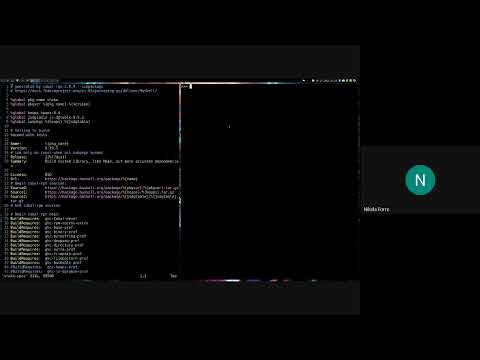
Here is a demo showcasing the Specfile.update_tag() method and its use cases:
Release history Release notifications | RSS feed


Download files
Download the file for your platform. If you're not sure which to choose, learn more about installing packages.
Source Distribution
Built Distribution
Filter files by name, interpreter, ABI, and platform.
If you're not sure about the file name format, learn more about wheel file names.
Copy a direct link to the current filters
File details
Details for the file specfile-0.22.1.tar.gz.
File metadata
- Download URL: specfile-0.22.1.tar.gz
- Upload date:
- Size: 93.8 kB
- Tags: Source
- Uploaded using Trusted Publishing? Yes
- Uploaded via: twine/4.0.2 CPython/3.11.6
File hashes
| Algorithm | Hash digest | |
|---|---|---|
| SHA256 |
16d2c0f097fa0668e0aed48bd7becd27ef34b39b07ce6f67f4b5fc642a08931f
|
|
| MD5 |
8bdca2110f2cbfa7b450b302642e1dd6
|
|
| BLAKE2b-256 |
df511f5c06dc8ff98ad252927011d13ad59121328547bab0f11689eebb3a216e
|
File details
Details for the file specfile-0.22.1-py3-none-any.whl.
File metadata
- Download URL: specfile-0.22.1-py3-none-any.whl
- Upload date:
- Size: 59.5 kB
- Tags: Python 3
- Uploaded using Trusted Publishing? Yes
- Uploaded via: twine/4.0.2 CPython/3.11.6
File hashes
| Algorithm | Hash digest | |
|---|---|---|
| SHA256 |
cd7bfa3a8fcf613664e5fb27e1b3cb3c45784383e26a546b4f0510d81192e8e9
|
|
| MD5 |
46da1c7228e13c88ed714e362303e9ba
|
|
| BLAKE2b-256 |
820162c157e616e3149d5781dccbfcaf379d36bab5d6b054e53bf53970ddf2f0
|






