
CLI toolkit for validating, mocking, and diffing API specs

Project description
SpecForge



Find API payload gaps before SIT/UAT, not during SIT/UAT.
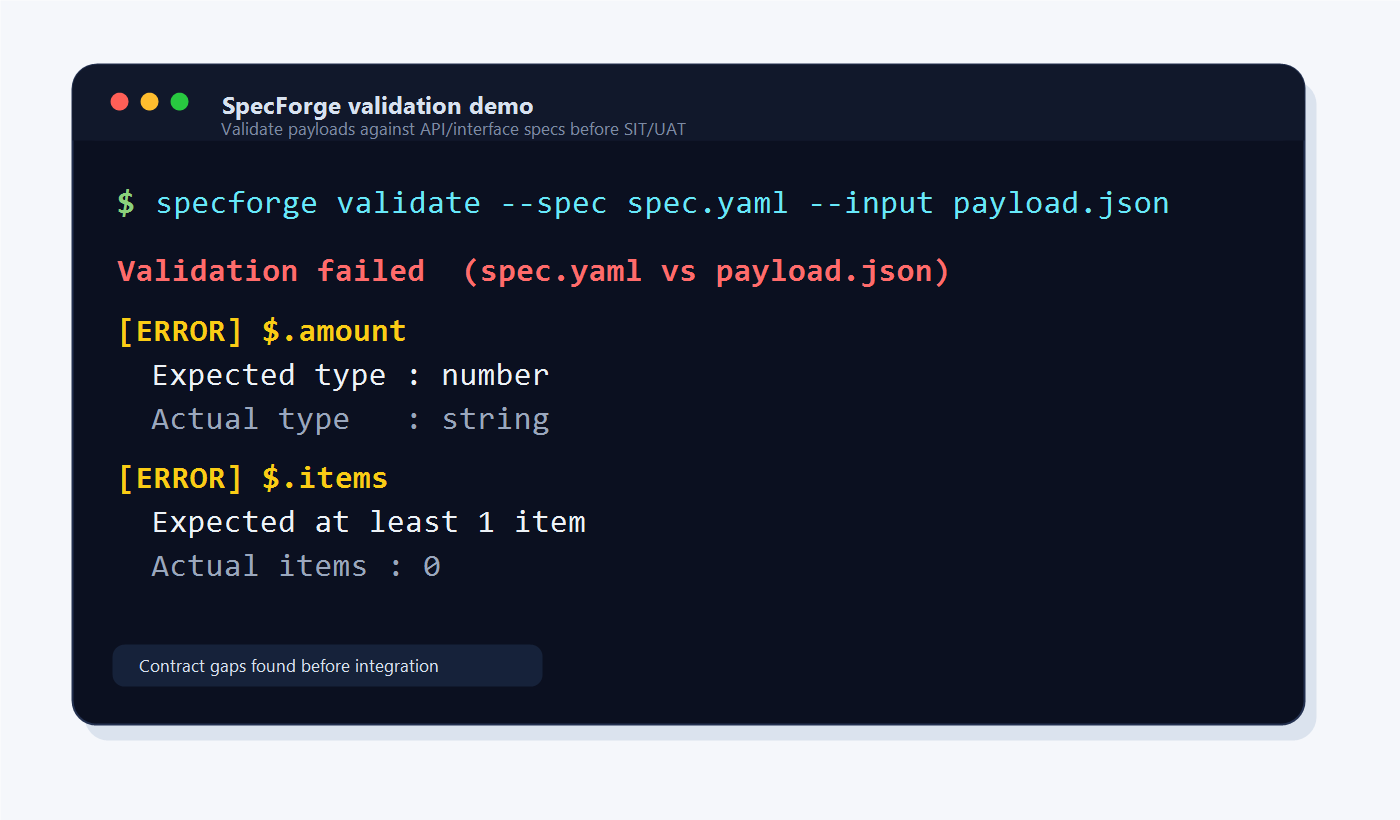
SpecForge validates JSON payloads against API/interface specs and reports contract gaps clearly.
SpecForge is a CLI toolkit for validating JSON payloads against API/interface specs, generating mock payloads, and detecting breaking changes between spec versions.
Why SpecForge?
In multi-team API integration, payload issues are often found too late during SIT/UAT.
Common problems include:
- Required fields are missing
- Field types do not match the agreed spec
- Nested objects or arrays are structured differently
- Teams interpret spreadsheet-based specs differently
- Breaking changes between spec versions are not clearly visible
SpecForge helps shift these checks earlier by turning API/interface specs into repeatable validation, mock generation, and spec diff workflows.
Install
pip install specforge-cli
Then run the CLI with:
specforge --help
Quick start
1. Write a spec
# spec.yaml
type: object
fields:
  transactionReference:
    type: string
    required: true
    maxLength: 50
  amount:
    type: number
    required: true
    minimum: 0.01
  status:
    type: string
    required: true
    enum: [PENDING, ACTIVE, CLOSED]
  items:
    type: array
    required: true
    minItems: 1
    items:
      type: object
      fields:
        productName:
          type: string
          required: true
        quantity:
          type: integer
          required: true
          minimum: 1
2. Validate a payload
specforge validate --spec spec.yaml --input payload.json
Validation passed  (spec.yaml vs payload.json)
  Fields checked : 5
  Passed         : 5
  Failed         : 0
3. Generate mock payloads
specforge mock --spec spec.yaml --mode minimal
specforge mock --spec spec.yaml --mode full --count 5
specforge mock --spec spec.yaml --seed 42
Modes: minimal (required fields only), full (all fields), edge (boundary values), example (realistic data)
4. Diff two spec versions
specforge diff --old v1.yaml --new v2.yaml
specforge diff --old v1.yaml --new v2.yaml --format json
specforge diff --old v1.yaml --new v2.yaml --fail-on-breaking
5. Import from CSV or Excel
If your team keeps specs in a spreadsheet, convert them directly:
specforge import-csv   --input spec.csv   --output spec.yaml
specforge import-excel --input spec.xlsx  --output spec.yaml
Omit --output to print to stdout.
Example validation failure
If amount is sent as a string instead of a number:
{
  "transactionReference": "TXN-001",
  "amount": "100.00",
  "status": "ACTIVE",
  "items": []
}
Run:
specforge validate --spec spec.yaml --input payload.json
SpecForge reports:
Validation failed  (spec.yaml vs payload.json)

[ERROR] $.amount
Expected type : number
Actual type   : string

[ERROR] $.items
Expected at least 1 item
Actual items : 0
Commands
| Command | What it does |
|---|---|
validate |
Check a JSON payload against a spec |
mock |
Generate mock payloads from a spec |
diff |
Compare two spec versions and explain changes |
import-csv |
Convert a CSV spec sheet into a YAML spec |
import-excel |
Convert an Excel spec sheet into a YAML spec |
Best for
- Backend developers validating API request/response payloads
- QA engineers preparing integration test data
- System analysts converting mapping specs into validation rules
- Integration teams checking payload gaps before SIT/UAT
- Teams that manage API specs in CSV or Excel
How is this different from a JSON diff tool?
JSON diff tools show where two payloads are different.
SpecForge checks whether a payload is valid according to the agreed API/interface spec.
It validates:
- Required and optional fields
- Data types
- Enum values
- Length and numeric rules
- Nested objects and arrays
- Breaking changes between spec versions
Spec format
Specs are YAML files with this structure:
type: object
fields:
  <field_name>:
    type: string | integer | number | boolean | object | array | null
    required: true | false          # default: false
    nullable: true | false          # default: true
    description: "..."
    # String
    minLength: 1
    maxLength: 255
    pattern: "^[A-Z]+"
    format: email | date | date-time
    # Number
    minimum: 0
    maximum: 100
    # Enum
    enum: [A, B, C]
    # Object
    fields:
      <nested_field>: ...
    # Array
    items:
      type: object
      fields: ...
    minItems: 1
    maxItems: 10
    uniqueItems: true
CSV / Excel column reference
Use one header row with these columns (field_name and type are required):
| Column | Required | Description |
|---|---|---|
field_name |
Yes | Field path - use dot notation for nesting: address.street |
type |
Yes | string integer number boolean object array null |
required |
true / false (default: false) |
|
nullable |
true / false (default: true) |
|
description |
Free text | |
item_type |
Required when type=array: type of each item |
|
format |
email date date-time |
|
enum |
Pipe-delimited values: A|B|C (no escape - values cannot contain |) |
|
default |
Default value (stored as string) | |
min_length |
Minimum string length | |
max_length |
Maximum string length | |
pattern |
Regex pattern | |
minimum |
Minimum numeric value | |
maximum |
Maximum numeric value | |
min_items |
Minimum array length | |
max_items |
Maximum array length | |
unique_items |
true / false |
Nested objects - use dot notation in field_name:
address.street -> creates address (object) -> street (string)
Array items - use the reserved item segment:
orders.item.productId -> fields inside each array element
Requirements
- Python 3.11+
openpyxlis included for Excel support
Roadmap / Planned features
- Markdown validation report
- HTML validation report
- OpenAPI import
- Postman collection import
- Conditional required fields
- Better nested array validation
- CI/CD examples
Example future rule:
If customerType = corporate, companyRegistrationId is required.
Install for development
git clone <repo>
cd specforge
python -m venv .venv
source .venv/bin/activate   # Windows: .venv\Scripts\activate
pip install -e ".[dev]"
pytest
License
MIT License
Feedback / Contributing
Issues, feature requests, and examples from real integration workflows are welcome.
Release history Release notifications | RSS feed


Download files
Download the file for your platform. If you're not sure which to choose, learn more about installing packages.
Source Distribution
Built Distribution
Filter files by name, interpreter, ABI, and platform.
If you're not sure about the file name format, learn more about wheel file names.
Copy a direct link to the current filters
File details
Details for the file specforge_cli-0.1.4.tar.gz.
File metadata
- Download URL: specforge_cli-0.1.4.tar.gz
- Upload date:
- Size: 74.2 kB
- Tags: Source
- Uploaded using Trusted Publishing? No
- Uploaded via: twine/6.2.0 CPython/3.12.10
File hashes
| Algorithm | Hash digest | |
|---|---|---|
| SHA256 |
f22bf5b753f2122252c442a7866e5ec1dbe686a25a4aaaa0c55c888b31e032b2
|
|
| MD5 |
2bdef9114b8444a88642aee5c106c442
|
|
| BLAKE2b-256 |
6c09716cce992da92ced5e4c16b62688dda8d690ba0e137d9b347a0195a263d9
|
File details
Details for the file specforge_cli-0.1.4-py3-none-any.whl.
File metadata
- Download URL: specforge_cli-0.1.4-py3-none-any.whl
- Upload date:
- Size: 27.9 kB
- Tags: Python 3
- Uploaded using Trusted Publishing? No
- Uploaded via: twine/6.2.0 CPython/3.12.10
File hashes
| Algorithm | Hash digest | |
|---|---|---|
| SHA256 |
01f2645aa2527dd573e730f51b10ccd382d03f538d6934642b0c984ad3bfbd3b
|
|
| MD5 |
a24090e1a62642fa65d4621b8e2bb2ec
|
|
| BLAKE2b-256 |
1c1f83024c5fcb77d82adbdc7d879e2fe0f5b3b32ce2fead34649bbfcbc38da0
|






