
Python Speckle Generator
Overview
This is a simple python package for generation of a speckle pattern based on user inputs for variables such as image dimensions, dot radius and speckle coverage. The image of the speckle pattern is customisable. The use is able to change the contrast, the mean intensity and whether or not the pattern is black dots on a white background or white dots on a black background. It perfoms fast fourier transform analysis on the generated speckle pattern and determines the average speckle size and gives a visualisation of the pattern if desired.
How to install
clone the repository and install package:
git clone <repository-url>
cd speckles
python3 -m pip install -e
Structure of package
The package has four source code modules for creating a speckle pattern image:
pattern.pygenerates the pattern from a uniform grid based on the image size and the speckle spacing and displacing each point/speckle by a randomnly generated amount within a range. This allows you to quantify 'how random' the pattern is if you wanted to. Takes inputs for image dimensions, dot radius, speckle coverage for the pattern.fft.pymodule for performing the fft analysis of the pattern, takes user inputs for saving/outputting the fourier spectrum. Outputs the average speckle size in pixels and the fft spectrum if desiredimage.pygenerates the speckle image from the speckle pattern - can customise the pattern here: change the contrast, mean intensity and choose whether or not to invert the greyscale of the pattern.spacing.pyholds two functions used to calculate the grid spacing/number of speckles needed based on the value taken for speckle coverage, also calculates the random displacements of the grid points.
.gitignore
LICENSE
README.md
pyproject.toml
src/
|
|---- speckles/
|       |---- __init__.py
|       |---- fft.py                # fast fourier transform analysis module, outputs the average speckle size in pixels
|       |---- image.py              # makes image from the pattern, saves and customises pattern to user specification
|       |---- pattern.py            # pattern generated from random displacements from uniform grid - uses circular speckles
|       |---- spacing.py            # grid making functions, determines number of speckles and grid spacing
|---- examples/
|       |---- images
|               |---- alternate_speckle_pattern.tiff
|               |---- speckle_pattern.tiff
|       |---- example_scrpit_one.py # runs the pattern in pattern.py and fft.py
|       |---- example_script_two.py # runs the alternate pattern generation
Key Classes and Methods
Pattern Class
Generates the speckle pattern from user inputs.
Attributes
image_height (int), image_width (int): dimensions of image in pixelsdot_radius (float): radius of dots used to create speckle patternspeckle_coverage (float): measure of the density of speckles - ratio between black and white pixels
Methods
pattern_generation() -> None: creates the image and fills in dots to create initial speckle pattern
ImageGeneration Class
Customises the pattern to create image with user specified porperties
Attributes
speckle_pattern (np.ndarray): speckle pattern generated inPatternClassmean_intensity (float): desired mean intensity of image as a fraction of bit depth (0-1 scale)inverted (bool): determines whether image inverts or not (black speckles on white background is inverted)contrast (float): desired contrast of the image as a fraction of bit depth (0-1 scale)bits (int): how many bits the image is saved to (can be 8-bit, 10-bit, 12-bit or 16-bit)save_path (str): determines where the image is saved/if it is saved at all
Methods
visualise_pattern(inverted: bool, contrast: float) -> None: if desired, inverts imagemean_intensity() -> np.ndarray: changes brightness/intensity of image based on user inputsave(bits: int, save_path: Path | None = None) -> None: saves the image with specified bit depth and path
FFTAnalysis Class
Performs fast fourier transform analysis on the image to determine average speckle size
Attributes
image (np.ndarray): the result from the Image Classvisual_fft (bool): determines if the fft is visualised
Methods
fft_analysis() -> None: computes the average speckle size using fft analysisvisual_fft(visual_fft) -> None: plots fft spectrum and displays if user desires along with speckle pattern
Examples
example_script_one.py
First example using the speckle generator:
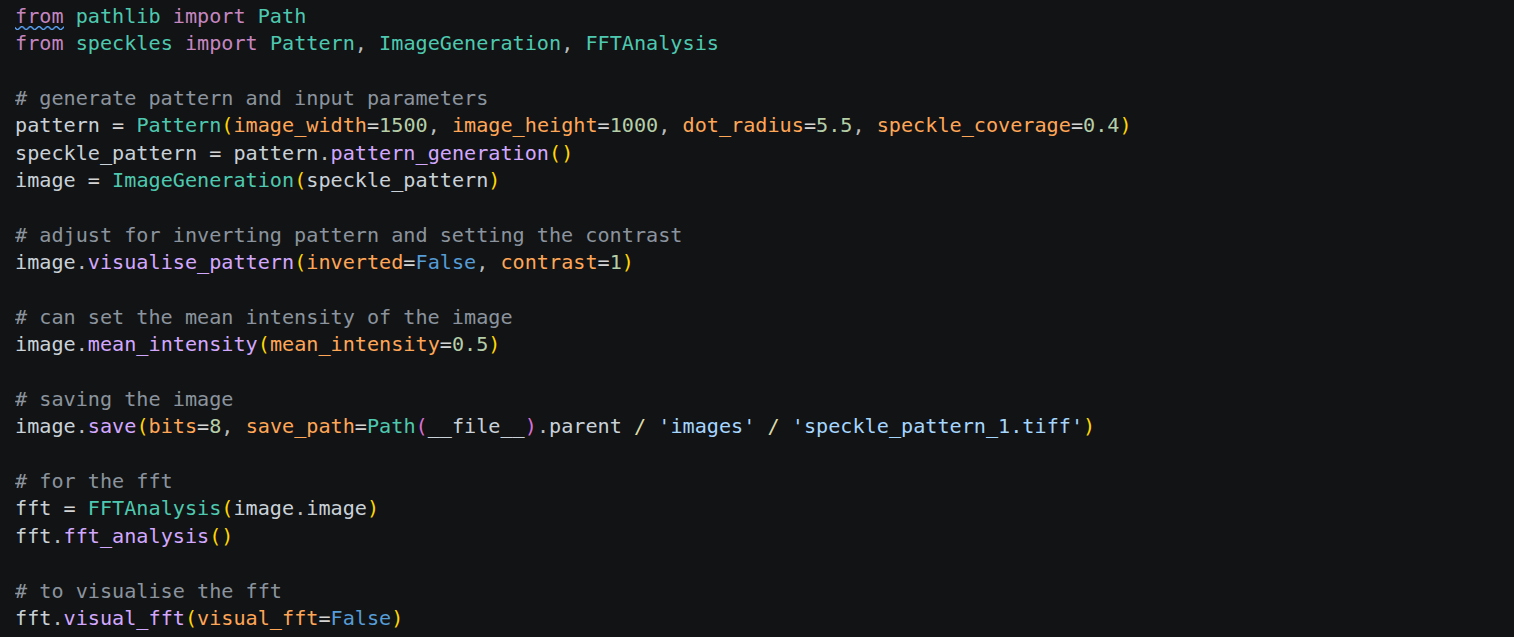
This example script would output a speckle pattern image of dimensions 1500 x 1000 (pixels), dot radius of 5.5 pixels and a 40% speckle coverage. The image would not be inverted so will have black dots on a white background and a maximum contrast of 1. The mean intensity of the image would be 0.5 and the image would be saved as an 8-bit image in the file 'speckle_pattern_1.tiff' within the images folder in the examples folder. The FFT spectrum would not be shown as visual_fft is set to False, the fft analysis is still performed and the average speckle size would be printed out. This is what the speckle pattern would look like:
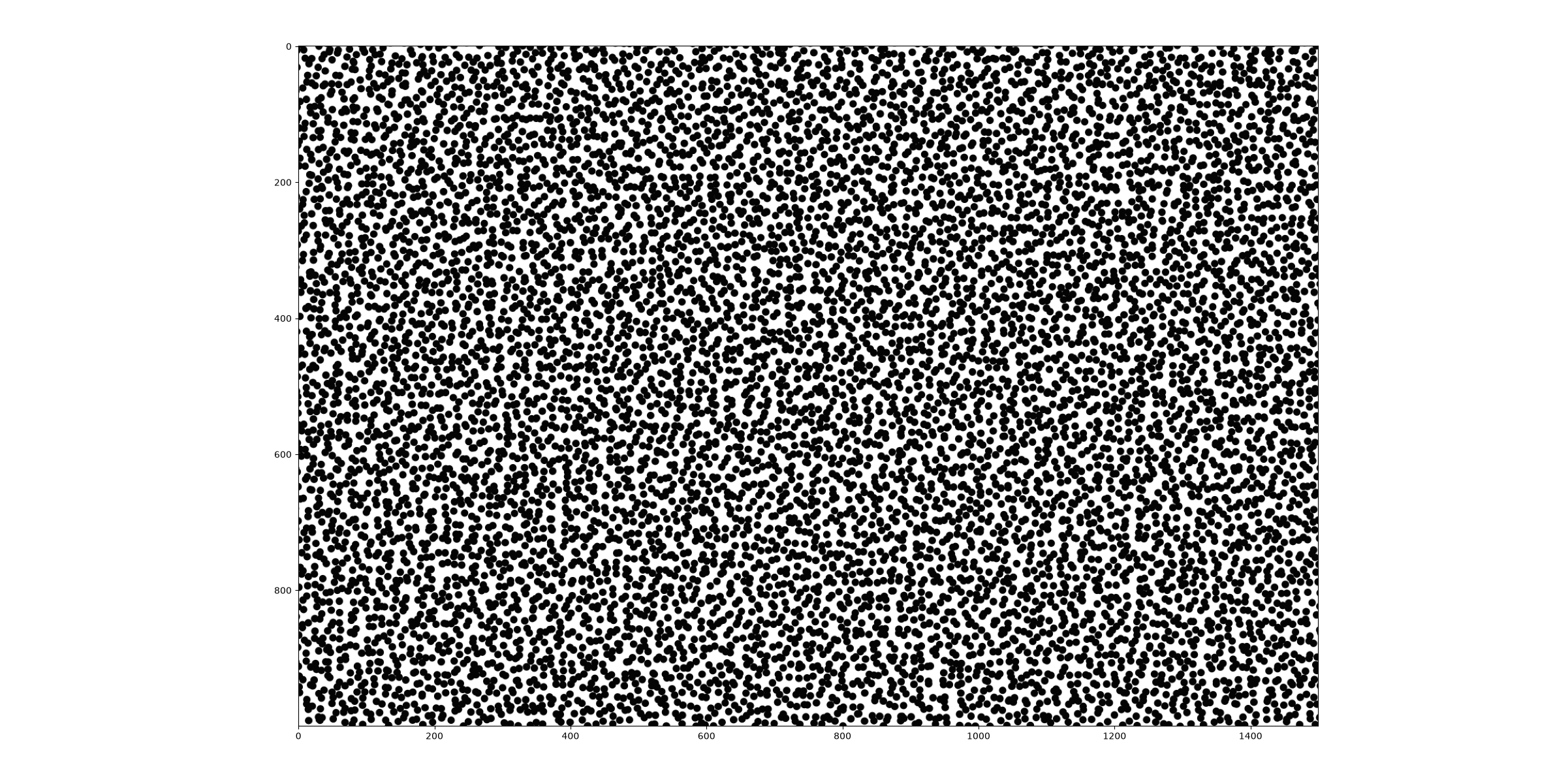
The file that the image is saved as will have no axes and will be saved just as the raw pattern. These parameters give an average speckle size of 20.8 pixels
example_script_two.py
Using the same speckle pattern generator but demonstrating use of different values for parameters.
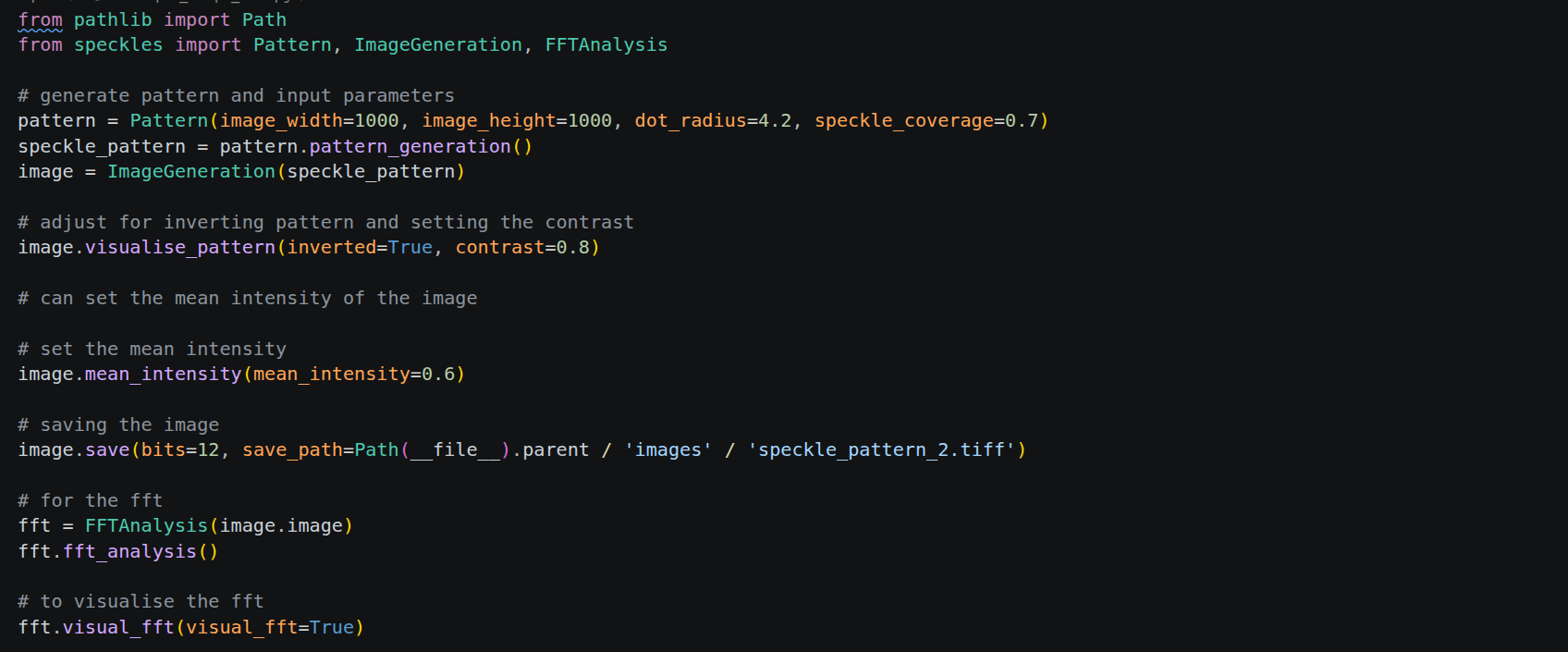
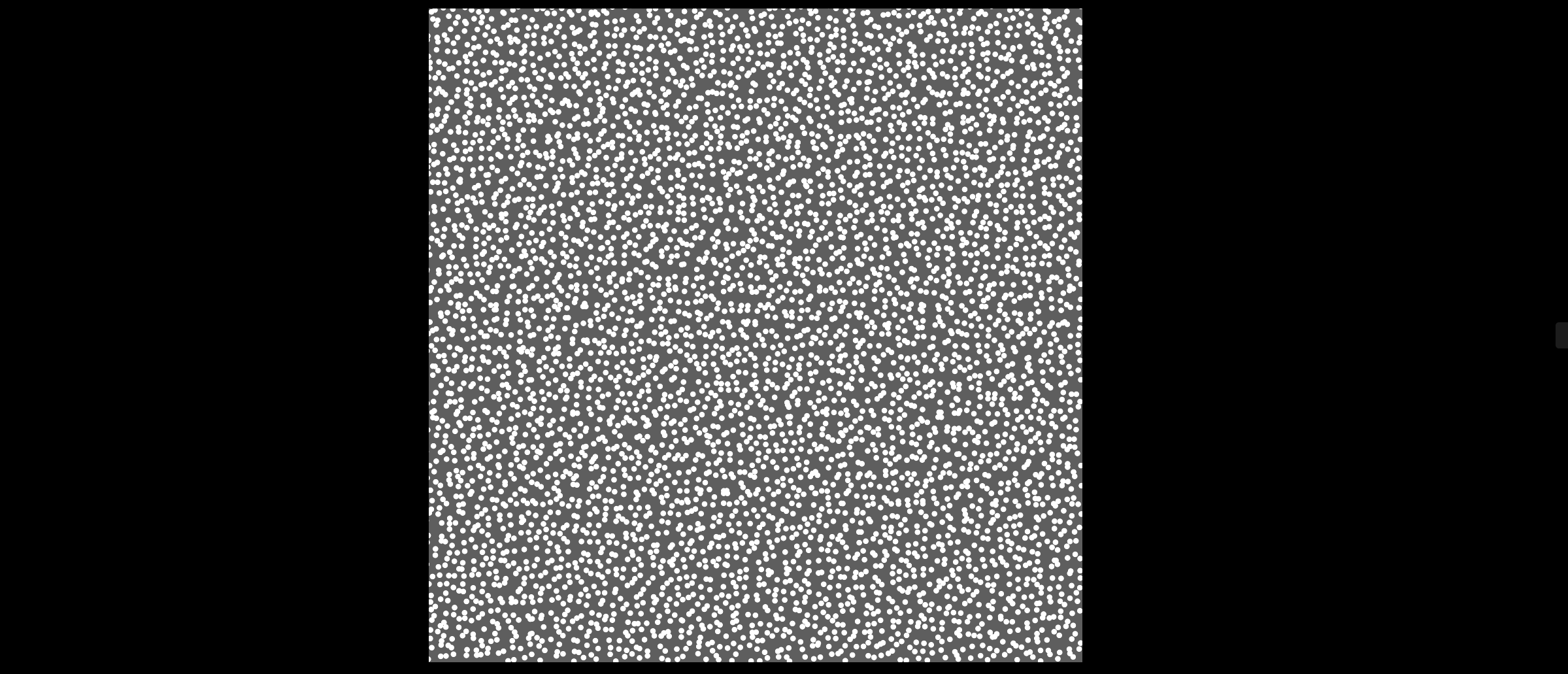
This example script will create and output a speckle pattern image of dimensions 1000 x 1000 pixels, dot radius of 4.2 pixels and speckle coverage of 70%. The inverted parameter is set to True so the pattern will be white dots on a black background with a contrast of 0.8. The pattern is given a mean intensity of 0.6 and the image will be saved as a 12-bit image under the name 'speckle_pattern_2.tiff'. This script will also visualise the fft spectrum as visual_fft is set to True. The speckle pattern is outputted as before (in example 1) and the image will be saved as the raw data:
Fourier result
The fft spectrum is displayed as well:
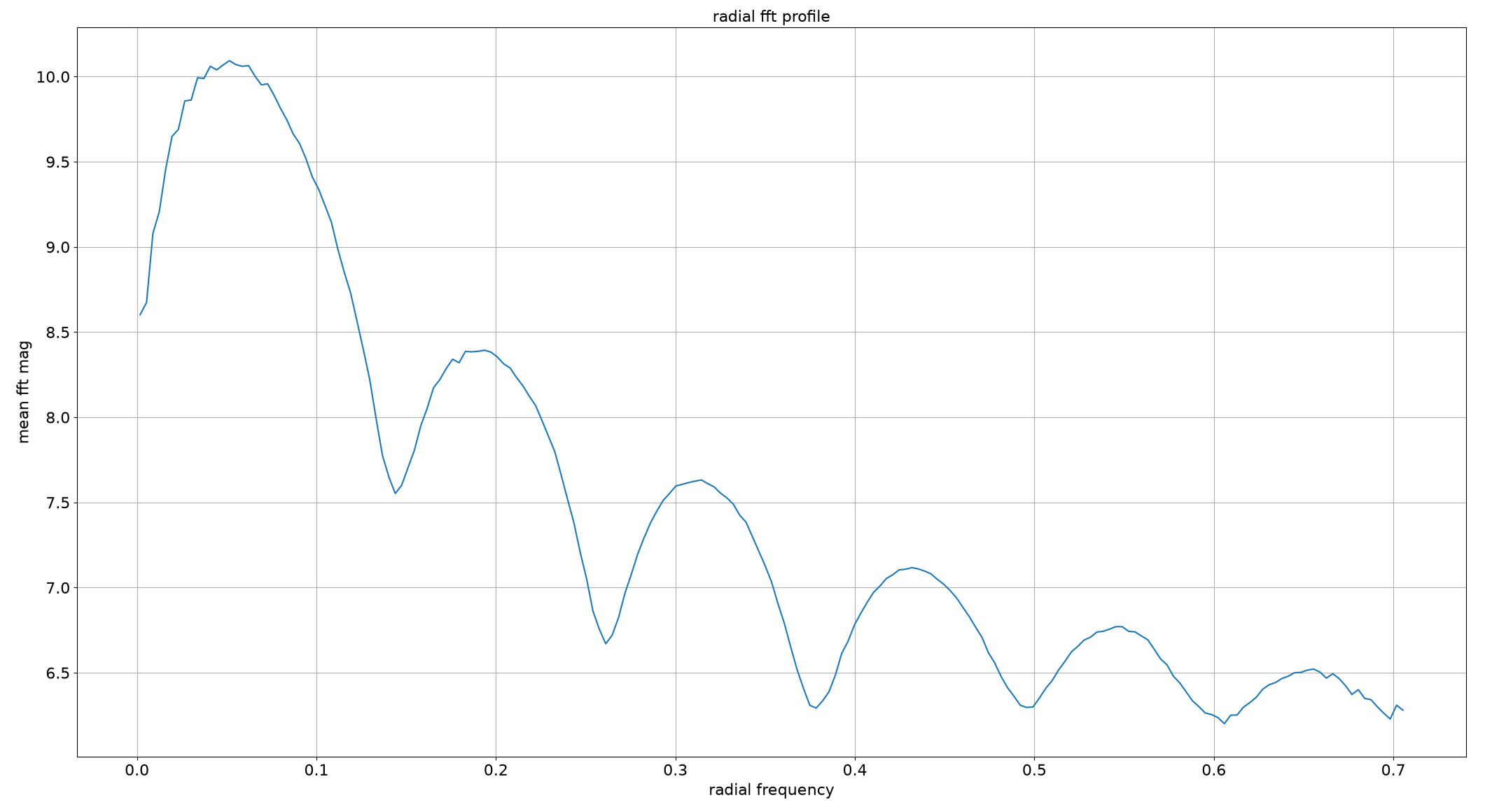
The average speckle size is also outputted as 19.4 pixels.
1 maintainer

Metadata
1 maintainer
Release files for speckles-afw39 0.1.12
For a detailed explanation of source distributions (sdists) and built distributions (wheels), please see the package formats documentation.
Source distribution (sdist)
| File | Size | Uploaded | |
|---|---|---|---|
| speckles_afw39-0.1.12.tar.gz | 10.1 kB | Details |
Built distribution (wheel)
| File | Interpreter | ABI | Platform | Reset |
|---|---|---|---|---|
| speckles_afw39-0.1.12-py3-none-any.whl | Python 3 | none | any | Details |
Total release size: 19.8 kB
Release files / speckles_afw39-0.1.12.tar.gz
| Download URL | speckles_afw39-0.1.12.tar.gz |
|---|---|
| Size | 10.1 kB |
| Tags | Source |
|
SHA-256 checksum How to use checksums |
6ad7f7c008aaac807bd166240348cf011ba5bf5eef5781fb361717c8f204faab
|
|
BLAKE2b-256 checksum How to use checksums |
813680c2c61958b4cf50d0d213ab69821a6d54cf381e86a64946412d1a949309
|
| Upload date | |
|
Uploaded using Trusted Publishing? What is trusted publishing? |
No |
| Uploaded via |
twine/6.2.0 CPython/3.12.3
|
Release files / speckles_afw39-0.1.12-py3-none-any.whl
| Download URL | speckles_afw39-0.1.12-py3-none-any.whl |
|---|---|
| Size | 9.7 kB |
| Tags | Python 3 |
|
SHA-256 checksum How to use checksums |
0163345b8f0ee84b8ca9caf31476b1947ded10f55147aaabb4922c2fabb637ec
|
|
BLAKE2b-256 checksum How to use checksums |
2f18f0e43a678b297faa21f70872a007da0e72f4e871bcc30e578599168dcdc4
|
| Upload date | |
|
Uploaded using Trusted Publishing? What is trusted publishing? |
No |
| Uploaded via |
twine/6.2.0 CPython/3.12.3
|














