
specky
Functional docs that keep up with your code.
Most code is now written by AI. The people who own it still need a clear view of what it does: which features exist, how each workflow runs, and how the edge cases are handled. Reading the code is no longer a practical way to get that view.
specky keeps a functional doc of your codebase in sync with the code. It writes plain-markdown docs into your repo, updates them on every commit, and indexes them for three audiences:
- AI agents look up what a feature does and which rules it must keep before they change it.
- Developers review behaviour and edge cases in the PR, next to the code that changed.
- Product managers browse a searchable site of features and recent changes with no code to read, and use an agent to explore them or draft proposals.
Because every feature is indexed, finding one is a search, not a crawl through the code. That work can run on a lower-cost model, which keeps your smartest model on the hard development tasks.
It ships as a Claude Code plugin plus a CLI. Other agents can use it through its MCP server and skills; see agent setup.
Features
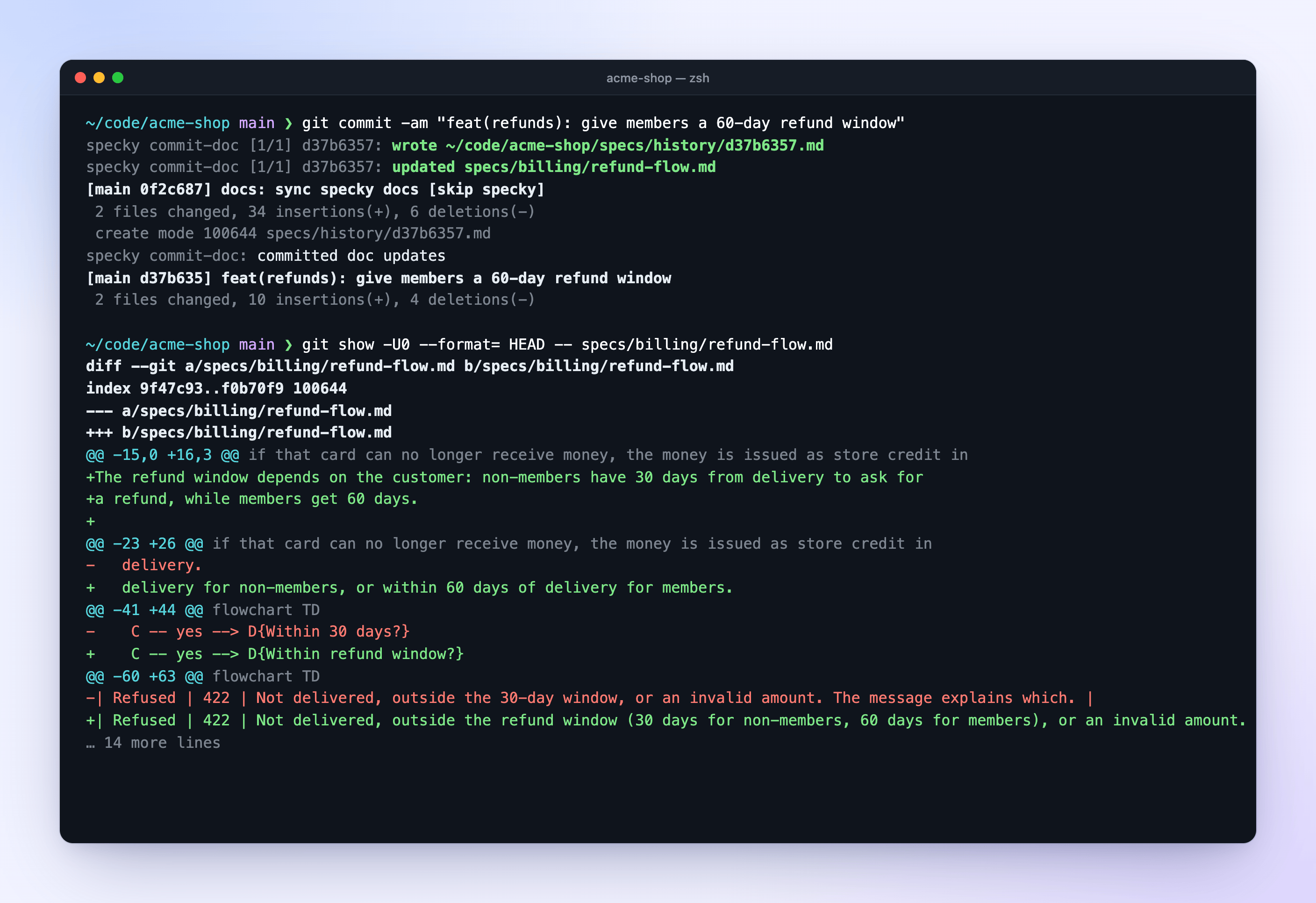
Docs that follow your commits
A git hook documents each commit. It writes a short history note, updates the feature doc the commit touched, and commits both as a follow-up. Amends and rebases are handled.
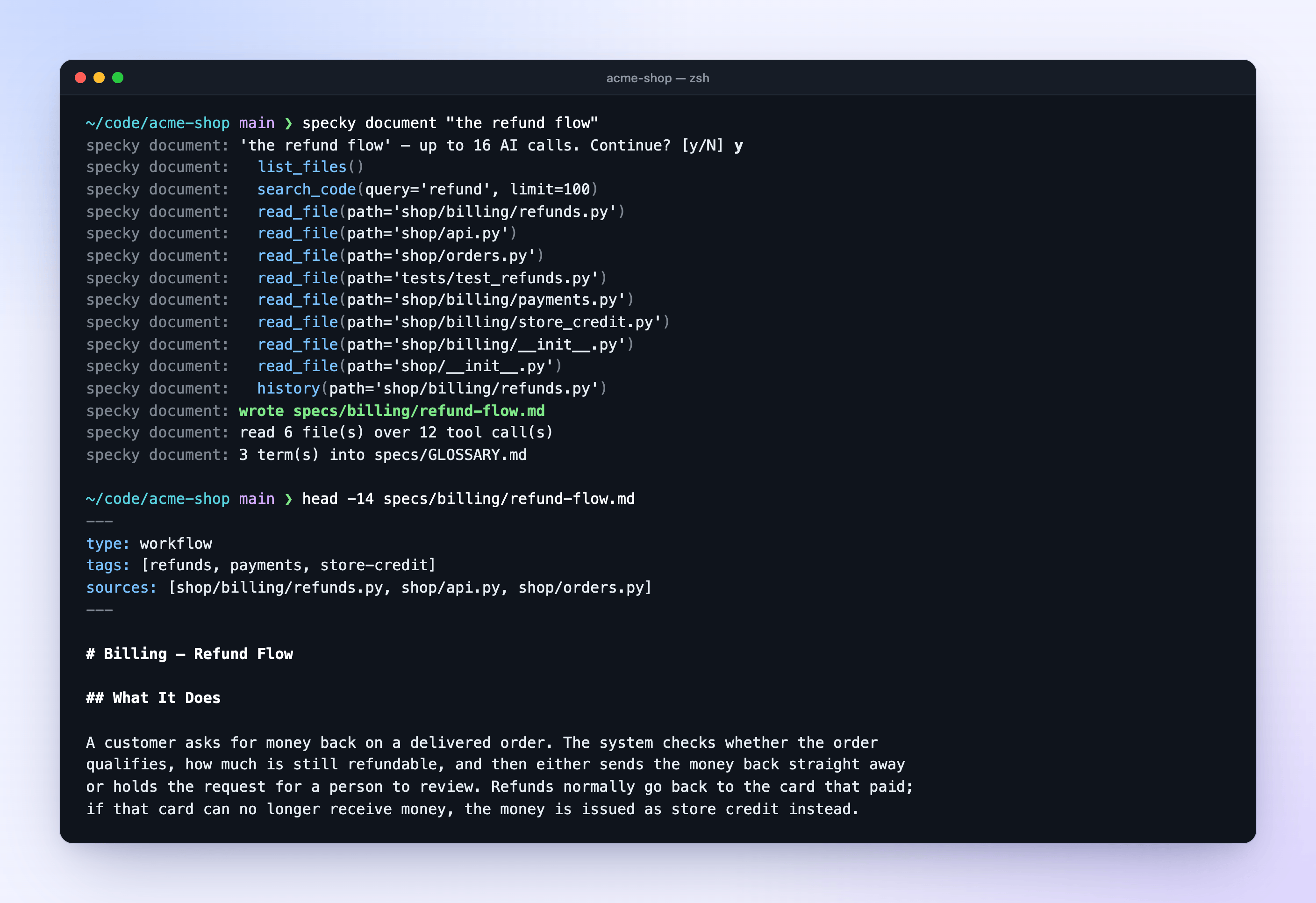
Any feature documented on demand
specky document "the refund flow" has a model search and read the code for that one feature. It
then writes specs/billing/refund-flow.md. Running it again updates the doc in place.
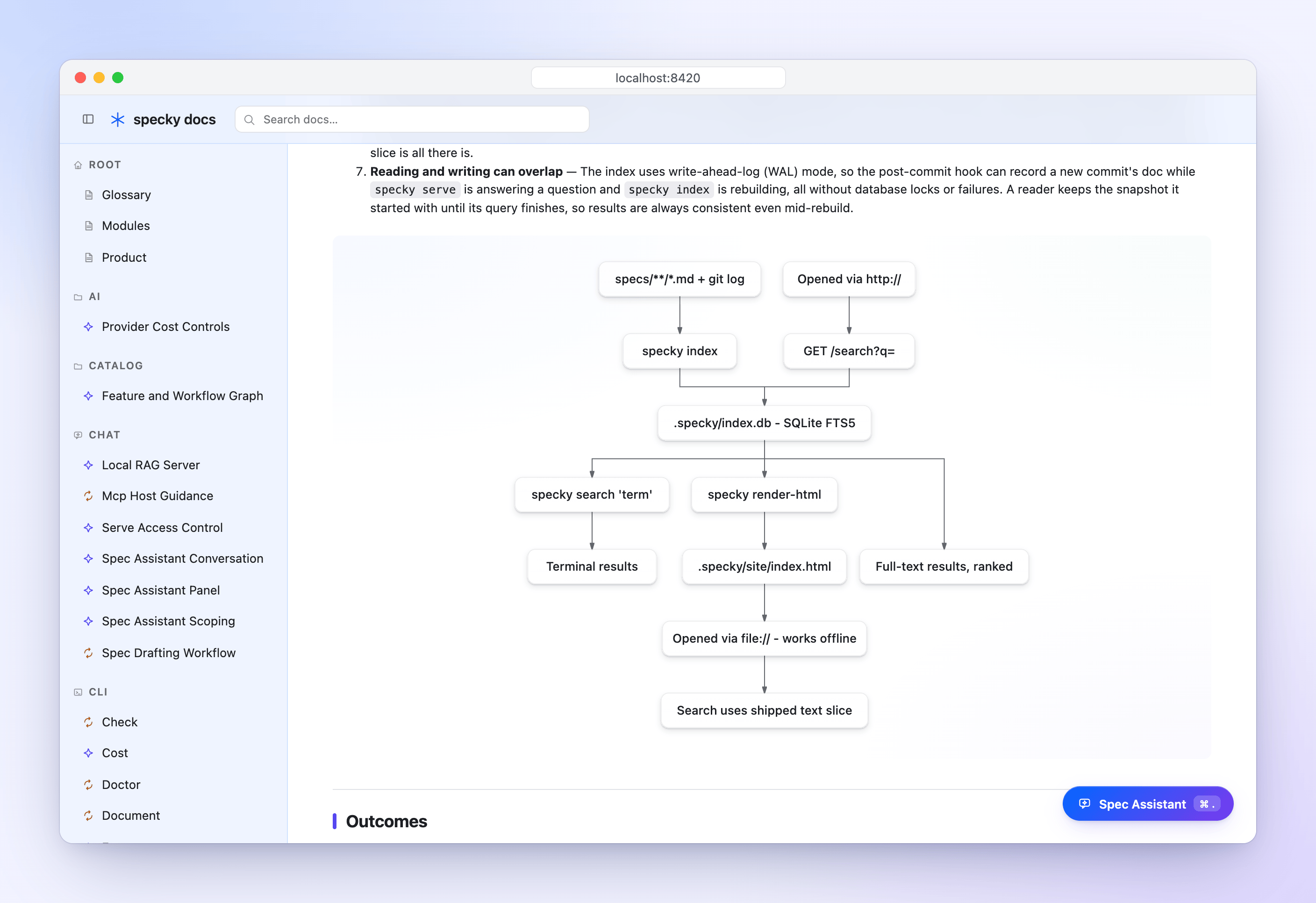
A searchable docs site
specky render-html builds a static site that non-engineers can browse, with no server or build
step. It has full-text search over docs and history, tag filters, diagrams, glossary tooltips and
stale-doc badges. Its home page shows recent changes.
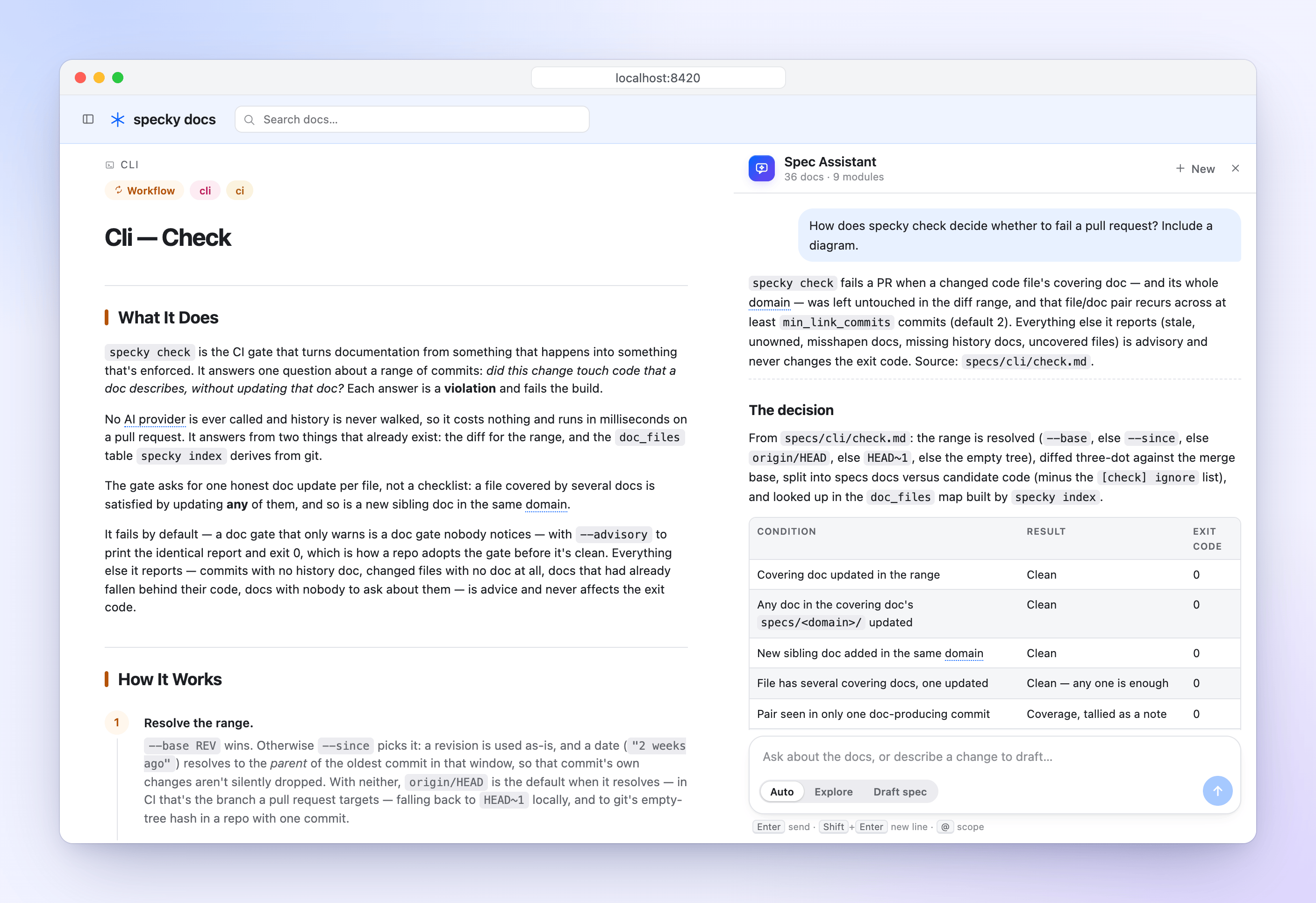
Spec Assistant
specky serve adds a chat panel to the site. It answers from the docs and cites them. It can also
draft a spec change step by step: scope, impact, acceptance tests, then the final text.
To share it with your team, deploy it on a server with a login and its own models: see Deploy the Spec Assistant.
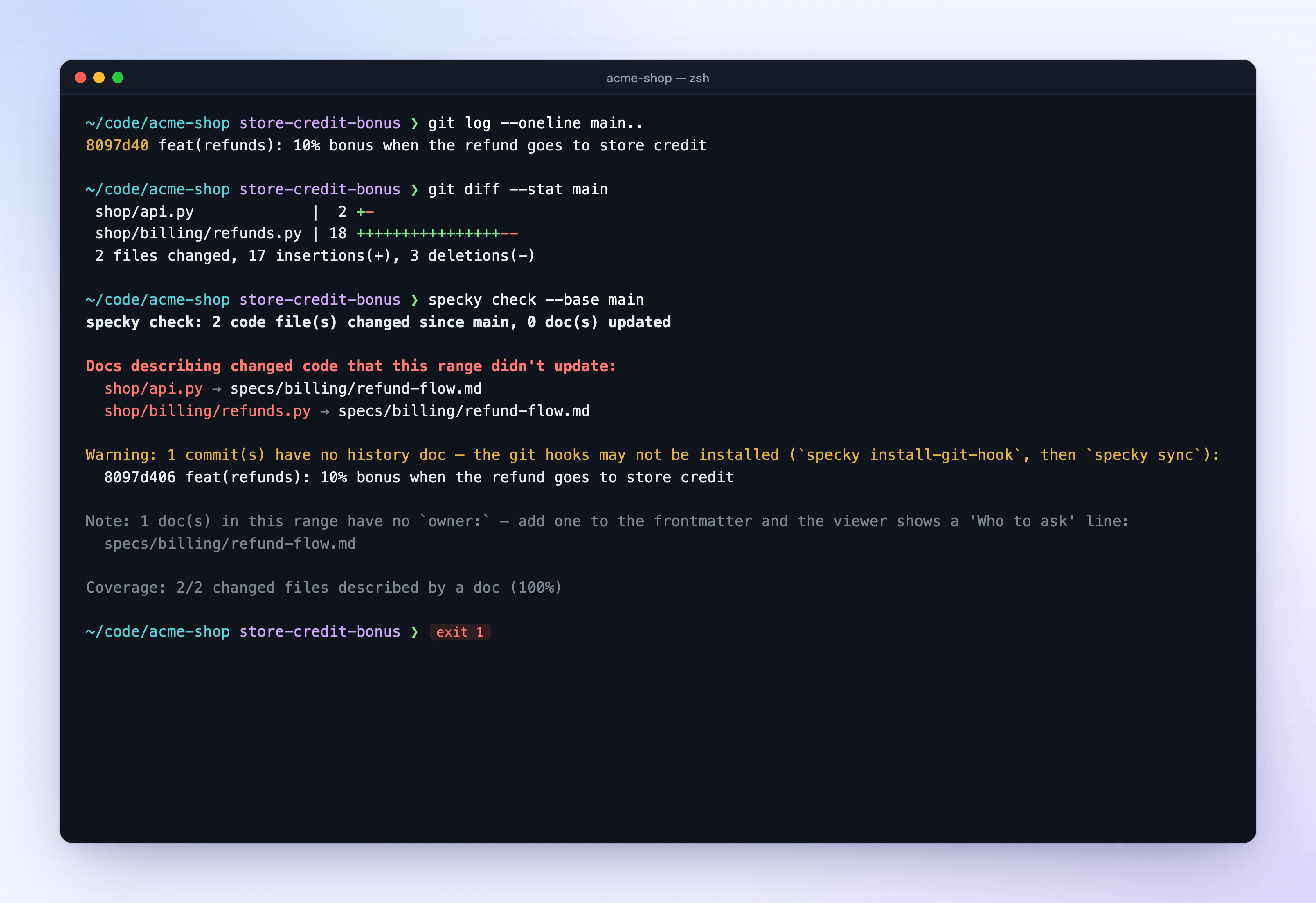
A CI gate against doc drift
specky check fails a PR that changes code without updating the doc that describes it. It runs
offline and needs no API key. It also lists every number, formula or glossary term a doc in the PR
stopped stating, so a rewrite can't quietly drop a threshold. specky lint checks the docs as a
set: terms the glossary doesn't define, tags outside the vocabulary, and numbers two docs disagree
on.
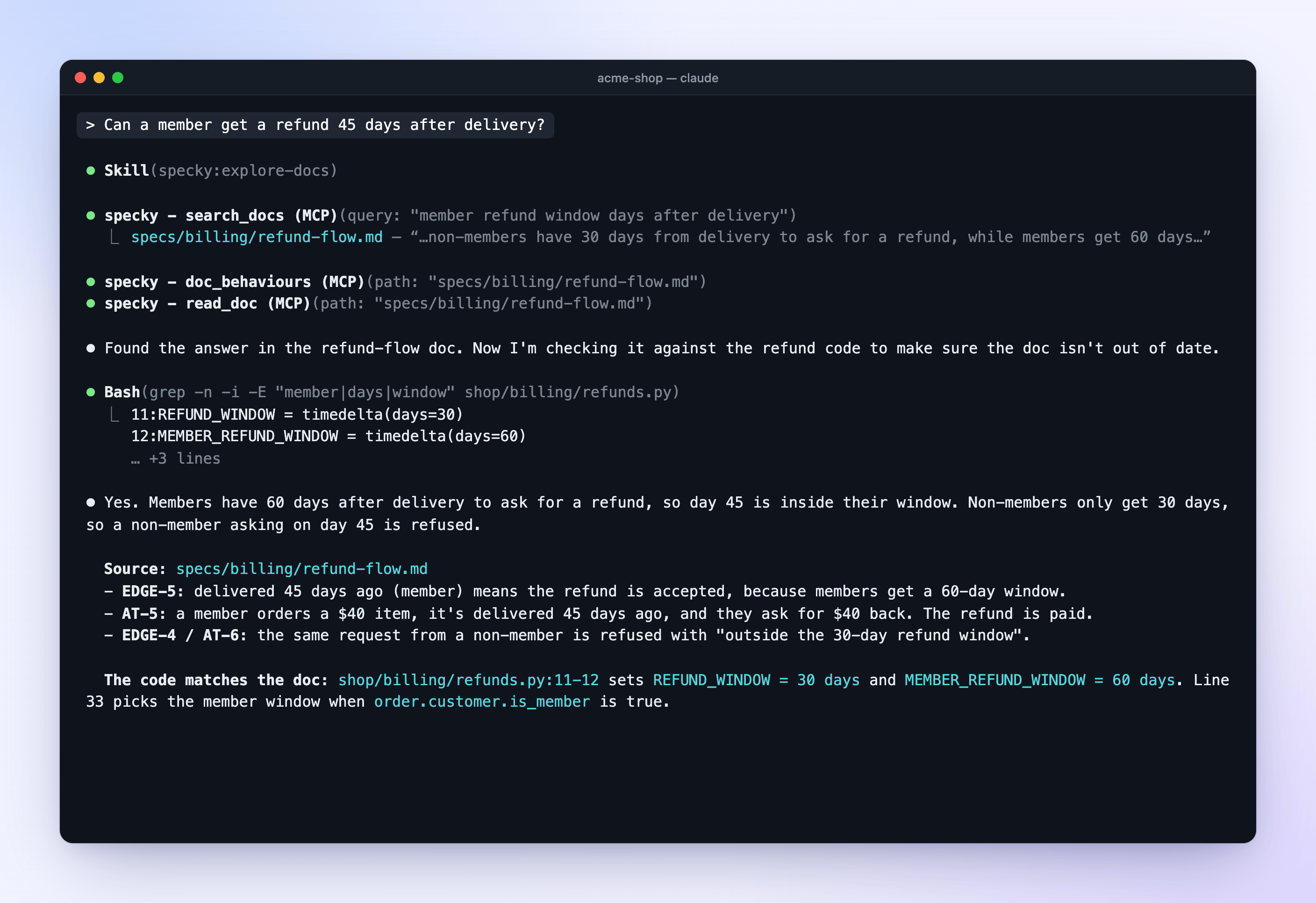
Docs your agent reads first
An MCP server and skills let Claude Code and other agents answer "what does X do?" from the docs
before reading code. The Claude Code plugin also has a slash command for each CLI workflow, such as
/specky:check, /specky:lint, /specky:doctor and /specky:verify-migration. Each one runs the
command and explains the result.
Lower-cost models for doc work
Looking up and writing docs doesn't need your strongest model. In Claude Code, set
[skills] model = "haiku" in specky.toml. specky's skills then hand their lookups and writing to
a subagent on that model, and your session stays on the model you chose for development. Other
agents have their own way to do this; see agent setup. For the CLI and the git hooks,
[ai] <task>_model sends each kind of call (commit summaries, classification, doc writing, tags,
chat) to its own model.
specky can also import existing docs (specky adopt), or check that a rewritten migration lost no
facts (specky adopt --verify). It can export docs to PDF or Confluence, summarise a PR's doc
changes, and scaffold tests from a doc's acceptance-test table.
How it works
- Docs live in your repo as markdown:
specs/<domain>/<topic>.mdfor features and workflows, andspecs/history/for commits. A branch's commits share one entry named for the branch, so "wip" and "fix typo" don't each get a page. You review and version them like code. - Writing calls your AI provider. Either the coding agent you already use (Claude Code,
Codex, Gemini CLI, opencode, Kiro, Cursor Agent or Devin CLI), on its default model or one you name, any
OpenAI-compatible endpoint, or Claude on Amazon Bedrock (install
specky[bedrock]; credentials come from your AWS config). Only these commands call it: the commit hooks,sync,document,tagand the Spec Assistant. They send the diff, code or docs they are working on. Keys stay in environment variables. - Reading is offline.
specky indexbuilds a SQLite full-text index of the docs and git log in.specky/, which is gitignored. Search, the site,checkand the MCP server all read it.
Install
You need git, Python 3.11+ and uv, on macOS or Linux. On Windows, use WSL.
uv tool install specky                            # the CLI
claude plugin marketplace add danyyacoub/specky   # the Claude Code plugin
claude plugin install specky@specky
Set up
In the repo you want documented, run /specky:setup in Claude Code. It picks a provider and the
model its skills run on, installs the git hooks and builds the first index. To do the same from a
plain terminal:
specky init               # choose a provider; writes specky.toml (gitignored)
specky install-git-hook   # document every commit from now on
specky index
Next, document a first feature with specky document "<feature>", then open the site with
/specky:launch-viewer. If the repo already has docs, preview importing them with
specky adopt --dry-run.
The plugin does nothing in a repo until it has a specky.toml.
Other AI agents
The Claude Code plugin wires everything up for you. With other agents, you add specky's MCP server and copy in its skills yourself. Agent setup covers each supported agent.
CI check
Save this as .github/workflows/docs.yml:
on:
  pull_request:
  push:
    branches: [main]
jobs:
  check:
    runs-on: ubuntu-latest
    steps:
      - uses: actions/checkout@v4
        with: { fetch-depth: 0 }
      - uses: astral-sh/setup-uv@v5
      - run: uv tool install specky
      - run: specky index && specky check --base "$BASE"
        env:
          BASE: ${{ github.event.pull_request.base.sha || github.event.before || 'HEAD~1' }}
Deploy the Spec Assistant
specky serve runs in a container with no specky.toml: that file is gitignored, so the image
never has one, and the server's settings come from its environment instead.
The image. It needs git and the repo's history, because the index is built from git log.
Build the index and the site into the image, then serve on every interface:
FROM python:3.12-slim
RUN apt-get update && apt-get install -y --no-install-recommends git \
 && rm -rf /var/lib/apt/lists/*
RUN pip install uv && uv tool install 'specky[bedrock]'   # plain `specky` if you don't use Bedrock
ENV PATH="/root/.local/bin:$PATH"
COPY . /repo
WORKDIR /repo
RUN specky index && specky render-html
CMD ["specky", "serve", "--host", "0.0.0.0"]
Copy .git in (don't .dockerignore it). New docs reach the server when the image is rebuilt.
The login. Set SPECKY_AUTH_USERNAME and SPECKY_AUTH_PASSWORD. Every page and API call then
asks for that login, so put the server behind HTTPS.
The models. SPECKY_AI_<KEY> sets [ai] <key>. SPECKY_AI_PROVIDER makes the environment the
whole [ai] table, so nothing from a local config leaks in. SPECKY_AI_CHAT_MODEL and
SPECKY_AI_DRAFT_MODEL choose the models for answers and for drafts. Use an API provider: the
agent provider needs a coding agent logged in on the machine.
With Claude on Amazon Bedrock, the server needs no key at all:
SPECKY_AI_PROVIDER=bedrock
SPECKY_AI_MODEL=anthropic.claude-haiku-4-5         # answers
SPECKY_AI_DRAFT_MODEL=anthropic.claude-sonnet-5    # drafts, on a stronger model
SPECKY_AI_AWS_REGION=us-east-1
The AWS SDK finds the credentials itself, and specky never stores them:
| Where it runs | Credential |
|---|---|
| ECS or Fargate | the task role on the task definition |
| EKS | a role linked to the pod's service account (Pod Identity or IRSA) |
| EC2 | the instance profile |
| Outside AWS | AWS_ACCESS_KEY_ID and AWS_SECRET_ACCESS_KEY as platform secrets, or a mounted profile named by SPECKY_AI_AWS_PROFILE |
In the Bedrock console, enable the models you named in that region, and allow the role to call them. With an OpenAI-compatible API instead:
SPECKY_AI_PROVIDER=openai-compatible
SPECKY_AI_BASE_URL=https://api.deepseek.com/v1
SPECKY_AI_MODEL=deepseek-chat
SPECKY_AI_DRAFT_MODEL=deepseek-reasoner
SPECKY_AI_API_KEY_ENV=DEEPSEEK_API_KEY             # the name of the variable holding the key
DEEPSEEK_API_KEY=…                                 # a platform secret
Run specky doctor in the container to see what's in effect: the provider, where it came from,
and for Bedrock whether the AWS SDK is installed and a region set. It makes no AI call, so
credentials and model access are first tested by the first question asked in the panel.
Update and uninstall
uv tool upgrade specky
claude plugin update specky@specky
To pause the hooks, set SPECKY_DISABLE_HOOK=1. To remove them, delete the post-commit,
post-merge and post-rewrite hooks that call specky commit-doc. Then run
claude plugin uninstall specky@specky and uv tool uninstall specky.
Learn more
specky --helplists every command and flag.- The full docs cover every feature and setting. specky wrote them from its own code.
- CHANGELOG
- Contributing: from a checkout, run
uv tool install --editable ., thenclaude plugin marketplace add "$PWD"andclaude plugin install specky@specky. The plugin then loads straight from your checkout. Tests and scripts are in AGENTS.md.
MIT licensed.
1 maintainer

Metadata
1 maintainer
Release files for specky 0.2.2
For a detailed explanation of source distributions (sdists) and built distributions (wheels), please see the package formats documentation.
Source distribution (sdist)
| File | Size | Uploaded | Provenance | Actions |
|---|---|---|---|---|
| specky-0.2.2.tar.gz | 770.0 kB | With provenance | Details for specky-0.2.2.tar.gz |
Built distribution (wheel)
| File | Interpreter | ABI | Platform | Actions Reset |
|---|---|---|---|---|
| specky-0.2.2-py3-none-any.whl | Python 3 | none | any | Details for specky-0.2.2-py3-none-any.whl |
Total release size: 1.1 MB
Release files / specky-0.2.2.tar.gz
| Download URL | specky-0.2.2.tar.gz |
|---|---|
| Size | 770.0 kB |
| Tags | Source |
|
SHA-256 checksum How to use checksums |
075e89e5f1894780c2bd084c82336528cf2c4c0313e3f0fdc16b18ac5d75ebef
|
|
BLAKE2b-256 checksum How to use checksums |
134f21a8aba6d0f4e8e5e7c4a754251b30d6433aa3de8f5e30e37e0a736f90a5
|
| Upload date | |
|
Uploaded using Trusted Publishing? What is trusted publishing? |
Yes |
| Uploaded via |
twine/7.0.0 CPython/3.13.14
|
Provenance
Provenance describes where a file came from. On PyPI, provenance is shared via attestations, which provide a verifiable record of the build or publishing details. View details, limitations and caveats.


PyPI Publish Attestation
PyPI verified that this artifact, at this checksum, originated from the publisher listed below.
Signed by GitHub Actions, verified by PyPI on Sep 30, 2026.
Transparency logRelease files / specky-0.2.2-py3-none-any.whl
| Download URL | specky-0.2.2-py3-none-any.whl |
|---|---|
| Size | 338.9 kB |
| Tags | Python 3 |
|
SHA-256 checksum How to use checksums |
accd1f13512f850045027ac743f70e6f2e45761115593f95d754508b0f2e61ec
|
|
BLAKE2b-256 checksum How to use checksums |
dfca479ad369127375fd954a76ed862b063666933d0150eb9fee76801f373c5f
|
| Upload date | |
|
Uploaded using Trusted Publishing? What is trusted publishing? |
Yes |
| Uploaded via |
twine/7.0.0 CPython/3.13.14
|
Provenance
Provenance describes where a file came from. On PyPI, provenance is shared via attestations, which provide a verifiable record of the build or publishing details. View details, limitations and caveats.
PyPI Publish Attestation
PyPI verified that this artifact, at this checksum, originated from the publisher listed below.
Signed by GitHub Actions, verified by PyPI on Sep 30, 2026.
Transparency logSecurity for specky 0.2.2
Provenance
Provenance describes where a file came from. On PyPI, provenance is shared via attestations, which provide a verifiable record of the build or publishing details. View details, limitations and caveats.
Full provenance
Both files in this release have been uploaded with provenance metadata.
Attestation for specky-0.2.2.tar.gz
PyPI Publish Attestation
PyPI verified that this artifact, at this checksum, originated from the publisher listed below.
Signed by GitHub Actions, verified by PyPI on Sep 30, 2026.
Transparency logA note on package security
PyPI is a repository for distributing packages, not a service for auditing them. While third-party security researchers and our staff do their best to detect and remove malicious packages, PyPI cannot guarantee the quality, security or suitability of any given package.
To learn more about protecting yourself from malicious actors, visit our package security documentation.














