
SPECTRE: cross-modal self-supervised pretraining for CT representation extraction
Verified details
These details have been verified by PyPIProject links
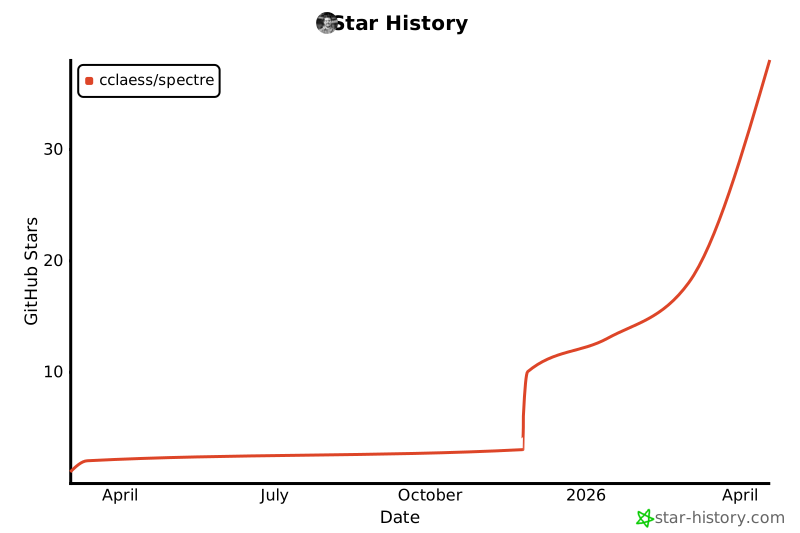
GitHub Statistics
Maintainers

Project description
📢 [2026-07-17] SPECTRE now ships a command-line tool: point spectre embed at a .nii/.nii.gz file or a folder of them to get embeddings without writing any Python. Check below for details and usage examples.
📢 [2026-05-20] The pretrained SPECTRE model can now be loaded directly through the transformers library, no separate SPECTRE package installation required. Check below for details and usage examples.
📢 [2026-04-10] SPECTRE is now an official baseline for the CVPR 2026 Workshop Competition: Foundation Models for General CT Image Diagnosis! See experiments/cvpr26_fm_for_ct_diag_task_1 for scripts and additional details.
📢 [2026-02-21] SPECTRE has been accepted for presentation at CVPR 2026 (Denver, Colorado, USA)!
📢 [2026-01-20] Semantic segmentation code and configurations using the nnUNet framework are now released!
SPECTRE 👻👻👻







SPECTRE (Self-Supervised & Cross-Modal Pretraining for CT Representation Extraction) is a Transformer-based foundation model for 3D Computed Tomography (CT) scans, trained using self-supervised learning (SSL) and cross-modal vision–language alignment (VLA). It provides rich and generalizable representations from medical imaging data, which can be fine-tuned for downstream tasks such as segmentation, classification, and anomaly detection.
SPECTRE has been trained on a large cohort of open-source CT scans of the human abdomen and thorax, as well as paired radiology reports and Electronic Health Record data, enabling it to capture representations that generalize across datasets and clinical settings.
This repository provides pretrained SPECTRE models together with tools for fine-tuning and evaluation.
🧠 Pretrained Models
The pretrained SPECTRE model can easily be imported using the transformers library
from transformers import AutoModel
model = AutoModel.from_pretrained('cclaess/SPECTRE-Large', trust_remote_code=True)
or by using the spectre-fm package as follows:
from spectre import SpectreImageFeatureExtractor
model = SpectreImageFeatureExtractor.from_pretrained('spectre-large')
Run spectre list-models to see what is available. Pass include_feature_combiner=False for per-crop backbone features instead of one embedding per scan.
🖥️ From the command line
If you just want embeddings out of a CT scan and would rather not write Python:
pip install "spectre-fm[inference]"

spectre embed scan.nii.gz -o embeddings/          # one scan
spectre embed /data/scans/ -o embeddings/         # a whole folder
This handles everything internally with the defaults SPECTRE was pretrained on: HU windowing to [-1000, 1000], RAS orientation, and 128×128×64 crops at the scan's native voxel spacing. Each scan produces <name>.npz containing cls (one vector for the scan) and patch_tokens (one vector per crop, shaped to the crop grid), plus a manifest.csv. Useful flags: --backbone-only, --device cuda, --spacing 0.5 0.5 1.0 to resample, and --max-crops-per-forward if you run out of memory. See spectre embed --help.
🐍 From Python
Hand the model a scan in Hounsfield Units and it does the windowing for you:
import torch

# One scan: (C, H, W, D) or (H, W, D), in raw HU.
scan = torch.randn(1, 384, 384, 256) * 500 - 500

with torch.no_grad():
    features = model(scan)

print("Features shape:", features.shape)   # (T', F') -> a CLS token plus one token per crop
Scans of different sizes can be embedded together by passing a list. All crops from all scans go through the backbone in a single pass, and only the feature combiner is split back out per scan:
scans = [scan_a, scan_b, scan_c]           # any sizes, all in HU

with torch.no_grad():
    features = model.extract(scans)        # -> list of (T', F') tensors
If you have already windowed the scans yourself, pass the crops and their grid instead, and they are used untouched:
from spectre import window_scan

crops, grid_size = window_scan(scan)       # (N, C, 128, 128, 64), (n_h, n_w, n_d)

with torch.no_grad():
    features = model(crops, grid_size=grid_size)
Reading files:
spectre.load_ct/spectre.load_and_windowread.nii/.nii.gzand need the[inference]extra. Everything above works with justpip install spectre-fm.
Alternatively, you can download the weights of the separate components through HuggingFace using the following links:
| Architecture | Input Modality | Pretraining Objective | Model Weights |
|---|---|---|---|
| SPECTRE-ViT-Local | CT crops | SSL | Download |
| SPECTRE-ViT-Local | CT crops | SSL + VLA | Download |
| SPECTRE-ViT-Global | Embedded CT crops | VLA | Download |
| Qwen3-Embedding-0.6B LoRA | Text (radiology) | VLA | Download |
🩻 Segmentation (nnUNet)
If you're looking for a nnUNet-based segmentation pipeline that uses SPECTRE as the backbone, see this GitHub.
📂 Repository Contents
This repository is organized as follows:
-
🚀
src/spectre/– Contains the core package, including:- Pretraining methods
- Model architectures
- Data handling and transformations
-
🛠️
src/spectre/configs/– Stores configuration files for different training settings. -
🔬
experiments/– Includes Python scripts for running various pretraining and downstream experiments. -
🐳
Dockerfile– Defines the environment for running a local version of SPECTRE inside a container.
⚙️ Setting Up the Environment
To get up and running with SPECTRE, install the base package with pip:
pip install spectre-fm
This installs only the runtime dependencies needed to load and run the pretrained models.
To read CT scans from .nii/.nii.gz files or use the spectre command-line tool, add the inference extra:
pip install "spectre-fm[inference]"
If you want to fine-tune or pretrain SPECTRE, install the matching extra:
pip install "spectre-fm[training]"
If you only need the evaluation stack, install:
pip install "spectre-fm[eval]"
If training on GDS-enabled systems is required, install the CUDA 12 specific extra:
pip install "spectre-fm[gds-cuda12]" # with training stack: "spectre-fm[training,gds-cuda12]"
Note that gds-cuda12 is only compatible with CUDA 12.x environments.
To install everything at once, use:
pip install "spectre-fm[all]"
or install the latest updates directly from GitHub:
pip install git+https://github.com/cclaess/SPECTRE.git
🐳 Building and Using Docker
To facilitate deployment and reproducibility, SPECTRE can be run using Docker. This allows you to set up a fully functional environment without manually installing dependencies using your own local copy of spectre.
Building the Docker Image
First, ensure you have Docker installed. Then, clone and navigate to the repository to build the image:
git clone https://github.com/cclaess/SPECTRE
cd SPECTRE
docker build -t spectre-fm .
Running Experiments Inside Docker
Once the image is built, you can start a container and execute scripts inside it. For example, to run a DINO pretraining experiment:
docker run --gpus all --rm -v "$(pwd):/mnt" spectre-fm python3 experiments/pretraining/pretrain_dino.py --config_file spectre/configs/dino_default.yaml --output_dir /mnt/outputs/pretraining/dino/
--gpus allenables GPU acceleration if available.--rmremoves the container after execution.-v $(pwd):/mntmounts the current directory inside the container.
⚖️ License
- Code: MIT — see
LICENSE(permissive; commercial use permitted). - Pretrained model weights: CC-BY-NC-SA — non-commercial share-alike. The weights and any derivative models that include these weights are NOT cleared for commercial use. See
LICENSE_MODELSfor details and the precise license text.
Note: the pretrained weights are subject to the original dataset licenses. Users intending to use SPECTRE in commercial settings should verify dataset and model licensing and obtain any required permissions.
📜 Citation
If you use SPECTRE in your research or wish to cite it, please use the following BibTeX entry of our preprint:
@misc{claessens_scaling_2025,
  title = {Scaling {Self}-{Supervised} and {Cross}-{Modal} {Pretraining} for {Volumetric} {CT} {Transformers}},
  url = {http://arxiv.org/abs/2511.17209},
  doi = {10.48550/arXiv.2511.17209},
  author = {Claessens, Cris and Viviers, Christiaan and D'Amicantonio, Giacomo and Bondarev, Egor and Sommen, Fons van der},
  year={2025},
}
🤝 Acknowledgements
This project builds upon prior work in self-supervised learning, medical imaging, and transformer-based representation learning. We especially acknowledge MONAI for their awesome framework and the timm & lightly Python libraries for providing 2D PyTorch models (timm) and object-oriented self-supervised learning methods (lightly), from which we adapted parts of the code for 3D.
Project details
Verified details
These details have been verified by PyPIProject links
GitHub Statistics
Maintainers


Download files
Download the file for your platform. If you're not sure which to choose, learn more about installing packages.
Source Distribution
Built Distribution
Filter files by name, interpreter, ABI, and platform.
If you're not sure about the file name format, learn more about wheel file names.
Copy a direct link to the current filters
File details
Details for the file spectre_fm-0.2.1.tar.gz.
File metadata
- Download URL: spectre_fm-0.2.1.tar.gz
- Upload date:
- Size: 1.3 MB
- Tags: Source
- Uploaded using Trusted Publishing? Yes
- Uploaded via: twine/6.1.0 CPython/3.13.12
File hashes
| Algorithm | Hash digest | |
|---|---|---|
| SHA256 |
31ba670ffcce95f53e0641d893f8f9288c3489e29f2ea970a6e67ab40208ef0c
|
|
| MD5 |
17c12a3dcb2ed56a0c7548cc8afa8aac
|
|
| BLAKE2b-256 |
77d2768e51bb53ba4059e9aa16568743c9740ea4cd4881bf8c8a0ef6cacd3935
|
Provenance
The following attestation bundles were made for spectre_fm-0.2.1.tar.gz:
Publisher:
publish.yml on cclaess/SPECTRE
-
Statement:
-
Statement type:
https://in-toto.io/Statement/v1 -
Predicate type:
https://docs.pypi.org/attestations/publish/v1 -
Subject name:
spectre_fm-0.2.1.tar.gz -
Subject digest:
31ba670ffcce95f53e0641d893f8f9288c3489e29f2ea970a6e67ab40208ef0c - Sigstore transparency entry: 2189840181
- Sigstore integration time:
-
Permalink:
cclaess/SPECTRE@412756470b6f57fe8f7efa628b9ec0810c00a82c -
Branch / Tag:
refs/tags/0.2.1 - Owner: https://github.com/cclaess
-
Access:
public
-
Token Issuer:
https://token.actions.githubusercontent.com -
Runner Environment:
github-hosted -
Publication workflow:
publish.yml@412756470b6f57fe8f7efa628b9ec0810c00a82c -
Trigger Event:
push
-
Statement type:
File details
Details for the file spectre_fm-0.2.1-py3-none-any.whl.
File metadata
- Download URL: spectre_fm-0.2.1-py3-none-any.whl
- Upload date:
- Size: 151.1 kB
- Tags: Python 3
- Uploaded using Trusted Publishing? Yes
- Uploaded via: twine/6.1.0 CPython/3.13.12
File hashes
| Algorithm | Hash digest | |
|---|---|---|
| SHA256 |
bb4654438e95358880a97c2276781e5493e805fcf9838527546bbf7b12043b98
|
|
| MD5 |
8fa7041439779eab0389ef7279a94fa8
|
|
| BLAKE2b-256 |
841065a5d726390942d832d79a54f27a627773c61052db647a893fc5672c494b
|
Provenance
The following attestation bundles were made for spectre_fm-0.2.1-py3-none-any.whl:
Publisher:
publish.yml on cclaess/SPECTRE
-
Statement:
-
Statement type:
https://in-toto.io/Statement/v1 -
Predicate type:
https://docs.pypi.org/attestations/publish/v1 -
Subject name:
spectre_fm-0.2.1-py3-none-any.whl -
Subject digest:
bb4654438e95358880a97c2276781e5493e805fcf9838527546bbf7b12043b98 - Sigstore transparency entry: 2189840192
- Sigstore integration time:
-
Permalink:
cclaess/SPECTRE@412756470b6f57fe8f7efa628b9ec0810c00a82c -
Branch / Tag:
refs/tags/0.2.1 - Owner: https://github.com/cclaess
-
Access:
public
-
Token Issuer:
https://token.actions.githubusercontent.com -
Runner Environment:
github-hosted -
Publication workflow:
publish.yml@412756470b6f57fe8f7efa628b9ec0810c00a82c -
Trigger Event:
push
-
Statement type:






