

Delicious audio file spectrograms.







spectro is a collection of easy-to-use Python and command-line tools for analyzing audio files. Install from PyPi with
pip install spectro
and use with
spectro show filename.mp3                # shows the wave spectrum of the audio file
spectro check {dirname or filename.mp3}  # checks if the audio file is worse than it pretends to be
See -h for their respective command-line arguments.
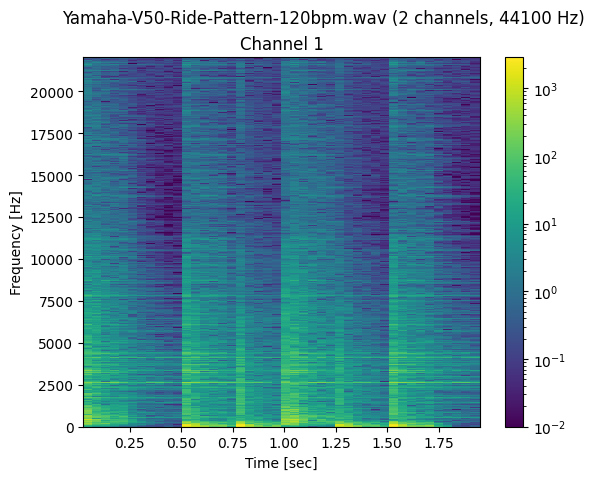
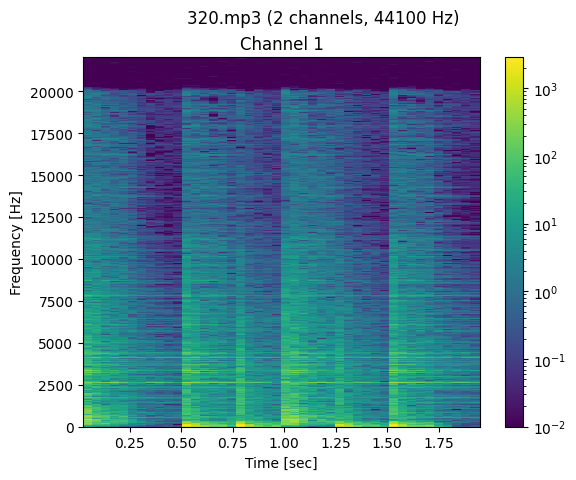
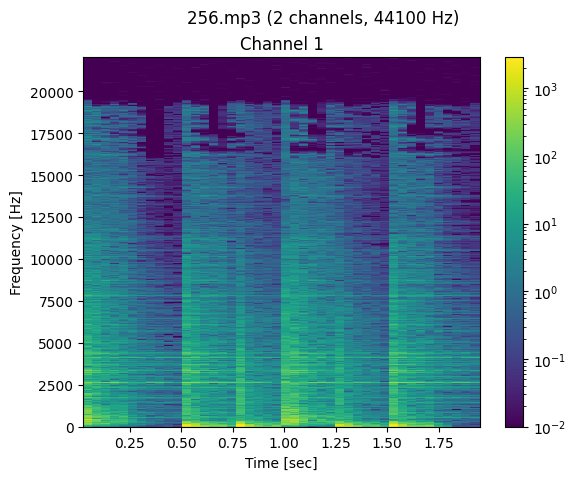
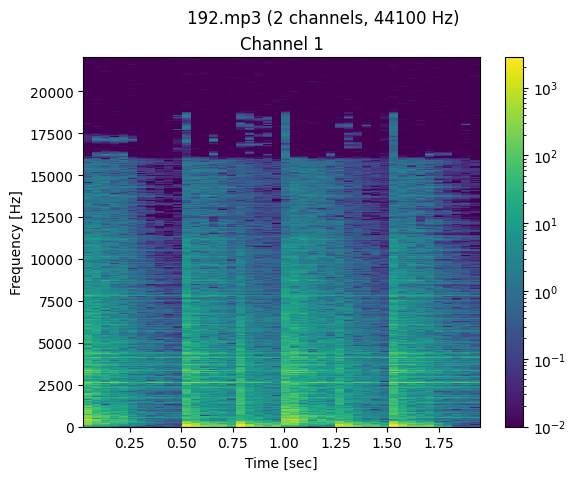
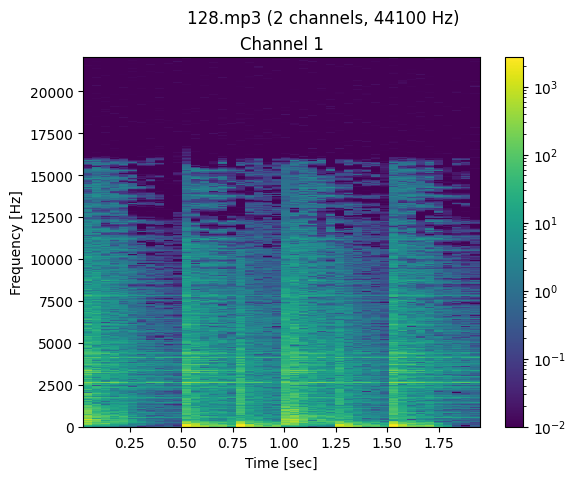
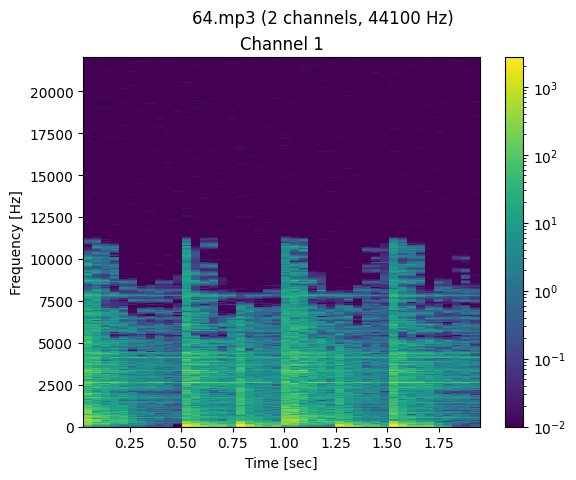
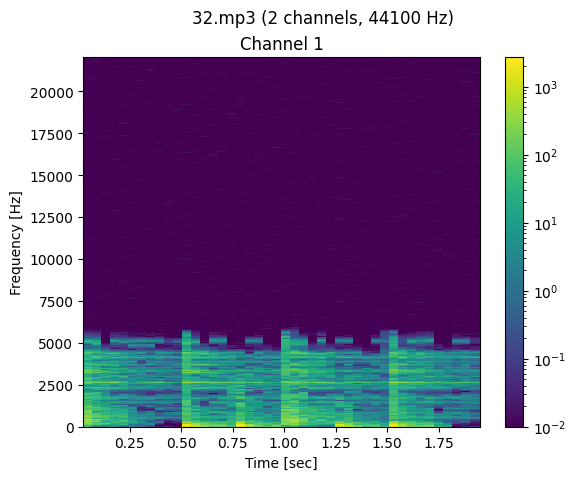
The quality of MP3 files is typically determined by their bitrate. For audio files, 128 kbps (kilobit per second) is considered low quality, 320 kbps is considered high quality. It is of course possible to re-encode a low-quality MP3 with a higher bitrate or even a WAV file. spectro can help singling out those foul eggs.
Here is the spectro show output of a sample
file (only first
channel shown):
 |
 |
 |
|---|---|---|
| Full-quality WAV | 320 kbps MP3 | 256 kbps MP3 |
 |
 |
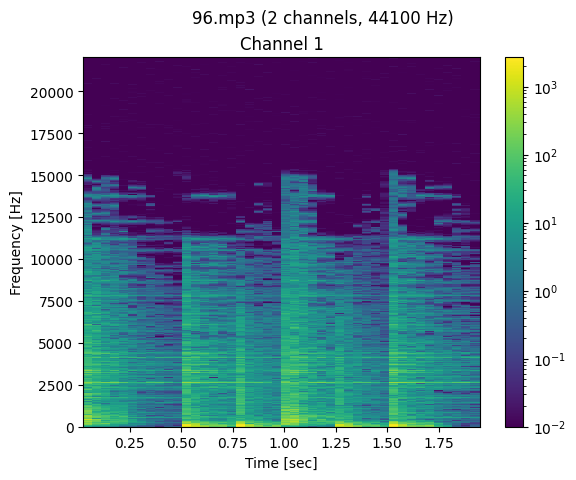 |
| 192 kbps MP3 | 128 kbps MP3 | 96 kbps MP3 |
 |
 |
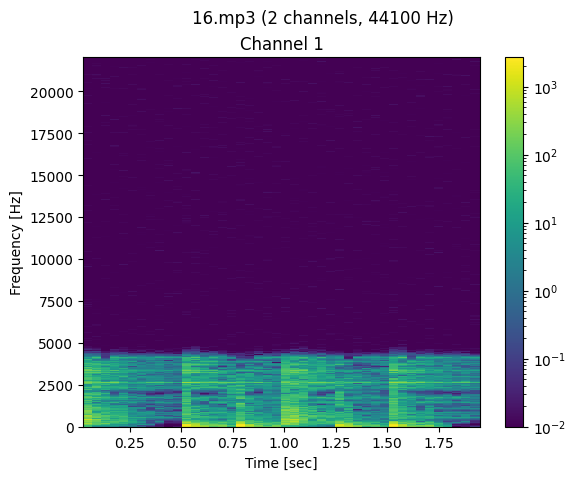 |
| 64 kbps MP3 | 32 kbps MP3 | 16 kbps MP3 |
1 maintainer

Metadata
1 maintainer
Release files for spectro 0.2.0
For a detailed explanation of source distributions (sdists) and built distributions (wheels), please see the package formats documentation.
Source distribution (sdist)
| File | Size | Uploaded | Provenance | Actions |
|---|---|---|---|---|
| spectro-0.2.0.tar.gz | 17.6 kB | Without provenance | Details for spectro-0.2.0.tar.gz |
Built distribution (wheel)
| File | Interpreter | ABI | Platform | Actions Reset |
|---|---|---|---|---|
| spectro-0.2.0-py3-none-any.whl | Python 3 | none | any | Details for spectro-0.2.0-py3-none-any.whl |
Total release size: 35.4 kB
Release files / spectro-0.2.0.tar.gz
| Download URL | spectro-0.2.0.tar.gz |
|---|---|
| Size | 17.6 kB |
| Tags | Source |
|
SHA-256 checksum How to use checksums |
e18c9350f6d6653bff185e5e98b7c7b4aae46737101df07fb6c9f6f36126ed6d
|
|
BLAKE2b-256 checksum How to use checksums |
252eb70a6e6b2f94fe77c1d408dc6b72c818d8fb573b04bc964ccf28c190f859
|
| Upload date | |
|
Uploaded using Trusted Publishing? What is trusted publishing? |
No |
| Uploaded via |
twine/3.4.2 importlib_metadata/4.8.1 pkginfo/1.7.1 requests/2.26.0 requests-toolbelt/0.9.1 tqdm/4.62.2 CPython/3.9.7
|
Release files / spectro-0.2.0-py3-none-any.whl
| Download URL | spectro-0.2.0-py3-none-any.whl |
|---|---|
| Size | 17.8 kB |
| Tags | Python 3 |
|
SHA-256 checksum How to use checksums |
21d69ad60ef93ae8c724a4b2f459cba875e87d41af84c6d35207ba5c87904dea
|
|
BLAKE2b-256 checksum How to use checksums |
824e5db94907f2c054f789a0bc05057944e85b7ac62a048c2b5c92d6d4ede4f8
|
| Upload date | |
|
Uploaded using Trusted Publishing? What is trusted publishing? |
No |
| Uploaded via |
twine/3.4.2 importlib_metadata/4.8.1 pkginfo/1.7.1 requests/2.26.0 requests-toolbelt/0.9.1 tqdm/4.62.2 CPython/3.9.7
|
Security for spectro 0.2.0
Provenance
Provenance describes where a file came from. On PyPI, provenance is shared via attestations, which provide a verifiable record of the build or publishing details. View details, limitations and caveats.
No provenance found
None of the files in this release were uploaded with provenance metadata.
A note on package security
PyPI is a repository for distributing packages, not a service for auditing them. While third-party security researchers and our staff do their best to detect and remove malicious packages, PyPI cannot guarantee the quality, security or suitability of any given package.
To learn more about protecting yourself from malicious actors, visit our package security documentation.













