





Histograms directions into a hemisphere with bins of roughly the same solid angle.
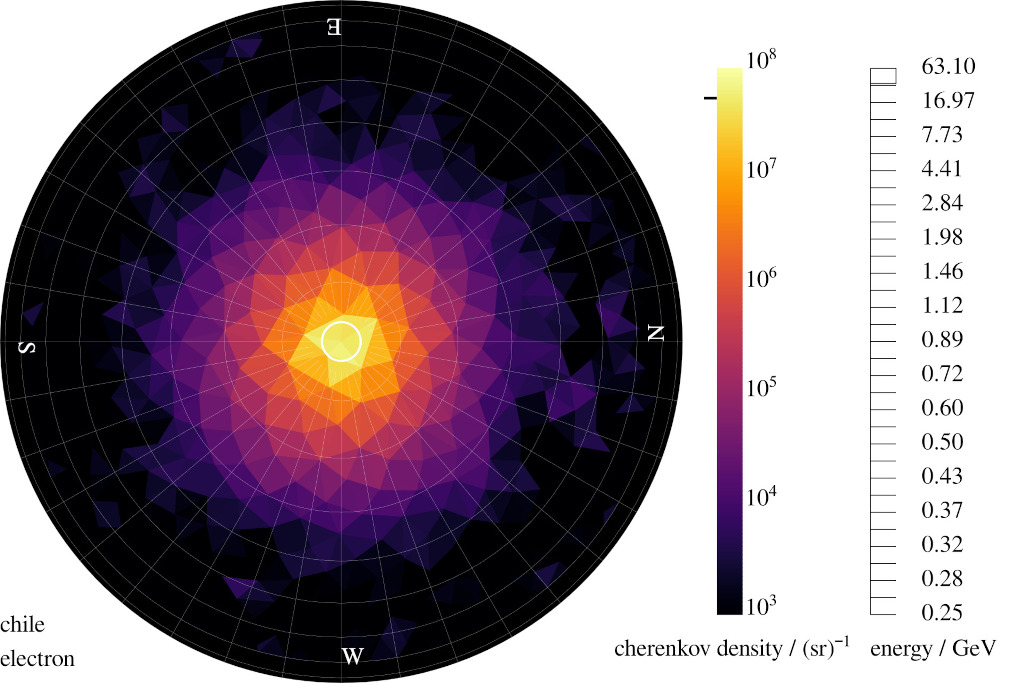
An example histogram of the sky down to zenith distance of 70``deg`` showing the Cherenkov emission of an atmospheric shower with millions of photon directions in it.
Install
pip install spherical_histogramUsage
First a HemisphereHistogram histogram is initialized. When providing general parameters for the desired binning such as num_vertices and max_zenith_distance_rad, the geometry of the hemisphere will be made on the fly using a Fibonacci spacing.
import spherical_histogram
import numpy as np

hist = spherical_histogram.HemisphereHistogram(
    num_vertices=200,
    max_zenith_distance_rad=np.deg2rad(90),
)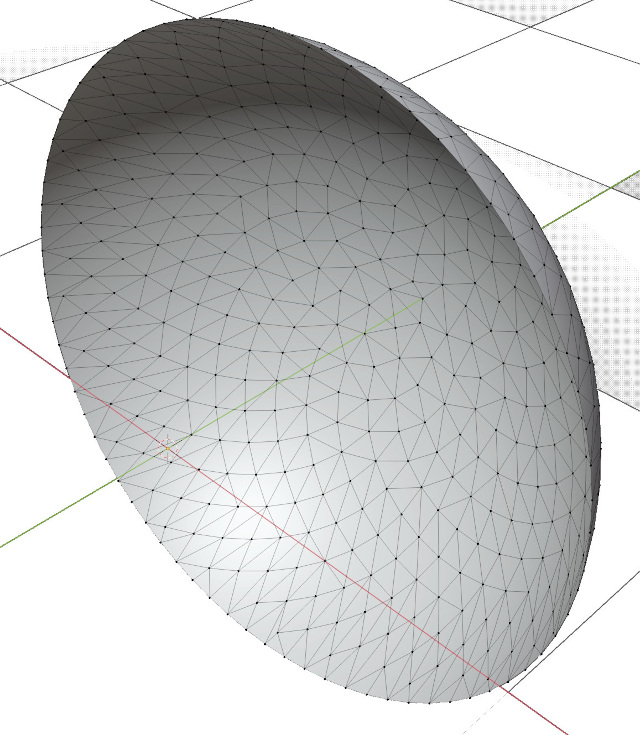
A Fibonacci spaced mesh of triangles which defines the bins of the histogram.
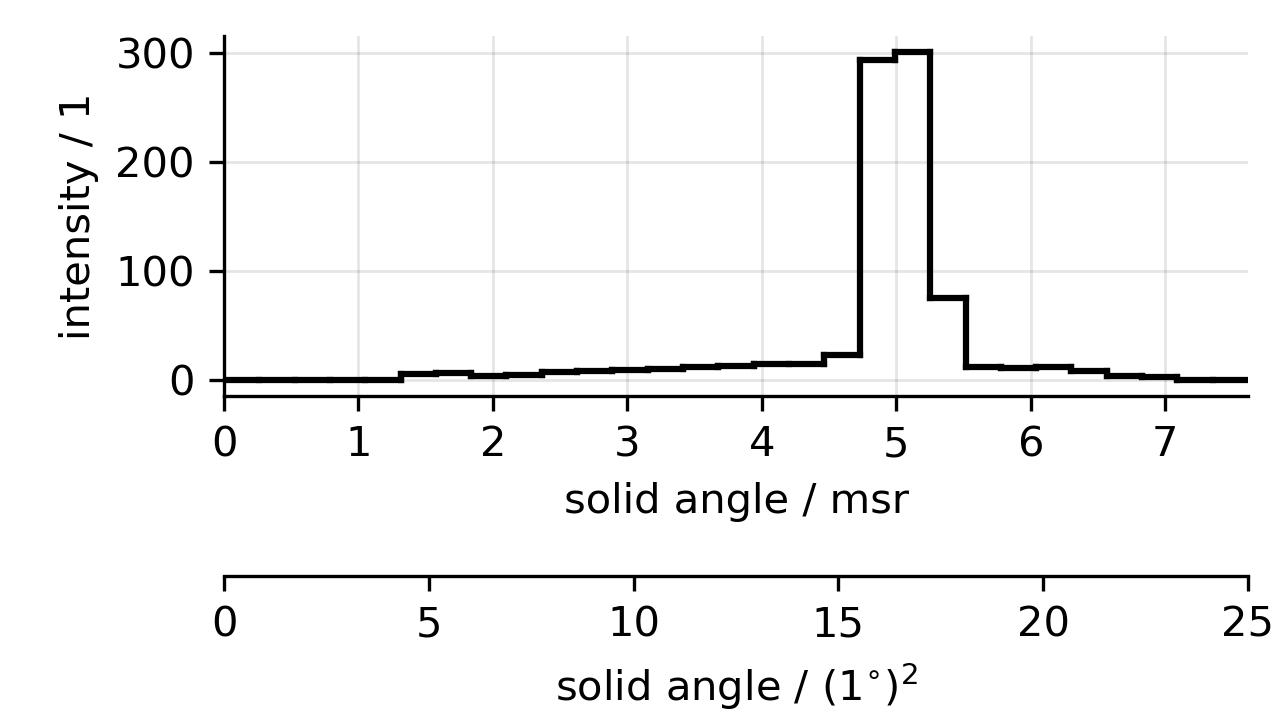
Distribution of solid angles in the upper mesh. The triangles have similar zizes. Outliers are mostly caused by the hard cut on the zenith distance.
Or by defining the binning explicitly using a triangle mesh with vertices and faces.
import spherical_histogram

geom = spherical_histogram.geometry.HemisphereGeometry(
    vertices=[[0, 0, 1], [0, 0.02, 1], [0.02, 0, 1]],
    faces=[[0, 1, 2]],
)

hist = spherical_histogram.HemisphereHistogram(bin_geometry=geom)
Afer initializing, we can histogram directions. This can be done multiple times with any of the three options
Azimuth and zenith angle
hist.assign_azimuth_zenith(azimuth_rad=0.2, zenith_rad=0.1)The direction vector’s x and y components
hist.assign_cx_cy(cx=0.3, cy=0.2)Or with the full direction vector (x, y, and z).
hist.assign_cx_cy_cz(cx=0.2, cy=0.3, cz=np.sqrt(1 - 0.2 ** 2 - 0.3 ** 2))After all directions where assigned to the histogram, the result is found in
hist.bin_countsand in
hist.overflowwhere overflow counts all the directions which could not be assigned to a bin and bin_counts is an array with one bount for each face in the hemispherical mesh of triangles.
The assign functions accept both scalar and array like parameters for an easy numpy integration. When the directions are assignes in array like parameters the loop for the assignment happens in the underlying c implementation and is rather fast and efficient.
1 maintainer

Metadata
1 maintainer
Release files for spherical-histogram 0.1.6
For a detailed explanation of source distributions (sdists) and built distributions (wheels), please see the package formats documentation.
Source distribution (sdist)
| File | Size | Uploaded | |
|---|---|---|---|
| spherical_histogram-0.1.6.tar.gz | 12.9 kB | Details |
Built distribution (wheel)
| File | Interpreter | ABI | Platform | Reset |
|---|---|---|---|---|
| spherical_histogram-0.1.6-py3-none-any.whl | Python 3 | none | any | Details |
Total release size: 25.9 kB
Release files / spherical_histogram-0.1.6.tar.gz
| Download URL | spherical_histogram-0.1.6.tar.gz |
|---|---|
| Size | 12.9 kB |
| Tags | Source |
|
SHA-256 checksum How to use checksums |
f0f6a1fad9c29194739dbf960db0011fe016fe49b2aefe28ba8a623a171accef
|
|
BLAKE2b-256 checksum How to use checksums |
43a3b62d8b851db51d4db11187bf210445cee3662ecd216bc4edf11bf7e3cc0c
|
| Upload date | |
|
Uploaded using Trusted Publishing? What is trusted publishing? |
No |
| Uploaded via |
twine/6.2.0 CPython/3.11.5
|
Release files / spherical_histogram-0.1.6-py3-none-any.whl
| Download URL | spherical_histogram-0.1.6-py3-none-any.whl |
|---|---|
| Size | 13.0 kB |
| Tags | Python 3 |
|
SHA-256 checksum How to use checksums |
2276061b4923744986f1568a49d15b97a29feae17181ef585ce70bdc0031ceb2
|
|
BLAKE2b-256 checksum How to use checksums |
1347f367a826f94ee3676054dfa1a483f582f1834e5dd1ed452eb592514a15a9
|
| Upload date | |
|
Uploaded using Trusted Publishing? What is trusted publishing? |
No |
| Uploaded via |
twine/6.2.0 CPython/3.11.5
|














