
AI chatbot extension for Sphinx
Ask AI chatbot plugin for Sphinx sites, powered by Biel.ai.
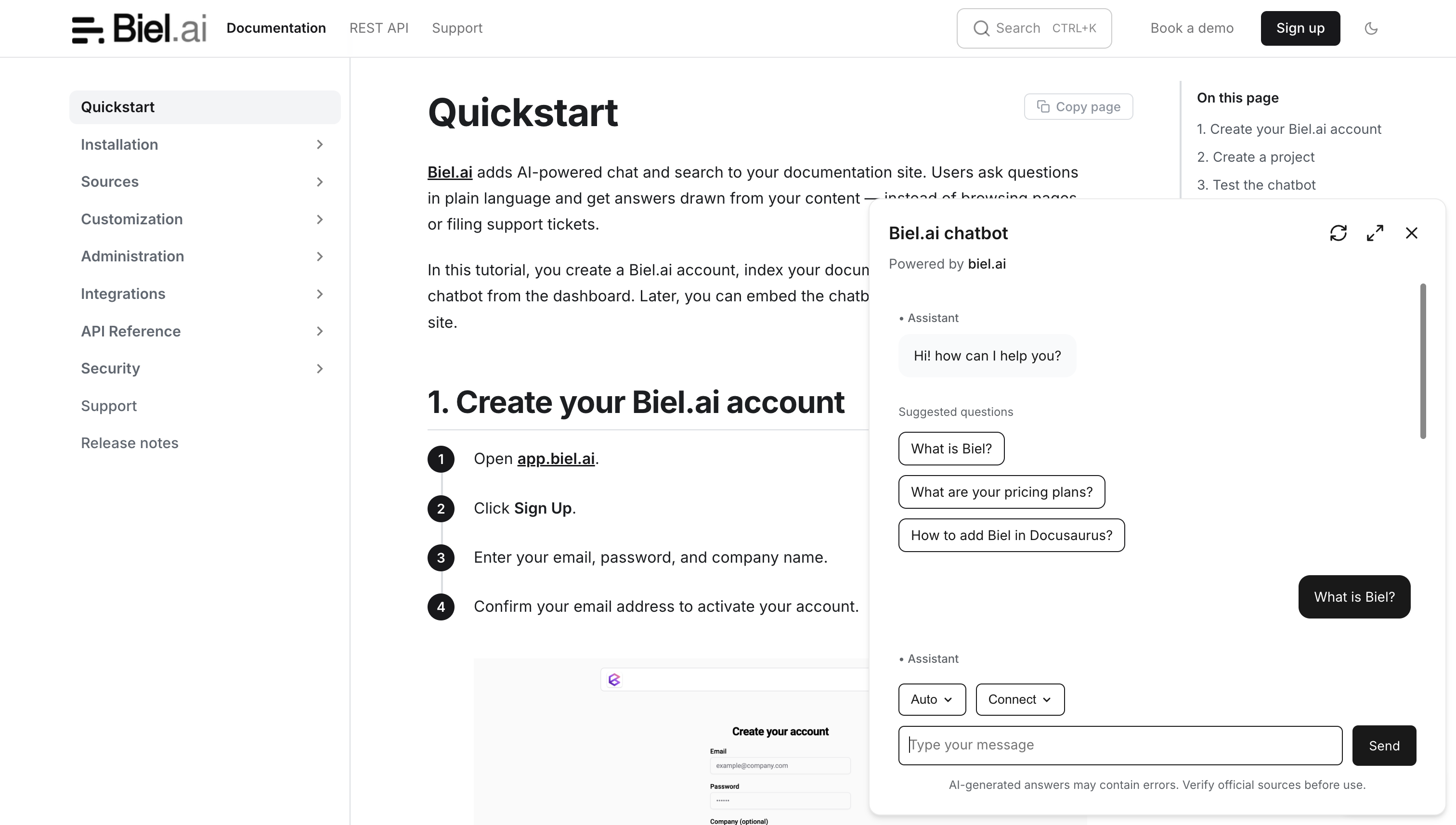
Add an AI chatbot to your Sphinx documentation using Biel.ai’s extension. The integration works with any Sphinx theme, including Read the Docs, and adds both chat and search capabilities.
Note: A Biel.ai plan is required to use this plugin. Try it free for 14 days—no credit card required.
Key features
AI chatbot that provides instant responses to documentation queries.
AI search engine for quick and relevant information retrieval.
Integration with Sphinx.
Customizable to match your site’s branding and user needs.
Get started
See the Sphinx AI chatbot integration guide for installation and setup instructions, including selecting a widget version.
The extension loads the widget’s JavaScript and CSS from the CDN. It uses latest by default; set biel_version in conf.py to choose a specific release. You do not need to install biel-search with npm.
Support
Need assistance? Contact us for help.
License
Copyright (c) 2024 Biel.ai
Licensed under the MIT License.
Development
For a reusable Sphinx project to test locally, see demo/README.rst. The demo is excluded from published wheels and source distributions.
Widget option metadata is included in the Python package. To refresh it, unpack the published widget and run python tools/update_widget_options.py /path/to/biel-search. This reads the widget’s property definitions without executing its JavaScript.
Build with python -m build --wheel, install the wheel in a separate Sphinx environment, and run python tests/test_artifact.py /tmp/biel-sphinx-site. This checks the generated HTML, typed settings and version overrides.
The browser test also needs Puppeteer and a local widget package for its test fixtures. Set NODE_PATH to that test environment’s node_modules and run PUPPETEER_EXECUTABLE_PATH=/path/to/chrome node tests/browser-contract.cjs /tmp/biel-sphinx-site. It uses local sample replies to check the button and chatbot settings.
1 maintainer

Metadata
1 maintainer
Release files for sphinx-biel 0.1.11
For a detailed explanation of source distributions (sdists) and built distributions (wheels), please see the package formats documentation.
Source distribution (sdist)
| File | Size | Uploaded | |
|---|---|---|---|
| sphinx_biel-0.1.11.tar.gz | 5.6 kB | Details |
Built distribution (wheel)
| File | Interpreter | ABI | Platform | Reset |
|---|---|---|---|---|
| sphinx_biel-0.1.11-py3-none-any.whl | Python 3 | none | any | Details |
Total release size: 12.0 kB
Release files / sphinx_biel-0.1.11.tar.gz
| Download URL | sphinx_biel-0.1.11.tar.gz |
|---|---|
| Size | 5.6 kB |
| Tags | Source |
|
SHA-256 checksum How to use checksums |
8d9272f004e143e160d580dd447160f98c23129c44e3fd0587af934e17d062a4
|
|
BLAKE2b-256 checksum How to use checksums |
aa83aac4649a2d4a70c837242a836379a037f094a8748181c0e1fda92172409f
|
| Upload date | |
|
Uploaded using Trusted Publishing? What is trusted publishing? |
No |
| Uploaded via |
twine/6.2.0 CPython/3.12.9
|
Release files / sphinx_biel-0.1.11-py3-none-any.whl
| Download URL | sphinx_biel-0.1.11-py3-none-any.whl |
|---|---|
| Size | 6.3 kB |
| Tags | Python 3 |
|
SHA-256 checksum How to use checksums |
880f3fe97ff48498aa98622d39af21ade966945e619f1d41bb60a845b85d4829
|
|
BLAKE2b-256 checksum How to use checksums |
5008f4627fc82af9e61104cffb771f2dc6fcb2fa817c131fac4ccd73d3cc3c4d
|
| Upload date | |
|
Uploaded using Trusted Publishing? What is trusted publishing? |
No |
| Uploaded via |
twine/6.2.0 CPython/3.12.9
|














