
Enhance Your Sphinx Documentation with Dynamic Diagram Links
See the complete documentation rendered with Sphinx 📚.
Unlock Seamless Navigation Between Diagrams and Documentation
sphinx_diagram_connect is a powerful Sphinx extension designed to create intelligent, clickable links within your PlantUML or DrawIO diagrams.
-
By automatically resolving
std:docorstd:refsyntax, this extension allows you to effortlessly connect elements in your diagrams directly to relevant sections or components within your Sphinx documentation. -
Also references to other domain like
py:funcwill be resolved. -
Optionally, references to
needitems can be resolved if the sphinx-needs package is available in the Python environment and the extension is enabled in the documentation project’s conf.py.
The sphinx_diagram_connect extension works on the generated svg files of your graphical tools. This means also other diagram types are supported automatically.
This means enhanced navigation, improved information flow, and a more interactive experience for your readers!
See It in Action: Dynamic References in PlantUML
Imagine clicking on a diagram element and being taken directly to its detailed explanation in your documentation. This is precisely what sphinx_diagram_connect enables.
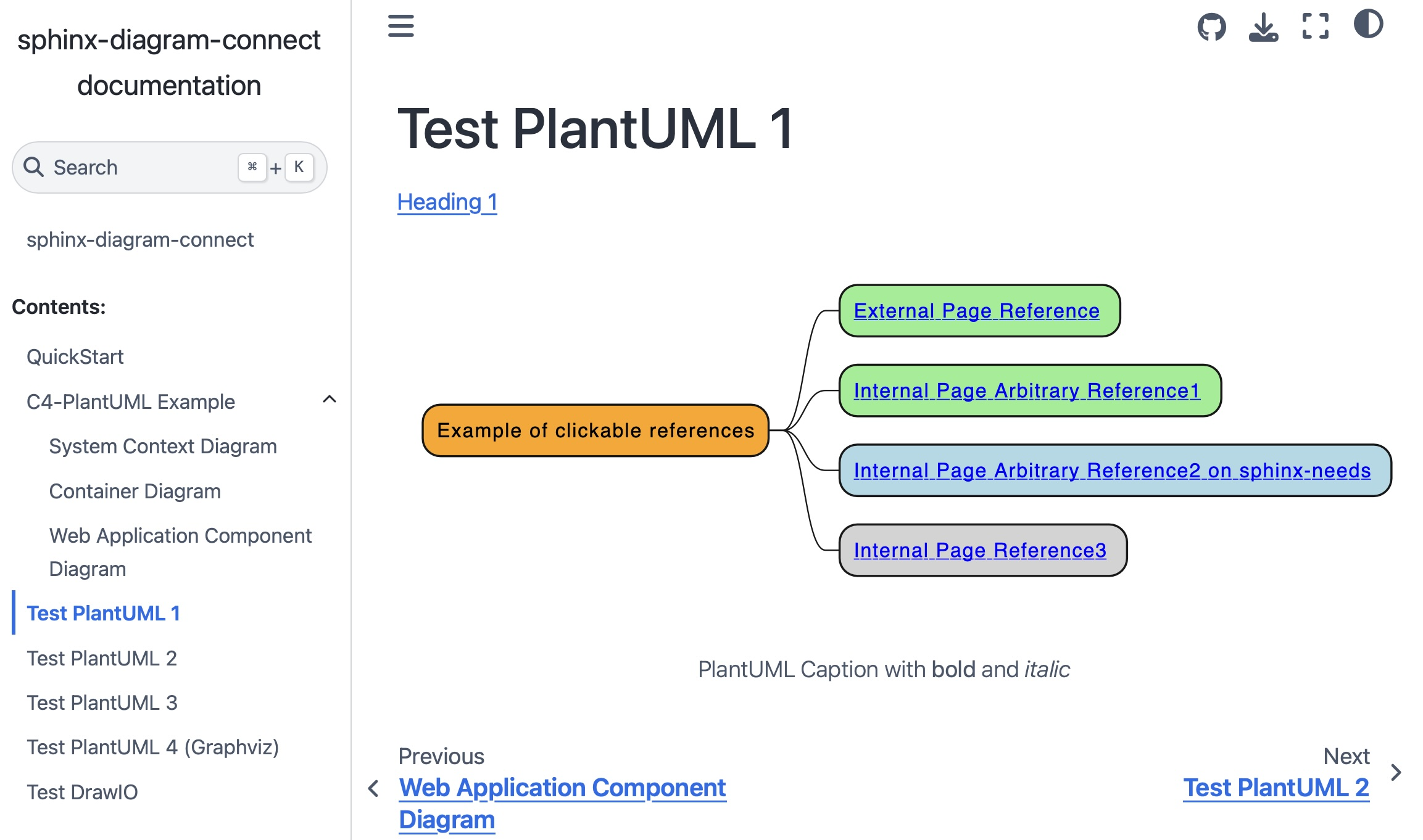
This example demonstrates how references of the standard domain std with :doc: and :ref: syntax within your PlantUML code becomes a live hyperlink in your rendered documentation:
.. uml::
    :caption: PlantUML Caption with **bold** and *italic*
    :name: PlantUML Label2

    @startmindmap mindmap2

    *[#Orange] Example of clickable references
    **[#lightgreen] [[ ":ref:`Heading 2`" Internal Page Arbitrary Reference1 ]]
    **[#lightblue] [[ ":ref:`N_00002`" Internal Page Arbitrary Reference2 on sphinx-needs ]]
    **[#lightgrey] [[ ":doc:`Test PlantUML 3`" Internal Page Reference3 ]]

    @endmindmap
Installation
You can easily install sphinx-diagram-connect using pip:
pip install sphinx-diagram-connect
Alternatively (for Linux users with Poetry):
git clone https://github.com/mi-parkes/sphinx-diagram-connect.git
cd sphinx-diagram-connect

poetry install
poetry build

poetry add -G sphinx dist/sphinx_diagram_connect-*-py3-none-any.whl
Activation
Once installed, simply add sphinx_diagram_connect to your extensions list in your conf.py file:
extensions = [
    ...,
    'sphinx_diagram_connect'
]
Listing Available Labels:
To see all referenceable labels in your project, use:
poetry run task labels


Download files
Download the file for your platform. If you're not sure which to choose, learn more about installing packages.
Source Distribution
Built Distribution
Filter files by name, interpreter, ABI, and platform.
If you're not sure about the file name format, learn more about wheel file names.
Copy a direct link to the current filters
File details
Details for the file sphinx_diagram_connect-1.1.0.tar.gz.
File metadata
- Download URL: sphinx_diagram_connect-1.1.0.tar.gz
- Upload date:
- Size: 7.1 kB
- Tags: Source
- Uploaded using Trusted Publishing? No
- Uploaded via:
twine/6.2.0 CPython/3.11.14
File hashes
| Algorithm | Hash digest | |
|---|---|---|
| SHA256 |
17ae4990d460fea67a867fac430e735ce9f060f9e0c36e1b04ee5bf0586a5647
|
|
| MD5 |
daaeb742d2ee7a507cf98085a9084b35
|
|
| BLAKE2b-256 |
01a13c2f79ac0056eadc524297b0254344b75eef534a7f1f1c25cf958eb866d6
|
File details
Details for the file sphinx_diagram_connect-1.1.0-py3-none-any.whl.
File metadata
- Download URL: sphinx_diagram_connect-1.1.0-py3-none-any.whl
- Upload date:
- Size: 7.9 kB
- Tags: Python 3
- Uploaded using Trusted Publishing? No
- Uploaded via:
twine/6.2.0 CPython/3.11.14
File hashes
| Algorithm | Hash digest | |
|---|---|---|
| SHA256 |
52c58fbe05dcbd1a531e1fe82c7ccf3c4fc066527bb6034f46403fa53801803c
|
|
| MD5 |
a944815492e988b53b82fcf357063544
|
|
| BLAKE2b-256 |
febe689ebab347e8451b4978350c53e30d83cc656ecbb028772f58b6cc170d9f
|














