
SpiderWire




Open Modbus RTU library and gss-ctrl CLI for the SpiderFarmer GSS
peripheral bus (inline fans, CO₂ sensor, sensor hub, light driver). The
OEM GSS hub is a Modbus RTU master over a proprietary RJ12 wire layout;
SpiderWire replaces that hub so you can drive the bus from any host -
locally, no cloud account.
Unofficial and experimental. This is an independent project with no affiliation, endorsement, or relationship with SpiderFarmer. It works on my hardware, but the GSS ecosystem ships in many hardware and firmware revisions - yours may behave differently or not work at all. Expect rough edges and verify behavior on your own bus before relying on it.
Two surfaces, one library:
| Surface | Role | What ships with it |
|---|---|---|
spiderwire Python package |
Transport, register map, tiered bus master | bus.py, protocol.py, registers.py, transport.py |
gss-ctrl CLI |
Test / ops / manual control over USB-RS485 | gss-ctrl scan / poll / read / write / fan / blower / light |
A companion Home Assistant integration is under spiderfarmer-ha.
Hardware
See ./docs/hw-notes.md for more details on how to connect to the bus.
Usage
You can use it independently as a controller and a reader from the bus
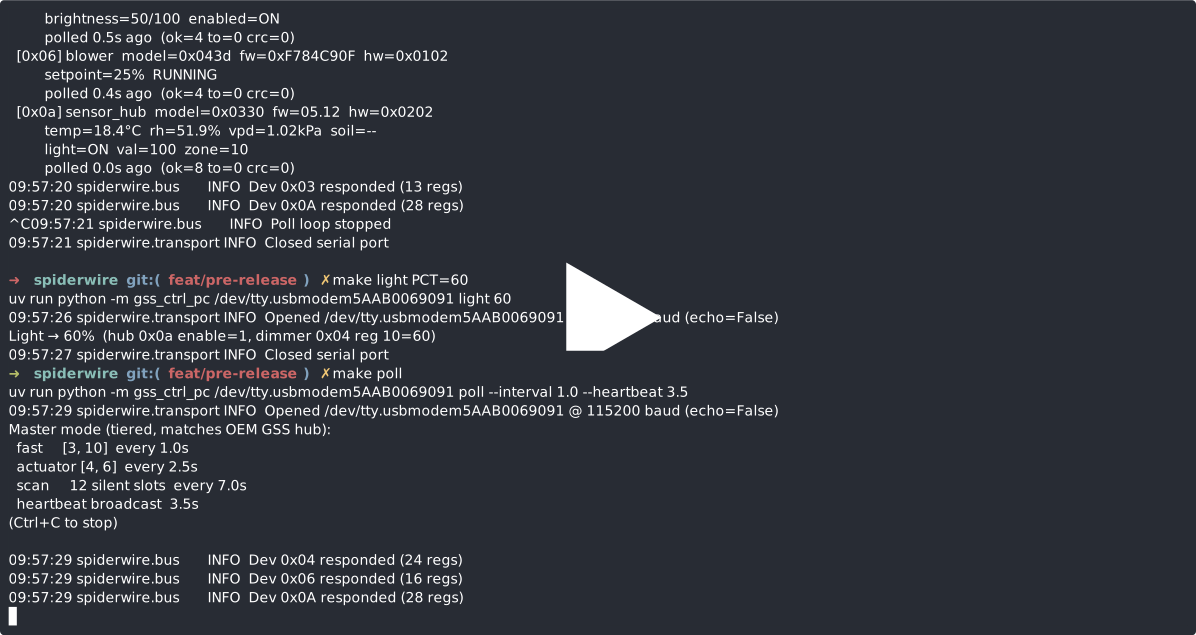
It is also possible to just sniff the bus with GSS connected to see what is happening but as expecteed there will be quite a few CRC error with 2 devices polling on the same bus.
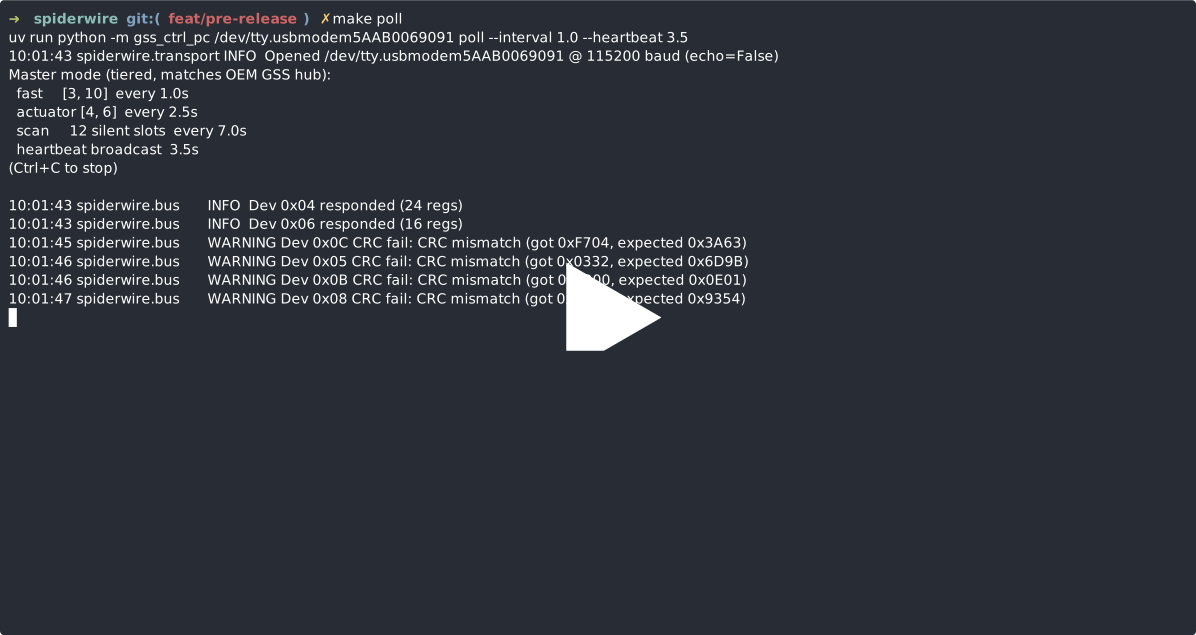
Install
From PyPI (recommended):
pip install spiderwire
From source (for development):
git clone https://github.com/1am/spiderwire.git
cd spiderwire
uv sync                        # installs runtime + dev tools (pytest, ruff, build, twine)
# or, with pip:
pip install -e .
pip install pytest ruff build twine
Requires Python 3.10+ and a USB-RS485 adapter (pyserial is the only
runtime dependency).
CLI quickstart
make scan    PORT=/dev/ttyUSB0        # discover devices on the bus
make poll    PORT=/dev/ttyUSB0        # master mode: tiered poll + heartbeat
make read    PORT=... ADDR=0x0A QTY=28
make fan     PORT=... ADDR=0x04 SPEED=15
make light   PORT=... PCT=50
make blower  PORT=... PCT=40
Without the OEM GSS hub on the bus, gss-ctrl poll takes over
master duties: tiered polling (~1 s fast, ~2.5 s actuators, ~7 s scan)
plus the setpoint heartbeat broadcast (~3.5 s), matching the OEM
cadence peripherals expect.
Full CLI: gss-ctrl --help. Commands: scan, poll, read, write,
fan, blower, light.
Library use
from spiderwire import BusMaster, RS485Transport

with RS485Transport("/dev/ttyUSB0", baudrate=115200) as tx:
    bus = BusMaster(tx)
    bus.poll_loop(interval=1.0, callback=print)
See src/spiderwire/bus.py for the tiered scheduler,
src/spiderwire/registers.py for the per-device register map, and
src/spiderwire/transport.py for the RS-485 framer.
Layout
spiderwire/
├── src/
│   ├── spiderwire/              Python package (lib)
│   │   ├── bus.py               tiered master + heartbeat scheduler
│   │   ├── protocol.py          Modbus RTU framing + CRC
│   │   ├── registers.py         per-device register map + decoders
│   │   └── transport.py         RS-485 framer over pyserial
│   └── gss_ctrl_pc/             gss-ctrl CLI (stand-in for the OEM master)
├── tests/                       pytest suite (no hardware required)
├── docs/                        protocol + device map reference
├── pyproject.toml               builds the `spiderwire` wheel + `gss-ctrl` script
└── Makefile                     dev shortcuts
Docs
docs/device-map.md- per-device register map for every address observed on the bus.docs/protocol-analysis.md- protocol reference: physical layer, function codes, tiered polling, heartbeat.docs/hw-notes.md- OEM hub board notes and RJ12 pinout.
License
Copyright (c) 2026 1AM
Released under the MIT License - free to use, modify, and distribute, including in commercial and closed-source products. The only requirement is that the copyright notice and license text are preserved in copies or substantial portions of the software.
Disclaimer
This software is provided "as is", without warranty of any kind, express or implied, including but not limited to the warranties of merchantability, fitness for a particular purpose, and non-infringement.
This project interacts with mains-powered grow equipment over an RS-485 bus. Incorrect wiring, miswired connectors, unsupported devices, or misuse of the protocol can damage hardware, void manufacturer warranties, cause fire, or result in personal injury. You are solely responsible for verifying the correctness of your wiring, your device configuration, and the commands you send.
In no event shall the author or contributors be liable for any direct, indirect, incidental, special, exemplary, or consequential damages - including but not limited to damage to equipment, crops, property, or persons - arising from the use of, or inability to use, this software.
Use at your own risk.
1 maintainer

Metadata
1 maintainer
Release files for spiderwire 0.1.1
For a detailed explanation of source distributions (sdists) and built distributions (wheels), please see the package formats documentation.
Source distribution (sdist)
| File | Size | Uploaded | |
|---|---|---|---|
| spiderwire-0.1.1.tar.gz | 3.4 MB | Details |
Built distribution (wheel)
| File | Interpreter | ABI | Platform | Reset |
|---|---|---|---|---|
| spiderwire-0.1.1-py3-none-any.whl | Python 3 | none | any | Details |
Total release size: 3.4 MB
Release files / spiderwire-0.1.1.tar.gz
| Download URL | spiderwire-0.1.1.tar.gz |
|---|---|
| Size | 3.4 MB |
| Tags | Source |
|
SHA-256 checksum How to use checksums |
627c5af1f5cbfcc8804034adf21c941b0f36896c3b54d91148901027a05ed81e
|
|
BLAKE2b-256 checksum How to use checksums |
147eedd5af408b811945f75108bd40e37ae97ade6fa7a3d8dcb9be2998dda841
|
| Upload date | |
|
Uploaded using Trusted Publishing? What is trusted publishing? |
Yes |
| Uploaded via |
twine/6.1.0 CPython/3.13.12
|
Provenance
Provenance describes where a file came from. On PyPI, provenance is shared via attestations, which provide a verifiable record of the build or publishing details. View details, limitations and caveats.


PyPI Publish Attestation
PyPI verified that this artifact, at this checksum, originated from the publisher listed below.
Signed by GitHub Actions, verified by PyPI on May 11, 2026.
Transparency logRelease files / spiderwire-0.1.1-py3-none-any.whl
| Download URL | spiderwire-0.1.1-py3-none-any.whl |
|---|---|
| Size | 26.0 kB |
| Tags | Python 3 |
|
SHA-256 checksum How to use checksums |
7f68bd5aae47a6aebac0e0806049a79daaf5fa39da37bf9798fc113d6f175dd7
|
|
BLAKE2b-256 checksum How to use checksums |
9eef5394d467091fafad2045a3a11e62d2acb65d39d70ca31d08e62eb44e4a51
|
| Upload date | |
|
Uploaded using Trusted Publishing? What is trusted publishing? |
Yes |
| Uploaded via |
twine/6.1.0 CPython/3.13.12
|
Provenance
Provenance describes where a file came from. On PyPI, provenance is shared via attestations, which provide a verifiable record of the build or publishing details. View details, limitations and caveats.
PyPI Publish Attestation
PyPI verified that this artifact, at this checksum, originated from the publisher listed below.
Signed by GitHub Actions, verified by PyPI on May 11, 2026.
Transparency log













