
This release is a pre-release and may not be stable for production use.

spinagram
Diagrams as code, delivered editable everywhere.
Write a few lines of Python. Get SVG, PNG, PowerPoint with native shapes, and Figma or FigJam nodes you can keep editing.
Documentation · Getting started · Python guide · Examples



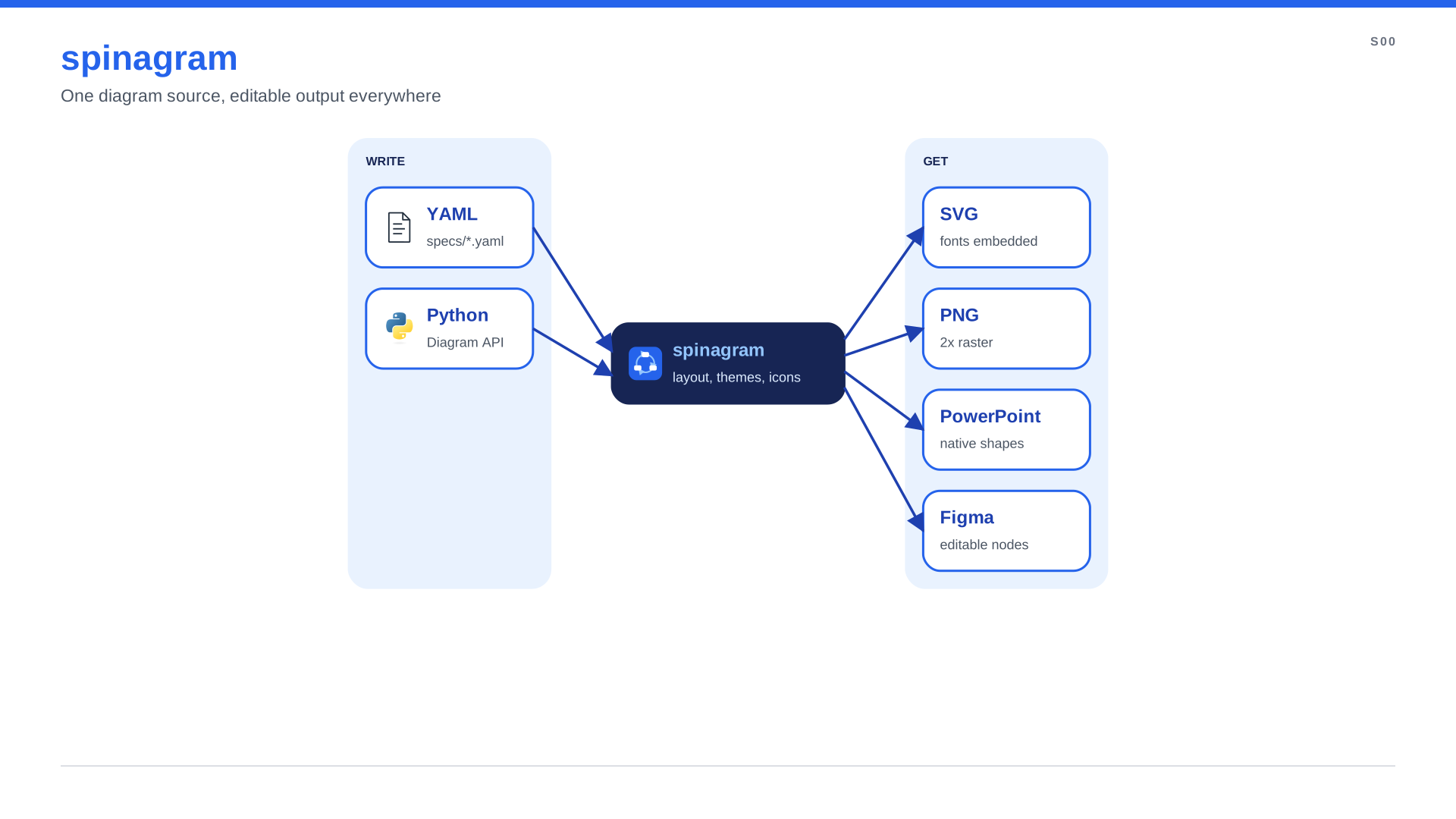
Why spinagram
- Editable output, not screenshots. PowerPoint slides get native shapes with the text inside and connectors bound to the boxes, so moving a box drags its arrows along. Figma gets real frames and nodes.
- Python that reads like the picture.
users >> lb >> api, groups aswithblocks, loops and functions for the repetitive parts. YAML works too, for generated diagrams. - No coordinates needed. spinagram sizes every box from its text and icon, nests groups such as an AWS Region, a VPC and its zones, and places everything with one of four layout engines.
- Brand once, render anywhere. A theme directory holds colours, fonts, styles, icons and page chrome.
- Thousands of icons. AWS, GCP, Azure, Kubernetes, OCI, OpenStack and Terrastruct packs download on first use. Add your own from a folder, npm or GitHub.
- Built for reviews.
spinagram checkcatches text overflow,spinagram servepreviews live, and numbers can come from a facts file with their provenance in every render.
Quick start
pip install "spinagram[all]" # or: uv add "spinagram[all]"
Say what is connected to what. spinagram sizes, places and styles everything:
from spinagram import Diagram

d = Diagram("Q01", "Web app on AWS", subtitle="No coordinates, laid out automatically")

users = d.box("Users", icon="aws:users")
with d.group("us-east-1", style="aws-region", direction="right"):
    with d.group("VPC", style="aws-vpc", direction="right"):
        lb = d.box("Load balancer", icon="aws:alb")
        api = d.box("API", text="FastAPI on ECS", icon="terrastruct:python")
        with d.group():  # no style: a light "soft" zone
            db = d.box("Orders DB", text="PostgreSQL", icon="terrastruct:postgres")
            cache = d.box("Cache", text="Redis", icon="terrastruct:redis")
    s3 = d.box("Uploads", text="S3 bucket", icon="aws:s3")

users.to(lb, "HTTPS") >> api
api.to(db, "SQL")
api >> [cache, s3]

d.save("out/", formats=["svg", "png", "pptx"])
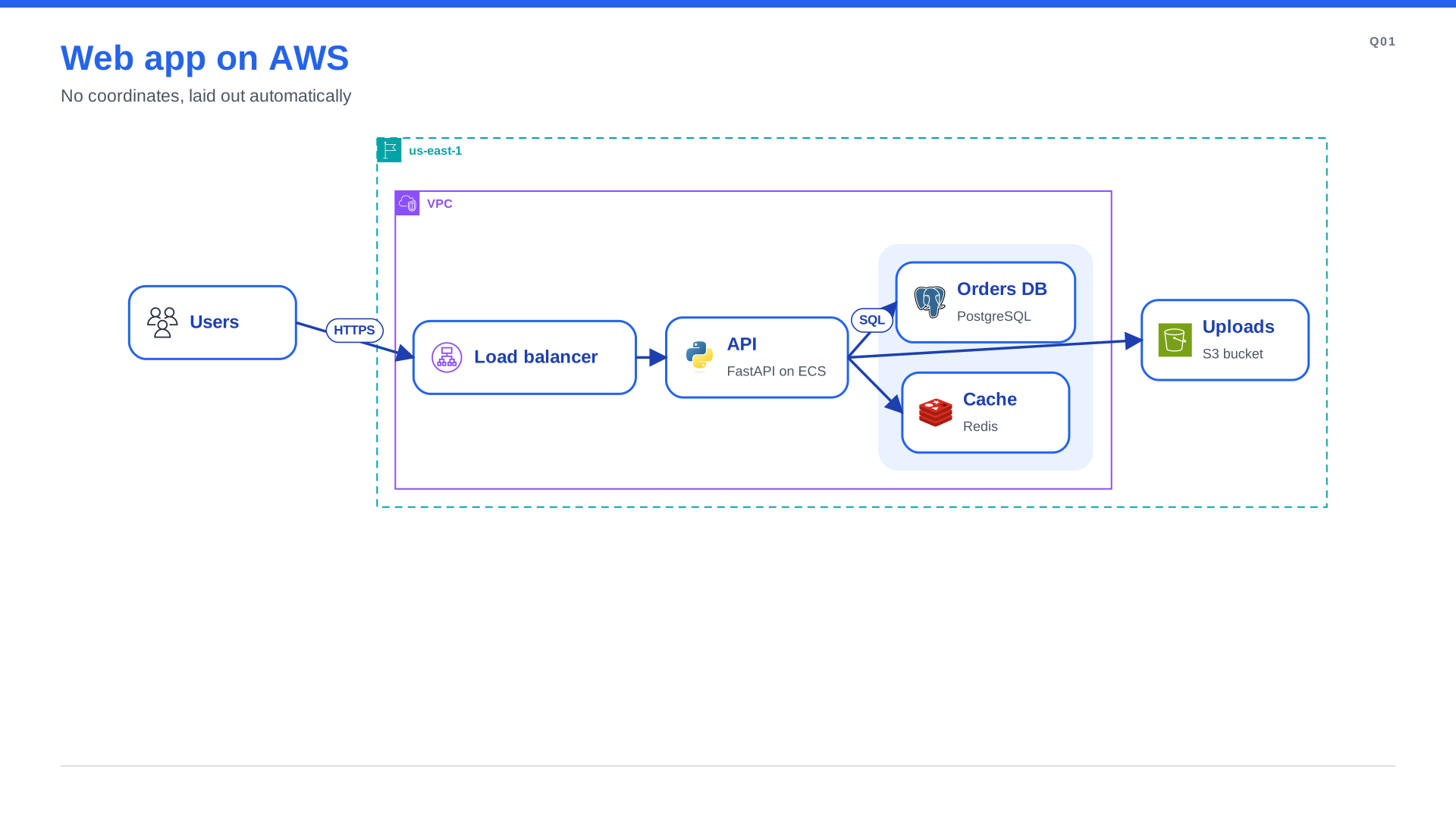
d.box(...)adds a node; its size comes from its text and icon. No coordinates needed.a >> bdraws an arrow,a.to(b, "label")a labelled one,a >> [b, c]fans out.with d.group(...)nests nodes in a zone (an AWS Region, a VPC, or any style from your theme).d.save()writes the files; in Jupyter the diagram shows inline.spinagram serve file.pypreviews it live.
The same diagram in YAML
id: Q01
title: Web app on AWS
subtitle: No coordinates, laid out automatically
groups:
  - id: region
    label: us-east-1
    style: aws-region
    direction: right
    children:
      - id: vpc
        label: VPC
        style: aws-vpc
        direction: right
        children: [lb, api, data]
      - s3
  - {id: data, children: [db, cache]}
nodes:
  - {id: users, title: Users, icon: "aws:users"}
  - {id: lb, title: Load balancer, icon: "aws:alb"}
  - {id: api, title: API, text: FastAPI on ECS, icon: "terrastruct:python"}
  - {id: db, title: Orders DB, text: PostgreSQL, icon: "terrastruct:postgres"}
  - {id: cache, title: Cache, text: Redis, icon: "terrastruct:redis"}
  - {id: s3, title: Uploads, text: S3 bucket, icon: "aws:s3"}
edges:
  - "users -> lb: HTTPS"
  - lb -> api
  - "api -> db: SQL"
  - api -> cache
  - api -> s3
spinagram render examples/quickstart.yaml -f svg,png,pptx -o out/
Need pixel-exact slides instead? Give nodes coordinates
(manual layout), or freeze an automatic layout with
spinagram layout spec.py -o frozen.yaml and tune it by hand.
Flowcharts, state machines, activities and CSS
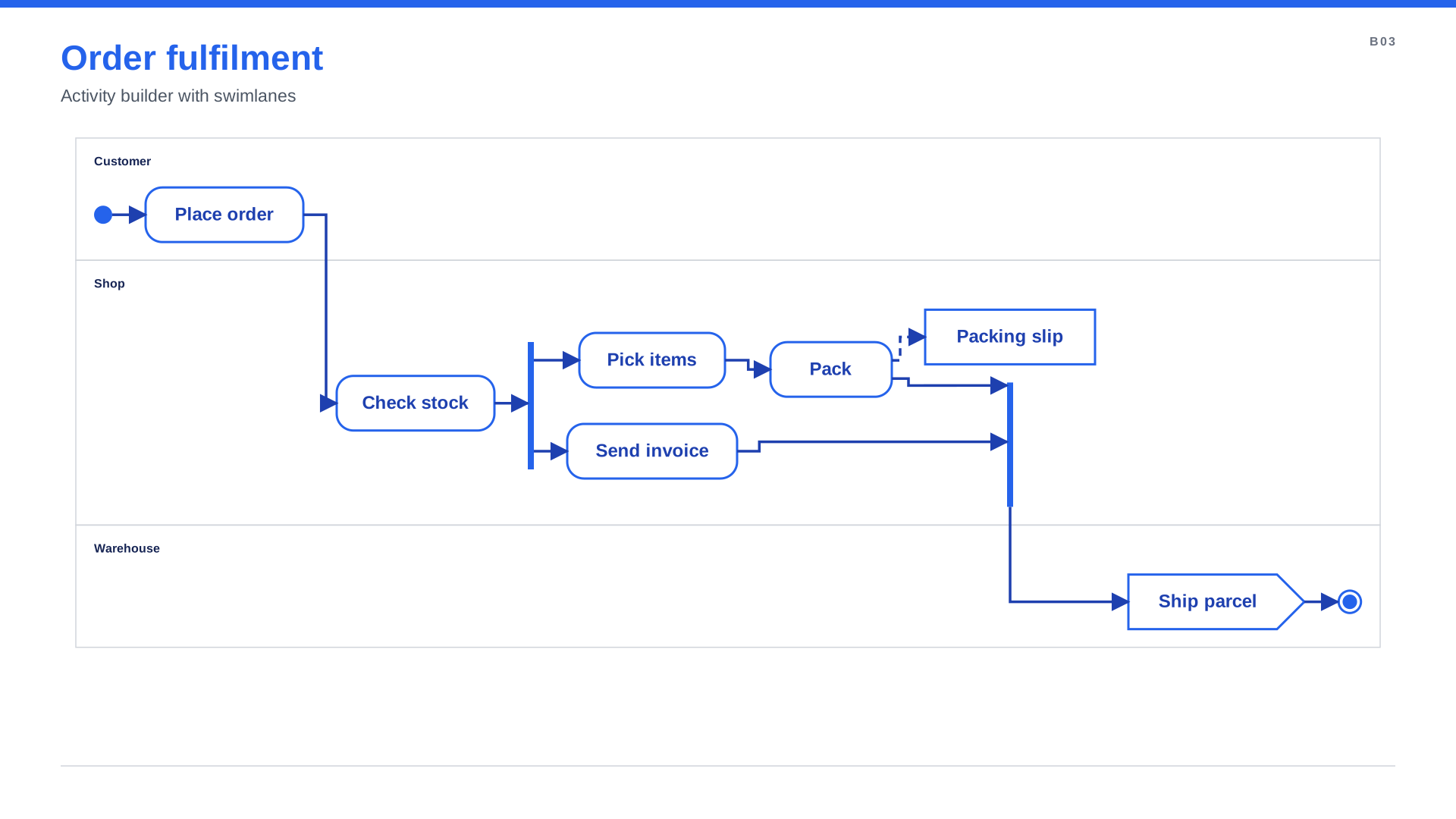
Flowchart, StateMachine and Activity builders add the symbols and verbs of behavior diagrams
(decisions, forks and joins, swimlanes, composite states) laid out by a built-in layered engine, and
with d.state_machine(...) puts one inside any diagram. A CSS subset styles everything:
d.stylesheet("brand.css"), class_="critical", edge.async { stroke-dasharray: 6 4 }.
spinagram check --styles explains which rule set each value, spinagram serve has a click-to-inspect
styles panel and re-renders when a stylesheet is saved.
See behavior diagrams,
CSS styling and
CSS by backend (what SVG, PowerPoint
and Figma do with each property). examples/showcase has AWS, Kubernetes and Google Cloud
reference architectures styled only with CSS.
Outputs
| Format | What you get |
|---|---|
svg |
Self-contained SVG with fonts and images embedded |
png |
2x PNG rendered from the SVG |
pptx |
One slide per diagram with native shapes, bound connectors and native tables |
figma |
Figma Plugin-API scripts that build native, editable nodes |
figjam |
A FigJam board with connectors bound to the boxes |
Learn more
The documentation (searchable) covers:
- Automatic layout: groups and the
flex,dot,elkandd2engines - Icon packs (AWS, Google Cloud, Azure, Kubernetes, self-hosted and network gear) and themes
- Annotations: legends, numbered steps, callouts and designed notes
- Facts: numbers with traceable sources
- Figma and FigJam hand-off
- CLI and the live UI
- AI agent skills:
spinagram skills install --agent claude|codex|cursor|gemini|copilot|…teaches your coding agent to write and style diagrams - Extending with your own backends and layout engines
Development
uv sync --all-extras && uv run pytest
cd docs && bun install && bun run dev  # docs at http://localhost:3000
See Development for the UI frontend, docs and releases.
Changelog and license
See CHANGELOG.md for what changed in each release. spinagram is released under the
MIT License. Icon packs are downloaded from their upstream projects on first use and keep
their own licenses (listed by spinagram icons list).
1 maintainer

Metadata
1 maintainer
Release files for spinagram 0.1.0rc1
For a detailed explanation of source distributions (sdists) and built distributions (wheels), please see the package formats documentation.
Source distribution (sdist)
| File | Size | Uploaded | |
|---|---|---|---|
| spinagram-0.1.0rc1.tar.gz | 743.3 kB | Details |
Built distribution (wheel)
| File | Interpreter | ABI | Platform | Reset |
|---|---|---|---|---|
| spinagram-0.1.0rc1-py3-none-any.whl | Python 3 | none | any | Details |
Total release size: 1.0 MB
Release files / spinagram-0.1.0rc1.tar.gz
| Download URL | spinagram-0.1.0rc1.tar.gz |
|---|---|
| Size | 743.3 kB |
| Tags | Source |
|
SHA-256 checksum How to use checksums |
ed74869fa5df960d3f966cf2cd766963b0846ba528c54c5b9292176ee6eeb0c6
|
|
BLAKE2b-256 checksum How to use checksums |
7acf09bf393b1a4d270f0efc5dc62ffef6107bdfc7a22d345a16c3a2f11805b6
|
| Upload date | |
|
Uploaded using Trusted Publishing? What is trusted publishing? |
Yes |
| Uploaded via |
uv/0.10.4 {"installer":{"name":"uv","version":"0.10.4","subcommand":["publish"]},"python":null,"implementation":{"name":null,"version":null},"distro":{"name":"Ubuntu","version":"24.04","id":"noble","libc":null},"system":{"name":null,"release":null},"cpu":null,"openssl_version":null,"setuptools_version":null,"rustc_version":null,"ci":true}
|
Release files / spinagram-0.1.0rc1-py3-none-any.whl
| Download URL | spinagram-0.1.0rc1-py3-none-any.whl |
|---|---|
| Size | 303.9 kB |
| Tags | Python 3 |
|
SHA-256 checksum How to use checksums |
036a20b9faf3c565df5bab5cca5c2765cef2edf86a3f85ab79fa8995431d0ac0
|
|
BLAKE2b-256 checksum How to use checksums |
2827e080c32d13cd1726afc13f004a542431ddf8389fd09918ba5ee360a4286d
|
| Upload date | |
|
Uploaded using Trusted Publishing? What is trusted publishing? |
Yes |
| Uploaded via |
uv/0.10.4 {"installer":{"name":"uv","version":"0.10.4","subcommand":["publish"]},"python":null,"implementation":{"name":null,"version":null},"distro":{"name":"Ubuntu","version":"24.04","id":"noble","libc":null},"system":{"name":null,"release":null},"cpu":null,"openssl_version":null,"setuptools_version":null,"rustc_version":null,"ci":true}
|














