
Spotr - A spotify tool for the terminal





A very simple CLI for controlling your spotify on the fly in the terminal. Made in python for simplicity
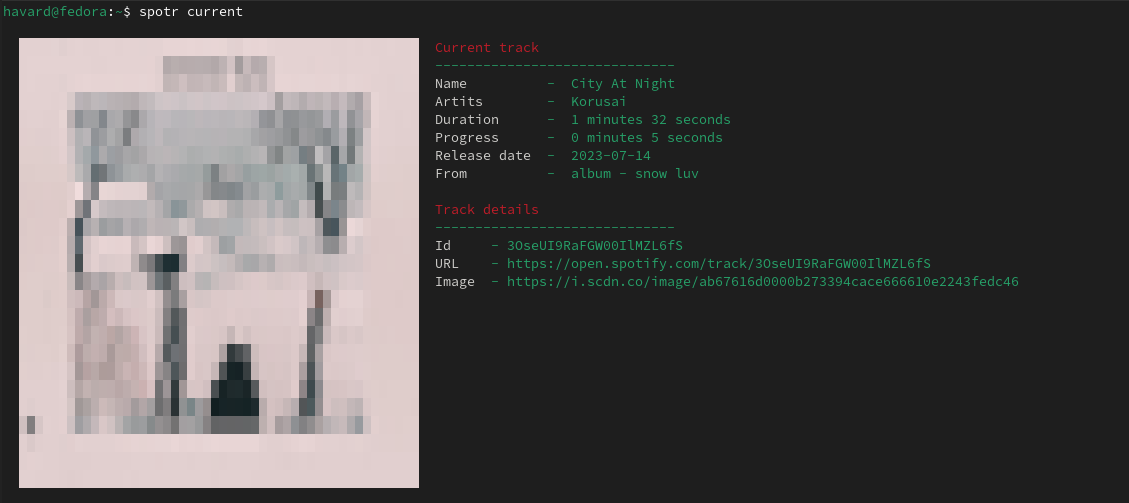
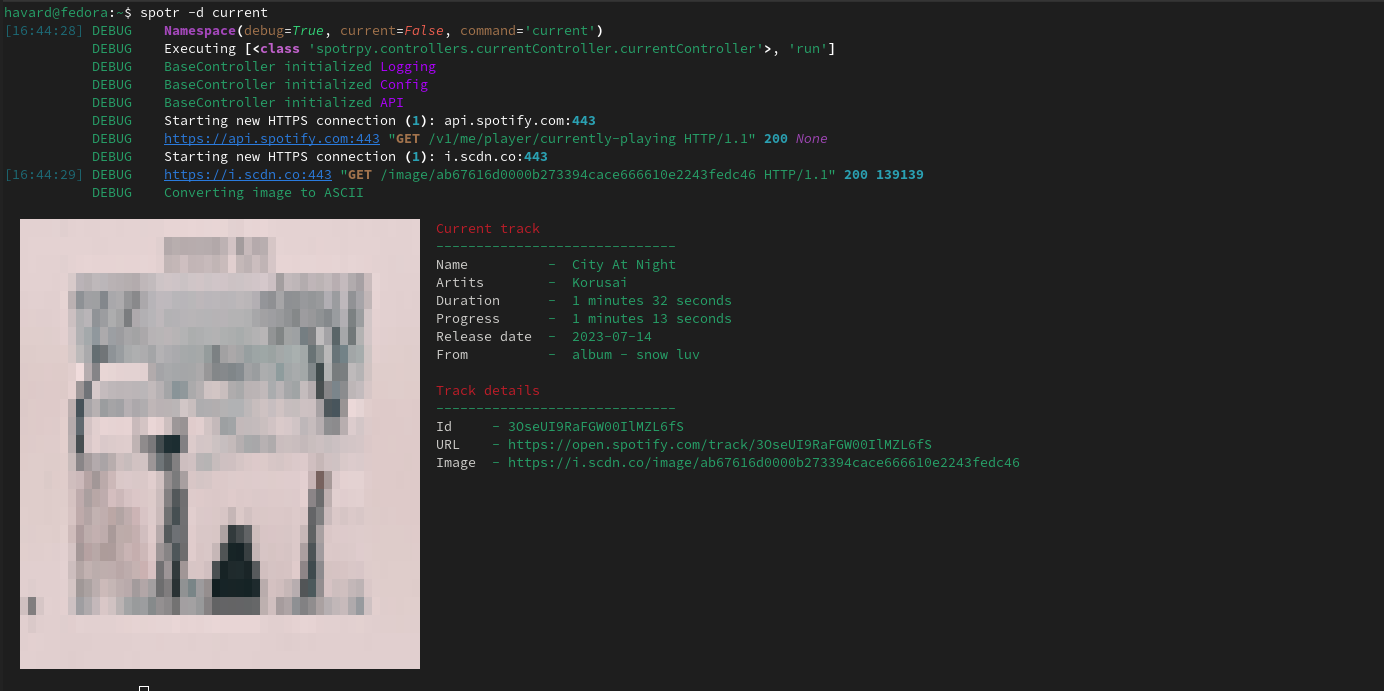
Debug
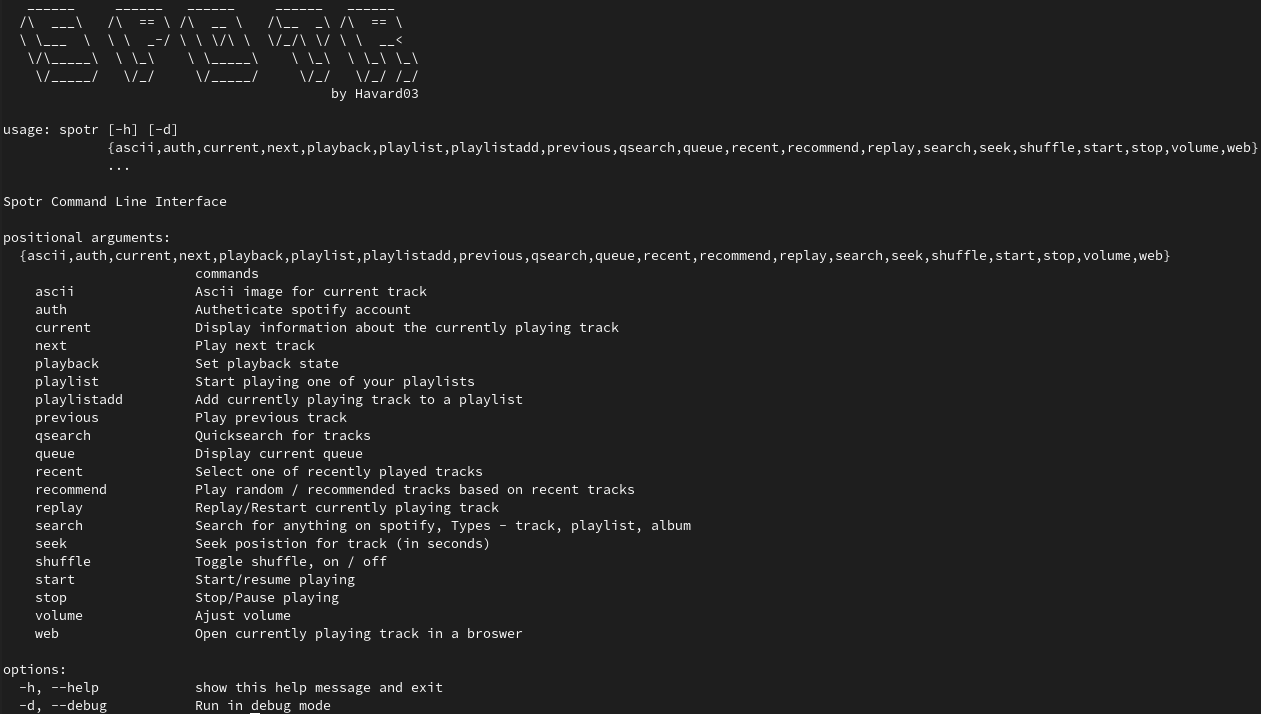
Argparser
Installation
$ pip install spotrpy
Or clone the repo and install locally
$ pip install -e .
-
Register an app in spotify for developers "https://developer.spotify.com/dashboard/applications"
- Also set callback URI to "https://www.google.com/"
-
Run any spotr command (If command is not recognized check if python bin is in PATH)
-
You will be prompted to create config.json and paste in client and secret id from spotify app
-
After these steps everything should work and you can enjoy spotr
Built-in Commands
auth                Authorize Spotify api
authorize           Authorize Spotify api
artist              Display artist information
ascii               Ascii image for current track
current             Display information about the currently playing track
next                Play next track
playback            Set playback state
playlist            Start playing one of your playlists
playlistadd         Add currently playing track to a playlist
previous            Play previous track
qsearch             Quicksearch for tracks
queue               Display current queue
recent              Select one of recently played tracks
recommend           Play random / recommended tracks based on recent tracks
replay              Replay/Restart currently playing track
search              Search for anything on spotify, Types - track, playlist, album
seek                Seek posistion for track (in seconds)
shuffle             Toggle shuffle, on / off
start               Start/resume playing
resume              Start/resume playing
stop                Stop/Pause playing
pause               Stop/Pause playing
volume              Ajust volume
vol                 Ajust volume
web                 Open currently playing track in a broswer
Modifications
Commands are declared in commands.py, Then you can set any function or class-method as callable.
API documentation
1 maintainer

Release files for spotrpy 4.1
For a detailed explanation of source distributions (sdists) and built distributions (wheels), please see the package formats documentation.
Source distribution (sdist)
| File | Size | Uploaded | |
|---|---|---|---|
| spotrpy-4.1.tar.gz | 16.0 kB | Details |
Built distribution (wheel)
| File | Interpreter | ABI | Platform | Reset |
|---|---|---|---|---|
| spotrpy-4.1-py3-none-any.whl | Python 3 | none | any | Details |
Total release size: 42.0 kB
Release files / spotrpy-4.1.tar.gz
| Download URL | spotrpy-4.1.tar.gz |
|---|---|
| Size | 16.0 kB |
| Tags | Source |
|
SHA-256 checksum How to use checksums |
44d19bacf815a822c7c1d26f757d735eee9c5c19e358ac522e2b80126061bccd
|
|
BLAKE2b-256 checksum How to use checksums |
d35192137548f071be18e6b75f12eadb1db71ea09e4d61947d53676279322ccc
|
| Upload date | |
|
Uploaded using Trusted Publishing? What is trusted publishing? |
No |
| Uploaded via |
twine/5.1.1 CPython/3.9.6
|
Release files / spotrpy-4.1-py3-none-any.whl
| Download URL | spotrpy-4.1-py3-none-any.whl |
|---|---|
| Size | 26.0 kB |
| Tags | Python 3 |
|
SHA-256 checksum How to use checksums |
f283beb8dec31327e3fd6caf719df2035ca66990f244b2b78ef2e1d5ddf00ada
|
|
BLAKE2b-256 checksum How to use checksums |
ac6e22c8a2c815d0f3bacb62e4aaeb3e334c8cb5b188676449f6415d16cdd200
|
| Upload date | |
|
Uploaded using Trusted Publishing? What is trusted publishing? |
No |
| Uploaded via |
twine/5.1.1 CPython/3.9.6
|














