
pip install sprite-pipeline
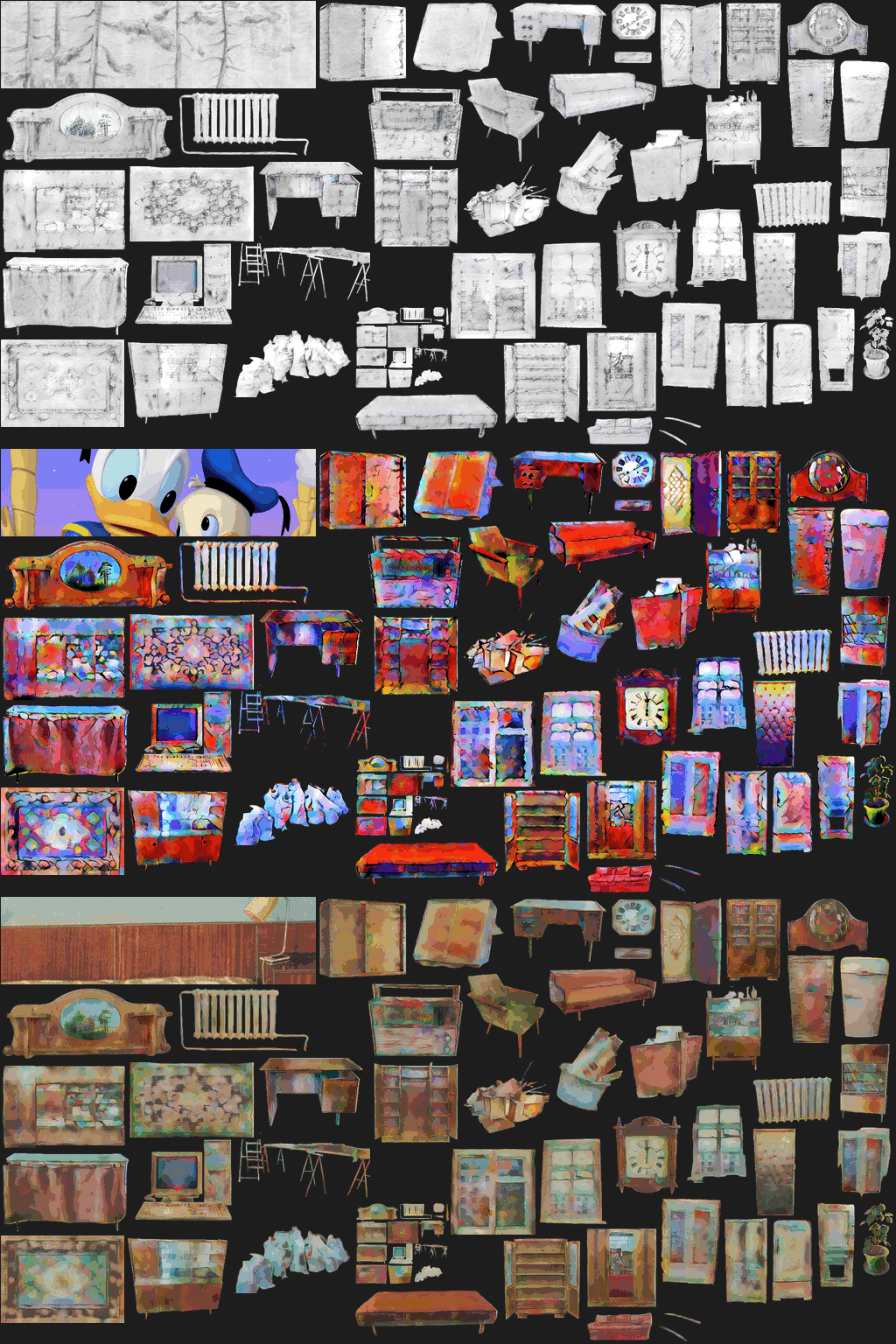
You download images to a folder
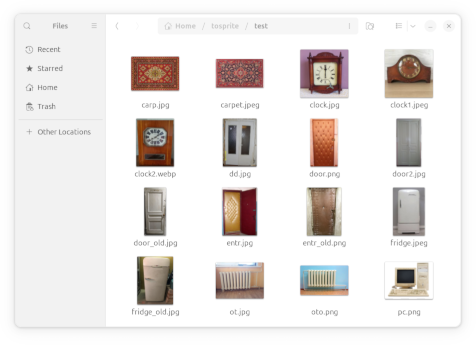
⬇️⬇️⬇️⬇️⬇️⬇️⬇️⬇️⬇️⬇️⬇️⬇️
sp_group --style painting.png -H 100 downloaded/
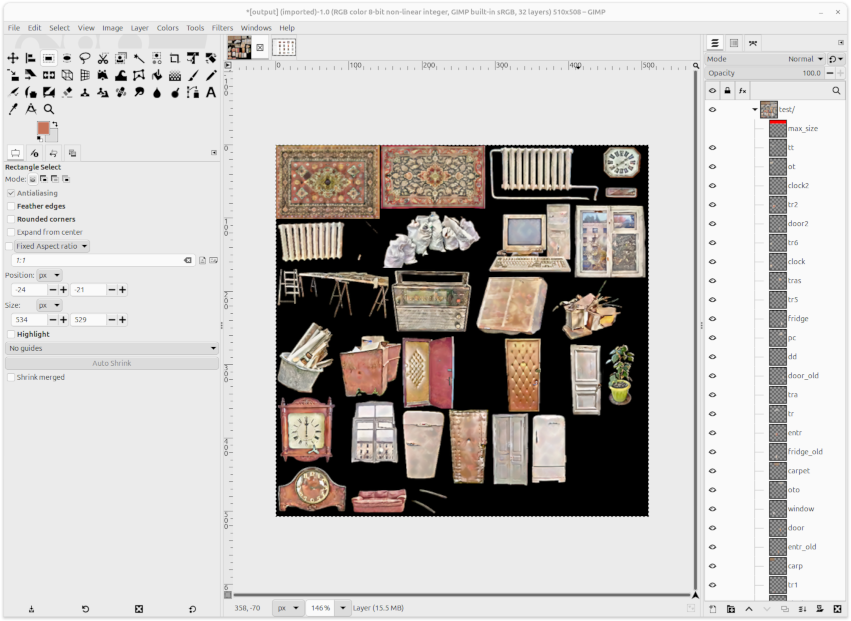
⬇️⬇️⬇️⬇️⬇️⬇️⬇️⬇️⬇️⬇️⬇️⬇️
You open output.psd, resize layers, fix perspective, patch.
⬇️⬇️⬇️⬇️⬇️⬇️⬇️⬇️⬇️⬇️⬇️⬇️
sp_pack
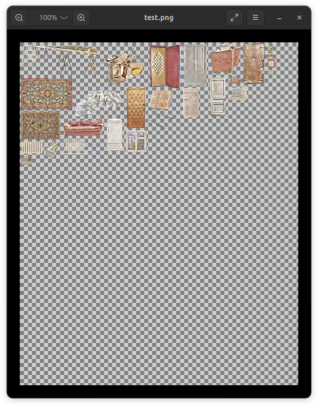
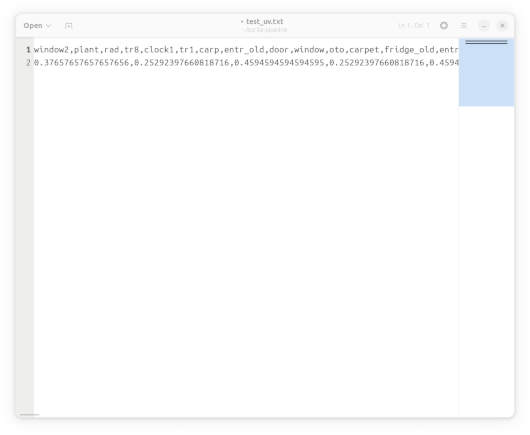
Congrats! You get packed spritesheet and UV coordinates in .txt
Features
- Foreground extraction
- Light correction
- Style transfer
- PSD building
- Spritesheet packing
CLI args
sp_group
sp_group folder_name/ --style STYLE_IMAGE -W MAX_WIDTH -H MAX_HEIGHT -f STYLE_FORCE -o OUTPUT_PSD
Creates PSD file containing group folder_name where each layer is a processed image with the specified maximum dimensions.
sp_pack
sp_pack psd_file.psd -o OUTPUT_DIR --format SPRITESHEET_IMAGE_FORMAT
For each group in PSD creates packed spritesheet image and UV coordinates file named group_name.fmt and group_name_uvs.txt.
Details
- BiRefNet to extract foreground
- RetinexNet to fix lights
- nst_vgg19 for Neural Style Transfer
- RealESRGAN_MtG to improve quality
- OpenCV to other filters and algorithms
1 maintainer

Metadata
1 maintainer
Release files for sprite-pipeline 0.3.1
For a detailed explanation of source distributions (sdists) and built distributions (wheels), please see the package formats documentation.
Built distribution (wheel)
| File | Interpreter | ABI | Platform | Reset |
|---|---|---|---|---|
| sprite_pipeline-0.3.1-py3-none-any.whl | Python 3 | none | any | Details |
Release files / sprite_pipeline-0.3.1-py3-none-any.whl
| Download URL | sprite_pipeline-0.3.1-py3-none-any.whl |
|---|---|
| Size | 14.3 kB |
| Tags | Python 3 |
|
SHA-256 checksum How to use checksums |
ae2850cf8e04fdb362ef25b07db9fe870155f2e5399a35cd4875281a7039b952
|
|
BLAKE2b-256 checksum How to use checksums |
51eed26c3218825d050f3c4a93420133f17569a44245b742939a0514e62927ff
|
| Upload date | |
|
Uploaded using Trusted Publishing? What is trusted publishing? |
No |
| Uploaded via |
twine/6.2.0 CPython/3.12.3
|
Security for sprite-pipeline 0.3.1
Provenance
Provenance describes where a file came from. On PyPI, provenance is shared via attestations, which provide a verifiable record of the build or publishing details. View details, limitations and caveats.
No provenance found
None of the files in this release were uploaded with provenance metadata.
A note on package security
PyPI is a repository for distributing packages, not a service for auditing them. While third-party security researchers and our staff do their best to detect and remove malicious packages, PyPI cannot guarantee the quality, security or suitability of any given package.
To learn more about protecting yourself from malicious actors, visit our package security documentation.














