
spritex
A simple tool for extracting sprites from full frames. Useful for AI projects. Made using Python 3, Kivy, pillow and numpy.
Installation
PyPI
pip install spritex
After running this command spritex command should be accessible from terminal.
For development and git cloning
There is install.sh which will create a symbolic link from “bin/spritex” to “/usr/local/bin” folder. Which enables spritex command to be executed from terminal.
Dependencies
numpy==1.12.1
Kivy>=1.10.0
pillow>=2.1.0
You can install dependencies via pip:
pip install -r requirements.txt --upgrade
Arch Linux
You can install dependencies via pacman.
sudo pacman -S python-pillow python-kivy python-numpy
Usage
You can open image files through spritex path.png. If you use SDL2 backend you can drag and drop image files on to application window.
General functionality
Toggle grid: Shows pixel grid when zoomed in.
Zoom should be at least 8 screen pixels = 1 image pixel.
Select region: Allows you to select a rectangular region in image via mouse drag and drop.
After a region selected roughly, it is possible to fine tune by arrow keys.
Copy Region to Clipboard: Copies the selected region coordinates to clipboard in (y1,x1,y2,x2) format.
Keyboard shortcuts
Without any modifiers arrow keys will move selection around by 1 px.
With Ctrl modifier selection will grow on bottom and right side by 1 px.
With Alt modifier selection will grow on top and left side by 1 px.
With shift modifier all operations will do 5px.
Extract Operations
Sprite: will create an image from selection into same folder of source image.
Useful at creating training data for ANN classifiers.
Unique colors: will extract unique colors of the selection relative to rest of the image. Output will be (unique color count)x1 image and will be saved into same folder with source.
Useful at locating simple objects that represented by unique colors from screen frame.
Unique sprite: will extract an image that is same size of selection but unique colors only.
Useful at locating simple objects that represented by unique colors at unique positions from screen frame.
Transparent sprite: will extract an transparent image from multiple images of same folder. Mismatching pixels will be discarded and transparent.
Useful at extracting exact sprite. When background is animating but sprite is not moving.
Overlays Functionality
Dynamically updates the selection window with selected operation. Useful for previewing the output.
Screenshots
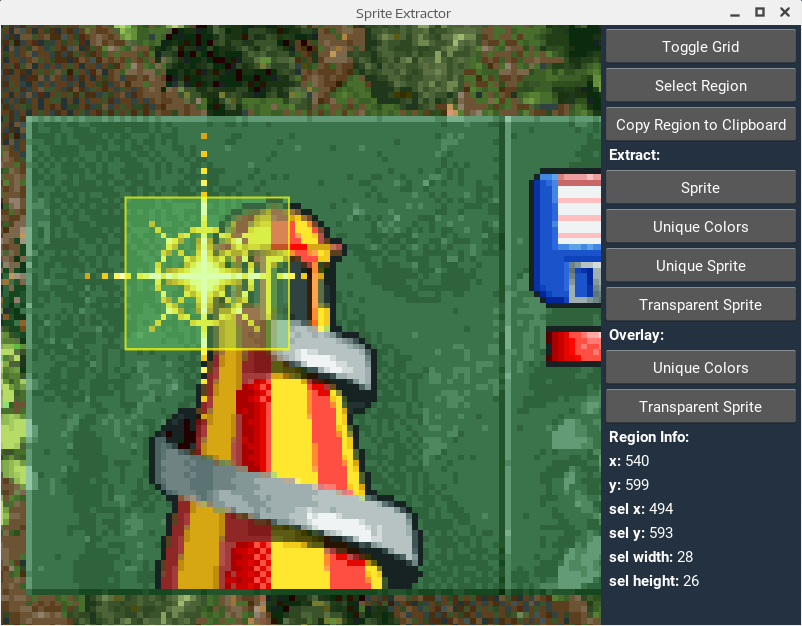
Screenshot
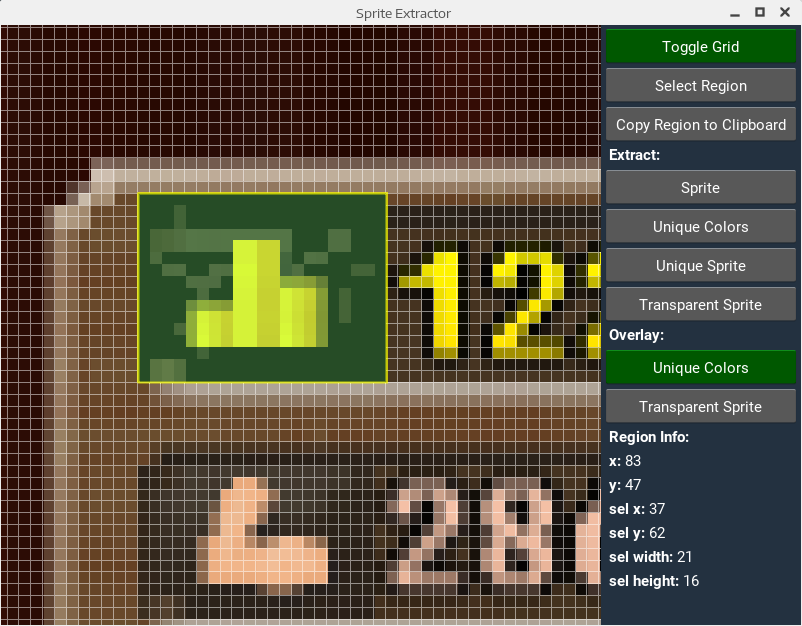
Screenshot
1 maintainer

Metadata
1 maintainer
Release files for spritex 0.1.3
For a detailed explanation of source distributions (sdists) and built distributions (wheels), please see the package formats documentation.
Source distribution (sdist)
| File | Size | Uploaded | |
|---|---|---|---|
| spritex-0.1.3.tar.gz | 9.4 kB | Details |
Release files / spritex-0.1.3.tar.gz
| Download URL | spritex-0.1.3.tar.gz |
|---|---|
| Size | 9.4 kB |
| Tags | Source |
|
SHA-256 checksum How to use checksums |
e2711f0958f93f9468886e810765c78c2b15914b89a3357c49a24d49f3be0d31
|
|
BLAKE2b-256 checksum How to use checksums |
355bdaaa1bd5146d47e79c8f20996c165d334dfaa658a0acf35126ec96760f01
|
| Upload date | |
|
Uploaded using Trusted Publishing? What is trusted publishing? |
No |













