
extensibly scriptable graphical calculator

Project description
spycalc
Extensibly scriptable calculator
this repository is a complete redesign of my previous project, nscalc
Supported Platforms
spycalc is written in pure python, so in theory it should run on any system, but it is only tested on Windows 10, and Linux (arch)
Installation
Cross-Platform
This is the prefered way of installing if you do not really know what you are doing. This also assumes that you have no prerequisites like python, pip, git, or any other dev tools
Windows
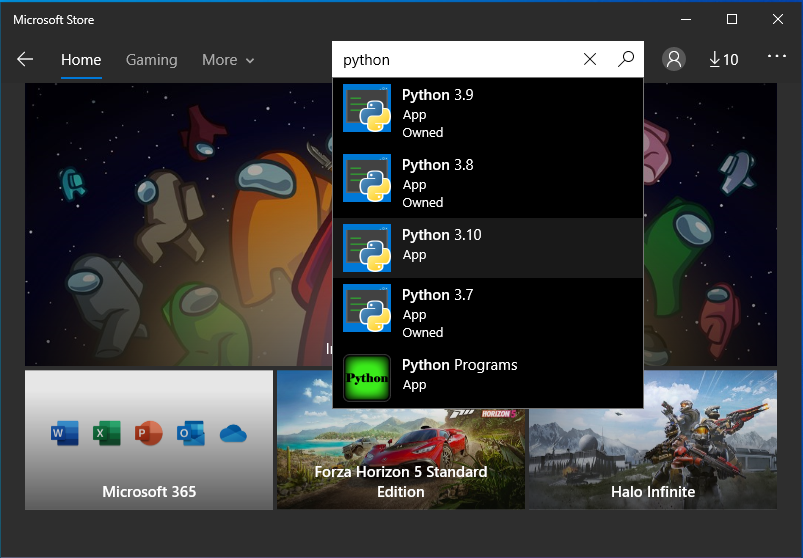
The first step here is to install python from the microsoft store.
It is recommended that you install python 3.10
click the "Get" button, this will then show, and "Install" button, click that button to install python
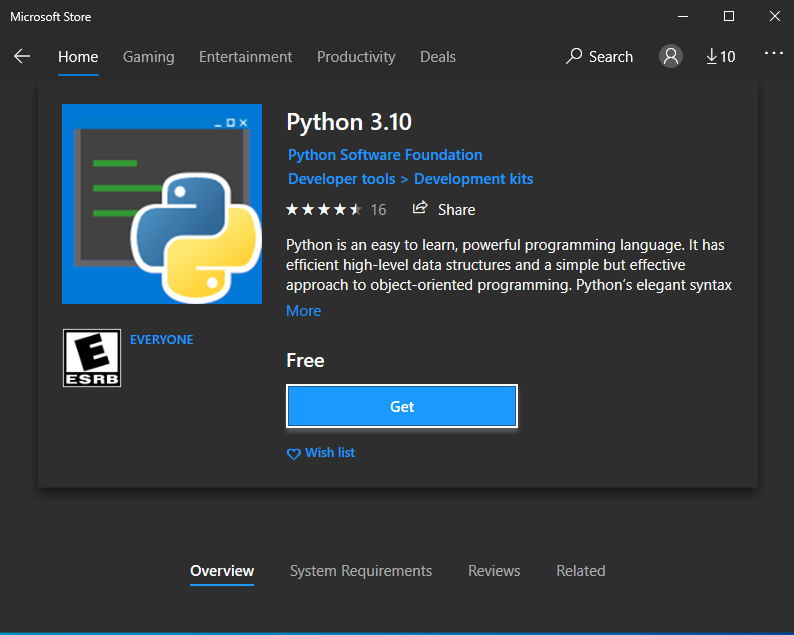
you may now close that window
the next step is to install spycalc via python's package manager, pip. If you do know what that means, that is ok, just make sure to read the instructions carefully.
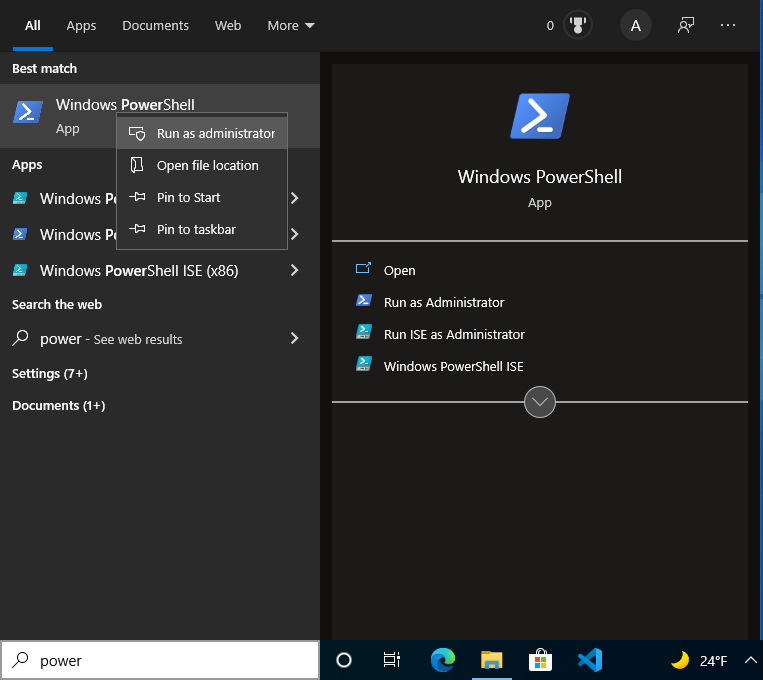
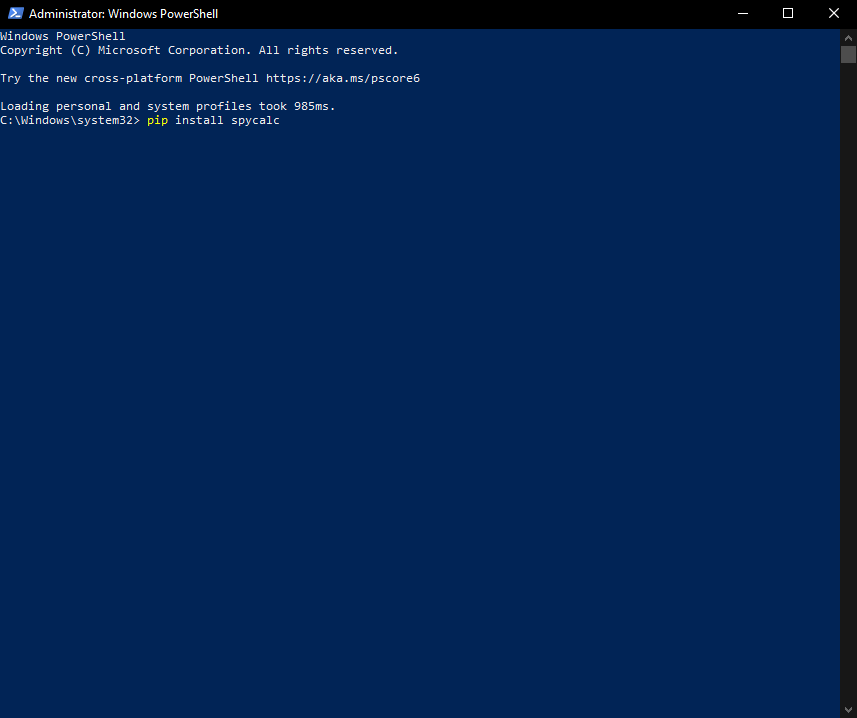
Now, type "power" into the "type here to search" bar on the bottom left of your screen, and run powershell as administrator
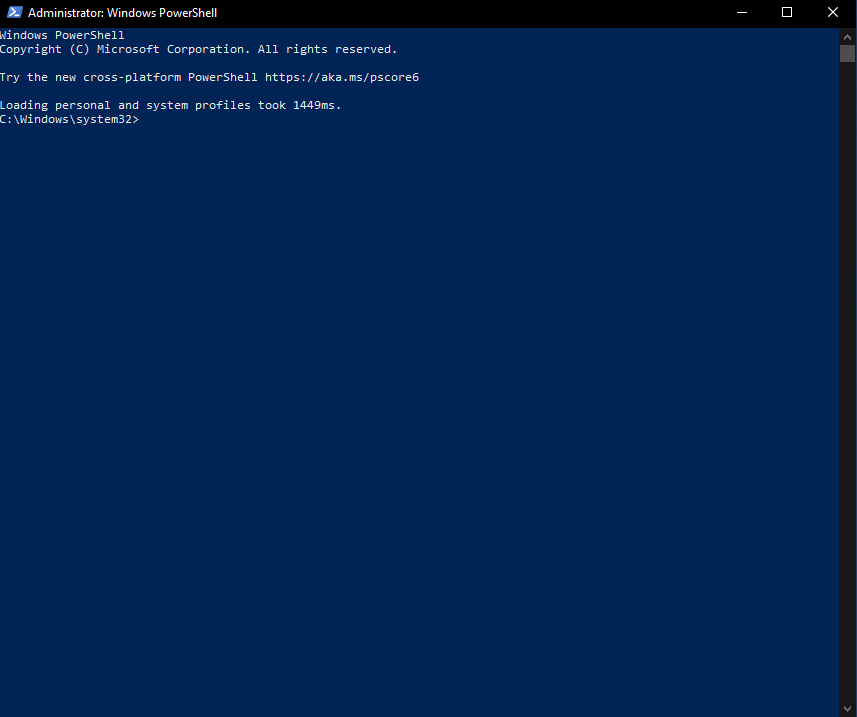
It will bring up a blue screen with white text. copy the following text and paste it into the powershell window, and press enter
pip install spycalc
this will run a command that is pretty intuitive. it tells 'pip' to 'install' 'spycalc'
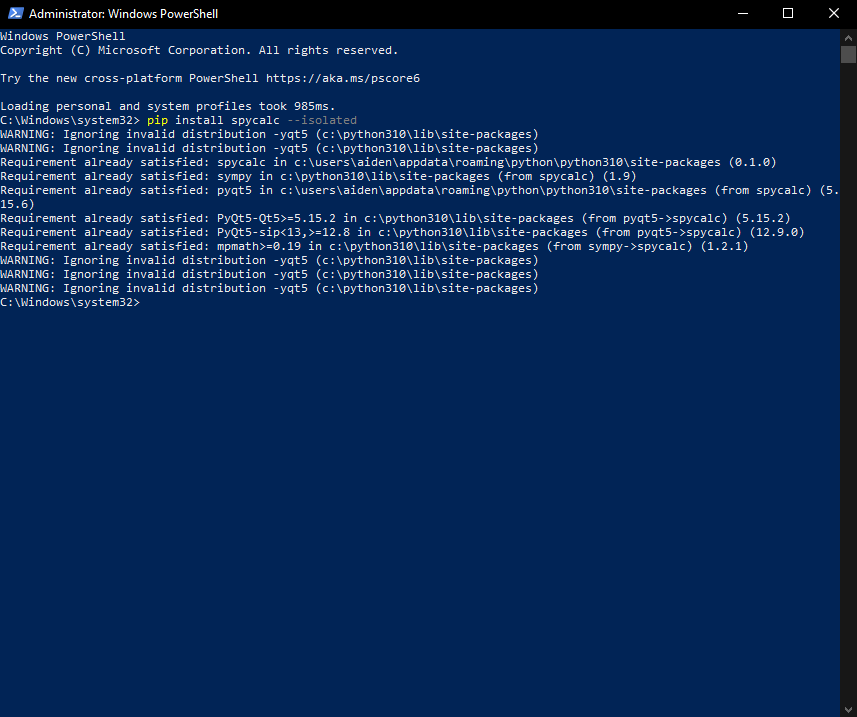
Now, you have install spycalc on your system.
The Final step is to add a shortcut. In the powershell window run the following command
py -m spycalc --setup
it should now be runnable from the start menu by typing spycalc into "type here to search"
Linux
arch
sudo pacman -S python3
python3 -m pip install spycalc
python3 -m spycalc --setup
deb+
sudo apt install python3
python3 -m pip install spycalc
python3 -m spycalc --setup
Development Mode
This is recommended for those who intend to extend, or fork spycalc
copy the git repository
git clone https://github.com/Krayfighter/spycalc.git
cd spycalc
./setup.sh
This may need work in the future but works for now


Download files
Download the file for your platform. If you're not sure which to choose, learn more about installing packages.
Source Distribution
Built Distribution
Filter files by name, interpreter, ABI, and platform.
If you're not sure about the file name format, learn more about wheel file names.
Copy a direct link to the current filters
File details
Details for the file spycalc-0.1.3.tar.gz.
File metadata
- Download URL: spycalc-0.1.3.tar.gz
- Upload date:
- Size: 45.2 kB
- Tags: Source
- Uploaded using Trusted Publishing? No
- Uploaded via: twine/3.7.1 importlib_metadata/4.10.0 pkginfo/1.8.2 requests/2.26.0 requests-toolbelt/0.9.1 tqdm/4.62.3 CPython/3.10.1
File hashes
| Algorithm | Hash digest | |
|---|---|---|
| SHA256 |
645443fbb6ac7368c972176ccb6c460b7f9211e1bc5f9798e9790eded9f57288
|
|
| MD5 |
7f9765c5be3019d17c3ee85b27489ed7
|
|
| BLAKE2b-256 |
6e3739a696a9cb1c56354794ff47a7f206380580b878f0a25a54790d4a7d9408
|
File details
Details for the file spycalc-0.1.3-py3-none-any.whl.
File metadata
- Download URL: spycalc-0.1.3-py3-none-any.whl
- Upload date:
- Size: 45.4 kB
- Tags: Python 3
- Uploaded using Trusted Publishing? No
- Uploaded via: twine/3.7.1 importlib_metadata/4.10.0 pkginfo/1.8.2 requests/2.26.0 requests-toolbelt/0.9.1 tqdm/4.62.3 CPython/3.10.1
File hashes
| Algorithm | Hash digest | |
|---|---|---|
| SHA256 |
26d93564810d3cef1b2d3d156e7eae4a2a5ee143c60c220203a3fb5659ece1d7
|
|
| MD5 |
78dd1109539c3c8783dd4989fd76057d
|
|
| BLAKE2b-256 |
447acfeac90942fb098ff952a5818acdf770372bc5613524d52a87306aeb9d68
|






