
Spyder notebook plugin
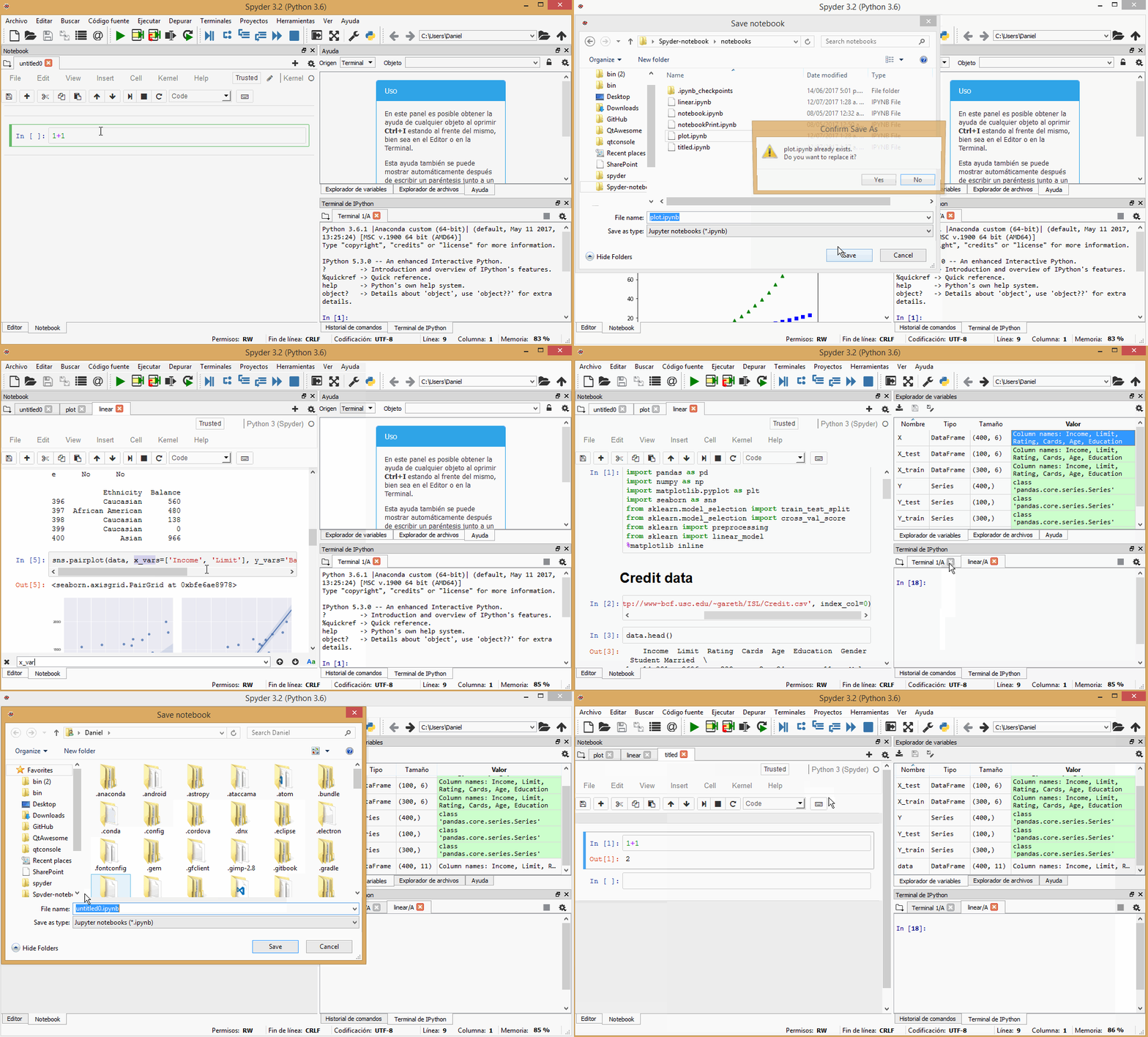
Spyder plugin to use Jupyter notebooks inside Spyder. Currently it supports basic functionality such as creating new notebooks, opening any notebook in your filesystem and saving notebooks at any location.
You can also use Spyder's file switcher to easily switch between notebooks and open an IPython console connected to the kernel of a notebook to inspect its variables in the Variable Explorer.
Project details





Build status





Installation
To install this plugin, you can use either pip or conda package managers, as follows:
Using conda (the recommended way!):
conda install spyder-notebook -c conda-forge
Using pip:
pip install spyder-notebook
Note: At the moment it is not possible to use this plugin with the Spyder installers for Windows and macOS. We're working to make that a reality in the future.
Dependencies
This project depends on:
Changelog
Visit our CHANGELOG file to know more about our new features and improvements.
Development and contribution
See the Contributing Guide for information on how to contribute to the Spyder notebook plugin, including instructions for setting up a development environment.
Contact
You can ask your questions at the Spyder group or create a issue in this repo. We will be more than glad to answer.
Overview
Sponsors
Spyder and its subprojects are funded thanks to the generous support of


and the donations we have received from our users around the world through Open Collective:

3 maintainers


Metadata
3 maintainers
Release files for spyder-notebook 0.7.1
For a detailed explanation of source distributions (sdists) and built distributions (wheels), please see the package formats documentation.
Source distribution (sdist)
| File | Size | Uploaded | |
|---|---|---|---|
| spyder_notebook-0.7.1.tar.gz | 7.8 MB | Details |
Built distribution (wheel)
| File | Interpreter | ABI | Platform | Reset |
|---|---|---|---|---|
| spyder_notebook-0.7.1-py3-none-any.whl | Python 3 | none | any | Details |
Total release size: 16.4 MB
Release files / spyder_notebook-0.7.1.tar.gz
| Download URL | spyder_notebook-0.7.1.tar.gz |
|---|---|
| Size | 7.8 MB |
| Tags | Source |
|
SHA-256 checksum How to use checksums |
f032c4b9f97d71c55296bba16f4b1e5d994771311d0b9979dac85bd1eb87af5f
|
|
BLAKE2b-256 checksum How to use checksums |
a59e04db20b3d6bdf4f2ee5100e7d25dc3e44d19df647d2c83a899a0ce480a5c
|
| Upload date | |
|
Uploaded using Trusted Publishing? What is trusted publishing? |
No |
| Uploaded via |
twine/6.2.0 CPython/3.12.11
|
Release files / spyder_notebook-0.7.1-py3-none-any.whl
| Download URL | spyder_notebook-0.7.1-py3-none-any.whl |
|---|---|
| Size | 8.6 MB |
| Tags | Python 3 |
|
SHA-256 checksum How to use checksums |
0e438e0100e66fbe10e0070bdc83ab7f2e870b4007f5966937715860fb90fbef
|
|
BLAKE2b-256 checksum How to use checksums |
2c81f0ea78fa22812bef86fbd4b600a5402df09692b3ef3461ee67bb38a39206
|
| Upload date | |
|
Uploaded using Trusted Publishing? What is trusted publishing? |
No |
| Uploaded via |
twine/6.2.0 CPython/3.12.11
|














