
sql-data-guard: Safety Layer for LLM Database Interactions
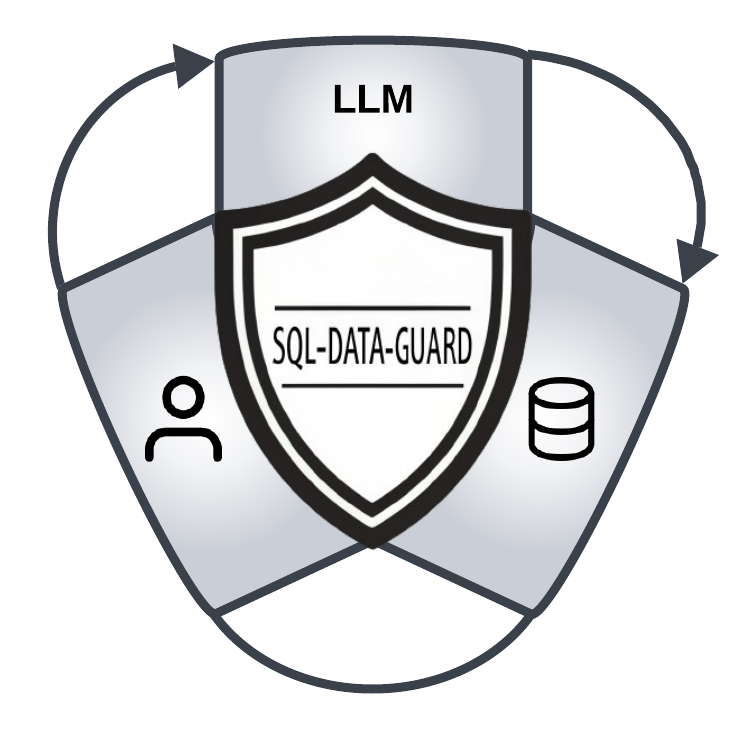
SQL is the go-to language for performing queries on databases, and for a good reason - it’s well known, easy to use and pretty simple. However, it seems that it’s as easy to use as it is to exploit, and SQL injection is still one of the most targeted vulnerabilities - especially nowadays with the proliferation of “natural language queries” harnessing Large Language Models (LLMs) power to generate and run SQL queries.
To help solve this problem, we developed sql-data-guard, an open-source project designed to verify that SQL queries access only the data they are allowed to. It takes a query and a restriction configuration, and returns whether the query is allowed to run or not. Additionally, it can modify the query to ensure it complies with the restrictions. sql-data-guard also detects "always-true" (static) expressions such as OR 1 = 1, a common injection payload, and removes them before query execution.
sql-data-guard is particularly useful when constructing SQL queries with LLMs, as such queries can’t run as prepared statements. Prepared statements secure a query’s structure, but LLM-generated queries are dynamic and lack this fixed form, increasing SQL injection risk. sql-data-guard mitigates this by inspecting and validating the query's content.
By verifying and modifying queries before they are executed, sql-data-guard helps prevent unauthorized data access and accidental data exposure. Adding sql-data-guard to your application can prevent or minimize data breaches and the impact of SQL injection attacks, ensuring that only permitted data is accessed.
Connecting LLMs to SQL databases without strict controls can risk accidental data exposure, as models may generate SQL queries that access sensitive information. OWASP highlights cases of poor sandboxing leading to unauthorized disclosures, emphasizing the need for clear access controls and prompt validation. Businesses should adopt rigorous access restrictions, regular audits, and robust API security, especially to comply with privacy laws and regulations like GDPR and CCPA, which penalize unauthorized data exposure.
Why Use sql-data-guard?
Consider using sql-data-guard if your application constructs SQL queries, and you need to ensure that only permitted data is accessed. This is particularly beneficial if:
- Your application generates complex SQL queries.
- Your application employs LLM (Large Language Models) to create SQL queries, making it difficult to fully control the queries.
- Different application users and roles should have different permissions, and you need to correlate an application user or role with fine-grained data access permission.
- In multi-tenant applications, you need to ensure that each tenant can access only their data, which requires row-level security and often cannot be done using the database permissions model.
sql-data-guard does not replace the database permissions model. Instead, it adds an extra layer of security, which is crucial when implementing fine-grained, column-level, and row-level security is challenging or impossible. Data restrictions are often complex and cannot be expressed by the database permissions model. For instance, you may need to restrict access to specific columns or rows based on intricate business logic, which many database implementations do not support. Instead of relying on the database to enforce these restrictions, sql-data-guard helps you overcome vendor-specific limitations by verifying and modifying queries before they are executed.
How It Works
- Input: sql-data-guard takes an SQL query and a restriction configuration as input.
- Verification: It verifies whether the query complies with the restrictions specified in the configuration.
- Modification: If the query does not comply, sql-data-guard can modify the query to ensure it meets the restrictions.
- Output: It returns whether the query is allowed to run or not, and if necessary, the modified query.
sql-data-guard is designed to be easy to integrate into your application. It provides a simple API that you can call to verify and modify SQL queries before they are executed. You can integrate it using REST API or directly in your application code.
Example
Below you can find a Python snippet with allowed data access configuration, and usage of sql-data-guard. sql-data-guard finds a restricted column and an “always-true” possible injection and removes them both. It also adds a missing data restriction:
from sql_data_guard import verify_sql

config = {
    "tables": [
        {
            "table_name": "orders",
            "columns": ["id", "product_name", "account_id"],
            "restrictions": [{"column": "account_id", "value": 123}]
        }
    ]
}

query = "SELECT id, name FROM orders WHERE 1 = 1"
result = verify_sql(query, config)
print(result)
Output:
{
    "allowed": false,
    "errors": [
        "Column name is not allowed. Column removed from SELECT clause",
        "Missing restriction for table: orders column: account_id value: 123",
        "Static expression is not allowed: 1 = 1"
    ],
    "fixed": "SELECT id FROM orders WHERE account_id = 123",
    "risk": 0.53
}
errors is a sorted list. risk is between 0 (no risk) and 1 (high risk).
For more details on restriction rules and validation, see the manual.
Here is a table with more examples of SQL queries and their corresponding JSON outputs:
| SQL Query | JSON Output |
|---|---|
SELECT id, product_name FROM orders WHERE account_id = 123 |
{ "allowed": true, "errors": [], "fixed": null, "risk": 0 } |
SELECT id FROM orders WHERE account_id = 456 |
{ "allowed": false, "errors": ["Missing restriction for table: orders column: account_id value: 123"], "fixed": "SELECT id FROM orders WHERE (account_id = 456) AND account_id = 123", "risk": 0.5 } |
SELECT id, col FROM orders WHERE account_id = 123 |
{ "allowed": false, "errors": ["Column col is not allowed. Column removed from SELECT clause"], "fixed": "SELECT id FROM orders WHERE account_id = 123", "risk": 0.3 } |
SELECT id FROM orders WHERE account_id = 123 OR 1 = 1 |
{ "allowed": false, "errors": ["Static expression is not allowed: 1 = 1"], "fixed": "SELECT id FROM orders WHERE account_id = 123", "risk": 0.8 } |
SELECT * FROM orders WHERE account_id = 123 |
{ "allowed": false, "errors": ["SELECT * is not allowed"], "fixed": "SELECT id, product_name, account_id FROM orders WHERE account_id = 123", "risk": 0.1 } |
SELECT id FROM orders WHERE account_id = 123 AND secret = 1 |
{ "allowed": false, "errors": ["Column secret is not allowed"], "fixed": null, "risk": 0.8 } |
SELECT id FROM orders WHERE account_id = 123; DROP TABLE orders |
{ "allowed": false, "errors": ["Multiple statements are not allowed"], "fixed": null, "risk": 1.0 } |
When fixed is null the query cannot be repaired and must not be run.
This table provides a variety of SQL queries and their corresponding JSON outputs, demonstrating how sql-data-guard handles different scenarios.
Installation
To install sql-data-guard, use pip:
pip install sql-data-guard
Docker Repository
sql-data-guard is also available as a Docker image, which can be used to run the application in a containerized environment. This is particularly useful for deployment in cloud environments or for maintaining consistency across different development setups.
Running the Docker Container
To run the sql-data-guard Docker container, use the following command:
docker run -d --name sql-data-guard -p 5000:5000 ghcr.io/thalesgroup/sql-data-guard
The image runs the service with gunicorn (2 worker processes with 4 threads each), not the Flask development server, and installs sql-data-guard from PyPI. Release images are tagged with the version (for example 0.1.10) and latest, and contain exactly that release. It runs as a non-root user and listens on port 5000.
Settings (environment variables):
| Variable | Default | Meaning |
|---|---|---|
APP_API_TOKEN |
not set | When set, every request must send Authorization: Bearer <token>. Set it unless the service is only reachable by trusted callers. |
APP_PORT |
5000 |
Port to listen on. |
APP_HOST |
127.0.0.1 (0.0.0.0 in the image) |
Address to bind. |
APP_MAX_REQUEST_BYTES |
1000000 |
Maximum request size. |
WEB_CONCURRENCY |
2 |
gunicorn worker processes (image only). |
APP_THREADS |
4 |
Threads per worker (image only). |
The caller sends the policy (config) with every request, so the service is not an enforcement point against callers who must not be able to choose their own policy.
docker run -d --name sql-data-guard -p 5000:5000 -e APP_API_TOKEN=change-me ghcr.io/thalesgroup/sql-data-guard
Calling the Docker Container Using REST API
Once the sql-data-guard Docker container is running, you can interact with it using its REST API. Below is an example of how to verify an SQL query using curl:
curl -X POST http://localhost:5000/verify-sql \
     -H "Content-Type: application/json" \
     -H "Authorization: Bearer change-me" \
     -d '{
           "sql": "SELECT * FROM orders WHERE account_id = 123",
           "config": {
             "tables": [
               {
                 "table_name": "orders",
                 "columns": ["id", "product_name", "account_id"],
                 "restrictions": [{"column": "account_id", "value": 123}]
               }
            ]
           }
         }'
MCP Wrapper
sql-data-guard can also protect an MCP server that talks to a database: the wrapper verifies the SQL of every tool call before the server sees it, and refuses tools that could run SQL without the guard. See the MCP wrapper guide.
Contributing
We welcome contributions! Please see our CONTRIBUTING.md for more details.
License
This project is licensed under the MIT License. See the LICENSE.md file for details.
2 maintainers


Metadata
2 maintainers
Release files for sql-data-guard 0.2.1
For a detailed explanation of source distributions (sdists) and built distributions (wheels), please see the package formats documentation.
Source distribution (sdist)
| File | Size | Uploaded | Provenance | Actions |
|---|---|---|---|---|
| sql_data_guard-0.2.1.tar.gz | 88.3 kB | With provenance | Details for sql_data_guard-0.2.1.tar.gz |
Built distribution (wheel)
| File | Interpreter | ABI | Platform | Actions Reset |
|---|---|---|---|---|
| sql_data_guard-0.2.1-py3-none-any.whl | Python 3 | none | any | Details for sql_data_guard-0.2.1-py3-none-any.whl |
Total release size: 124.7 kB
Release files / sql_data_guard-0.2.1.tar.gz
| Download URL | sql_data_guard-0.2.1.tar.gz |
|---|---|
| Size | 88.3 kB |
| Tags | Source |
|
SHA-256 checksum How to use checksums |
4b00b86b7481d6b7eef3eed2014e09c2326f55483a4f4fcd475a542a24127871
|
|
BLAKE2b-256 checksum How to use checksums |
85fbc6d75dfd95d30d995fd872027176c5c41450c6c69a4769f2bb29b439626e
|
| Upload date | |
|
Uploaded using Trusted Publishing? What is trusted publishing? |
Yes |
| Uploaded via |
twine/7.0.0 CPython/3.13.16
|
Provenance
Provenance describes where a file came from. On PyPI, provenance is shared via attestations, which provide a verifiable record of the build or publishing details. View details, limitations and caveats.


PyPI Publish Attestation
PyPI verified that this artifact, at this checksum, originated from the publisher listed below.
Signed by GitHub Actions, verified by PyPI on Nov 12, 2026.
Transparency logRelease files / sql_data_guard-0.2.1-py3-none-any.whl
| Download URL | sql_data_guard-0.2.1-py3-none-any.whl |
|---|---|
| Size | 36.4 kB |
| Tags | Python 3 |
|
SHA-256 checksum How to use checksums |
eb44e3e7ac7623a11785fec259708c0eba046f2edafc9bc68af53d9367b8d553
|
|
BLAKE2b-256 checksum How to use checksums |
4b0ac9ad0606bb53b2d7d150669b6353b63f047e6cdd41db04a5bacb70525e2a
|
| Upload date | |
|
Uploaded using Trusted Publishing? What is trusted publishing? |
Yes |
| Uploaded via |
twine/7.0.0 CPython/3.13.16
|
Provenance
Provenance describes where a file came from. On PyPI, provenance is shared via attestations, which provide a verifiable record of the build or publishing details. View details, limitations and caveats.
PyPI Publish Attestation
PyPI verified that this artifact, at this checksum, originated from the publisher listed below.
Signed by GitHub Actions, verified by PyPI on Nov 12, 2026.
Transparency logSecurity for sql-data-guard 0.2.1
Provenance
Provenance describes where a file came from. On PyPI, provenance is shared via attestations, which provide a verifiable record of the build or publishing details. View details, limitations and caveats.
Full provenance
Both files in this release have been uploaded with provenance metadata.
Attestation for sql_data_guard-0.2.1.tar.gz
PyPI Publish Attestation
PyPI verified that this artifact, at this checksum, originated from the publisher listed below.
Signed by GitHub Actions, verified by PyPI on Nov 12, 2026.
Transparency logA note on package security
PyPI is a repository for distributing packages, not a service for auditing them. While third-party security researchers and our staff do their best to detect and remove malicious packages, PyPI cannot guarantee the quality, security or suitability of any given package.
To learn more about protecting yourself from malicious actors, visit our package security documentation.














