





SQLAlchemy Admin for Starlette/FastAPI
General info
SQLAdmin is a flexible Admin interface for SQLAlchemy models.
Main features include:
- SQLAlchemy sync/async engines
- Starlette integration
- FastAPI integration
- WTForms form building
- SQLModel support
- UI using Tabler
Documentation: https://smithyhq.github.io/sqladmin
Source Code: https://github.com/smithyhq/sqladmin
Live Demo: https://sqladmin-demo.vercel.app/admin (Username: superadmin Password: superadmin)
Installation
Install using pip:
$ pip install sqladmin
Some features need extra packages, which are grouped into optional extras:
| Extra | Installs | Enables |
|---|---|---|
auth |
itsdangerous |
Session-backed authentication |
i18n |
babel |
Internationalization and localization |
full |
both of the above | Everything |
$ pip install "sqladmin[auth]"
$ pip install "sqladmin[i18n]"
$ pip install "sqladmin[full]"
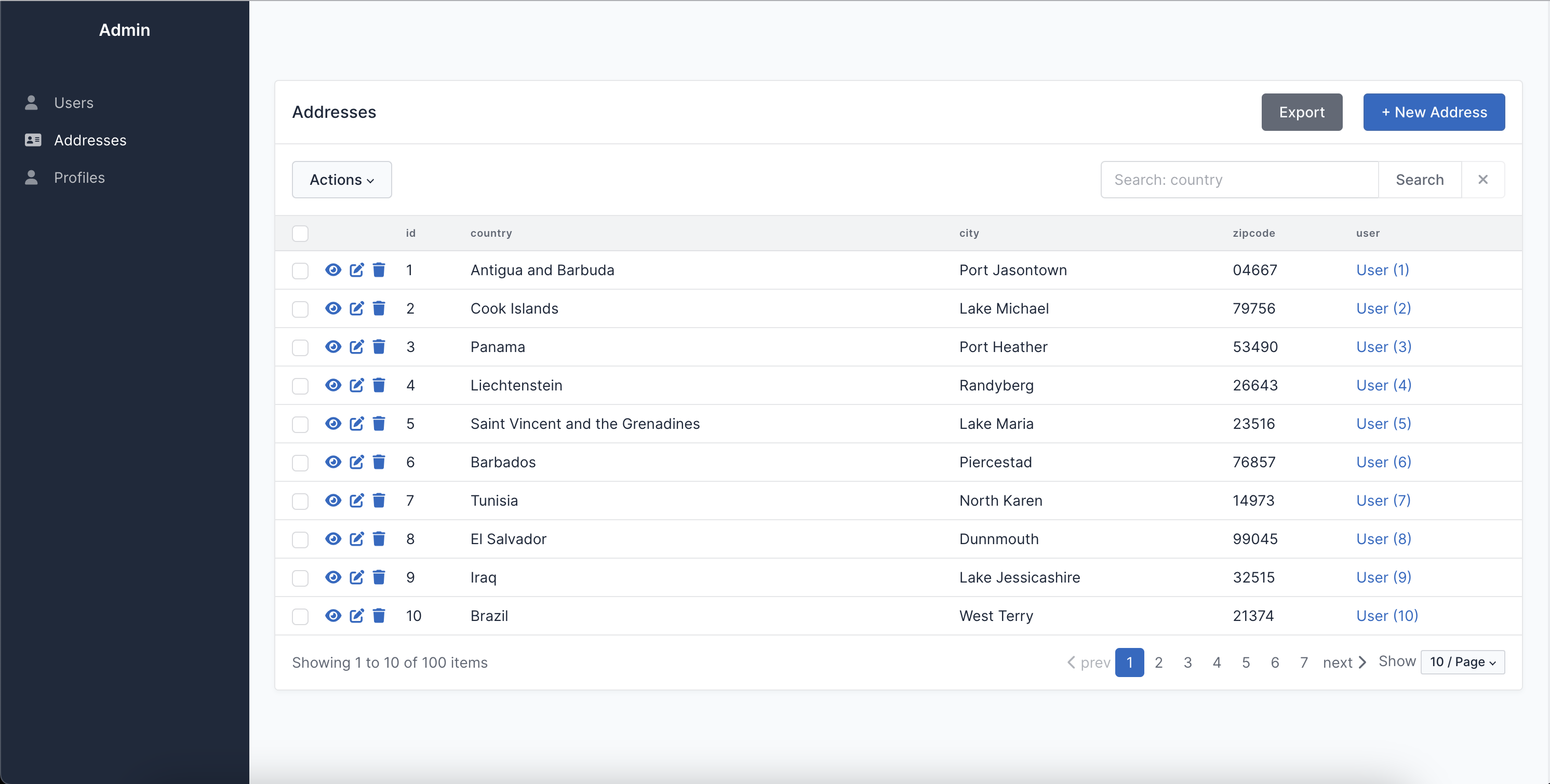
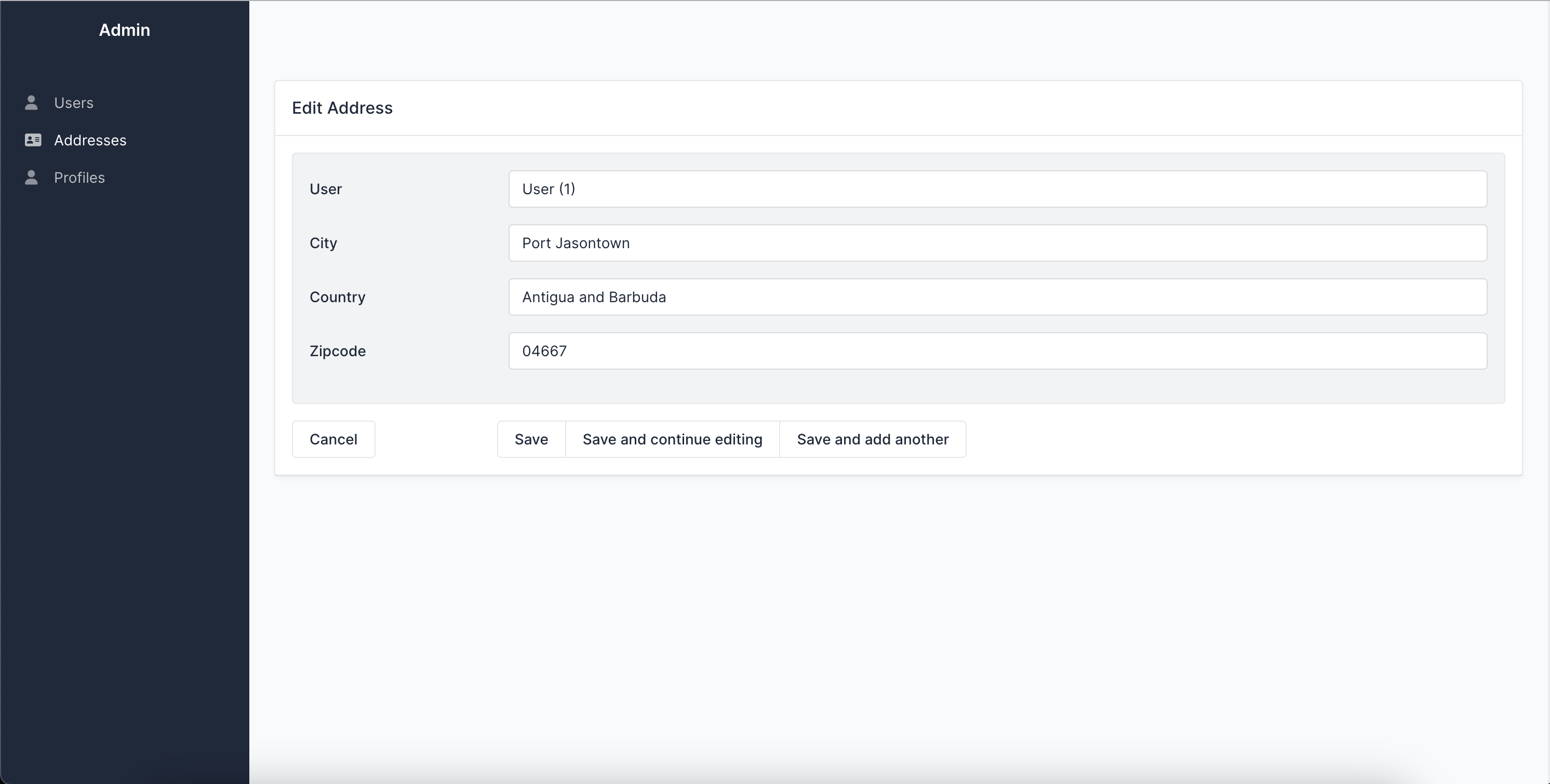
Screenshots
Quickstart
Let's define an example SQLAlchemy model:
from sqlalchemy import Column, Integer, String, create_engine
from sqlalchemy.orm import declarative_base


Base = declarative_base()
engine = create_engine(
    "sqlite:///example.db",
    connect_args={"check_same_thread": False},
)


class User(Base):
    __tablename__ = "users"

    id = Column(Integer, primary_key=True)
    name = Column(String)


Base.metadata.create_all(engine)  # Create tables
If you want to use SQLAdmin with FastAPI:
from fastapi import FastAPI
from sqladmin import Admin, ModelView


app = FastAPI()
admin = Admin(app, engine)


class UserAdmin(ModelView, model=User):
    column_list = [User.id, User.name]


admin.add_view(UserAdmin)
Or if you want to use SQLAdmin with Starlette:
from sqladmin import Admin, ModelView
from starlette.applications import Starlette


app = Starlette()
admin = Admin(app, engine)


class UserAdmin(ModelView, model=User):
    column_list = [User.id, User.name]


admin.add_view(UserAdmin)
Now visiting /admin on your browser you can see the SQLAdmin interface.
Related projects and inspirations
- Flask-Admin Admin interface for Flask supporting different database backends and ORMs. This project has inspired SQLAdmin extensively and most of the features and configurations are implemented the same.
- FastAPI-Admin Admin interface for FastAPI which works with
TortoiseORM. - Dashboard Admin interface for ASGI frameworks which works with the
ormpackage.
1 maintainer

Metadata
1 maintainer
Release files for sqladmin 0.32.0
For a detailed explanation of source distributions (sdists) and built distributions (wheels), please see the package formats documentation.
Source distribution (sdist)
| File | Size | Uploaded | |
|---|---|---|---|
| sqladmin-0.32.0.tar.gz | 1.0 MB | Details |
Built distribution (wheel)
| File | Interpreter | ABI | Platform | Reset |
|---|---|---|---|---|
| sqladmin-0.32.0-py3-none-any.whl | Python 3 | none | any | Details |
Total release size: 2.1 MB
Release files / sqladmin-0.32.0.tar.gz
| Download URL | sqladmin-0.32.0.tar.gz |
|---|---|
| Size | 1.0 MB |
| Tags | Source |
|
SHA-256 checksum How to use checksums |
4433dd89f6442856efa8f1ed1acf4b1b8ba67abe15ca54f9364c043ed301c823
|
|
BLAKE2b-256 checksum How to use checksums |
a7eaba6e016faf975531fd9911e3ae11093b86894d176c86b9a0ba3b8177fa4a
|
| Upload date | |
|
Uploaded using Trusted Publishing? What is trusted publishing? |
Yes |
| Uploaded via |
uv/0.12.17 {"installer":{"name":"uv","version":"0.12.17","subcommand":["publish"]},"python":null,"implementation":{"name":null,"version":null},"distro":{"name":"Ubuntu","version":"24.04","id":"noble","libc":null},"system":{"name":null,"release":null},"cpu":null,"openssl_version":null,"setuptools_version":null,"rustc_version":null,"ci":true}
|
Release files / sqladmin-0.32.0-py3-none-any.whl
| Download URL | sqladmin-0.32.0-py3-none-any.whl |
|---|---|
| Size | 1.1 MB |
| Tags | Python 3 |
|
SHA-256 checksum How to use checksums |
4f5cff4ab8e5349a3dcad17f3a4d46a7867b54b92ac45e5626fdb96e465c127f
|
|
BLAKE2b-256 checksum How to use checksums |
a389df5319e0d786a53929f9eb44711d759fd3b7fa56b5c95cbb056250b99a4b
|
| Upload date | |
|
Uploaded using Trusted Publishing? What is trusted publishing? |
Yes |
| Uploaded via |
uv/0.12.17 {"installer":{"name":"uv","version":"0.12.17","subcommand":["publish"]},"python":null,"implementation":{"name":null,"version":null},"distro":{"name":"Ubuntu","version":"24.04","id":"noble","libc":null},"system":{"name":null,"release":null},"cpu":null,"openssl_version":null,"setuptools_version":null,"rustc_version":null,"ci":true}
|














