
Web-based SQLite database browser.

Project description

`sqlite-web` is a web-based SQLite database browser written in Python.
Project dependencies:
* [flask](http://flask.pocoo.org)
* [peewee](http://docs.peewee-orm.com)
* [pygments](http://pygments.org)
### Installation
```sh
$ pip install sqlite-web
```
### Usage
```sh
$ sqlite_web /path/to/database.db
```
### Features

* Works with your existing SQLite databases, or can be used to create new databases.
* Add or drop:
* Tables
* Columns (yes, you can drop and rename columns!)
* Indexes
* Export data as JSON or CSV.
* Import JSON or CSV files.
* Browse table data.
### Screenshots
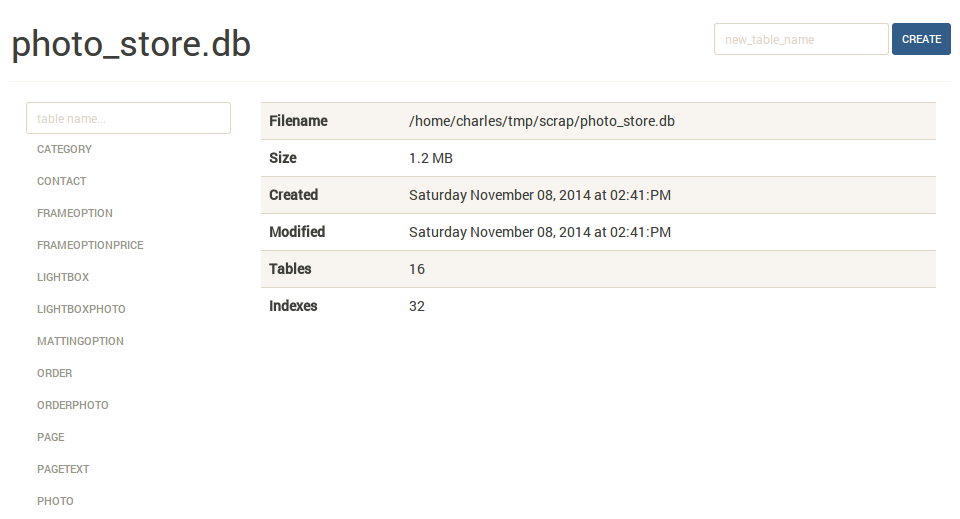
The index page shows some basic information about the database, including the number of tables and indexes, as well as its size on disk:
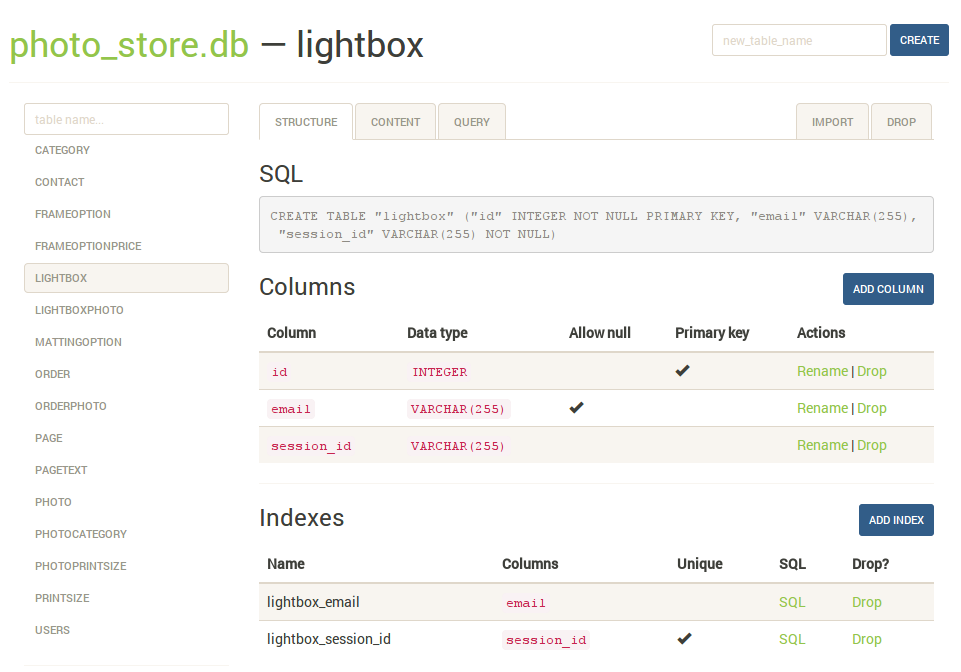
The `structure` tab displays information about the structure of the table, including columns, indexes, and foreign keys (if any exist). From this page you can also create, rename or drop columns and indexes.
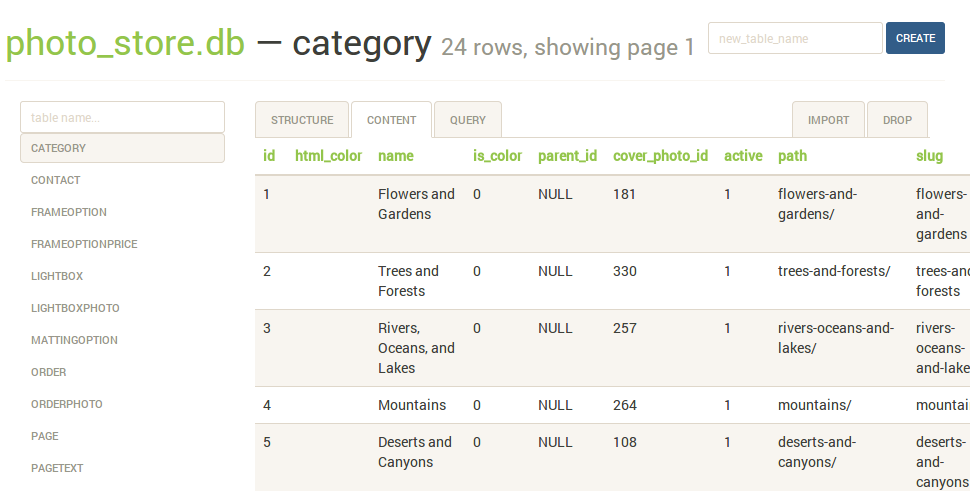
The `content` tab displays all the table data. Links in the table header can be used to sort the data:
The `query` tab allows you to execute arbitrary SQL queries on a table. The query results are displayed in a table and can be exported to either JSON or CSV:

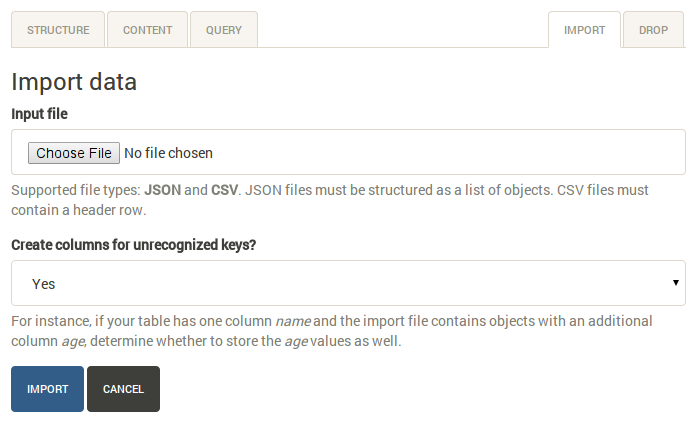
The `import` tab supports importing CSV and JSON files into a table. There is an option to automatically create columns for any unrecognized keys in the import file:
### Command-line options
The syntax for invoking sqlite-web is:
```console
$ sqlite_web [options] /path/to/database-file.db
```
The following options are available:
* ``-p``, ``--port``: default is 8080
* ``-H``, ``--host``: default is 127.0.0.1
* ``-d``, ``--debug``: default is false
* ``-x``, ``--no-browser``: do not open a web-browser when sqlite-web starts.
* ``-P``, ``--password``: prompt for password to access sqlite-web.
### Using docker
A Dockerfile is provided with sqlite-web. To use:
```console
$ cd docker/ # Change dirs to the dir containing Dockerfile
$ docker build -t coleifer/sqlite-web .
$ docker run -it --rm \
-p 8080:8080 \
-v /path/to/your-data:/data \
-e SQLITE_DATABASE=db_filename.db \
coleifer/sqlite-web
```
`sqlite-web` is a web-based SQLite database browser written in Python.
Project dependencies:
* [flask](http://flask.pocoo.org)
* [peewee](http://docs.peewee-orm.com)
* [pygments](http://pygments.org)
### Installation
```sh
$ pip install sqlite-web
```
### Usage
```sh
$ sqlite_web /path/to/database.db
```
### Features

* Works with your existing SQLite databases, or can be used to create new databases.
* Add or drop:
* Tables
* Columns (yes, you can drop and rename columns!)
* Indexes
* Export data as JSON or CSV.
* Import JSON or CSV files.
* Browse table data.
### Screenshots
The index page shows some basic information about the database, including the number of tables and indexes, as well as its size on disk:

The `structure` tab displays information about the structure of the table, including columns, indexes, and foreign keys (if any exist). From this page you can also create, rename or drop columns and indexes.

The `content` tab displays all the table data. Links in the table header can be used to sort the data:

The `query` tab allows you to execute arbitrary SQL queries on a table. The query results are displayed in a table and can be exported to either JSON or CSV:

The `import` tab supports importing CSV and JSON files into a table. There is an option to automatically create columns for any unrecognized keys in the import file:

### Command-line options
The syntax for invoking sqlite-web is:
```console
$ sqlite_web [options] /path/to/database-file.db
```
The following options are available:
* ``-p``, ``--port``: default is 8080
* ``-H``, ``--host``: default is 127.0.0.1
* ``-d``, ``--debug``: default is false
* ``-x``, ``--no-browser``: do not open a web-browser when sqlite-web starts.
* ``-P``, ``--password``: prompt for password to access sqlite-web.
### Using docker
A Dockerfile is provided with sqlite-web. To use:
```console
$ cd docker/ # Change dirs to the dir containing Dockerfile
$ docker build -t coleifer/sqlite-web .
$ docker run -it --rm \
-p 8080:8080 \
-v /path/to/your-data:/data \
-e SQLITE_DATABASE=db_filename.db \
coleifer/sqlite-web
```
Release history Release notifications | RSS feed


Download files
Download the file for your platform. If you're not sure which to choose, learn more about installing packages.
Source Distribution
sqlite-web-0.3.1.tar.gz
(381.5 kB
view details)
File details
Details for the file sqlite-web-0.3.1.tar.gz.
File metadata
- Download URL: sqlite-web-0.3.1.tar.gz
- Upload date:
- Size: 381.5 kB
- Tags: Source
- Uploaded using Trusted Publishing? No
File hashes
| Algorithm | Hash digest | |
|---|---|---|
| SHA256 |
96e39db0a271fa78fd8d22c0ffdebebf2339878182e4b4818393235c381436c8
|
|
| MD5 |
4dbd7ee011aef480328834d0fdc74830
|
|
| BLAKE2b-256 |
e3091d42cb00ede9813ff911f8436af19539195ed5c6941a1d0468612fc8a914
|






