
SQLMap AI Assistant
An AI-powered wrapper around SQLMap that makes SQL injection testing more accessible and automated.
Features
Core Features
- AI-Assisted Testing - Intelligent vulnerability analysis and recommendations
- Adaptive Testing - Step-by-step testing that adapts to target responses
- Enhanced HTML Reports - Beautiful, detailed reports with vulnerability details
- Parameter Targeting - Test specific parameters with
-poption (like original SQLMap) - WAF Bypass - Automatic tamper script selection for firewall evasion
- Database Enumeration - Complete database, table, and column discovery
- Request File Support - Test from Burp Suite, ZAP, or browser captures
AI Providers
- Groq - Fastest AI analysis (recommended)
- DeepSeek - Affordable and capable analysis
- OpenAI - GPT-4 powered analysis
- Anthropic Claude - Advanced reasoning
- Ollama - Local, private AI (no cloud required)
New in v2.0.6
- Private Network Scanning - Local/private IP targets now allowed by default
- Configurable Network Policy - New
allow_private_networkssecurity setting - Improved Test Coverage - Added dedicated tests for private network validation
See the full Changelog for previous versions.

Quick Start
1. Install SQLMap:
sudo apt install sqlmap    # Debian/Ubuntu/Kali
brew install sqlmap         # macOS
2. Install SQLMap AI:
pip install sqlmap-ai
sqlmap-ai --install-check
3. Set an API key in your .env file (e.g., Groq - free & fastest):
GROQ_API_KEY=your_groq_api_key_here
4. Run:
sqlmap-ai -u "http://example.com/page.php?id=1"
See the full Installation Guide for all providers and options.
Documentation
| Guide | Description |
|---|---|
| Installation | Prerequisites, setup, AI provider configuration |
| Usage | Examples, testing modes, request files, workflows |
| Configuration | .env, config.yaml, command-line reference |
| Troubleshooting | Common issues and getting help |
| Changelog | Version history |
Requirements
- Python 3.8+
- SQLMap (must be installed globally on your system)
- Kali/Debian/Ubuntu:
sudo apt install sqlmap - macOS:
brew install sqlmap - From source: github.com/sqlmapproject/sqlmap
- Kali/Debian/Ubuntu:
- Internet connection (for cloud AI providers)
- 2GB+ RAM (for Ollama local models)
License
This project is licensed under the MIT License.
Disclaimer
This tool is intended for educational and ethical hacking purposes only. Always obtain permission before testing any system or application. The developers are not responsible for any misuse or damage caused by this tool.
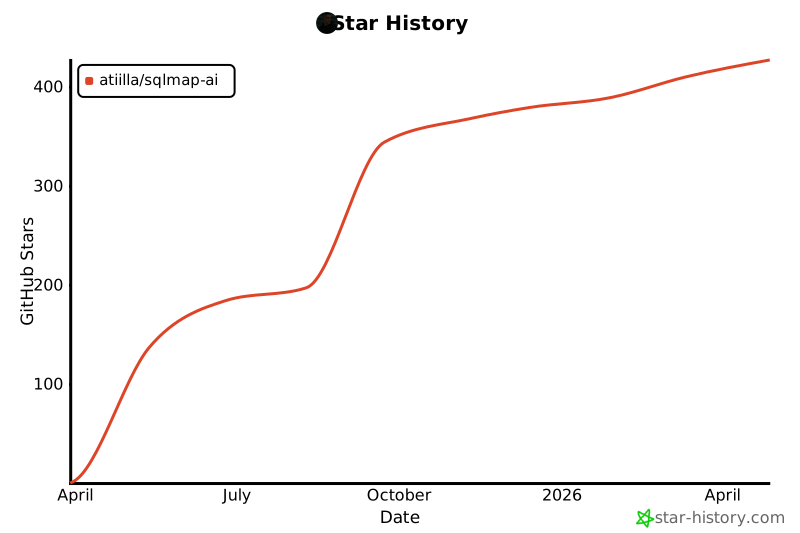
Star History
1 maintainer

Metadata
1 maintainer
Release files for sqlmap-ai 2.0.8
For a detailed explanation of source distributions (sdists) and built distributions (wheels), please see the package formats documentation.
Source distribution (sdist)
| File | Size | Uploaded | |
|---|---|---|---|
| sqlmap_ai-2.0.8.tar.gz | 90.3 kB | Details |
Built distribution (wheel)
| File | Interpreter | ABI | Platform | Reset |
|---|---|---|---|---|
| sqlmap_ai-2.0.8-py3-none-any.whl | Python 3 | none | any | Details |
Total release size: 182.0 kB
Release files / sqlmap_ai-2.0.8.tar.gz
| Download URL | sqlmap_ai-2.0.8.tar.gz |
|---|---|
| Size | 90.3 kB |
| Tags | Source |
|
SHA-256 checksum How to use checksums |
e5f67a05a93260d729f11fceebe7d88eea4ac994a5ded47b858e4aef14a1cdfc
|
|
BLAKE2b-256 checksum How to use checksums |
c5a29ead20d684f66352508954061ce7ffcb474a451b1a1dad83b7c2b084b9cc
|
| Upload date | |
|
Uploaded using Trusted Publishing? What is trusted publishing? |
No |
| Uploaded via |
twine/6.2.0 CPython/3.14.2
|
Release files / sqlmap_ai-2.0.8-py3-none-any.whl
| Download URL | sqlmap_ai-2.0.8-py3-none-any.whl |
|---|---|
| Size | 91.7 kB |
| Tags | Python 3 |
|
SHA-256 checksum How to use checksums |
a839f0abfdd814118feefe3a7fa510c9c85f03ff657b233ada2b4107ceb6638e
|
|
BLAKE2b-256 checksum How to use checksums |
a0db928140d903d4877fcaf7bba4c94f1a120866a686ffe7772e9cf1301d1304
|
| Upload date | |
|
Uploaded using Trusted Publishing? What is trusted publishing? |
No |
| Uploaded via |
twine/6.2.0 CPython/3.14.2
|














