
Sqreen agent to protect Python applications.


Project description
Sqreen's Application Security Management for Python
After performance monitoring (APM), error and log monitoring it’s time to add a security component into your app. Sqreen’s microagent automatically monitors sensitive app’s routines, blocks attacks and reports actionable infos to your dashboard.
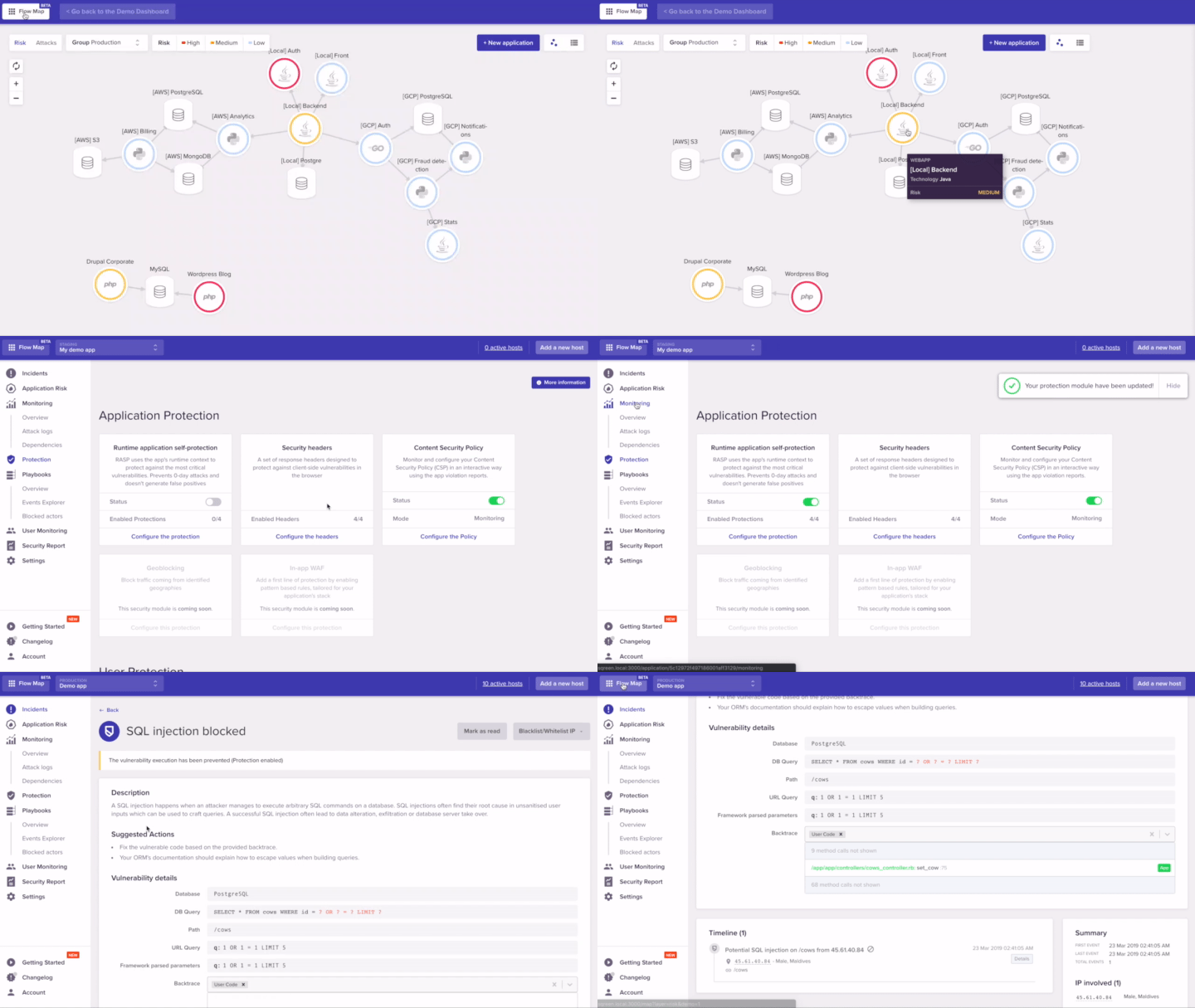
Sqreen provides automatic defense against attacks:
-
Protect with security modules: RASP (Runtime App Self-Protection), In-App WAF (Web Application Firewall), Account takeovers and more.
-
Sqreen’s modules adapt to your application stack with no need of configuration.
-
Prevent attacks from the OWASP Top 10 (Injections, XSS and more), 0-days, Data Leaks, and more.
-
Create security automation playbooks that automatically react against advanced business-logic threats.
For more details, visit sqreen.com.
Installation
-
Install Sqreen for Python using a recent version of
pip:pip install sqreen
-
Signup to Sqreen to get a token for your application and write it in a configuration file called
sqreen.iniin the root directory of your project:[sqreen] token: Your token app_name: My Application
-
Import the
sqreenmodule at the top of your application (usually theapp.pyorwsgi.pyfile):import sqreen sqreen.start()
Alternatively, if you don't want to modify your application, you can also start Sqreen by prepending your web server command line with
sqreen-start:sqreen-start gunicorn app.wsgi
More information about installation are available on this page.
Compatibility
The agent is compatible with Python 2.7, 3.4 and higher. It works out-of-the-box with most versions of Flask, Django and Pyramid frameworks.
More details are available on this page.
Release Notes
Releases announcements are available on this page.
License
Sqreen for Python is free-to-use, proprietary software.
Release history Release notifications | RSS feed


Download files
Download the file for your platform. If you're not sure which to choose, learn more about installing packages.
Source Distribution
Built Distribution
Filter files by name, interpreter, ABI, and platform.
If you're not sure about the file name format, learn more about wheel file names.
Copy a direct link to the current filters
File details
Details for the file sqreen-1.18.1.tar.gz.
File metadata
- Download URL: sqreen-1.18.1.tar.gz
- Upload date:
- Size: 333.6 kB
- Tags: Source
- Uploaded using Trusted Publishing? No
- Uploaded via: twine/3.1.1 pkginfo/1.5.0.1 requests/2.23.0 setuptools/45.2.0 requests-toolbelt/0.9.1 tqdm/4.43.0 CPython/3.7.3
File hashes
| Algorithm | Hash digest | |
|---|---|---|
| SHA256 |
89773703c6b0f5cf508b557249af2b08ee1e6453c3be9cfee808e9e4ac0aef0d
|
|
| MD5 |
55290aaa0120fe6ecd81ebc332915ba3
|
|
| BLAKE2b-256 |
e60c896987a0b02ca6737c5159759f55fe6516676f926fe5b88ee9d0c9e44643
|
File details
Details for the file sqreen-1.18.1-py2.py3-none-any.whl.
File metadata
- Download URL: sqreen-1.18.1-py2.py3-none-any.whl
- Upload date:
- Size: 457.2 kB
- Tags: Python 2, Python 3
- Uploaded using Trusted Publishing? No
- Uploaded via: twine/3.1.1 pkginfo/1.5.0.1 requests/2.23.0 setuptools/45.2.0 requests-toolbelt/0.9.1 tqdm/4.43.0 CPython/3.7.3
File hashes
| Algorithm | Hash digest | |
|---|---|---|
| SHA256 |
26d34c49da1f2dee22d1a40ce0f5417cb91af3955b4244453fda29884be89d44
|
|
| MD5 |
71367801aec96b248a319ddc4ae3dda1
|
|
| BLAKE2b-256 |
c1b9f8bf0c2f9fd30e500c57164e430f972d78a209e29e4e7abe57be19081e9e
|






