
Simplifying EC2 ssh'ing

Project description
SSH2 is an interactive command line tool which allows you to quickly ssh to an EC2 instance. You can select from a list of running servers under your account.
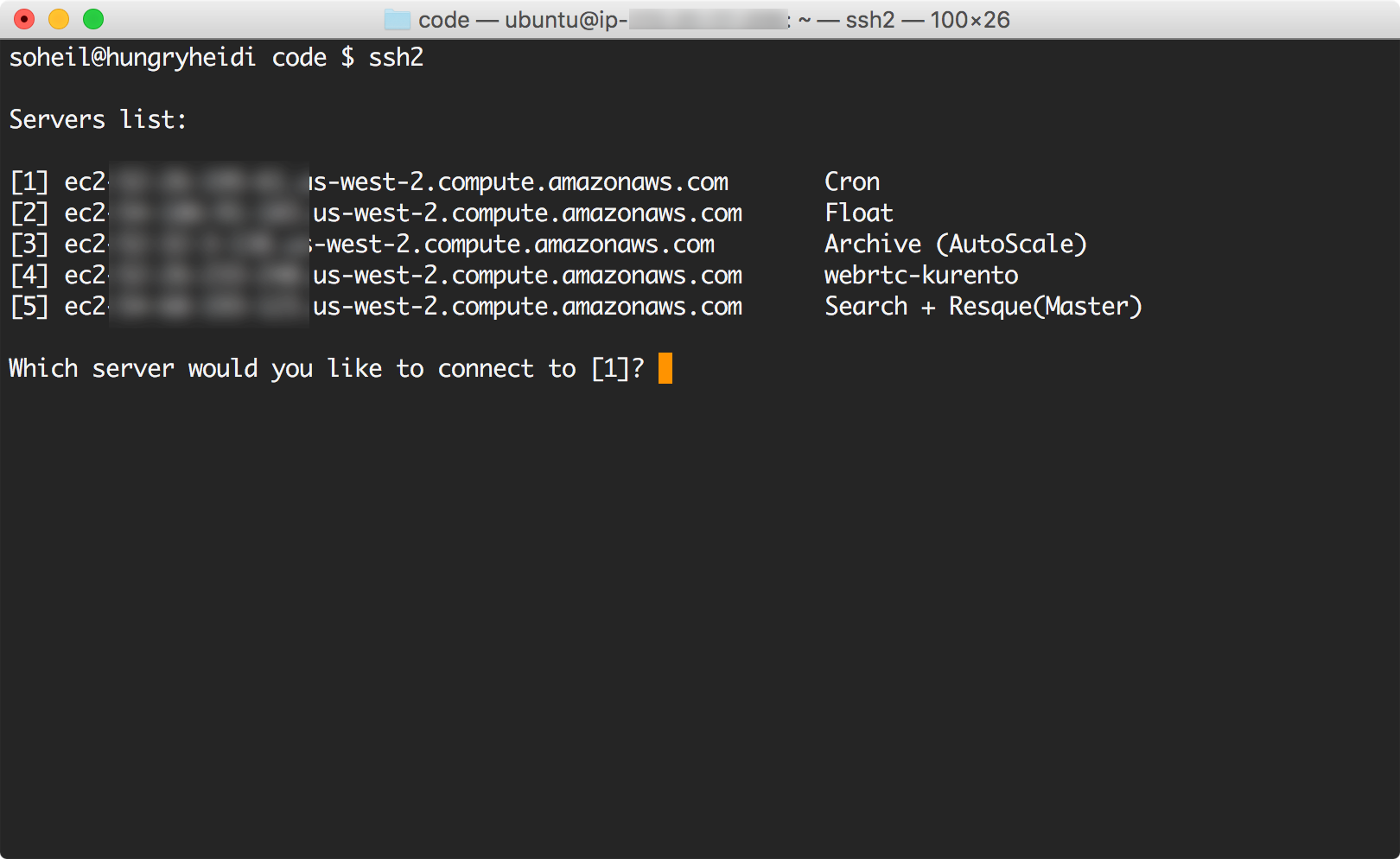
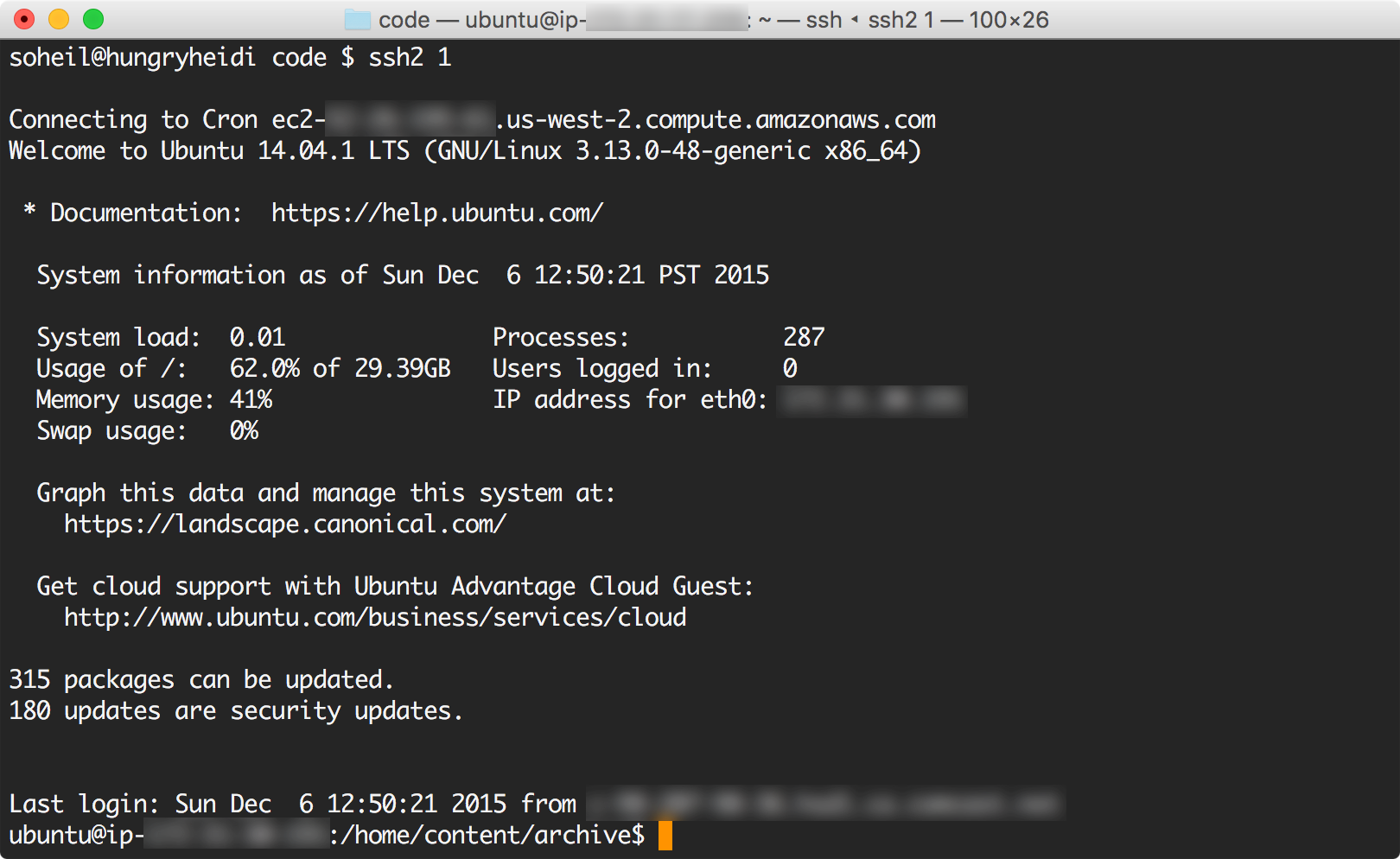
Usage
$ ssh2 1
$ ssh2 -h
Usage: ssh2 [options] [server_number]
  server_number: a numeric value corresponding to the server number
  e.g.: 'ssh2 1' will ssh into the 1st server in the list.

Options:
  -h, --help            show this help message and exit
  -x, --bust-cache      refetch servers list from AWS
  -u USER, --user=USER  provide user (default: ubuntu)
  -i IDENTITY, --identity=IDENTITY
                        provide identity file
  -p PROFILE, --profile=PROFILE
                        provide AWS profile
  --ip=IP               connect using IP instead of DNS
Requirements
Python
Installation
git clone https://github.com/soheil/ssh2.git
cd ssh2
ln -sf $(pwd)/ssh2 /usr/local/bin/
Release history Release notifications | RSS feed


Download files
Download the file for your platform. If you're not sure which to choose, learn more about installing packages.
Source Distribution
ssh2-1.01.tar.gz
(2.8 kB
view details)
File details
Details for the file ssh2-1.01.tar.gz.
File metadata
- Download URL: ssh2-1.01.tar.gz
- Upload date:
- Size: 2.8 kB
- Tags: Source
- Uploaded using Trusted Publishing? No
File hashes
| Algorithm | Hash digest | |
|---|---|---|
| SHA256 |
3c59b8aab765a8a31040e894c7c917c27bc91e924ebae66b0e761740ecf1075c
|
|
| MD5 |
e0d2a974bfa305e045dd09c13a580d46
|
|
| BLAKE2b-256 |
91ba9da32ea203b03a36280b2e838ddb4e591041f1345bfda475f59d45f0d00e
|






