
Terminal UI package for ssot-registry workflows.

Project description
🔷 ssot-tui
Textual terminal UI for browsing SSOT registries.




ssot-tui is a Textual-based terminal UI for browsing SSOT registries.
It is focused on read-oriented exploration and safe workflow bridges rather than full CRUD parity with the CLI.
What this package owns
- The
ssot-tuiconsole entry point - The Textual app shell and browser screen
- TUI widgets for section navigation, entity tables, and detail panes
When to use this package
Use ssot-tui when you want:
- an interactive terminal browser for SSOT registry content
- a navigable view across entity sections with filters, recent repos, and keyboard-first navigation
- structured entity detail views with a raw JSON fallback
- safe workflow bridges such as validation, CLI read previews, and opening repo resources
- a Textual UI on top of the
ssot-coreruntime
Use another package when you want:
- ssot-cli for full command-line workflow coverage
- ssot-core for direct Python API access
- ssot-contracts for packaged schemas and templates
- ssot-views for report and graph builders
- ssot-codegen for regeneration of metadata artifacts
Install
python -m pip install ssot-tui
For local development from this repository:
python -m pip install -e pkgs/ssot-tui
This package depends on ssot-core, ssot-contracts, and textual.
Start the TUI
ssot-tui
The current entry point launches SsotTuiApp, which mounts a browser-oriented screen when the application starts.
Interaction model
The browser now supports:
- repo auto-discovery from the current working directory
- persisted recent repos and last-viewed session state
- inline filtering with
/ - a command palette with
Ctrl+P - a help overlay with
? - pane navigation with
Tab,Shift+Tab,h,j,k, andl - reload and validation via
randv - structured detail rendering with
tto toggle raw JSON - table view cycling with
m
The detail pane can traverse linked entity ids, preview file-backed resources, and render safe CLI read previews for the current section or entity.
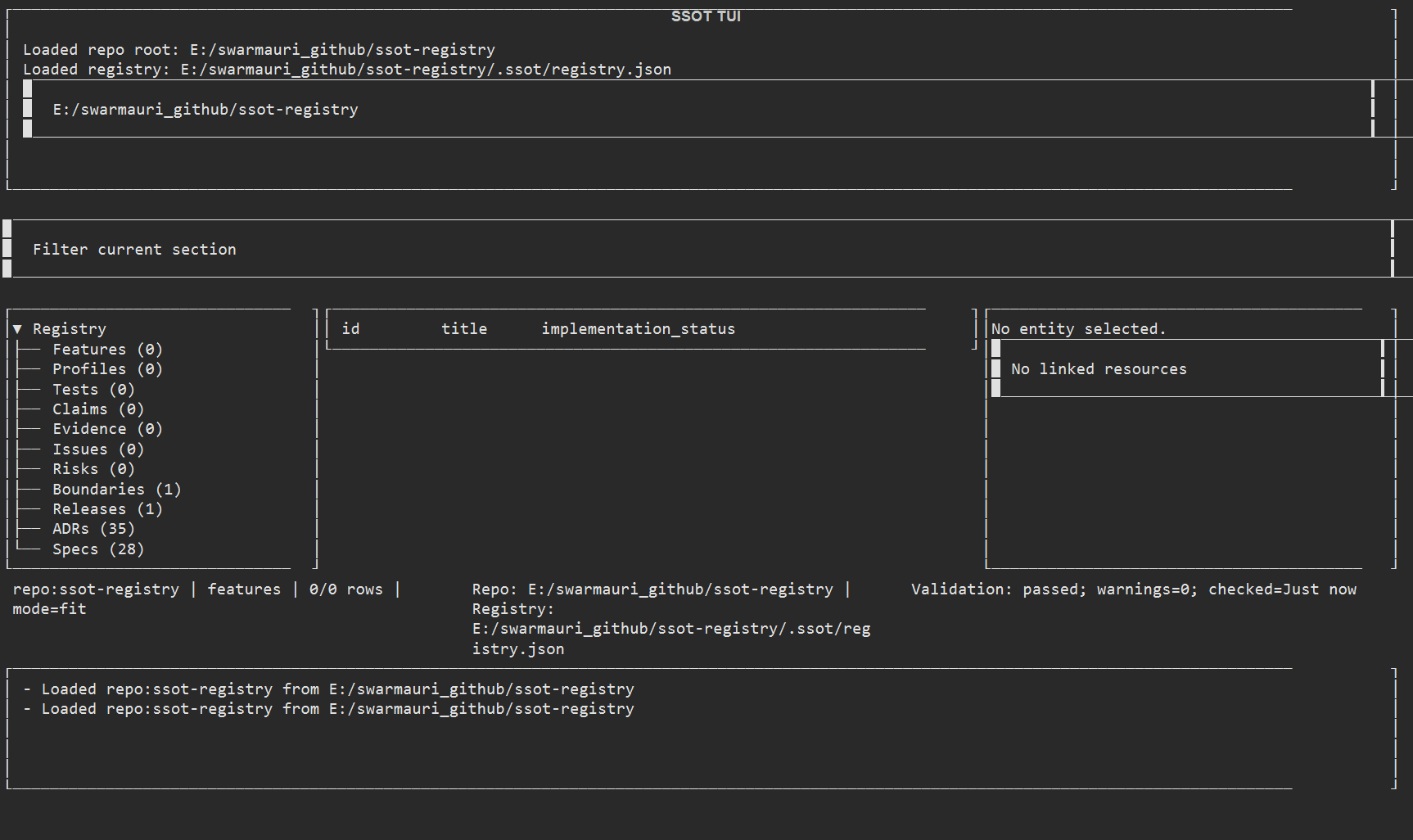
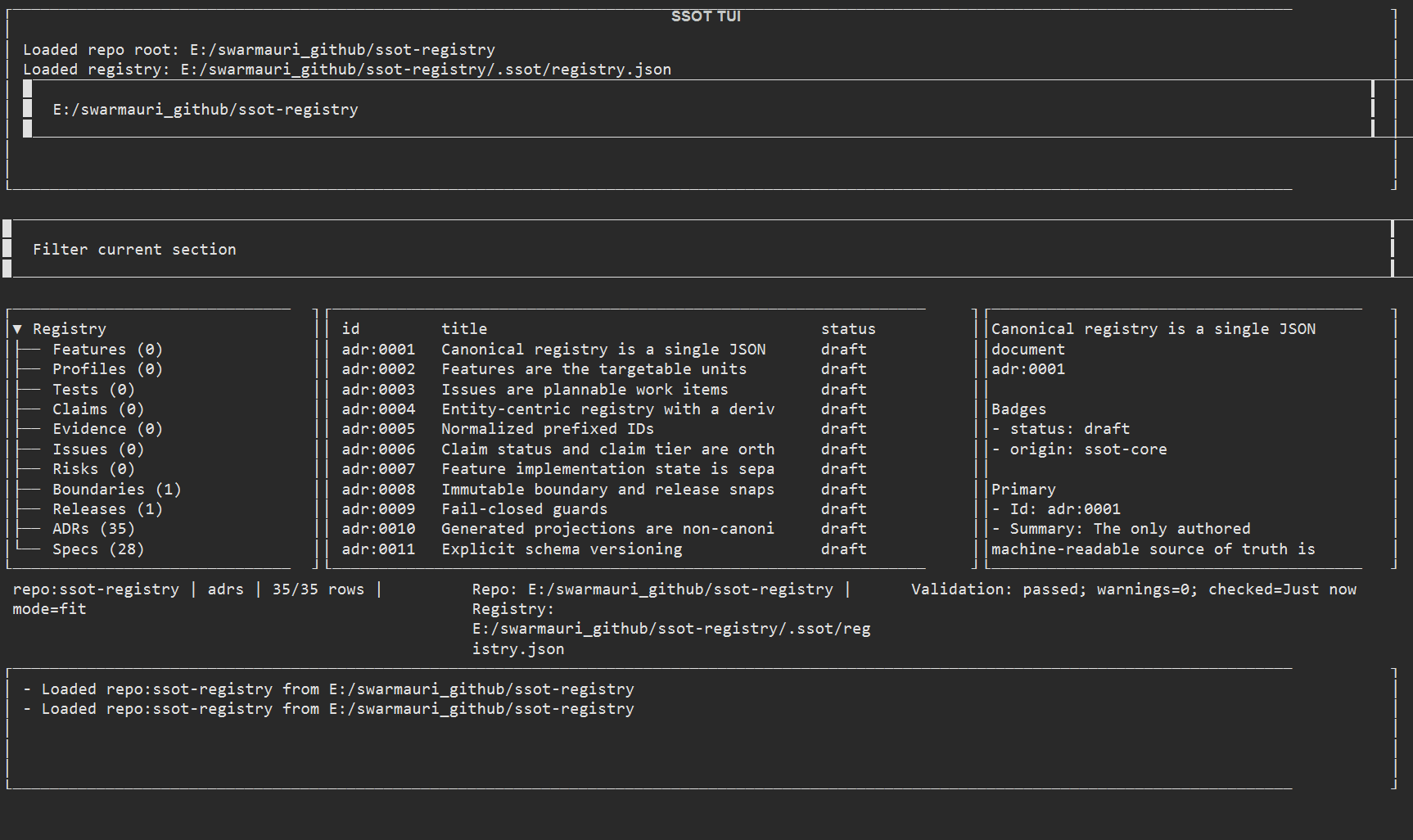
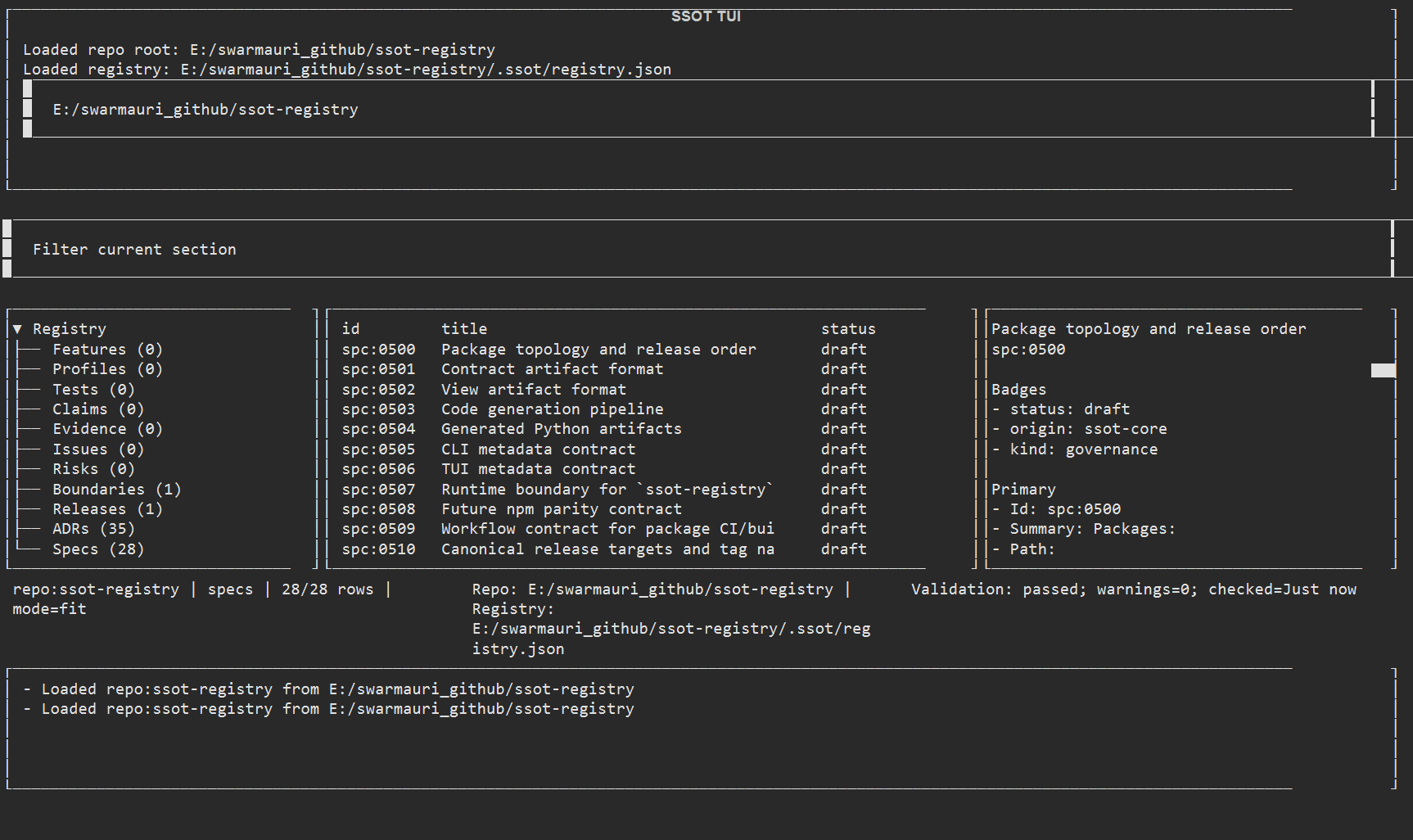
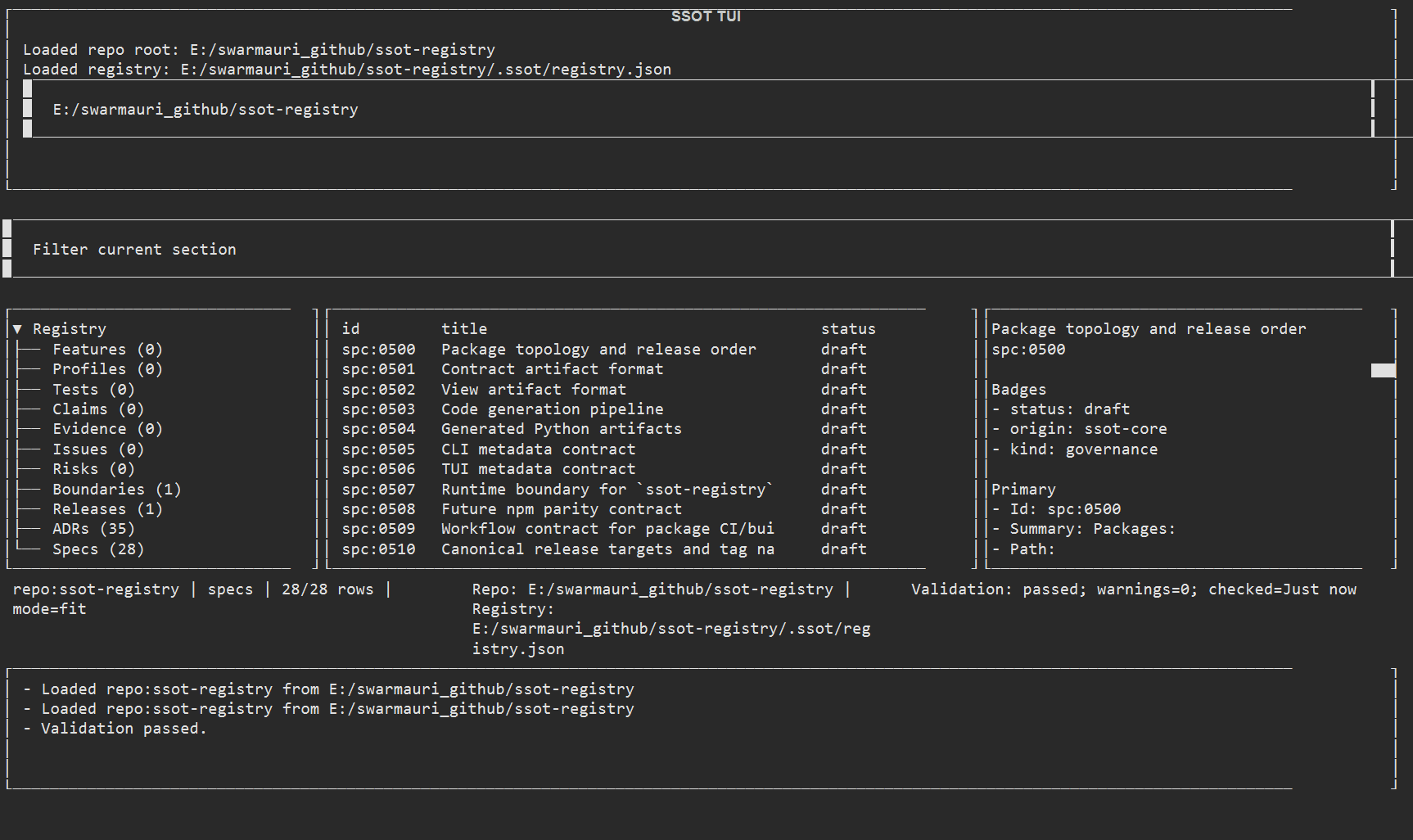
Screenshots
Regenerate these assets with python scripts/generate_tui_screenshots.py.
Captured against examples/minimal-repo in this workspace:
Current scope
The current implementation is browser-first and read-first:
- workspace loading, recent repo switching, and validation summaries
- section-based navigation with per-section counts and failure rollups
- tabular browsing with filter and mode switching
- structured and raw detail inspection for the selected item
- safe bridge actions for opening files, revealing paths, and previewing read-only CLI output
The package still does not implement full CRUD or guided operational workflows with CLI-level parity.
Main UI concepts
The current source tree exposes these UI building blocks:
BrowserScreen: the primary browser screenSectionNavigation: a section chooser with counts and validation indicatorsEntityTable: a table view for entities in the active sectionEntityDetailPane: a structured detail view with related-resource traversalCommandPaletteScreen: an action launcher backed by the shared action registryHelpScreen: a keyboard and action reference overlayStatusCenter: a persistent status and toast history panel
At the application level, SsotTuiApp provides a header, footer, and browser screen composition.
Package relationships
- Package type: terminal UI package
- Depends on: ssot-core, ssot-contracts,
textual - Consumed by: users who want interactive browsing on top of the core SSOT runtime
If you need complete operational coverage today, use ssot-cli. If you want an interactive terminal browser for current registry content, this package is the right entry point.
Release history Release notifications | RSS feed


Download files
Download the file for your platform. If you're not sure which to choose, learn more about installing packages.
Source Distribution
Built Distribution
Filter files by name, interpreter, ABI, and platform.
If you're not sure about the file name format, learn more about wheel file names.
Copy a direct link to the current filters
File details
Details for the file ssot_tui-0.1.6.dev1.tar.gz.
File metadata
- Download URL: ssot_tui-0.1.6.dev1.tar.gz
- Upload date:
- Size: 23.3 kB
- Tags: Source
- Uploaded using Trusted Publishing? No
- Uploaded via: uv/0.11.7 {"installer":{"name":"uv","version":"0.11.7","subcommand":["publish"]},"python":null,"implementation":{"name":null,"version":null},"distro":{"name":"Ubuntu","version":"24.04","id":"noble","libc":null},"system":{"name":null,"release":null},"cpu":null,"openssl_version":null,"setuptools_version":null,"rustc_version":null,"ci":true}
File hashes
| Algorithm | Hash digest | |
|---|---|---|
| SHA256 |
cb8b5476d203ee2f9662862c2b7a69966e73bc77d9bcb2ace3666578662d9d33
|
|
| MD5 |
46957e4793b6f69ac00645570aac8072
|
|
| BLAKE2b-256 |
2b6d9c704c07c55f54bc33150bf87dce1eb13e0898239aa0b785aad965b2c761
|
File details
Details for the file ssot_tui-0.1.6.dev1-py3-none-any.whl.
File metadata
- Download URL: ssot_tui-0.1.6.dev1-py3-none-any.whl
- Upload date:
- Size: 26.7 kB
- Tags: Python 3
- Uploaded using Trusted Publishing? No
- Uploaded via: uv/0.11.7 {"installer":{"name":"uv","version":"0.11.7","subcommand":["publish"]},"python":null,"implementation":{"name":null,"version":null},"distro":{"name":"Ubuntu","version":"24.04","id":"noble","libc":null},"system":{"name":null,"release":null},"cpu":null,"openssl_version":null,"setuptools_version":null,"rustc_version":null,"ci":true}
File hashes
| Algorithm | Hash digest | |
|---|---|---|
| SHA256 |
26ed116932fd951b2754dc6ec25f9fff5e617f6567a02266e48bf80f2455962c
|
|
| MD5 |
0724c6512b2d580d0ce7178860e92a84
|
|
| BLAKE2b-256 |
fdb86fe9d8b9aa285fb8d4278173660655cb8159c63f9afa4c64d5d5f085b0ff
|






