
streamlit-custom-component
Streamlit component that allows you to create button to paste image from clipboard.
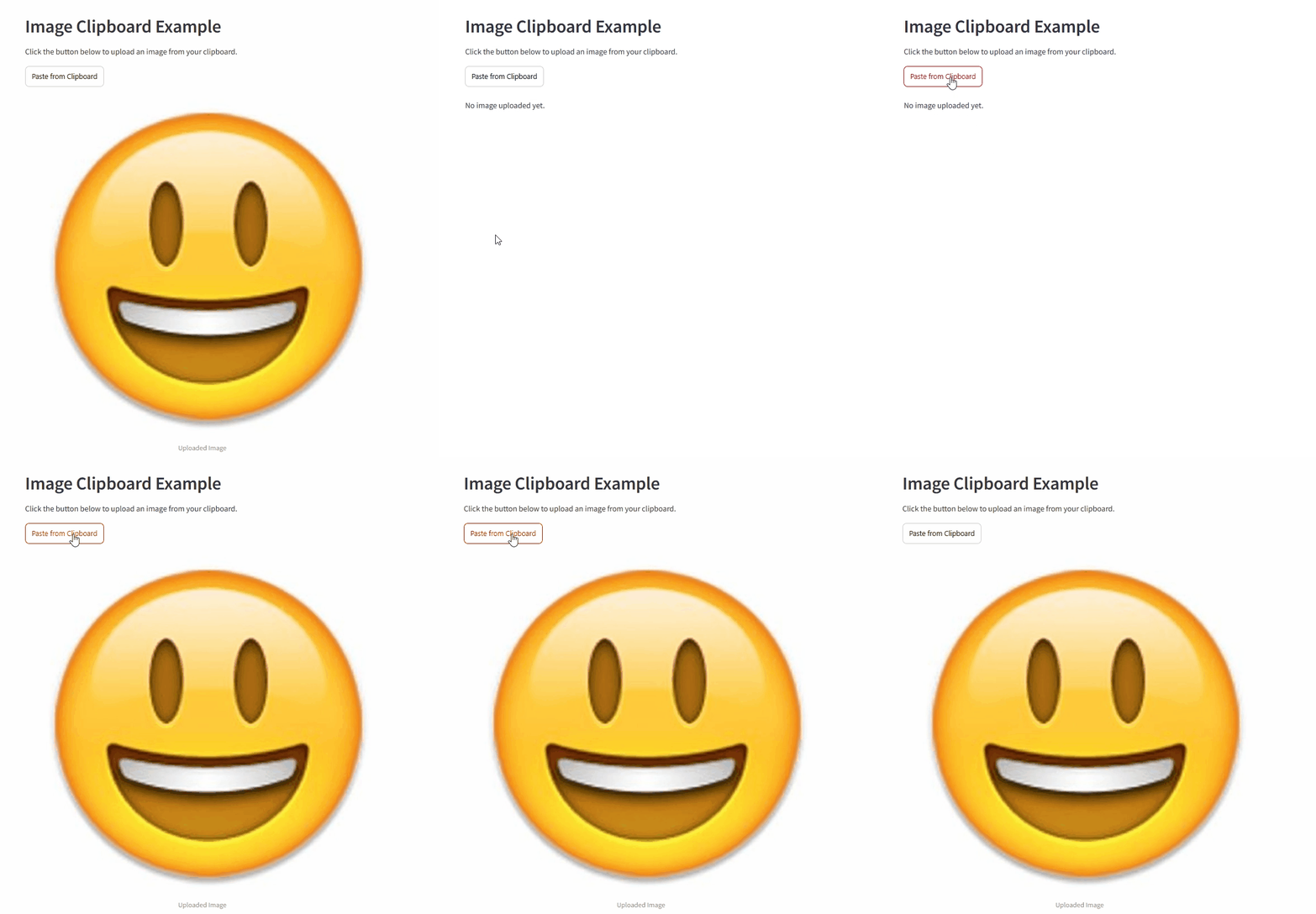
confirmed that it works with chrome,safari,edge. it doesn't work with firefox
Installation instructions
pip install st_img_pastebutton
or
pip install st_img_pastebutton --upgrade
Usage instructions
import streamlit as st
from st_img_pastebutton import paste
from io import BytesIO
import base64

st.header("Image Clipboard Example")
st.write("Click the button below to upload an image from your clipboard.")

image_data = paste(label="paste from clipboard",key="image_clipboard")

if image_data is not None:
    header, encoded = image_data.split(",", 1)
    binary_data = base64.b64decode(encoded)
    bytes_data = BytesIO(binary_data)
    st.image(bytes_data, caption="Uploaded Image", use_column_width=True)
else:
    st.write("No image uploaded yet.")
run
streamlt run examle.py
1 maintainer

Release files for st-img-pastebutton 0.0.6
For a detailed explanation of source distributions (sdists) and built distributions (wheels), please see the package formats documentation.
Source distribution (sdist)
| File | Size | Uploaded | |
|---|---|---|---|
| st_img_pastebutton-0.0.6.tar.gz | 424.4 kB | Details |
Built distribution (wheel)
| File | Interpreter | ABI | Platform | Reset |
|---|---|---|---|---|
| st_img_pastebutton-0.0.6-py3-none-any.whl | Python 3 | none | any | Details |
Total release size: 1.2 MB














