
StableFusion
A Web ui for Stable Diffusion Models.
Update (Version 0.1.4)
In this version, we've added two major features to the project:
- ControlNet Option
- OpenPose Editor
We've also made the following improvements and bug fixes:
- Improved File Arrangement: We've rearranged the files in the project to make it more organized and convenient for users to navigate.
- Fixed Random Seed Generator: We've fixed a bug in the random seed generator that was causing incorrect results. This fix ensures that the project operates more accurately and reliably.
We hope these updates will improve the overall functionality and user experience of the project. As always, please feel free to reach out to us if you have any questions or feedback.

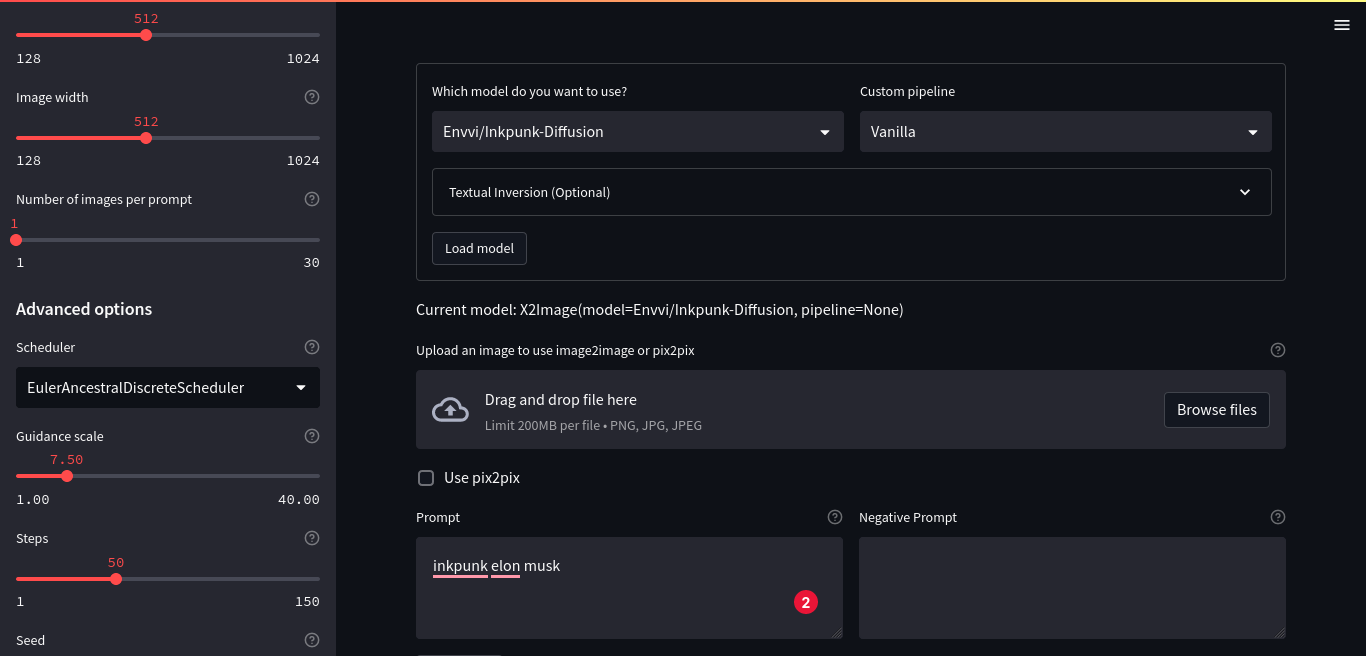
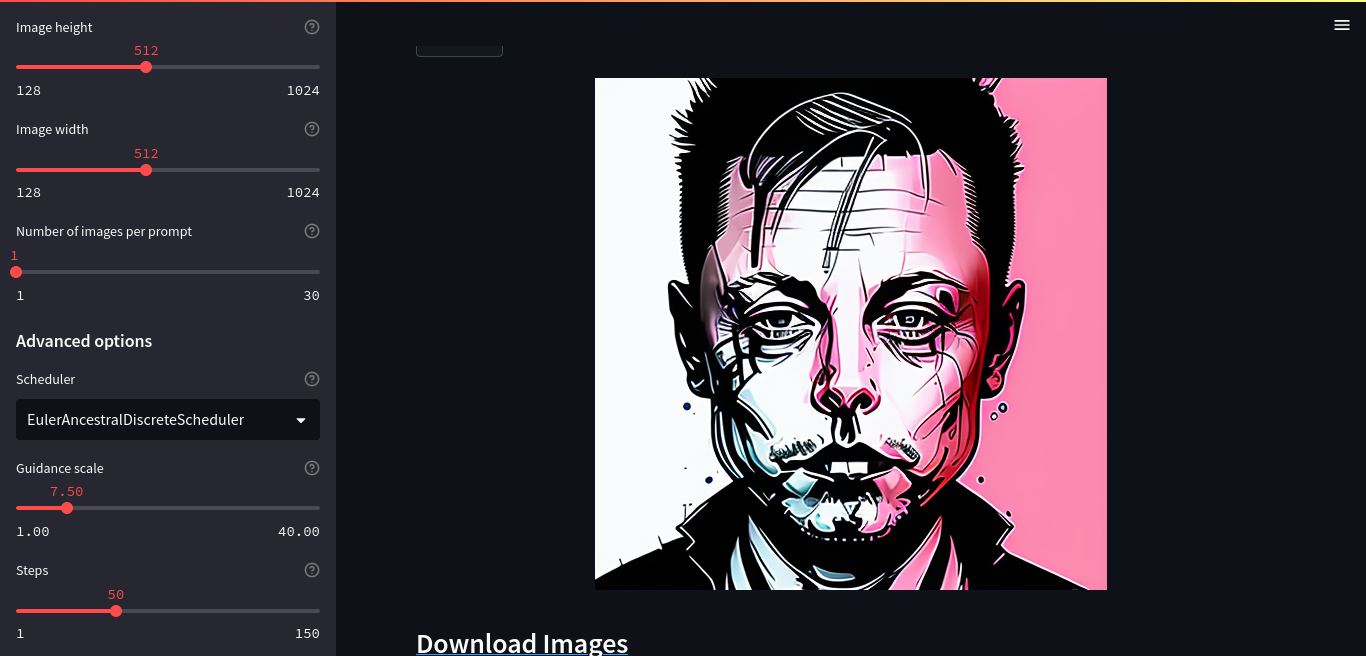
If something doesnt work as expected, or if you need some features which are not available, then create request using github issues
Features available in the app:
- text to image
- image to image
- instruct pix2pix
- textual inversion
- ControlNet
- OpenPose Editor
- image info
- Upscale Your Image
- clip interrogator
- Convert ckpt file to diffusers
- Convert safetensors file to diffusers
- Add your own diffusers model
- more coming soon!
Installation
To install bleeding edge version of StableFusion, clone the repo and install it using pip.
git clone https://github.com/NeuralRealm/StableFusion
cd StableFusion
pip install -e .
Installation using pip:
pip install stablefusion
Usage
Web App
To run the web app, run the following command:
For Local Host
stablefusion app
or
For Public Shareable Link
stablefusion app --port 10000 --ngrok_key YourNgrokAuthtoken --share
All CLI Options for running the app:
❯ stablefusion app --help
usage: stablefusion <command> [<args>] app [-h] [--output OUTPUT] [--share] [--port PORT] [--host HOST]
                                        [--device DEVICE] [--ngrok_key NGROK_KEY]

✨ Run stablefusion app

optional arguments:
  -h, --help            show this help message and exit
  --output OUTPUT       Output path is optional, but if provided, all generations will automatically be saved to this
                        path.
  --share               Share the app
  --port PORT           Port to run the app on
  --host HOST           Host to run the app on
  --device DEVICE       Device to use, e.g. cpu, cuda, cuda:0, mps (for m1 mac) etc.
  --ngrok_key NGROK_KEY
                        Ngrok key to use for sharing the app. Only required if you want to share the app
Using private models from huggingface hub
If you want to use private models from huggingface hub, then you need to login using huggingface-cli login command.
Note: You can also save your generations directly to huggingface hub if your output path points to a huggingface hub dataset repo and you have access to push to that repository. Thus, you will end up saving a lot of disk space.
Acknowledgements
I would like to express my gratitude to the following individuals and organizations for sharing their code, which formed the basis of the implementation used in this project:
- Tencent ARC for their code for the GFPGAN package, which was used for image super-resolution.
- LexKoin for their code for the Real-ESRGAN-UpScale package, which was used for image enhancement.
- Hugging Face for their code for the diffusers package, which was used for optimizing the model's parameters.
- Abhishek Thakur for sharing his code for the diffuzers package, which was also used for optimizing the model's parameters.
I am grateful for their contributions to the open source community, which made this project possible.
Contributing
StableFusion is an open-source project, and we welcome contributions from the community. Whether you're a developer, designer, or user, there are many ways you can help make this project better. Here are a few ways you can get involved:
- Report issues: If you find a bug or have a feature request, please open an issue on our GitHub repository. We appreciate detailed bug reports and constructive feedback.
- Submit pull requests: If you're interested in contributing code, we welcome pull requests for bug fixes, new features, and documentation improvements.
- Spread the word: If you enjoy using StableFusion, please help us spread the word by sharing it with your friends, colleagues, and social media networks. We appreciate any support you can give us!
We believe that open-source software is the future of technology, and we're excited to have you join us in making StableFusion a success. Thank you for your support!
1 maintainer

Metadata
1 maintainer
Release files for stablefusion 0.1.4
For a detailed explanation of source distributions (sdists) and built distributions (wheels), please see the package formats documentation.
Source distribution (sdist)
| File | Size | Uploaded | |
|---|---|---|---|
| stablefusion-0.1.4.tar.gz | 955.9 kB | Details |
Built distribution (wheel)
| File | Interpreter | ABI | Platform | Reset |
|---|---|---|---|---|
| stablefusion-0.1.4-py3-none-any.whl | Python 3 | none | any | Details |
Total release size: 2.0 MB
Release files / stablefusion-0.1.4.tar.gz
| Download URL | stablefusion-0.1.4.tar.gz |
|---|---|
| Size | 955.9 kB |
| Tags | Source |
|
SHA-256 checksum How to use checksums |
4ccd481bc2f0be5f32db17734986c8b6ccdf088133bf7739dd105e3a46757bd5
|
|
BLAKE2b-256 checksum How to use checksums |
26ddd35f964456cc55c1f185e089669dd1453ceb0e38019065f7a701d28d7a27
|
| Upload date | |
|
Uploaded using Trusted Publishing? What is trusted publishing? |
No |
| Uploaded via |
twine/4.0.2 CPython/3.9.16
|
Release files / stablefusion-0.1.4-py3-none-any.whl
| Download URL | stablefusion-0.1.4-py3-none-any.whl |
|---|---|
| Size | 994.9 kB |
| Tags | Python 3 |
|
SHA-256 checksum How to use checksums |
1cb8be4fd9e637a7e50925e2f4cd207157c15f00a3c5ed6ff673de34e85a53fc
|
|
BLAKE2b-256 checksum How to use checksums |
94268427ba361a6fa99a687c292f6fcebeb6a18648449de29fe6283167554a1a
|
| Upload date | |
|
Uploaded using Trusted Publishing? What is trusted publishing? |
No |
| Uploaded via |
twine/4.0.2 CPython/3.9.16
|














