
stackprep-pro
stackprep-pro — interview & certification prep MCP server for any AI client
Works with any MCP-compatible client — Claude Code, Cursor, Cline, Windsurf, Continue.dev, Codex CLI, and any other client that supports the Model Context Protocol. No API key required — your existing AI subscription does the work.
Available on PyPI: uvx stackprep-pro
What it does
stackprep-pro is a pure state-management MCP server. It tracks your session and study packs on disk; your AI client (Claude, Cursor, Codex, etc.) handles all the question generation and scoring logic using the skill rules returned at session start.
- One question at a time — interview or certification mode
- Continuous flow — the next question follows every answer automatically, no "continue? (y/n)" prompts
- Instant scoring with doc links after every answer
- Auto-detects wrong/partial answers and builds a named study pack
- Sessions and study packs saved to disk — resume anytime, sync via iCloud
- Resume in-progress sessions across conversations or devices
Install
uvx stackprep-pro
Requires uv. Install it with
curl -LsSf https://astral.sh/uv/install.sh | sh.
Configure your MCP client
The config is the same for every client — just point to uvx stackprep-pro. No API keys, no
authentication, no accounts — stackprep stores everything as plain files on your own machine.
Prerequisite: install uv (it provides
uvx):curl -LsSf https://astral.sh/uv/install.sh | sh
Claude Code
Recommended — register it globally so it works from any directory (the normal way you'd use it):
claude mcp add stackprep --scope user -- uvx stackprep-pro
Then just run claude from anywhere. Claude Code works as normal — stackprep stays out of the way until
you want it. To start a prep session, type stackprep-pro (or ask to prep for an interview or
certification). You can also register it per-project instead of globally; both work and can coexist.
Alternative: per-project config
If you'd rather scope it to a single project, create .mcp.json in that project's root instead:
{
  "mcpServers": {
    "stackprep": {
      "command": "uvx",
      "args": ["stackprep-pro"]
    }
  }
}
Cursor
Create ~/.cursor/mcp.json (global — works from any directory):
{
  "mcpServers": {
    "stackprep": {
      "command": "uvx",
      "args": ["stackprep-pro"]
    }
  }
}
Then open Cursor → Cmd+Shift+J → MCP tab — stackprep should appear with a green dot.
Codex CLI
Add to ~/.codex/config.yaml:
mcpServers:
  stackprep:
    command: uvx
    args:
      - stackprep-pro
Any other MCP-compatible client
The pattern is always the same:
{
  "mcpServers": {
    "stackprep": {
      "command": "uvx",
      "args": ["stackprep-pro"]
    }
  }
}
Paste this into whatever config format your client uses (Cline, Windsurf, Continue.dev, etc.).
How a session works
Once a session starts, it keeps going until you end it — there is nothing to confirm between questions.
- Answer — just type your answer (a letter or free text). You get the result, a short explanation and a docs link, and the next question follows in the same message.
end— typeendat any time to finish. You'll be asked whether to save the session to continue later (you name it), and whether to save a study pack (you name it).S— save a study pack mid-session without ending it.- Auto-save — progress is saved after every answer, so closing the window abruptly never loses your session.
Use
endrather thanXto finish —Xcloses some CLIs outright.
Every question shows a reminder footer: Reply with your answer to continue · type end to finish · S to save a study pack.
Study pack storage
Study packs and sessions are saved to ~/.stackprep/ by default.
Sync across devices with iCloud (recommended on macOS):
# Add to ~/.zshrc or ~/.zprofile
export STACKPREP_PACKS_DIR="$HOME/Documents/stackprep-packs"
~/Documents is synced to iCloud by default on macOS (requires iCloud Drive > Desktop & Documents enabled). Your packs will be available on any Mac signed into your Apple ID — and readable via the Files app on iPhone.
Custom path:
export STACKPREP_PACKS_DIR="/path/to/your/folder"
Point this at any Dropbox, Google Drive, or OneDrive folder for cross-platform sync.
Environment variables
| Variable | Default | Description |
|---|---|---|
STACKPREP_PACKS_DIR |
~/.stackprep |
Root directory for packs and sessions. |
Skills (modes)
| Mode | Description |
|---|---|
certification |
description: Certification prep skill for the stackprep-pro MCP server. Activated when mode is "certification". Drives question generation, scoring, adaptive difficulty, and study pack creation. |
interview |
description: Interview prep skill for the stackprep-pro MCP server. Activated when mode is "interview". Drives question generation, scoring, adaptive difficulty, and study pack creation. |
Tools
| Tool | Description | Args |
|---|---|---|
begin |
Start a stackprep prep session. Call this ONLY when the user explicitly triggers stackprep — i.e. | |
start_session |
Start a new stackprep session. Returns a session ID and the skill rules for the AI to follow. | mode, cert_name, cv, jd, extra_topics |
submit_answer |
Record the result of an answered question. | session_id, result, question |
flag_for_study |
Manually flag the current question for the study pack. | session_id, question |
save_session |
Save an in-progress session so the user can continue it later. | session_id, session_name |
exit_session |
ALWAYS call this the moment the user wants to leave a session in progress — any of: "exit", "quit", | session_id |
discard_session |
Permanently delete a session. Call this when the user is exiting and answers NO to saving the | session_id |
end_session |
End the session. Returns the score and flagged topics so the AI can generate a study plan and study pack. | session_id |
save_study_pack |
Save the study pack content to disk. | session_id, name, content |
list_sessions |
List saved sessions. Call this silently when the user wants to continue. Never mention this tool to the user. | mode |
resume_session |
Resume a previously saved session. Returns full session state and skill rules. | session_id |
list_study_packs |
List saved study packs. Call this silently when the user wants to see or load a study pack. Never mention this tool to the user. | mode |
load_study_pack |
Load a previously saved study pack by name. | name |
Session flow
Certification:
list_sessions()                                          ← always called first
→ start_session(mode="certification", cert_name="AWS SAA-C03")
→ [AI generates questions one at a time]
→ submit_answer(session_id, result="correct"|"partial"|"incorrect", question="...")
→ ... repeat ...
→ end_session(session_id)
→ save_study_pack(session_id, name="aws-saa-week1", content="...")
Interview:
list_sessions()                                          ← always called first
→ start_session(mode="interview", cv="...", jd="...")
→ [AI generates questions one at a time]
→ submit_answer(session_id, result="correct"|"partial"|"incorrect", question="...")
→ ... repeat ...
→ end_session(session_id)
→ save_study_pack(session_id, name="python-interview-june", content="...")
Resuming a session:
list_sessions()                → shows in-progress sessions
→ resume_session(session_id)  → loads state + skill rules, continues where you left off
Loading a saved study pack:
list_study_packs()
→ load_study_pack(name="aws-saa-week1")
Session persistence
Every session is saved to disk on every update. At the start of each new conversation the AI automatically calls list_sessions and asks whether you want to resume an in-progress session or start a new one. Sessions are stored in ~/.stackprep/sessions/ (or your custom STACKPREP_PACKS_DIR).
Also available as a Claude Code plugin
For Claude Projects or direct Claude.ai use, the behaviour rules are also available as a standalone skill file at plugins/stackprep — no install needed.
Contributing / Development
git clone https://github.com/youngpada1/stackprep-pro
cd stackprep-pro

# Install dependencies
uv sync

# Activate the pre-commit hook (auto-regenerates README on every commit)
git config core.hooksPath .githooks

# Run the server locally
uv run stackprep-pro
The README is auto-generated from server.py tool definitions and the skills files in src/stackprep_pro/skills/.
To regenerate manually:
uv run python scripts/generate_readme.py
License
MIT — Flavia Fauconnet
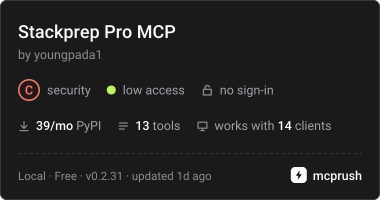
Also Available in MCP Rush ↴
1 maintainer

Metadata
1 maintainer
Release files for stackprep-pro 0.2.30
For a detailed explanation of source distributions (sdists) and built distributions (wheels), please see the package formats documentation.
Source distribution (sdist)
| File | Size | Uploaded | Provenance | Actions |
|---|---|---|---|---|
| stackprep_pro-0.2.30.tar.gz | 64.3 kB | Without provenance | Details for stackprep_pro-0.2.30.tar.gz |
Built distribution (wheel)
| File | Interpreter | ABI | Platform | Actions Reset |
|---|---|---|---|---|
| stackprep_pro-0.2.30-py3-none-any.whl | Python 3 | none | any | Details for stackprep_pro-0.2.30-py3-none-any.whl |
Total release size: 83.2 kB
Release files / stackprep_pro-0.2.30.tar.gz
| Download URL | stackprep_pro-0.2.30.tar.gz |
|---|---|
| Size | 64.3 kB |
| Tags | Source |
|
SHA-256 checksum How to use checksums |
44a11e0a61b140dd1b254d86a110a8def83b9770f29fb6d3f70a489fd72e8d3d
|
|
BLAKE2b-256 checksum How to use checksums |
3488b28e25670192adf9eeecfaf2d3f422b4c364561134a88cda5f2824b3d1cc
|
| Upload date | |
|
Uploaded using Trusted Publishing? What is trusted publishing? |
Yes |
| Uploaded via |
twine/7.0.0 CPython/3.13.16
|
Release files / stackprep_pro-0.2.30-py3-none-any.whl
| Download URL | stackprep_pro-0.2.30-py3-none-any.whl |
|---|---|
| Size | 18.9 kB |
| Tags | Python 3 |
|
SHA-256 checksum How to use checksums |
78ea897bd794b62f10dcb7e9e31045ad4a411c3a2a5c3d37699c3196644b9094
|
|
BLAKE2b-256 checksum How to use checksums |
39aecd2efddacaa7bc8e665ae07d031a49478ddb9d18b273465c10cda72c5953
|
| Upload date | |
|
Uploaded using Trusted Publishing? What is trusted publishing? |
Yes |
| Uploaded via |
twine/7.0.0 CPython/3.13.16
|
Security for stackprep-pro 0.2.30
Provenance
Provenance describes where a file came from. On PyPI, provenance is shared via attestations, which provide a verifiable record of the build or publishing details. View details, limitations and caveats.
No provenance found
None of the files in this release were uploaded with provenance metadata.
A note on package security
PyPI is a repository for distributing packages, not a service for auditing them. While third-party security researchers and our staff do their best to detect and remove malicious packages, PyPI cannot guarantee the quality, security or suitability of any given package.
To learn more about protecting yourself from malicious actors, visit our package security documentation.














