
This release is a pre-release and may not be stable for production use.

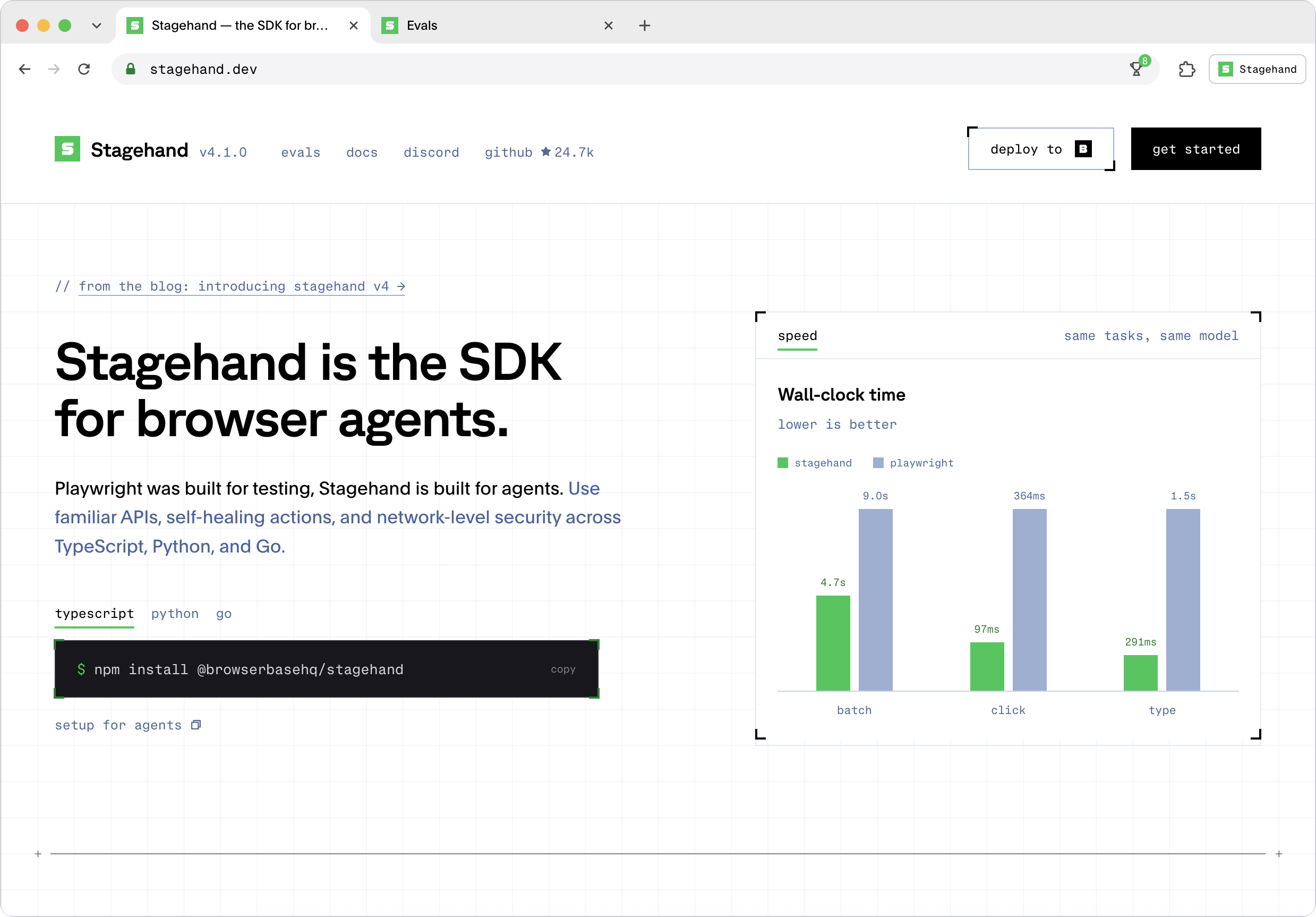
Stagehand is the SDK for browser agents

Docs · Quickstart · ⭐ Star this repo



Stagehand Python SDK
AI that uses the browser like humans.
Sign in once, keep the session, and pull structured data out the other side.
Replace app.example.com with your application's URL and set OPENAI_API_KEY, APP_EMAIL, and
APP_PASSWORD before running this example.
import asyncio
import os

from pydantic import BaseModel
from stagehand import Stagehand, local_browser


class Invoice(BaseModel):
    number: str
    amount: float
    paid: bool


class Invoices(BaseModel):
    invoices: list[Invoice]


async def main() -> None:
    # Cookies persist in ./browser-data, so the next run starts already signed in
    browser = await local_browser.launch(user_data_dir="./browser-data")
    try:
        stagehand = await Stagehand.create(
            browser=browser,
            model="openai/gpt-5.4-mini",
            model_api_key=os.environ["OPENAI_API_KEY"],
        )
        try:
            page = (await browser.context.pages())[0]
            await page.goto("https://app.example.com/login")

            # observe() returns real selectors, so credentials never reach the model
            email = await stagehand.observe("find the email input")
            password = await stagehand.observe("find the password input")
            await page.locator(email.data[0].selector).fill(os.environ["APP_EMAIL"])
            await page.locator(password.data[0].selector).fill(os.environ["APP_PASSWORD"])

            # act() self-heals when the site redesigns its form
            await stagehand.act("click the sign in button")
            await stagehand.act("open the billing page")

            # extract() returns schema-validated data
            result = await stagehand.extract(
                "extract every invoice in the table",
                Invoices,
            )
            print(result.data.invoices)
        finally:
            await stagehand.close()
    finally:
        await browser.close()


asyncio.run(main())
Install
pip install stagehand
Requires Python 3.11 or later. Local runs need Chrome installed. Full setup: Quickstart.
Why Stagehand
- Familiar APIs: The Playwright-style methods you and your agents already know:
goto,click,locator,screenshot. - Token efficiency: Hybrid accessibility-tree trimming gives agents exactly the page context they need and nothing more.
- Faster in production: Stagehand runs as an extension next to the browser, cutting round-trip latency on every action.
- Self-healing:
act,observe, andextractrefresh how an action happens when the site changes underneath it. - Built for agents: WebMCP, clipboard support, batch commands, deep locators for nested iframes and closed Shadow DOMs, OTel traces.
- Three languages: One complete browser driver across TypeScript, Python, and Go.
Run it on Browserbase
Point the same script at Browserbase. The Model Gateway handles model routing, and server-side caching reuses results for repeated actions.
Import browserbase from stagehand, then use these browser and client setup calls inside the
async main() above, keeping its try/finally cleanup:
from stagehand import browserbase

browser = await browserbase.launch(api_key=os.environ["BROWSERBASE_API_KEY"])
stagehand = await Stagehand.create(browser=browser, cache=True)
Use browserbase.connect(api_key=..., session_id=...) to attach to an existing session.
browser.close() releases the Browserbase session. For a keep_alive=True session, use
await browser.disconnect() to close the client and connection while keeping the session for later.
See browser configuration for more options.
Search and fetch without a browser
Fetch grabs the content of a URL as markdown. Search provides fast, token-efficient web search results. Both complement browser sessions without launching a browser.
import asyncio
import os

from stagehand import browserbase


async def search_and_fetch() -> None:
    results = await browserbase.search(
        api_key=os.environ["BROWSERBASE_API_KEY"],
        query="browser agent frameworks",
        num_results=5,
    )
    fetched = await browserbase.fetch(
        api_key=os.environ["BROWSERBASE_API_KEY"],
        url=results.results[0].url,
        format="markdown",
    )
    print(fetched.content)


asyncio.run(search_and_fetch())
Python API notes
Stagehand.act(), Stagehand.observe(), and Stagehand.extract() use the active page by
default. Pass page=page to target a specific SDK Page.
Page.goto(), reload(), go_back(), and go_forward() return the main-document Response,
or None when navigation does not produce one. Response bodies and complete headers are retrieved
lazily while the Stagehand session remains open.
When contributing examples or tests, keep browser ownership explicit: launch or connect a
browser handle, pass it to Stagehand.create(), close Stagehand first, and close the browser in
the outermost finally block.
Docs and resources
- Python examples: actions, extraction, observation, and custom LLM usage.
- Page and locator: Playwright-style browser and element APIs.
- Integrations: agent frameworks and coding agents.
- Main README: project overview, MCP setup, and community links.
Contributing
Clone the Stagehand repository and run these commands
from its root. All Python projects share the root uv workspace, uv.lock, and .venv.
just install installs all workspace members, and consumers use this SDK from source.
See the contributing guide
for workspace membership and package-specific commands.
# Install uv
curl -LsSf https://astral.sh/uv/install.sh | sh

# Install just
brew install just

just install
just generate
just check
just test
just build
2 maintainers


Metadata
2 maintainers
Release files for stagehand 4.5.0a0.dev1723
For a detailed explanation of source distributions (sdists) and built distributions (wheels), please see the package formats documentation.
Source distribution (sdist)
| File | Size | Uploaded | Provenance | Actions |
|---|---|---|---|---|
| stagehand-4.5.0a0.dev1723.tar.gz | 425.4 kB | Without provenance | Details for stagehand-4.5.0a0.dev1723.tar.gz |
Built distribution (wheel)
| File | Interpreter | ABI | Platform | Actions Reset |
|---|---|---|---|---|
| stagehand-4.5.0a0.dev1723-py3-none-any.whl | Python 3 | none | any | Details for stagehand-4.5.0a0.dev1723-py3-none-any.whl |
Total release size: 865.0 kB
Release files / stagehand-4.5.0a0.dev1723.tar.gz
| Download URL | stagehand-4.5.0a0.dev1723.tar.gz |
|---|---|
| Size | 425.4 kB |
| Tags | Source |
|
SHA-256 checksum How to use checksums |
bba604b6017169b26efc44b321b1dc3a82888627cca4f4c75cc9ae81e6ff7350
|
|
BLAKE2b-256 checksum How to use checksums |
75f6dd3dda27f48c74c8c7ef3725a929cff9915aaddbdce5c7a349de62a91681
|
| Upload date | |
|
Uploaded using Trusted Publishing? What is trusted publishing? |
Yes |
| Uploaded via |
uv/0.11.29 {"installer":{"name":"uv","version":"0.11.29","subcommand":["publish"]},"python":null,"implementation":{"name":null,"version":null},"distro":{"name":"Ubuntu","version":"26.04","id":"resolute","libc":null},"system":{"name":null,"release":null},"cpu":null,"openssl_version":null,"setuptools_version":null,"rustc_version":null,"ci":true}
|
Release files / stagehand-4.5.0a0.dev1723-py3-none-any.whl
| Download URL | stagehand-4.5.0a0.dev1723-py3-none-any.whl |
|---|---|
| Size | 439.6 kB |
| Tags | Python 3 |
|
SHA-256 checksum How to use checksums |
1fe11ae9e8814e305f8d9cdd1d09972834880215c940e3381ce52bff0a85c0fe
|
|
BLAKE2b-256 checksum How to use checksums |
f581af604ae790b5cd4aa886e708512cd95b88f37ffc543e6ecf7b76122dd774
|
| Upload date | |
|
Uploaded using Trusted Publishing? What is trusted publishing? |
Yes |
| Uploaded via |
uv/0.11.29 {"installer":{"name":"uv","version":"0.11.29","subcommand":["publish"]},"python":null,"implementation":{"name":null,"version":null},"distro":{"name":"Ubuntu","version":"26.04","id":"resolute","libc":null},"system":{"name":null,"release":null},"cpu":null,"openssl_version":null,"setuptools_version":null,"rustc_version":null,"ci":true}
|
Security for stagehand 4.5.0a0.dev1723
Provenance
Provenance describes where a file came from. On PyPI, provenance is shared via attestations, which provide a verifiable record of the build or publishing details. View details, limitations and caveats.
No provenance found
None of the files in this release were uploaded with provenance metadata.
A note on package security
PyPI is a repository for distributing packages, not a service for auditing them. While third-party security researchers and our staff do their best to detect and remove malicious packages, PyPI cannot guarantee the quality, security or suitability of any given package.
To learn more about protecting yourself from malicious actors, visit our package security documentation.














