
Integrates Claude Desktop with Google workspace and Atlassian workspaces

Project description
[PRE-ALPHA] starbridge MCP server for Claude Desktop















⚠️ WARNING: This project is currently in pre-alpha phase, i.e. partly functional. Feel free to already watch or star the repository to stay updated on its progress.
Integrates Claude Desktop with the WWW, Atlassian Confluence, and (later on) Google Workspace.
- Make Claude a team member: Makes Claude an informed member of your organisation by accessing your organization's key knowledge resources.
- Integrate research and knowlege management: Enables your teams to contribute, refine, and maintain your organisation's knowledge resources within Claude - seamlessly integrating research and sharing knowledge.
- Improve efficiency: Automate repetitive workflows such as generating Confluence pages from Google Docs.
Example Prompts
- "Create a page about road cycling, focusing on Canyon bikes, in the personal confluence space of Helmut."
Setup
uvx starbridge install - that's all.
Prequisites:
- You are running Mac OS X
- You already have the uv package manager installed
- You already have Claude Desktop for Mac OS X installed
- You don't care for the imaging extra
If you (possibly) need to install homebrew, uv, and care for all extras:
if [[ "$OSTYPE" == "darwin"* ]]; then # Install dependencies for macOS X
  if ! command -v brew &> /dev/null; then # Install Homebrew if not present
    /bin/bash -c "$(curl -fsSL https://raw.githubusercontent.com/Homebrew/install/HEAD/install.sh)"
  fi
  brew install cairo
elif [[ "$OSTYPE" == "linux-gnu"* ]]; then # Install dependencies for Linux
  sudo apt-get update -y && sudo apt-get install curl libcairo2 -y
fi
if ! command -v uvx &> /dev/null; then # Install uv package manager if not present
  curl -LsSf https://astral.sh/uv/install.sh | sh
fi
uvx starbridge install --all-extras # Install starbridge, including configuration and injection into Claude Desktop App
Starbridge can be run within Docker.
MCP Server
Starbridge implements the MCP Server interface, with Claude acting as an MCP client.
Resources
[TODO: Document resources exposed to Claude Desktop]
Prompts
[TODO: Document prompts exposed to Claude Desktop]
Tools
[TODO: Document tools exposed to Claude Desktop]
CLI
[TODO: Document CLI commands]
Contributing
Please read our Contributing Guidelines for how to setup for development, and before making a pull request.
Resources
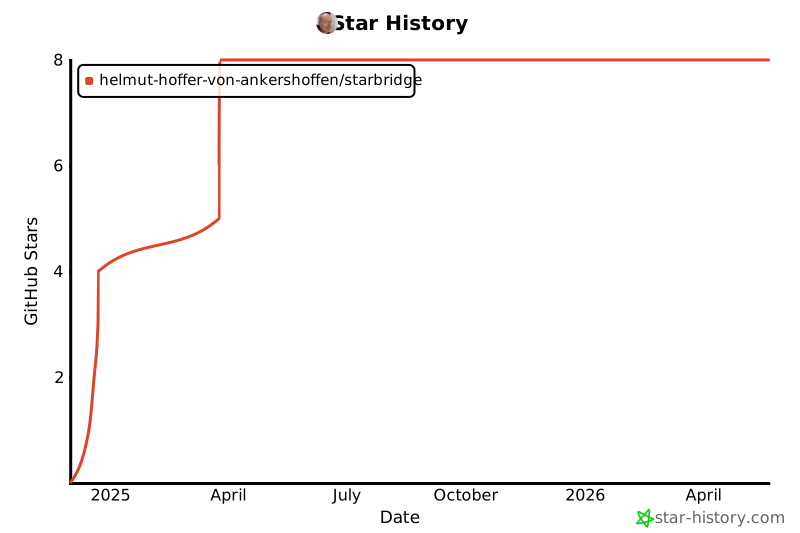
Star History
Release history Release notifications | RSS feed


Download files
Download the file for your platform. If you're not sure which to choose, learn more about installing packages.
Source Distribution
Built Distribution
Filter files by name, interpreter, ABI, and platform.
If you're not sure about the file name format, learn more about wheel file names.
Copy a direct link to the current filters
File details
Details for the file starbridge-0.0.52.tar.gz.
File metadata
- Download URL: starbridge-0.0.52.tar.gz
- Upload date:
- Size: 13.7 MB
- Tags: Source
- Uploaded using Trusted Publishing? No
- Uploaded via: uv/0.5.9
File hashes
| Algorithm | Hash digest | |
|---|---|---|
| SHA256 |
4260d5b8475362c5224480fc0f9bc1389740067dc7983c89a63e286b94c28b8f
|
|
| MD5 |
44aaf5c237ef8ca7604de723b711b2d4
|
|
| BLAKE2b-256 |
1f9a2ffe88d5ad40e6a7c2645afdf51159efc647371ccd47951afd4c65a7dad2
|
File details
Details for the file starbridge-0.0.52-py3-none-any.whl.
File metadata
- Download URL: starbridge-0.0.52-py3-none-any.whl
- Upload date:
- Size: 53.5 kB
- Tags: Python 3
- Uploaded using Trusted Publishing? No
- Uploaded via: uv/0.5.9
File hashes
| Algorithm | Hash digest | |
|---|---|---|
| SHA256 |
a95ab57701129efc65b5bb244e3f6c74f5d975f4a87e8ee97d54d8408c574cd1
|
|
| MD5 |
764ac5a10da300025721cebbd21cc69f
|
|
| BLAKE2b-256 |
e91f4b417922c24c8616dbbce2aafa78e662380f5c979da560d0c7144ef7dba2
|






