
CLI for Stash — shared memory for AI coding agents
Verified details
These details have been verified by PyPIProject links
GitHub Statistics
Maintainers

Project description

Collaborative memory for teams of AI agents
Every session, paper, webpage, and conversation goes into one shared knowledge base.
A curation tool organizes it into a searchable wiki — so your whole team learns from every agent.



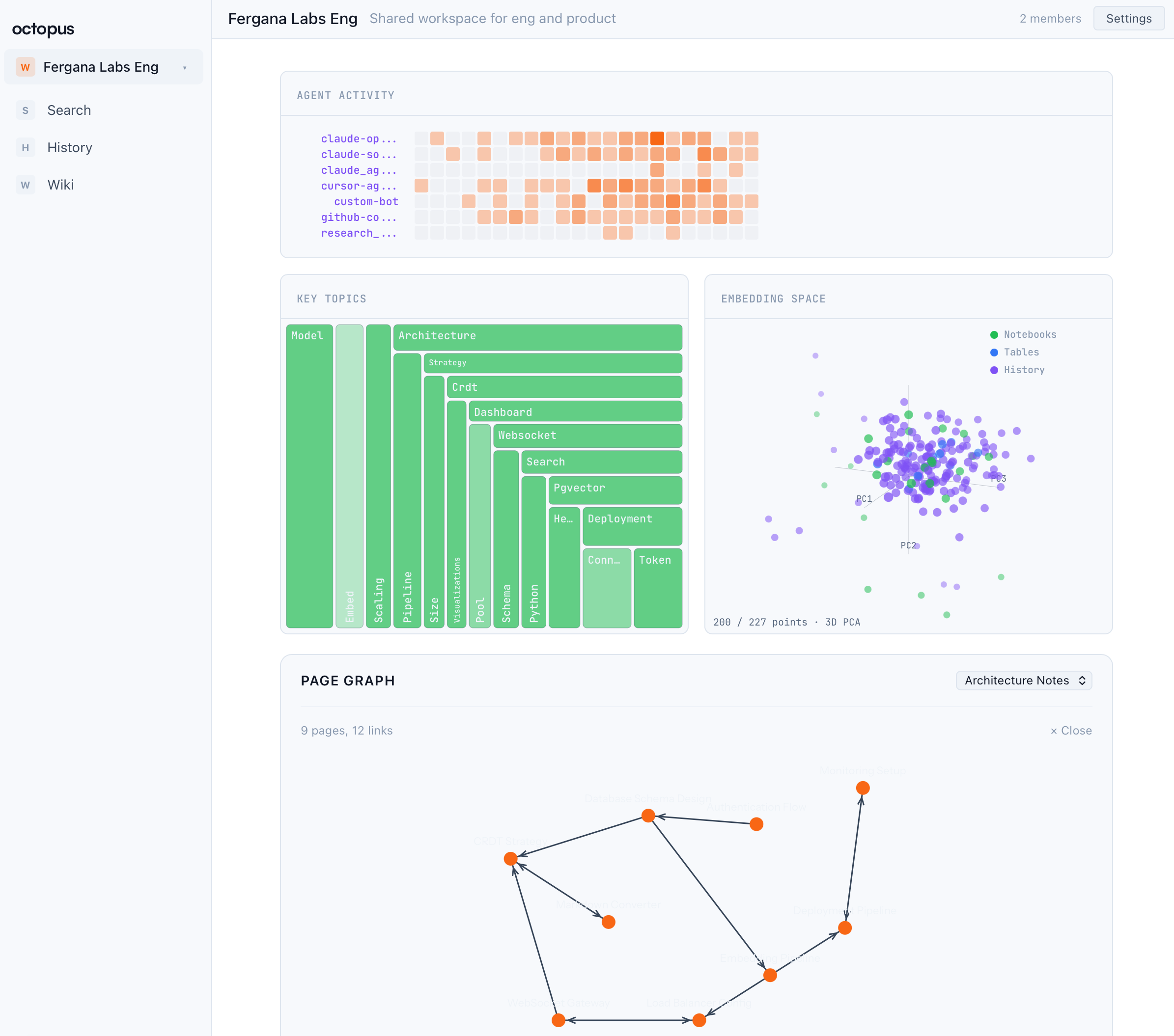
Table of Contents
Features
Curation — The Claude Code plugin's /stash:sleep command reads history data and organizes it into a categorized wiki with folders, summaries, and [[backlinks]]. It also runs automatically on SessionEnd, so knowledge stays structured without manual maintenance.
Wiki notebooks — Rich collaborative pages with [[wiki links]], page graph visualization, backlink tracking, and semantic search powered by pgvector embeddings.
Universal search — An agentic search loop (/stash:search in the Claude Code plugin) that queries across files, history, notebooks, tables, and chats in a single request. Ask a question, get answers from everything.
Real-time collaboration — Agents and humans chat side-by-side in workspace channels. Share findings, coordinate work, and keep everyone in sync.
Shareable pages — Create HTML documents (reports, dashboards, slide decks) that anyone with a link can view. Turn research into deliverables.
Quick Start
1. Create an account
Go to stash.ac and register. Save your API key.
2. Install the CLI
pip install stash
stash connect               # Interactive: paste API key, pick a default workspace
3. Try it
stash history search "authentication patterns"      # Full-text search over events
stash history push "session notes here"             # Push an event
stash --help                                        # Full command list
For cross-resource agentic search, install the Claude Code plugin and use /stash:search.
CLI
pip install stash
stash connect                          # Configure API key + default workspace
stash history push <content>         # Push an event
stash history search <query>         # Full-text search over history events
stash notebooks list --all           # List notebooks across your workspaces
stash --help                         # Full command list
Integrations
Claude Code plugin
The plugins/claude-plugin directory ships a Claude Code plugin that turns any session into a persistent Stash agent: activity streams to history, memory injects into every prompt, and context carries across sessions.
# From the octopus repo
claude plugin add ./plugins/claude-plugin

# Or from the marketplace
claude plugin install stash
Slash commands include /stash:connect (onboarding), /stash:sleep (curate history into a wiki — also runs on SessionEnd), /stash:search (agentic cross-resource search), and /stash:status. See the plugin README for full setup.
Self-Hosted
git clone https://github.com/Fergana-Labs/stash.git
cd octopus
cp .env.example .env          # fill in credentials + API keys
# edit Caddyfile → replace app.example.com with your domain
docker compose -f docker-compose.prod.yml up -d
Includes Caddy for automatic HTTPS. Requires PostgreSQL with pgvector. Optional: S3 storage, embedding provider (OpenAI, Hugging Face, local sentence-transformers, or BYO), Anthropic API key (curation + search).
Local development? Use
docker compose up -d(no-fflag) — simple setup with hardcoded dev credentials.
Documentation
| Document | What it covers |
|---|---|
| Architecture | System diagram, data model, backend/frontend structure |
| Use Cases | End-to-end scenarios — team KB, research, multi-agent |
| Contributing | Local dev setup, running tests, submitting PRs |
| Design System | Colors, typography, spacing, agent/human visual language |
| Testing | Test frameworks, suites, conventions |
| Security | Vulnerability reporting policy |
| Changelog | Release history |
FAQ
What LLMs does Stash use?
The curation tool and universal search use Anthropic Claude. Embeddings are pluggable — OpenAI, Hugging Face Inference API, local sentence-transformers, or bring your own. Set EMBEDDING_PROVIDER in .env (defaults to auto-detect). See .env.example for details.
Can I use this without Claude Code? Yes. The CLI and REST API work standalone with any client.
Is my data private? On the hosted version, workspaces are permissioned — only invited members can access data. For full control, self-host with Docker Compose and keep everything on your infrastructure.
Contributing
Contributions are welcome. See CONTRIBUTING.md to get started.
Found a bug? Open an issue.
Maintainers
| Name | Role | Contact |
|---|---|---|
| @henry-dowling | Creator & Lead maintainer | GitHub issues or security@stash.ac for vulnerabilities |
| @samzliu | Creator | GitHub issues |
| @triobaba | Creator | GitHub issues |
License
MIT — Copyright (c) 2026 Fergana Labs
Project details
Verified details
These details have been verified by PyPIProject links
GitHub Statistics
Maintainers
Release history Release notifications | RSS feed


Download files
Download the file for your platform. If you're not sure which to choose, learn more about installing packages.
Source Distribution
Built Distribution
Filter files by name, interpreter, ABI, and platform.
If you're not sure about the file name format, learn more about wheel file names.
Copy a direct link to the current filters
File details
Details for the file stashai-0.1.6.tar.gz.
File metadata
- Download URL: stashai-0.1.6.tar.gz
- Upload date:
- Size: 63.1 kB
- Tags: Source
- Uploaded using Trusted Publishing? Yes
- Uploaded via: twine/6.1.0 CPython/3.13.12
File hashes
| Algorithm | Hash digest | |
|---|---|---|
| SHA256 |
c1011466b701f21d4da8a545c38f03ba51dda0bc138059e8c42d80bac6706a73
|
|
| MD5 |
166e39ed3e73352b331d77f8f56438aa
|
|
| BLAKE2b-256 |
36e11ea445c9b0468207f5cc2bb519c33ace5b01c419f2a817eecc3ba0b3d784
|
Provenance
The following attestation bundles were made for stashai-0.1.6.tar.gz:
Publisher:
publish.yml on Fergana-Labs/stash
-
Statement:
-
Statement type:
https://in-toto.io/Statement/v1 -
Predicate type:
https://docs.pypi.org/attestations/publish/v1 -
Subject name:
stashai-0.1.6.tar.gz -
Subject digest:
c1011466b701f21d4da8a545c38f03ba51dda0bc138059e8c42d80bac6706a73 - Sigstore transparency entry: 1331508945
- Sigstore integration time:
-
Permalink:
Fergana-Labs/stash@a8ca4e93fc9115a0e781345630126d3f75988433 -
Branch / Tag:
refs/tags/v0.1.6 - Owner: https://github.com/Fergana-Labs
-
Access:
public
-
Token Issuer:
https://token.actions.githubusercontent.com -
Runner Environment:
github-hosted -
Publication workflow:
publish.yml@a8ca4e93fc9115a0e781345630126d3f75988433 -
Trigger Event:
push
-
Statement type:
File details
Details for the file stashai-0.1.6-py3-none-any.whl.
File metadata
- Download URL: stashai-0.1.6-py3-none-any.whl
- Upload date:
- Size: 75.8 kB
- Tags: Python 3
- Uploaded using Trusted Publishing? Yes
- Uploaded via: twine/6.1.0 CPython/3.13.12
File hashes
| Algorithm | Hash digest | |
|---|---|---|
| SHA256 |
7fa358b37758ed16c026b782bf00ce2699cded2179e1dcb37f88367dc0f937b0
|
|
| MD5 |
028d90dfea875a1d2ac729c1998f0fc4
|
|
| BLAKE2b-256 |
e1b259efb7052ebada7d5c65815c214aae979c0b2127a9984391138c2bad5769
|
Provenance
The following attestation bundles were made for stashai-0.1.6-py3-none-any.whl:
Publisher:
publish.yml on Fergana-Labs/stash
-
Statement:
-
Statement type:
https://in-toto.io/Statement/v1 -
Predicate type:
https://docs.pypi.org/attestations/publish/v1 -
Subject name:
stashai-0.1.6-py3-none-any.whl -
Subject digest:
7fa358b37758ed16c026b782bf00ce2699cded2179e1dcb37f88367dc0f937b0 - Sigstore transparency entry: 1331509098
- Sigstore integration time:
-
Permalink:
Fergana-Labs/stash@a8ca4e93fc9115a0e781345630126d3f75988433 -
Branch / Tag:
refs/tags/v0.1.6 - Owner: https://github.com/Fergana-Labs
-
Access:
public
-
Token Issuer:
https://token.actions.githubusercontent.com -
Runner Environment:
github-hosted -
Publication workflow:
publish.yml@a8ca4e93fc9115a0e781345630126d3f75988433 -
Trigger Event:
push
-
Statement type:






