
A powerful, extensible Amazon States Language based FSM implementation for Python with PostgreSQL persistence
Verified details
These details have been verified by PyPIProject links
GitHub Statistics
Maintainers

Project description
State Machine AMZ Python 🔄





A production-ready Python implementation of AWS Step Functions (Amazon States Language) with persistent execution tracking using PostgreSQL.
🌟 Features
Core State Machine
- ✅ Full ASL Support - Complete implementation of Amazon States Language
- ✅ All State Types - Task, Pass, Choice, Wait, Succeed, Fail, Parallel, Map
- ✅ Error Handling - Catch, Retry with exponential backoff
- ✅ JSONPath Support - Advanced input/output processing
- ✅ Async Execution - Native async/await support
- ✅ Type Safe - Full type hints throughout
Persistence Layer
- ✅ Automatic Persistence - Execution state saved at every step
- ✅ PostgreSQL Backend - Reliable, production-ready storage
- ✅ State History - Complete audit trail of all state transitions
- ✅ Query Support - List, filter, and count executions
- ✅ Statistics - Execution metrics and analytics
- ✅ Connection Pooling - Efficient database connection management
Production Ready
- ✅ Well Tested - 95%+ test coverage
- ✅ Fully Documented - Comprehensive documentation and examples
- ✅ Type Checked - MyPy compatible
- ✅ CI/CD - Automated testing and releases
- ✅ Performance - Optimized for high-throughput workloads
📦 Installation
Using Poetry (Recommended)
# Install Poetry
curl -sSL https://install.python-poetry.org | python3 -

# Clone and install
git clone https://github.com/hussainpithawala/state-machine-amz-py.git
cd state-machine-amz-py
poetry install

# With all optional dependencies
poetry install --with dev,async,docs
Using pip
pip install state-machine-amz-py
From Source
git clone https://github.com/hussainpithawala/state-machine-amz-py.git
cd state-machine-amz-py

# Using Poetry
poetry install

# Or using pip
pip install -e .
Development Installation
# Clone repository
git clone https://github.com/hussainpithawala/state-machine-amz-py.git
cd state-machine-amz-py

# Install with Poetry (includes dev dependencies)
poetry install --with dev

# Or with pip
pip install -e ".[dev]"
🚀 Quick Start
Basic State Machine
import asyncio
from src.machine import StateMachine

# Define state machine
definition = {
    "StartAt": "HelloWorld",
    "States": {
        "HelloWorld": {
            "Type": "Pass",
            "Result": "Hello, World!",
            "End": True
        }
    }
}

# Create and execute
async def main():
    sm = StateMachine.from_dict(definition)
    execution = await sm.execute({"name": "Alice"})
    print(f"Status: {execution.status}")
    print(f"Output: {execution.output}")

asyncio.run(main())
With Persistence
import asyncio
from src.machine import PersistentStateMachine
from src.repository import PersistenceManager, RepositoryConfig

# Setup persistence
config = RepositoryConfig(
    strategy="postgres",
    connection_url="postgresql://user:pass@localhost/db"
)
manager = PersistenceManager(config)
manager.initialize()

# Define workflow
definition = """
{
    "StartAt": "ProcessOrder",
    "States": {
        "ProcessOrder": {
            "Type": "Task",
            "Resource": "process-order",
            "Next": "SendNotification"
        },
        "SendNotification": {
            "Type": "Task",
            "Resource": "send-email",
            "End": true
        }
    }
}
"""

async def main():
    # Create persistent state machine
    sm = PersistentStateMachine.create_from_json(
        definition,
        persistence_manager=manager,
        state_machine_id="order-workflow-v1"
    )

    # Execute with automatic persistence
    execution = await sm.execute(
        input_data={"order_id": "12345"},
        execution_name="Order-12345"
    )

    # Query results
    history = await sm.get_execution_history(execution.id)
    print(f"States executed: {len(history)}")

    # List all executions
    executions = sm.list_executions()
    print(f"Total executions: {len(executions)}")

asyncio.run(main())
With Task Handlers
from src.states import with_execution_context

# Create execution context
class TaskContext:
    def __init__(self):
        self.handlers = {}

    def register_handler(self, name, handler):
        self.handlers[name] = handler

    def get_task_handler(self, resource):
        return self.handlers.get(resource)

# Register handlers
task_ctx = TaskContext()

async def process_order(resource, input_data, parameters=None):
    """Process order handler."""
    order_id = input_data["order_id"]
    # Process order logic here
    return {
        "order_id": order_id,
        "status": "processed",
        "timestamp": datetime.utcnow().isoformat()
    }

task_ctx.register_handler("process-order", process_order)

# Create context and execute
exec_context = with_execution_context({}, task_ctx)
execution = await sm.execute(
    input_data={"order_id": "12345"},
    task_exec_context=exec_context
)
📖 State Types
Task State
Execute custom functions or AWS Lambda:
{
    "Type": "Task",
    "Resource": "my-function",
    "Parameters": {
        "value.$": "$.input",
        "static": "parameter"
    },
    "ResultPath": "$.result",
    "Retry": [{
        "ErrorEquals": ["States.TaskFailed"],
        "MaxAttempts": 3,
        "BackoffRate": 2.0
    }],
    "Catch": [{
        "ErrorEquals": ["States.ALL"],
        "Next": "ErrorHandler"
    }],
    "Next": "NextState"
}
Choice State
Conditional branching:
{
    "Type": "Choice",
    "Choices": [{
        "Variable": "$.value",
        "NumericGreaterThan": 100,
        "Next": "HighValue"
    }, {
        "Variable": "$.value",
        "NumericLessThanEquals": 100,
        "Next": "LowValue"
    }],
    "Default": "DefaultState"
}
Parallel State
Execute branches in parallel:
{
    "Type": "Parallel",
    "Branches": [
        {
            "StartAt": "Branch1",
            "States": {
                "Branch1": {
                    "Type": "Task",
                    "Resource": "task1",
                    "End": true
                }
            }
        },
        {
            "StartAt": "Branch2",
            "States": {
                "Branch2": {
                    "Type": "Task",
                    "Resource": "task2",
                    "End": true
                }
            }
        }
    ],
    "Next": "Aggregate"
}
Map State
Iterate over arrays:
{
    "Type": "Map",
    "ItemsPath": "$.items",
    "MaxConcurrency": 5,
    "Iterator": {
        "StartAt": "ProcessItem",
        "States": {
            "ProcessItem": {
                "Type": "Task",
                "Resource": "process",
                "End": true
            }
        }
    },
    "End": true
}
🗄️ Database Setup
PostgreSQL
# Create database
createdb statemachine

# Or using Docker
docker run -d \
  --name postgres-statemachine \
  -e POSTGRES_PASSWORD=postgres \
  -e POSTGRES_DB=statemachine \
  -p 5432:5432 \
  postgres:15
Schema
The schema is automatically created on initialization:
executions- Execution recordsstate_history- State transition historyexecution_statistics- Aggregated metrics
🔧 Configuration
Repository Config
config = RepositoryConfig(
    strategy="postgres",
    connection_url="postgresql://user:pass@host:port/db",
    options={
        "max_open_conns": 25,      # Max connections
        "max_overflow": 10,        # Additional connections
        "pool_timeout": 30,        # Timeout in seconds
        "conn_max_lifetime": 300,  # Connection lifetime
        "echo": False              # SQL logging
    }
)
Environment Variables
# Database connection
export DATABASE_URL="postgresql://user:pass@localhost/db"
export POSTGRES_TEST_URL="postgresql://user:pass@localhost/testdb"

# Application settings
export STATE_MACHINE_TIMEOUT=300
export LOG_LEVEL=INFO
📊 Querying Executions
List Executions
from src.repository import ExecutionFilter

# Filter executions
filter = ExecutionFilter(
    status="SUCCEEDED",
    state_machine_id="workflow-v1",
    start_after=datetime(2025, 1, 1),
    limit=10,
    offset=0
)

executions = sm.list_executions(filter)
for exec in executions:
    print(f"{exec.name}: {exec.status}")
Get Execution History
history = await sm.get_execution_history("exec-123")
for state in history:
    duration = (state.end_time - state.start_time).total_seconds()
    print(f"{state.state_name}: {state.status} ({duration:.2f}s)")
Statistics
stats = manager.repository.get_statistics("workflow-v1")
for status, stat in stats.by_status.items():
    print(f"{status}:")
    print(f"  Count: {stat.count}")
    print(f"  Avg Duration: {stat.avg_duration_seconds:.2f}s")
    print(f"  P95 Duration: {stat.p95_duration:.2f}s")
🧪 Testing
Run Tests
# All tests
pytest

# Unit tests only
pytest tests/ -m "not integration"

# Integration tests
pytest tests/ -m integration

# With coverage
pytest --cov=src --cov-report=html
Run Examples
# Simple workflow
python examples/demo_execution_flow.py

# Persistent workflow
python examples/demo_execution_flow_persistent.py
🏗️ Architecture
┌─────────────────────────────────────────┐
│         State Machine Engine            │
│  ┌───────────────────────────────────┐  │
│  │  State Types                      │  │
│  │  - Task, Pass, Choice, Wait       │  │
│  │  - Parallel, Map, Succeed, Fail   │  │
│  └───────────────────────────────────┘  │
│                                         │
│  ┌───────────────────────────────────┐  │
│  │  Execution Engine                 │  │
│  │  - Input/Output Processing        │  │
│  │  - Error Handling & Retry         │  │
│  │  - State Transitions              │  │
│  └───────────────────────────────────┘  │
└─────────────────────────────────────────┘
                    │
                    ▼
┌─────────────────────────────────────────┐
│       Persistence Layer                 │
│  ┌───────────────────────────────────┐  │
│  │  Repository Interface             │  │
│  │  - Abstract persistence API       │  │
│  └───────────────────────────────────┘  │
│                                         │
│  ┌───────────────────────────────────┐  │
│  │  PostgreSQL Implementation        │  │
│  │  - SQLAlchemy ORM                 │  │
│  │  - Connection Pooling             │  │
│  │  - JSONB Support                  │  │
│  └───────────────────────────────────┘  │
└─────────────────────────────────────────┘
                    │
                    ▼
┌─────────────────────────────────────────┐
│           PostgreSQL                    │
│  - executions                           │
│  - state_history                        │
│  - execution_statistics                 │
└─────────────────────────────────────────┘
📚 Documentation
🤝 Contributing
Contributions are welcome! Please see CONTRIBUTING.md for details.
Development Setup
# Clone repository
git clone https://github.com/hussainpithawala/state-machine-amz-py.git
cd state-machine-amz-py

# Create virtual environment
python -m venv venv
source venv/bin/activate  # Windows: venv\Scripts\activate

# Install in development mode
pip install -e ".[dev]"

# Run tests
pytest

# Format code
black src/ tests/
isort src/ tests/

# Type check
mypy src/
Running CI Locally
# Install act (GitHub Actions runner)
brew install act  # macOS
# or download from: https://github.com/nektos/act

# Run CI workflow
act push
📝 License
This project is licensed under the MIT License - see the LICENSE file for details.
🙏 Acknowledgments
- Inspired by AWS Step Functions
- Based on Amazon States Language
- PostgreSQL persistence using SQLAlchemy
👨💻 Author
Hussain Pithawala
- LinkedIn: hussainpithawala
- GitHub: @hussainpithawala
📮 Contact
- Issues: GitHub Issues
- Discussions: GitHub Discussions
- Email: hussainpithawala@hotmail.com
🔗 Related Projects
- state-machine-amz-go - Go implementation
- state-machine-amz-ruby - Ruby implementation
📈 Roadmap
- DynamoDB persistence backend
- Redis persistence backend
- In-memory persistence for testing
- Distributed execution support
- REST API server
- Web-based execution viewer
- CloudFormation/Terraform support
- Prometheus metrics exporter
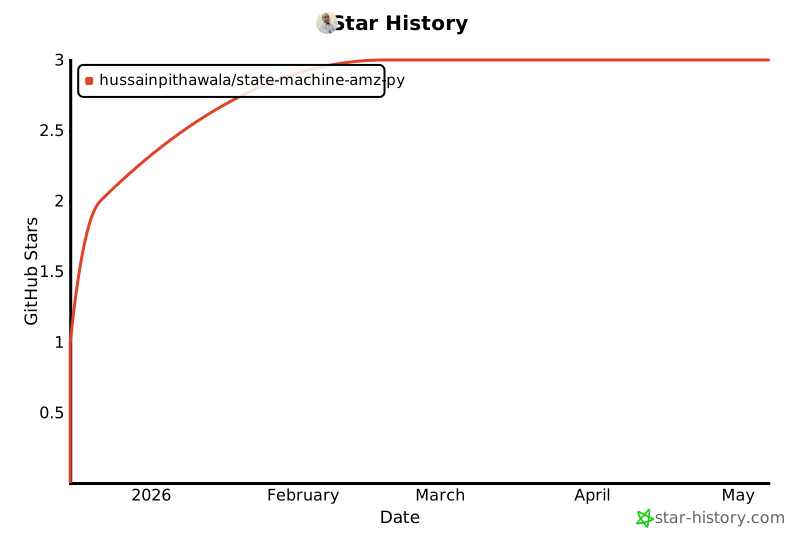
🌟 Star History
Made with ❤️ by the State Machine Community
Project details
Verified details
These details have been verified by PyPIProject links
GitHub Statistics
Maintainers
Release history Release notifications | RSS feed

Download files
Download the file for your platform. If you're not sure which to choose, learn more about installing packages.
Source Distribution
Built Distribution
Filter files by name, interpreter, ABI, and platform.
If you're not sure about the file name format, learn more about wheel file names.
Copy a direct link to the current filters
File details
Details for the file state_machine_amz_py-0.0.1.tar.gz.
File metadata
- Download URL: state_machine_amz_py-0.0.1.tar.gz
- Upload date:
- Size: 48.5 kB
- Tags: Source
- Uploaded using Trusted Publishing? Yes
- Uploaded via: twine/6.1.0 CPython/3.13.7
File hashes
| Algorithm | Hash digest | |
|---|---|---|
| SHA256 |
d94d6c7b43ad8caa30f2f3eaaaf7e8fdc1cc202027d6b195c3521efaf7fe4342
|
|
| MD5 |
066e65a4be5126b9bed882d4f70575c1
|
|
| BLAKE2b-256 |
c92355bd53089b4b396b8841788cda5fc5d446ed12c352529fc385166a9815ce
|
Provenance
The following attestation bundles were made for state_machine_amz_py-0.0.1.tar.gz:
Publisher:
release.yml on hussainpithawala/state-machine-amz-py
-
Statement:
-
Statement type:
https://in-toto.io/Statement/v1 -
Predicate type:
https://docs.pypi.org/attestations/publish/v1 -
Subject name:
state_machine_amz_py-0.0.1.tar.gz -
Subject digest:
d94d6c7b43ad8caa30f2f3eaaaf7e8fdc1cc202027d6b195c3521efaf7fe4342 - Sigstore transparency entry: 774423736
- Sigstore integration time:
-
Permalink:
hussainpithawala/state-machine-amz-py@a8f4cb6041f99b3ddeb8e275f46db7cef7979b67 -
Branch / Tag:
refs/tags/0.0.1 - Owner: https://github.com/hussainpithawala
-
Access:
public
-
Token Issuer:
https://token.actions.githubusercontent.com -
Runner Environment:
github-hosted -
Publication workflow:
release.yml@a8f4cb6041f99b3ddeb8e275f46db7cef7979b67 -
Trigger Event:
push
-
Statement type:
File details
Details for the file state_machine_amz_py-0.0.1-py3-none-any.whl.
File metadata
- Download URL: state_machine_amz_py-0.0.1-py3-none-any.whl
- Upload date:
- Size: 59.1 kB
- Tags: Python 3
- Uploaded using Trusted Publishing? Yes
- Uploaded via: twine/6.1.0 CPython/3.13.7
File hashes
| Algorithm | Hash digest | |
|---|---|---|
| SHA256 |
2a3c5a9828de7c62f9a22366f91794d086f2f6a7ee83da378a81bfcd6c0150e6
|
|
| MD5 |
0ae6861aed5dcb4b73fc86d9e7ccdc01
|
|
| BLAKE2b-256 |
32095ab6bb5664a15e2cae184bb5b781769821358b6e612a44ebd4bd24e3f6cb
|
Provenance
The following attestation bundles were made for state_machine_amz_py-0.0.1-py3-none-any.whl:
Publisher:
release.yml on hussainpithawala/state-machine-amz-py
-
Statement:
-
Statement type:
https://in-toto.io/Statement/v1 -
Predicate type:
https://docs.pypi.org/attestations/publish/v1 -
Subject name:
state_machine_amz_py-0.0.1-py3-none-any.whl -
Subject digest:
2a3c5a9828de7c62f9a22366f91794d086f2f6a7ee83da378a81bfcd6c0150e6 - Sigstore transparency entry: 774423737
- Sigstore integration time:
-
Permalink:
hussainpithawala/state-machine-amz-py@a8f4cb6041f99b3ddeb8e275f46db7cef7979b67 -
Branch / Tag:
refs/tags/0.0.1 - Owner: https://github.com/hussainpithawala
-
Access:
public
-
Token Issuer:
https://token.actions.githubusercontent.com -
Runner Environment:
github-hosted -
Publication workflow:
release.yml@a8f4cb6041f99b3ddeb8e275f46db7cef7979b67 -
Trigger Event:
push
-
Statement type:






