
StaticFX
Animated ASCII effects for your terminal. Think cmatrix, but with a
thousand more effects, live theme switching, and a studio for making your own.
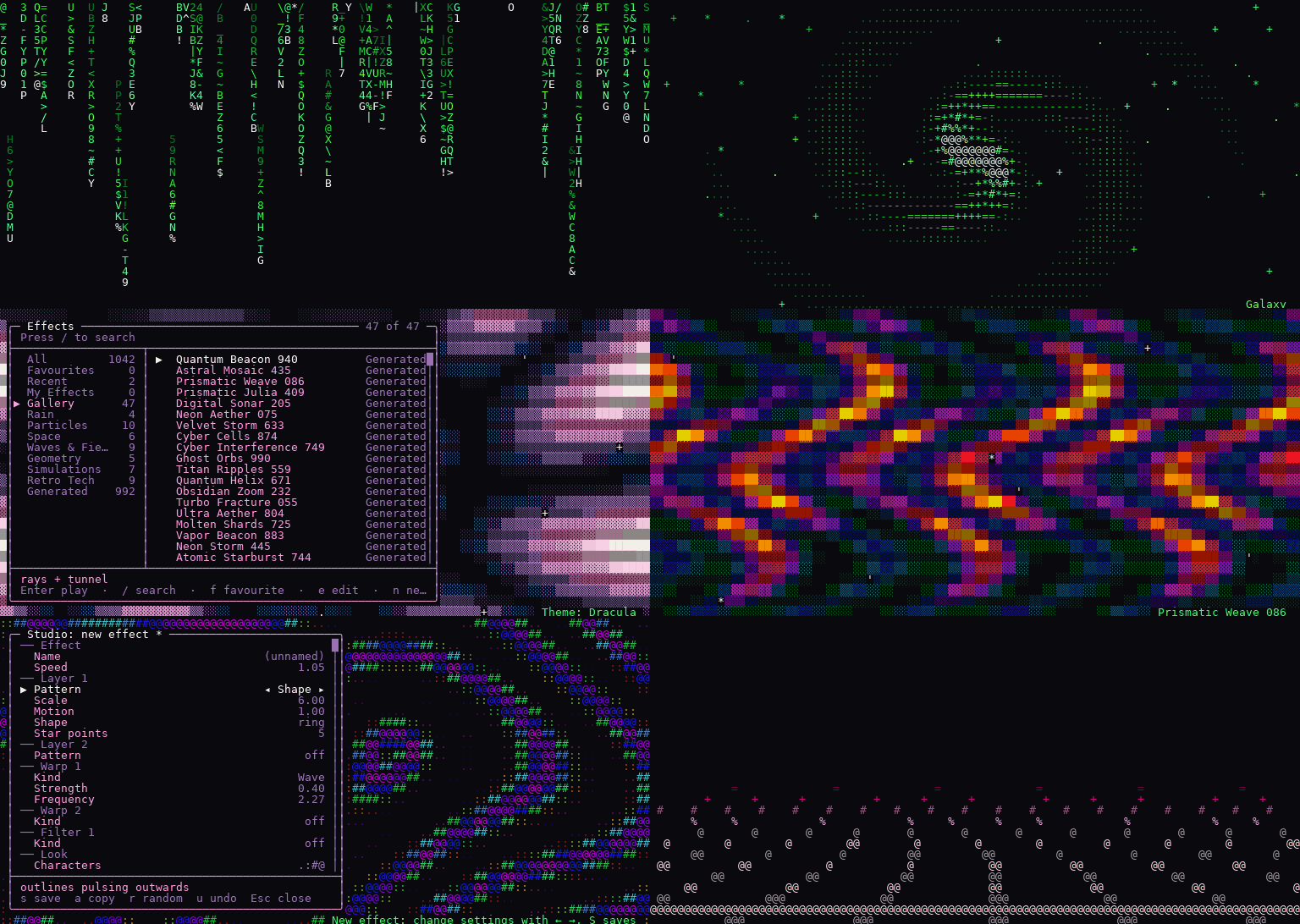
Pure Python, no dependencies, runs in any modern terminal on Linux, macOS, WSL, and even Android through Termux.
Install
You need Python 3.10 or newer (python3 --version tells you).
pipx install staticfx
staticfx
pipx installs command-line tools in their own environment so they can't clash with anything else. If you don't have it:
| Your system | Get pipx with |
|---|---|
| macOS with Homebrew | brew install pipx |
| macOS without Homebrew | python3 -m pip install --user pipx |
| Ubuntu, Debian | sudo apt install pipx |
| Fedora | sudo dnf install pipx |
| Arch | sudo pacman -S python-pipx |
| Windows (WSL) | same as your Linux distro |
| Android (Termux) | not needed: pkg install python, then pip install staticfx |
Then run pipx ensurepath once (or python3 -m pipx ensurepath if the
pipx command isn't found yet) and open a new terminal so the staticfx
command is on your PATH.
Plain pip install staticfx works too, inside a virtual environment.
On Termux, if the katakana in Matrix rain show up as boxes, run
staticfx --ascii, and turn the phone sideways if it says the terminal is
too small. Newer
Ubuntu and Debian refuse to pip-install outside one, which is another reason
to use pipx. To try it without installing anything:
git clone https://github.com/ethanlabs101/StaticFX
cd StaticFX
python3 -m staticfx
The 30-second tour
| Key | Does |
|---|---|
← → |
Previous / next effect |
m |
Browse and search every effect, with live preview |
t |
Change the colour theme |
l |
Looks: effect + theme + filters, saved under a name |
n |
Make your own effect in the Studio |
f |
Favourite |
a |
Auto-cycle (screensaver mode) |
y |
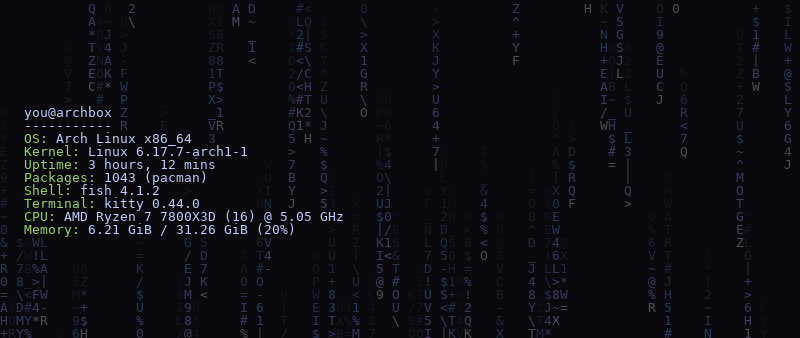
Your system info (fastfetch/neofetch) over the live effect |
? |
Every key |
q |
Quit |
Everything is remappable in Settings (o). The full guide is in
docs/USAGE.md.
What's inside
There are 50 hand-written effects in seven groups. Rain: the classic, plus binary, hex and glitch versions. Particles: snow, embers, fireworks, orbits. Space: a starfield, a galaxy, a black hole, a wormhole. Waves and fields: plasma, aurora, a lava lamp, a synthwave grid. Geometry: a tumbling cube, a 4D tesseract, spirographs. Simulations: Game of Life, Langton's ant, fire, a maze that carves itself. Retro tech: boot screens, decryption, circuits, TV static.
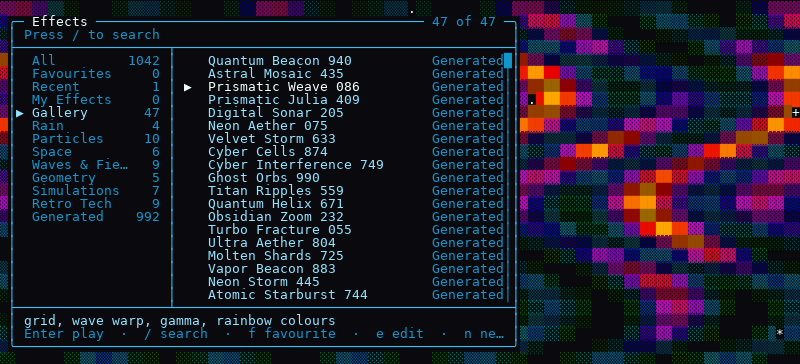
On top of those are 992 generated effects. Each one is a recipe of layered
patterns (spirals, Julia and Mandelbrot fractals, Voronoi cells, metaballs,
noise), warps (kaleidoscope, swirl, tile, fold) and filters. They're seeded,
so proc_042 is the same effect for everyone, forever. An automated quality
check weeds out the duds, and 47 hand-picked ones live in the Gallery.
Then there are your own. The Studio remixes any generated effect or starts from scratch, with a live preview and undo, and saves small JSON files you can share.
You also get:
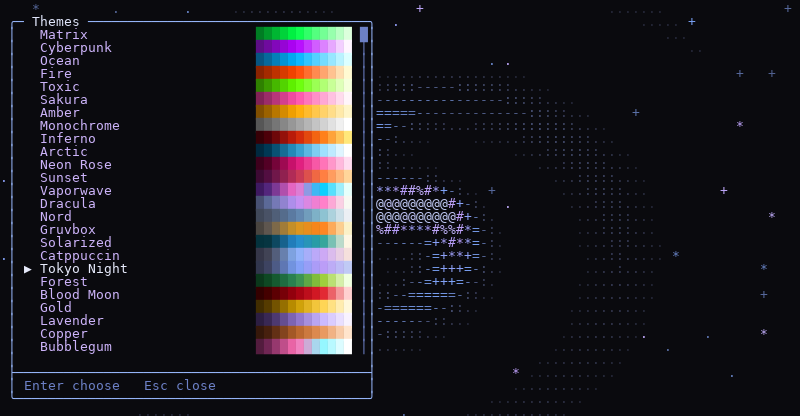
- 26 colour themes: originals like Matrix, Inferno and Vaporwave, takes on popular editor schemes (Dracula, Nord, Gruvbox, Catppuccin, Tokyo Night), an animated rainbow, and Strobe if you opt in (it's off by default for photosensitivity reasons)
- filters that work on anything: CRT scanlines, glitch, rainbow recolour
- looks, which save an effect with its theme, speed and filters so you can recall it with one key (a dozen come built in)
Make your own
Press n for a new effect, or highlight a generated one in the browser and
press e to remix it. Arrow keys change things; s saves it to
My Effects.
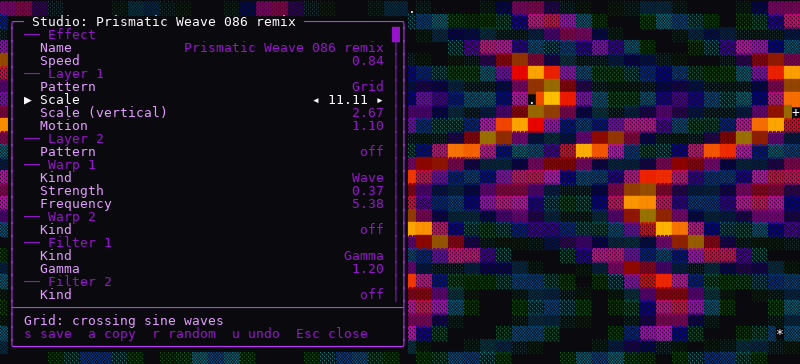
See docs/STUDIO.md for what every control does, and docs/EFFECT_FORMAT.md for the file format if you'd rather write recipes by hand.
Command line
staticfx -e plasma -t ocean           # start on an effect and theme
staticfx --look "Synthwave"           # start from a look
staticfx --auto 30 --duration 600     # screensaver: new effect every 30s, quit after 10 min
staticfx list fire                    # search effects
staticfx render galaxy --size 80x24   # print one frame (add --ansi for colour)
staticfx fetch                        # your fastfetch/neofetch info over a live effect
staticfx fetch --once                 # one still frame, for your .bashrc
staticfx new "Night Drive"            # create a random effect in My Effects
staticfx export my_night_drive nd.sfx # share it
staticfx doctor                       # check your setup
staticfx --help and staticfx COMMAND --help list everything.
Docs
- Usage: every key, the browser, themes, looks, settings, command line, troubleshooting
- The Studio
- Effect file format
- Writing a built-in effect in Python
- Architecture: how it fits together, and why
- Releasing: publishing a new version to PyPI
Development
git clone https://github.com/ethanlabs101/StaticFX && cd StaticFX
python3 -m pip install -e '.[dev]'
python3 -m pytest          # ~650 tests, about a minute
ruff check . && ruff format --check . && mypy
See CONTRIBUTING.md for how changes are made and checked.
License
1 maintainer

Metadata
1 maintainer
Release files for staticfx 2.0.1
For a detailed explanation of source distributions (sdists) and built distributions (wheels), please see the package formats documentation.
Source distribution (sdist)
| File | Size | Uploaded | Provenance | Actions |
|---|---|---|---|---|
| staticfx-2.0.1.tar.gz | 145.0 kB | With provenance | Details for staticfx-2.0.1.tar.gz |
Built distribution (wheel)
| File | Interpreter | ABI | Platform | Actions Reset |
|---|---|---|---|---|
| staticfx-2.0.1-py3-none-any.whl | Python 3 | none | any | Details for staticfx-2.0.1-py3-none-any.whl |
Total release size: 264.3 kB
Release files / staticfx-2.0.1.tar.gz
| Download URL | staticfx-2.0.1.tar.gz |
|---|---|
| Size | 145.0 kB |
| Tags | Source |
|
SHA-256 checksum How to use checksums |
cd883ee96704487c3c8b8126316f99895caa1a8e40d6518bacf6608d3479829a
|
|
BLAKE2b-256 checksum How to use checksums |
7b5a240c7acc8be9876e2b283cebca5dc1111e008a09886a0f19102b336c68b9
|
| Upload date | |
|
Uploaded using Trusted Publishing? What is trusted publishing? |
Yes |
| Uploaded via |
twine/7.0.0 CPython/3.13.16
|
Provenance
Provenance describes where a file came from. On PyPI, provenance is shared via attestations, which provide a verifiable record of the build or publishing details. View details, limitations and caveats.


PyPI Publish Attestation
PyPI verified that this artifact, at this checksum, originated from the publisher listed below.
Signed by GitHub Actions, verified by PyPI on Nov 8, 2026.
Transparency logRelease files / staticfx-2.0.1-py3-none-any.whl
| Download URL | staticfx-2.0.1-py3-none-any.whl |
|---|---|
| Size | 119.3 kB |
| Tags | Python 3 |
|
SHA-256 checksum How to use checksums |
b007adb0a02e42c1b246ca87a0d8dc19bf84c025d35f0c62b1159e4550848813
|
|
BLAKE2b-256 checksum How to use checksums |
da5fa6434da23e9831da0624dccee38966e5c54922ff61d16d1f6275b2e04512
|
| Upload date | |
|
Uploaded using Trusted Publishing? What is trusted publishing? |
Yes |
| Uploaded via |
twine/7.0.0 CPython/3.13.16
|
Provenance
Provenance describes where a file came from. On PyPI, provenance is shared via attestations, which provide a verifiable record of the build or publishing details. View details, limitations and caveats.
PyPI Publish Attestation
PyPI verified that this artifact, at this checksum, originated from the publisher listed below.
Signed by GitHub Actions, verified by PyPI on Nov 8, 2026.
Transparency logSecurity for staticfx 2.0.1
Provenance
Provenance describes where a file came from. On PyPI, provenance is shared via attestations, which provide a verifiable record of the build or publishing details. View details, limitations and caveats.
Full provenance
Both files in this release have been uploaded with provenance metadata.
Attestation for staticfx-2.0.1.tar.gz
PyPI Publish Attestation
PyPI verified that this artifact, at this checksum, originated from the publisher listed below.
Signed by GitHub Actions, verified by PyPI on Nov 8, 2026.
Transparency logA note on package security
PyPI is a repository for distributing packages, not a service for auditing them. While third-party security researchers and our staff do their best to detect and remove malicious packages, PyPI cannot guarantee the quality, security or suitability of any given package.
To learn more about protecting yourself from malicious actors, visit our package security documentation.














