
statsbadge
Your PC's vitals on a Badgeware Tufty 2350. A compact, wireless and extensible hardware monitor for Windows, macOS and Linux.
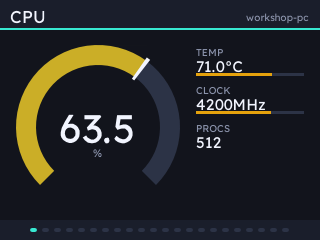
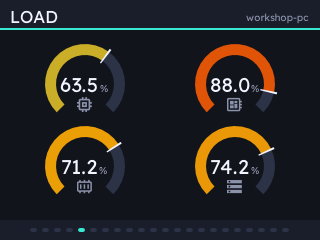
Runs on Badgeware's Tufty, firmware v3.0.0 and above, with a 2.8" 320x240 colour IPS display.
A server on your PC measures your local system stats, fetches and transforms data from APIs, and feeds your badge with the data it needs over WiFi. Fully customise the badge layout in a local web UI and apply your choice of theme or colour accent.
About 12 hours on battery with the backlight low, so a badge that sits on your desk ideally wants a power supply.
Install
A .dmg for macOS and an .msi for Windows, on the latest release. On Windows you'll need to choose More info and then Run anyway.
On Linux, or to have it on your PATH:
uv tool install statsbadge     # or: pip install statsbadge
statsbadge tray
Setting up a badge
Plug a Tufty 2350 running firmware v3.0.0 or above in and press Update badge in the config UI, from the tray menu. That copies the app across, sets up WiFi if you tick the box, and pairs the badge with this computer.
Without a cable, press Pair a badge, then launch Stats on the badge and press B. It finds the computer by itself and shows a six-character code to check and approve.
A badge can be paired with several computers, and draws whichever one it can reach.
What it reports
| Group | Fields |
|---|---|
cpu |
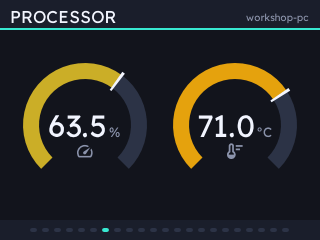
load, per-core, temperature, clock, load average, processes |
mem |
used, total, percentage, swap |
gpu |
load, temperature, VRAM, power, clock, fan |
net |
up/down rate and totals, interface |
disk |
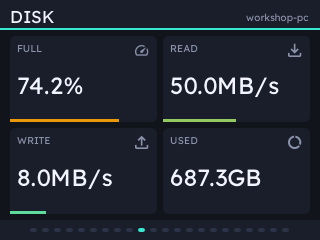
used, total, read/write rate |
power |
battery, charging, package watts |
fans |
RPM |
sys |
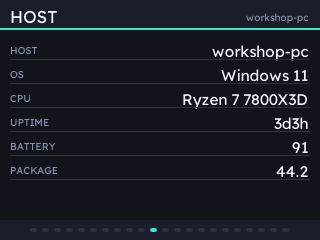
host, OS, CPU name, uptime |
See the Help tab for help setting up advanced local sensor readings.
Pages
Twelve ways to lay out your data:
| Page | Layout |
|---|---|
dial |
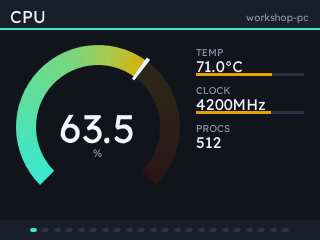
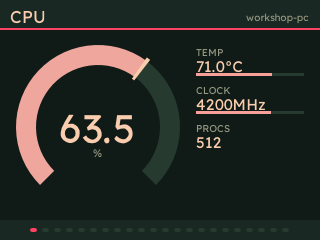
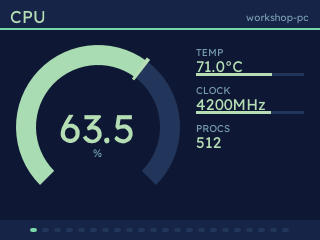
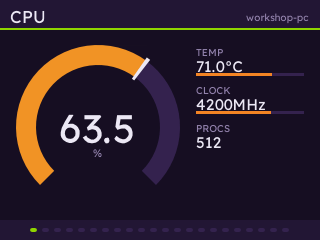
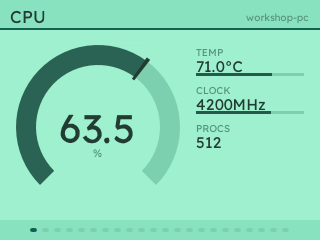
one reading as a big sweep gauge, with three smaller readouts beside it |
dials |
up to four readings as gauges side by side |
bars |
a list of readings as horizontal bars, good for per-core |
graph |
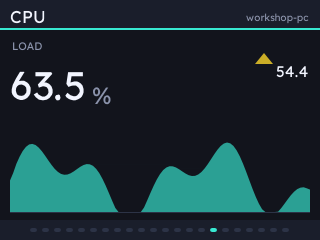
one or two readings over time |
grid |
up to six readings as big numbers |
text |
labelled lines, for names and versions |
rings |
up to four readings as concentric gauges, each coloured by its value |
spark |
six readings at once, name, current value and recent history a row each |
radar |
three to six readings as a polygon: the shape of the load rather than its size |
trend |
one big reading, which way it is going, and where it has been |
waterfall |
a list field as lanes over time, interpolated between polls |
badge |
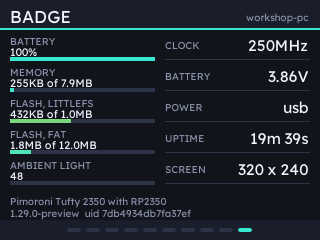
the badge's own vitals, which need no reading from the host |
Quick add offers ready-made pages - CPU Overview, Network Graph, System Overview - with their fields already chosen.
UP and DOWN page back and forth, HOME opens the list of computers, and A, B and C run whatever you bind them to: a command on the host, or paging and brightness on the badge.
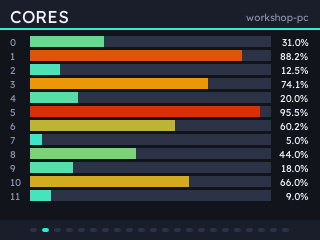
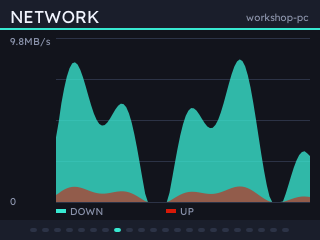
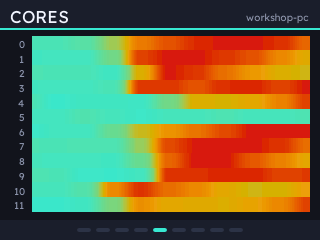
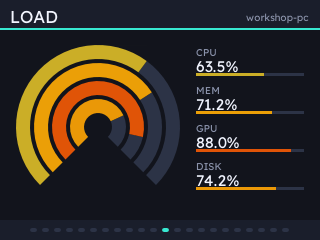
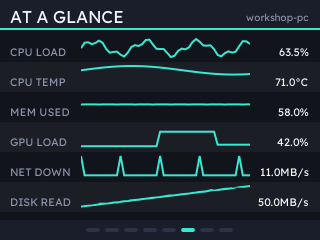
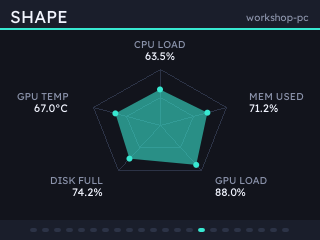
Themes
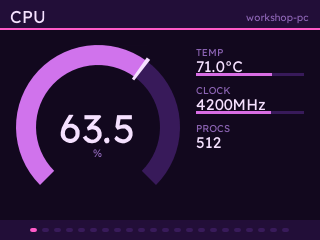
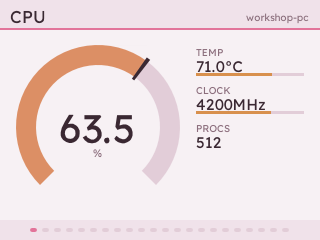
Sixteen themes, previewed in the config UI as you pick them. Four of them are built from an accent of your own, in twelve hues and four families.
Extensions
Go to the Extensions tab to see and install available extensions, adding readings and even new badge layouts.
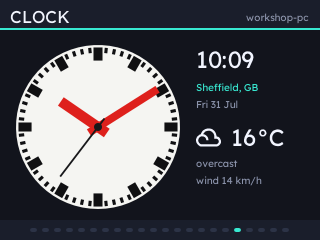
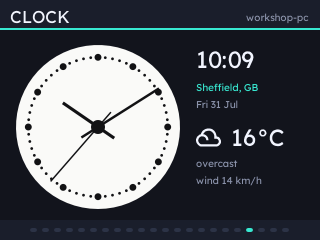
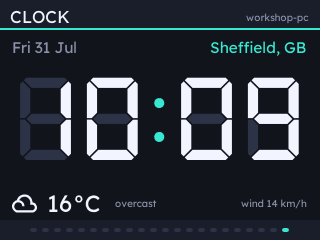
- statsbadge-clock, five clock faces and the weather, for as many places as you have pages.
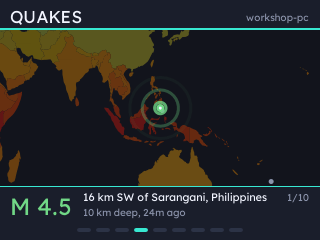
- statsbadge-quakes, recent earthquakes on a world map, from USGS.
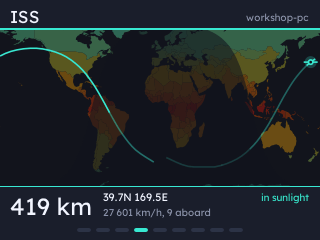
- statsbadge-iss, the space station across the same map, with its ground track and the day and night terminator.
Mastodon, Bluesky, Cloudflare, Octopus Energy and global wildfires plugins are also installable from the config UI.
Security
Everything a badge and a computer exchange is signed against a secret they agreed at pairing. The config UI is bound to 127.0.0.1 (not available over LAN) and host commands only run if you've bound one to a button.
1 maintainer

Release files for statsbadge 2.3.0
For a detailed explanation of source distributions (sdists) and built distributions (wheels), please see the package formats documentation.
Source distribution (sdist)
| File | Size | Uploaded | |
|---|---|---|---|
| statsbadge-2.3.0.tar.gz | 2.2 MB | Details |
Built distribution (wheel)
| File | Interpreter | ABI | Platform | Reset |
|---|---|---|---|---|
| statsbadge-2.3.0-py3-none-any.whl | Python 3 | none | any | Details |
Total release size: 3.1 MB
Release files / statsbadge-2.3.0.tar.gz
| Download URL | statsbadge-2.3.0.tar.gz |
|---|---|
| Size | 2.2 MB |
| Tags | Source |
|
SHA-256 checksum How to use checksums |
cde5aeb83b672d0e51dde0a00510302ce751b6c0e96ab1c9459f61fd4224ad96
|
|
BLAKE2b-256 checksum How to use checksums |
0fc7322bbeb5a82b3a539017fc5af97c7e2e9f3b00e60bc675d7a1ec352f8043
|
| Upload date | |
|
Uploaded using Trusted Publishing? What is trusted publishing? |
Yes |
| Uploaded via |
uv/0.9.2
|
Release files / statsbadge-2.3.0-py3-none-any.whl
| Download URL | statsbadge-2.3.0-py3-none-any.whl |
|---|---|
| Size | 915.5 kB |
| Tags | Python 3 |
|
SHA-256 checksum How to use checksums |
b3547781a7b4d308da4dbcf32f067a5ebd3f0baf383c88fcd38d0a465fbe8f51
|
|
BLAKE2b-256 checksum How to use checksums |
051e34d03ad8874f11cc88d3f0ba5a2cf213e654af43f3cf291b218d480f2012
|
| Upload date | |
|
Uploaded using Trusted Publishing? What is trusted publishing? |
Yes |
| Uploaded via |
uv/0.9.2
|














