
Steam Shortcut Manager
This is a script for adding non-steam shortcuts to Steam. Most of the work is done by the module steamclient.
Installation
The package is available on PyPi as steammanager and can be installed with pip.
pip install steammanager
Usage
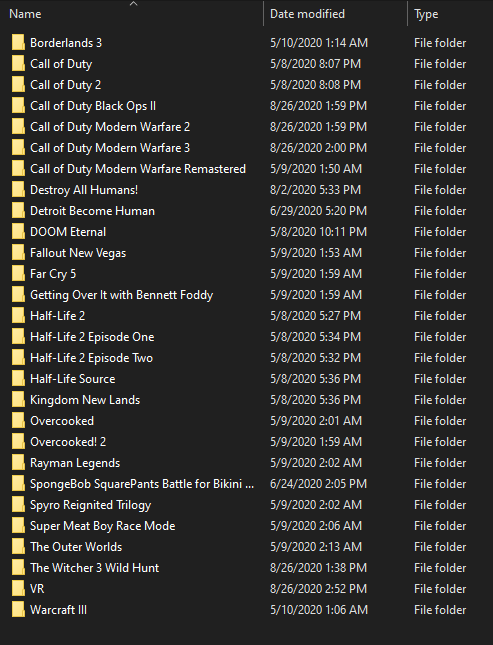
Point the script at your installed games with the --directory flag.
$ python -m steammanager --help
usage: steammanager [-h] [--directory DIRECTORY] [--dry-run] [--clear-cache] [--vr] [--artwork] [--overwrite]

Manage Steam Shortcuts

optional arguments:
  -h, --help            show this help message and exit
  --directory DIRECTORY
                        location of installed game(s)
  --dry-run             don't write any changes
  --clear-cache         clears the app ID cache
  --vr                  sets VR flag for all games
  --artwork             gets official artwork from Steam
  --overwrite           overwrite existing artwork files
Example Output
$ python -m steammanager --artwork --vr --directory "F:\Games\Pirated\VR\\"
$ python -m steammanager --artwork --directory "F:\Games\Pirated\\"
...
---------------------------
Name: The Outer Worlds
Exe: F:\Games\Pirated\The Outer Worlds\TheOuterWorlds.exe
Getting artwork:
header: https://steamcdn-a.akamaihd.net/steam/apps/578650/header.jpg
grid: https://steamcdn-a.akamaihd.net/steam/apps/578650/library_600x900_2x.jpg
logo: https://steamcdn-a.akamaihd.net/steam/apps/578650/logo.png
---------------------------
Name: The Witcher 3 Wild Hunt
Exe: F:\Games\Pirated\The Witcher 3 Wild Hunt\bin\x64\witcher3.exe
Getting artwork:
header: https://steamcdn-a.akamaihd.net/steam/apps/292030/header.jpg
grid: https://steamcdn-a.akamaihd.net/steam/apps/292030/library_600x900_2x.jpg
logo: https://steamcdn-a.akamaihd.net/steam/apps/292030/logo.png
=============================
Done!
Installed:
 - 26 headers
 - 25 grids
 - 24 logos
Skipped due to existing files (use --overwrite to bypass):
 - 0 headers
 - 1 grids
 - 2 logos
Failed: 0

Deploying to PyPi
python -m pip install wheel twine
rm -rfv dist/*whl
python setup.py bdist_wheel
python -m twine upload --skip-existing dist/*.whl
Changelog
0.6
- Fix hero image source (was using headers before)
1 maintainer

Release files for steammanager 0.6
For a detailed explanation of source distributions (sdists) and built distributions (wheels), please see the package formats documentation.
Built distribution (wheel)
| File | Interpreter | ABI | Platform | Reset |
|---|---|---|---|---|
| steammanager-0.6-py3-none-any.whl | Python 3 | none | any | Details |
Release files / steammanager-0.6-py3-none-any.whl
| Download URL | steammanager-0.6-py3-none-any.whl |
|---|---|
| Size | 5.5 kB |
| Tags | Python 3 |
|
SHA-256 checksum How to use checksums |
daf7b5d7c17d38e95f0863d457fae1fc3f81cdb749f5209db28c2cbc450c7918
|
|
BLAKE2b-256 checksum How to use checksums |
b41e48b60626004e9c80b8e2ff66d5cac27c6b4a14c219c493b766d8c7850f7b
|
| Upload date | |
|
Uploaded using Trusted Publishing? What is trusted publishing? |
No |
| Uploaded via |
twine/3.1.1 pkginfo/1.5.0.1 requests/2.24.0 setuptools/41.2.0 requests-toolbelt/0.9.1 tqdm/4.46.0 CPython/3.8.3
|














