
SteganoN
Steganon is an extended implementation of the LSB Matching steganography algorithm.
In short, steganography LSB is a method of hiding data inside pixels of image. Every pixel of a regular image typically consist of three integers (0-255, or one byte). They describe an amount of Red, Green and Blue colors. We take User's data to hide and convert it to a bits; then we take the next target pixel and select first (color channel) integer: R. If the last bit of color channel is the same as our next bit from the data bit string, we do nothing; if they differ, we randomly add or subtract 1 from color channel. For example, if channel is 222, we randomly +1 or -1, so result would be either 221 or 223. However, if channel is 0 we always +1, and if 255 we always -1. This essentially will change the least significant bit of color channel (e.g R) to the bit we want. Repeat this process for G and B then write altered pixel back into image. Repeat on the next pixels until User's data is not empty. Such change to RGB is invisible to human eye and gives us chance to hide three bits of data per pixel (or, in this library, — three pixels per byte).
Difference between classic LSB and LSB_MWS
This repository implements a special type of LSB Matching: LSB Matching With Seed (short. LSB_MWS). This algorithm utilizes PRNG with changeable seed to select targeted pixels. Moreover, in LSB_MWS, one cover Image may contain different, multiple secret Datas on different, multiple Seeds. Thus, this project supports the Deniable Hide feature — you can reveal as much Data as you want.
Deniable Hide works as a chain of Seeds. Instead of specifying only one Seed, you can pass as many as you wish and attach unique secret Data to each one of them independently. LSB_MWS Hide function will ensure that each bit of different Datas are stored in unique Pixel without overlapping. On Extract, to get a first hidden Data you will need to provide a Seed(1), to get a second Data — Seed(1) & Seed(2), to get a third Data — Seed(1), Seed(2) & Seed(3), and so on. There is a zero correlations between Seeds. In case of extortion, you can reveal only Seed(1) and criminal—or whoever, will never know that there is more hidden data deeper.
We don't feed Seeds directly into the PRNG, we hash them firstly in a special
manner with SHA512 truncated to the last 32 bytes.
(Iterations on MultiSeed with three Seeds)
- We create Initializator hash by hashing a constant-Basis with
ImageSize(Width/Height); - We hash Initializator with Seed
(1)— that is our first prngS(1)(PRNG Seed); - We hash prngS
(1)with Seed(2), — that is our second PRNG Seed; - We hash prngS
(2)with Seed(3), — that is our third PRNG Seed.
It means that Seeds are dependent on each other and Initializator depends on the Image Width & Height, thus, each unique-sized Image will utilize different Seed values for PRNG. This will add some protection against the brute-force or seed re-usage.
This can be disabled with use_raw_seed=True on LSB_MWS, though not recommended.
Installation
You can install SteganoN with PIP
pip install steganon
Or you can install it after git clone
python -m venv steganon-env
cd steganon-env && . bin/activate

git clone https://github.com/NonProjects/steganon
pip install ./steganon
SteganoN has basic CLI implementation
# Install SteganoN with CLI
pip install steganon[cli]
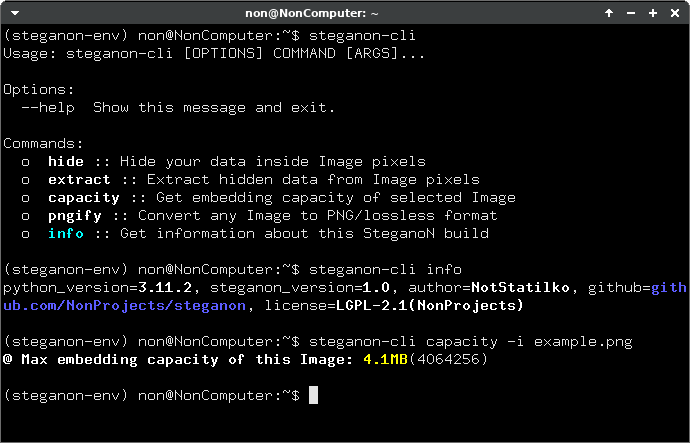
Example
(One Seed) Hiding Secret Data
from steganon import Image, LSB_MWS

image = Image.open('example.png') # Open targeted Image
lsb_mws = LSB_MWS(image, b'seed_0') # Init with seed=b'seed_0'

lsb_mws.hide(b'Secret!!!') # Write secret message to image pixels
image.save('example.png') # Save altered image with secret data
(One Seed) Extracting Secret Data
from steganon import Image, LSB_MWS

image = Image.open('example.png') # Open Image with hidden data
lsb_mws = LSB_MWS(image, b'seed_0') # Init with seed=b'seed_0'

print(lsb_mws.extract()) # b'Secret!!!'
(MultiSeed) Hiding Secret Data
from steganon import Image, LSB_MWS

image = Image.open('example.png') # Open targeted Image
seeds = (b'seed_0', b'seed_1',  b'seed_2') # You can use as many as you want
lsb_mws = LSB_MWS(image, seeds) # Init LSB_MWS with multiple seeds

lsb_mws.hide(b'Secret data on Seed(0)!!!') # Write secret message to image pixels
lsb_mws.next() # Switch to the next Seed (b'seed_1')

lsb_mws.hide(b'Secret data on Seed(1)!!!') # Write secret message to image pixels
lsb_mws.next() # Switch to the next Seed (b'seed_2')

lsb_mws.hide(b'Secret data on Seed(2)!!!') # Write secret message to image pixels
image.save('example.png') # Save altered image with secret data
(MultiSeed) Extracting Secret Data
from steganon import Image, LSB_MWS

image = Image.open('example.png') # Open targeted Image
seeds = (b'seed_0', b'seed_1',  b'seed_2') # You can use as many as you want
lsb_mws = LSB_MWS(image, seeds) # Init LSB_MWS with multiple seeds

print(lsb_mws.extract()) # b'Secret data on Seed(0)!!!'
lsb_mws.next() # Switch to the next Seed (b'seed_1')
print(lsb_mws.extract()) # b'Secret data on Seed(1)!!!'
lsb_mws.next() # Switch to the next Seed (b'seed_2')
print(lsb_mws.extract()) # b'Secret data on Seed(2)!!!'
Image Comparison
Here is comparison between Original image (1) and Image with written on pixels data (2).
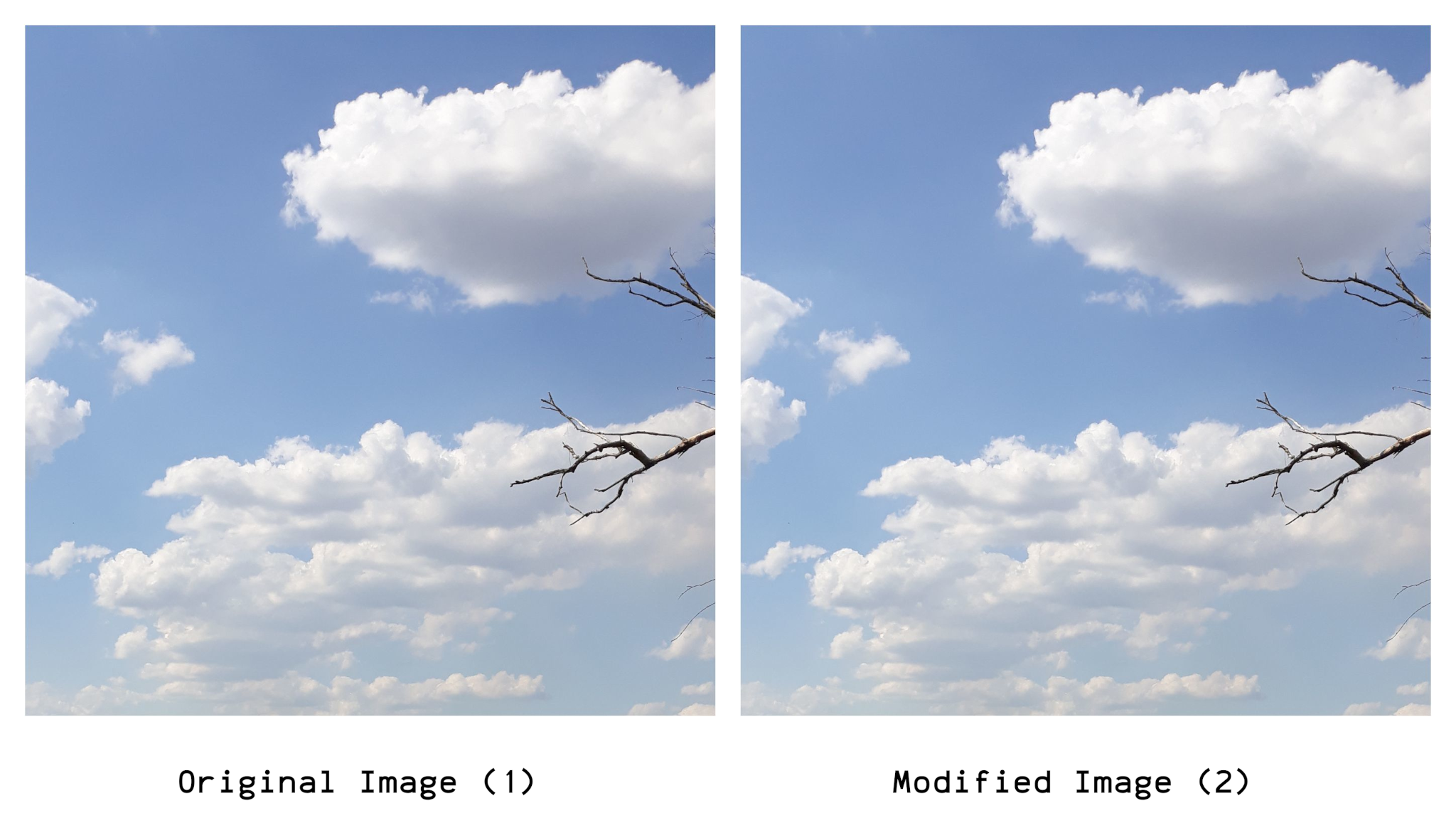
Modified Image (2) has whole Zen of Python written on it.
You can extract Zen from (2) by using Seed b'spam_eggs'
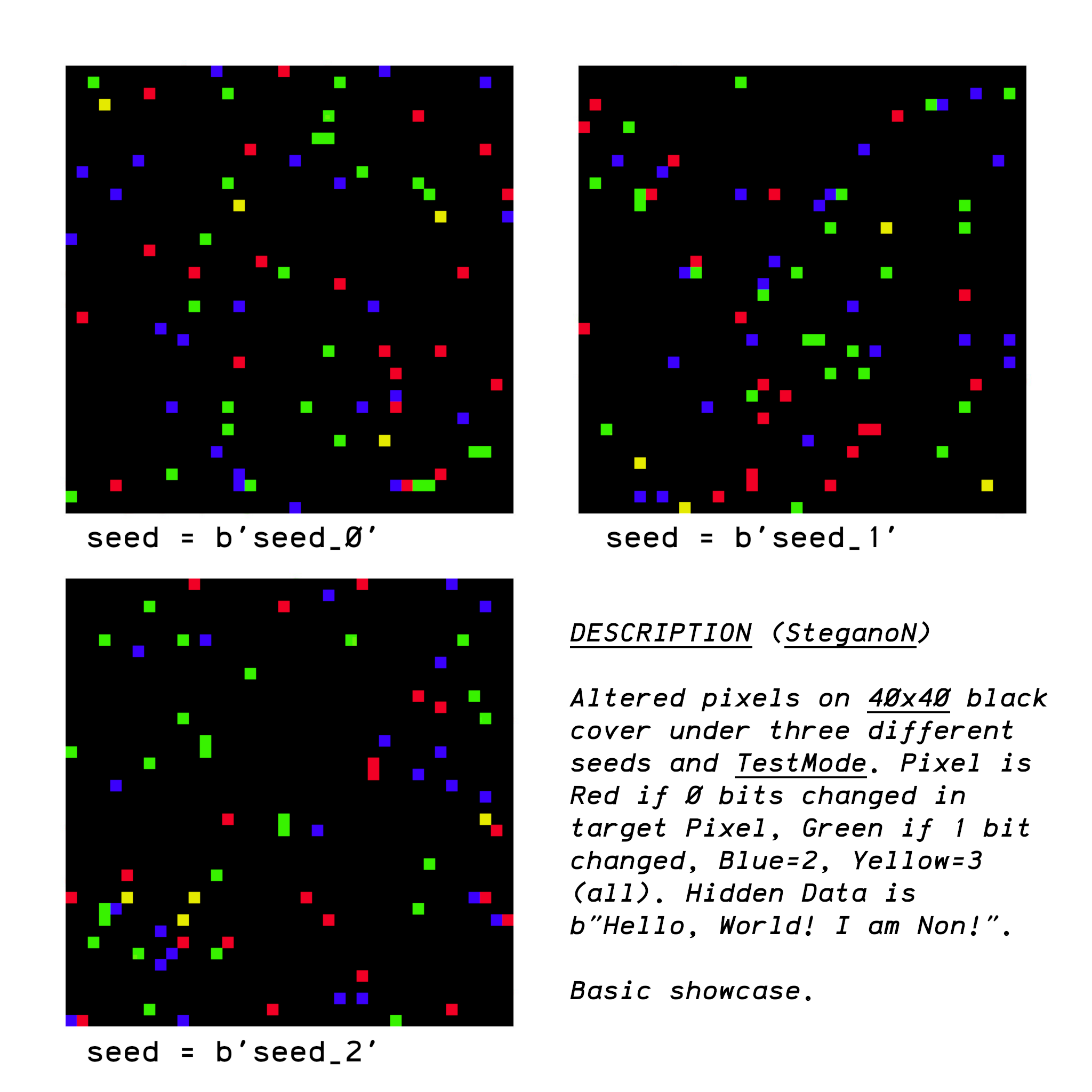
TestMode on LSB_MWS
steganon.LSB_MWS class has a testmode key. We can use it to check affected pixels under different seeds
Additional Information
Tested formats:
- ✅ PNG
- ✅ BMP
- ✅ TIFF
- ✅ WEBP
- ✅ JPEG2000
- ❌ JPG
- ❌ HEIF
- This library & implementation wasn't verified by steganography experts. Use with caution!
- Always use a different seed! Pixel positions
*may be the same on different Images and Data! - This library will not work with JPEG due to its lossy design. Use lossless formats (e.g PNG, WEBP, etc);
- Best
**template to hide data is a compressed JPEG turned to PNG. Library hastools.pngify, use it; - The bigger your Image, the bigger amount of Data you can hide (though the less data—the
***better).
* If Image Width/Height and Seed are the same. Always use a unique Seed
** Your cover Image should have a decent amount of "Noise" / Compression
*** Quite obviously, the lower coverage, the less chance for analyze tools
Contact me on thenonproton@pm.me (or just open Issue) if you have any feedback on this library.
All Aboard!
Try to download this example image and extract secret information from it with seed b'OZZY'
Save data to the file with .ogg extension and play it with your favourite media player.
Flying high again!
1 maintainer

Release files for steganon 1.1
For a detailed explanation of source distributions (sdists) and built distributions (wheels), please see the package formats documentation.
Source distribution (sdist)
| File | Size | Uploaded | |
|---|---|---|---|
| steganon-1.1.tar.gz | 31.9 kB | Details |
Built distribution (wheel)
| File | Interpreter | ABI | Platform | Reset |
|---|---|---|---|---|
| steganon-1.1-py3-none-any.whl | Python 3 | none | any | Details |
Total release size: 62.5 kB
Release files / steganon-1.1.tar.gz
| Download URL | steganon-1.1.tar.gz |
|---|---|
| Size | 31.9 kB |
| Tags | Source |
|
SHA-256 checksum How to use checksums |
bfad2af175e75d3457f70eea2da524e4c972a4649bf63552b8a8fd35ce8dbf2a
|
|
BLAKE2b-256 checksum How to use checksums |
bbcedb7e48dfbc953f98f0c0033ef18ce2ffc85f3e18cc4f5e872f2b001c2f1c
|
| Upload date | |
|
Uploaded using Trusted Publishing? What is trusted publishing? |
No |
| Uploaded via |
twine/6.2.1.dev4+g377d92825 CPython/3.13.5
|
Release files / steganon-1.1-py3-none-any.whl
| Download URL | steganon-1.1-py3-none-any.whl |
|---|---|
| Size | 30.6 kB |
| Tags | Python 3 |
|
SHA-256 checksum How to use checksums |
3375267f1b4f4a4e138ab0d18fb3e3b8fe2f8540ce0d249d0d363027634fcccc
|
|
BLAKE2b-256 checksum How to use checksums |
e0f567ceb8c814297a6172d25a9de1eac05804c80d1727b6d24db635b51df47a
|
| Upload date | |
|
Uploaded using Trusted Publishing? What is trusted publishing? |
No |
| Uploaded via |
twine/6.2.1.dev4+g377d92825 CPython/3.13.5
|














