
stitchNsplit




A Python Library To Stitch And Split Images for any dimension, computing grid and windows over the specified dimension
Installation
pip install stitch-n-split
-
Installing rasterio dependency using conda
conda install -c conda-forge rasterio -
Installing rasterio dependency from pip
Split
Split Operation can be performed on two sets of Imagery, Geo Referenced and Non Geo Referenced
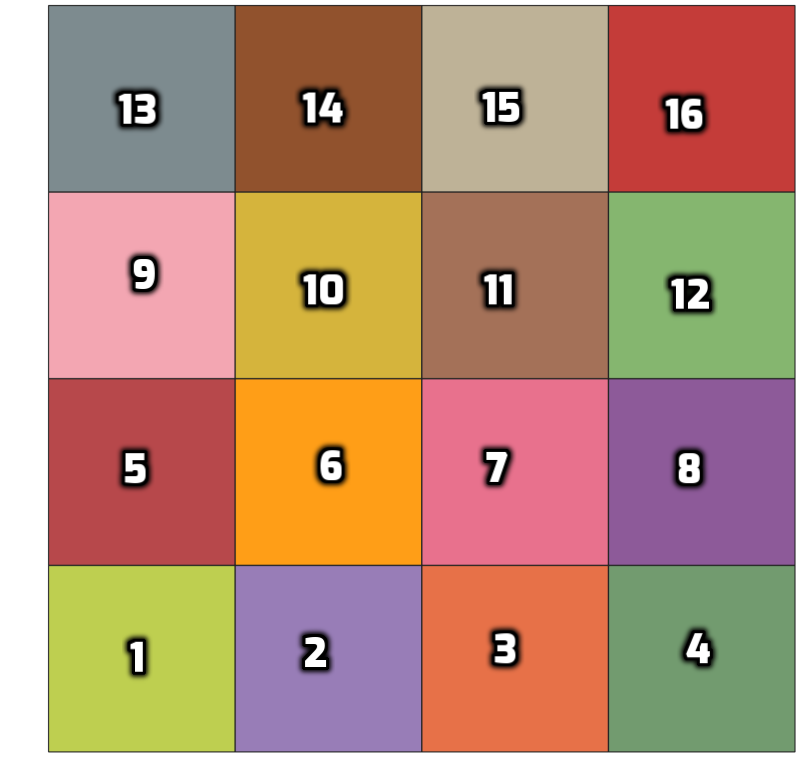
The Windows formed for the split operation are adjusted based on the split_size and img_size, whenever
img_size%split_size != 0 is true, this suggests that there will be overlapping windows.
Overlapping windows are generated only when required.
| Original Image | Images After Split |
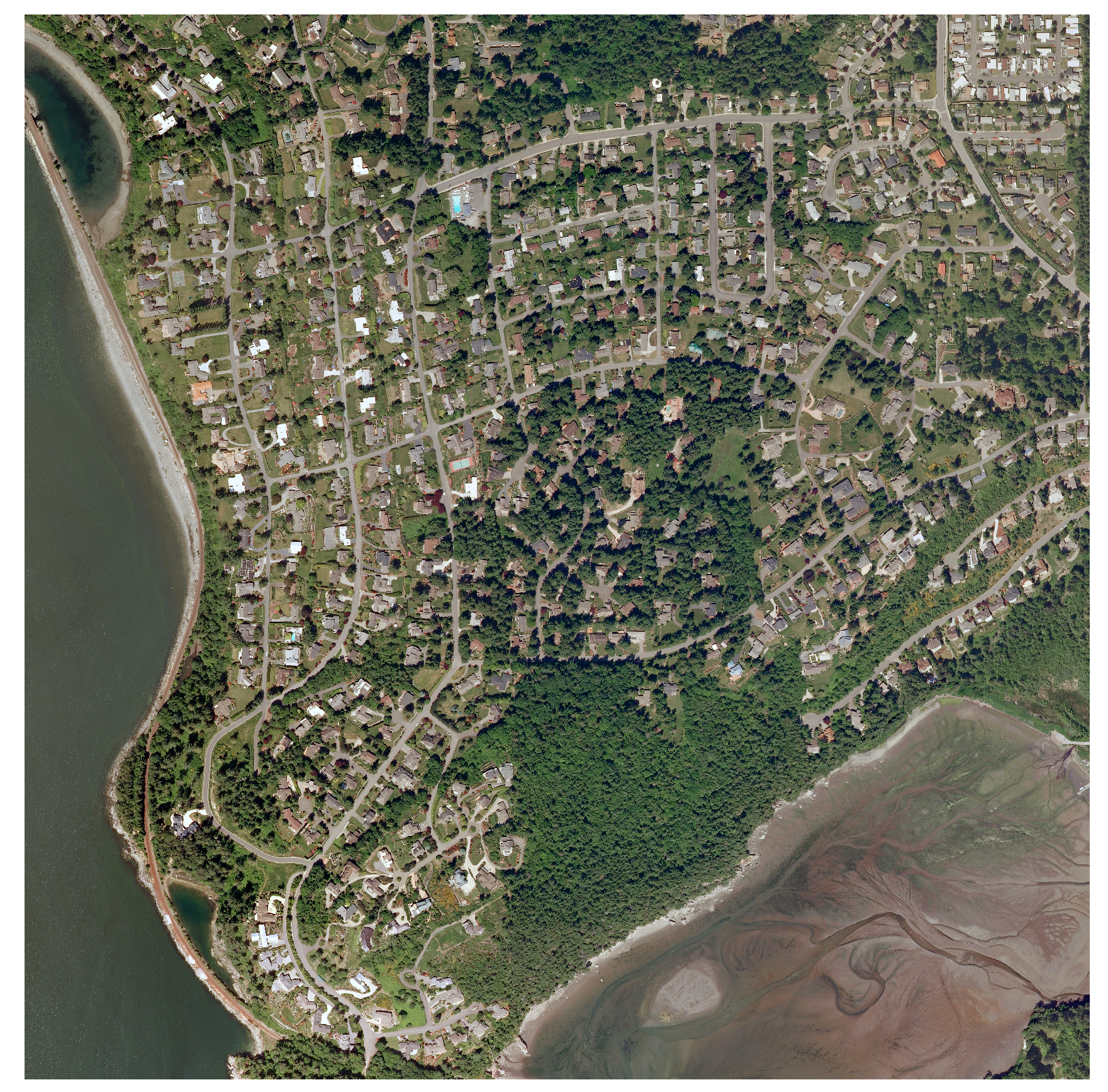 |
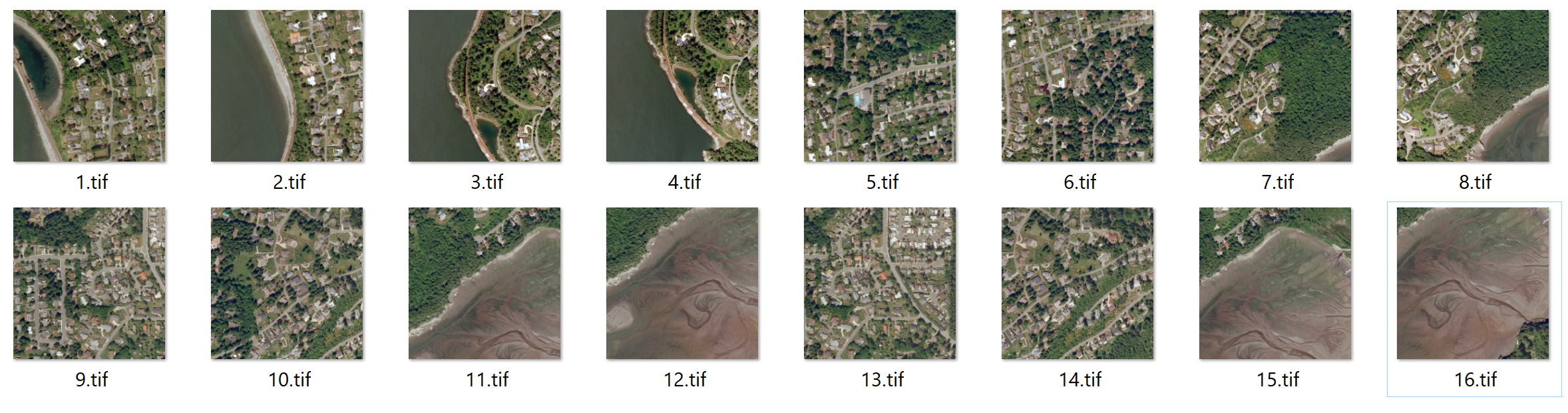 |
-
Geo Referenced
GeoReferenced Imagery have reference coordinate information stored in them. This is taken into account while splitting geo referenced imagery, assigning correct reference information to the cut images, thus preserving the over all reference information
Geo Reference imagery must be of tiff format.
-
Non GeoReferenced
For Non GeoReferenced the split is straight forward, it gets cropped in to specified dimension
Split Entire Directory:
from stitch_n_split.split.images import SplitGeo
split = SplitGeo(split_size=(124, 267), img_size=(512, 512))
split.perform_directory_split("dir_path")
Performing Split over individual images can be done by accessing split as an iterator.
Split Iterator using window:
from stitch_n_split.split.images import SplitGeo
from stitch_n_split.utility import open_image

split = SplitGeo(split_size=(124, 267), img_size=(512, 512))
image = open_image("img_path", is_geo_reference=True)
for win_number, window in split:
    split_image = split.window_split(image, window)
    # perform operation ....
Stitch
While Performing Stitch if there are any overlapping window, those windows are merged seamlessly, without hampering the pixel information and image dimension
Every Split image can be associated to the original image by the window number or the window itself.
Using stitchNsplit together:
from stitch_n_split.stitch.images import Stitch
from stitch_n_split.utility import save_image
from stitch_n_split.split.images import SplitNonGeo
from stitch_n_split.utility import open_image
import numpy as np

split = SplitNonGeo(split_size=(124, 267), img_size=(512, 512, 3))
image = open_image("img_path")
stitched_image = np.zeros((512, 512, 3))

for win_number, window in split:
    split_image = split.window_split(image, win_number)
    # perform operation ....
    stitched_image = Stitch.stitch_image(split_image, stitched_image, window)
save_image("path_to_save", stitched_image)
Mesh Computing
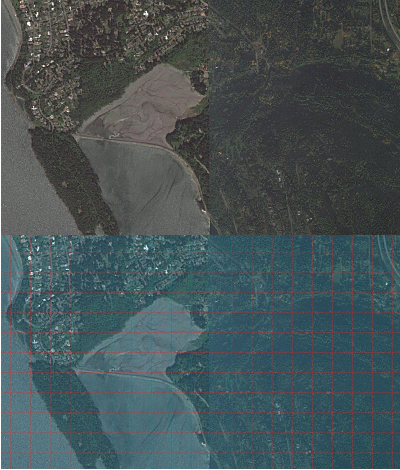
-
OverLapping Grid
The grid creation process assumes the provided grid size might not be evenly distributed over the mesh size and whenever such situation arises, the grid adjusts its position without compromising the grid size, thus generating overlapping grid in the mesh
-
NonOverlapping Grid
No matter what the provided grid size, the goal is to find a grid size which can be evenly distributed over the provided mesh size, if the provided sizes presents the possibility of a overlap then the size of the grid is adjusted, to provide non overlapping grid
| Mesh with Overlapping Grid | Mesh with Non Overlapping Grid |
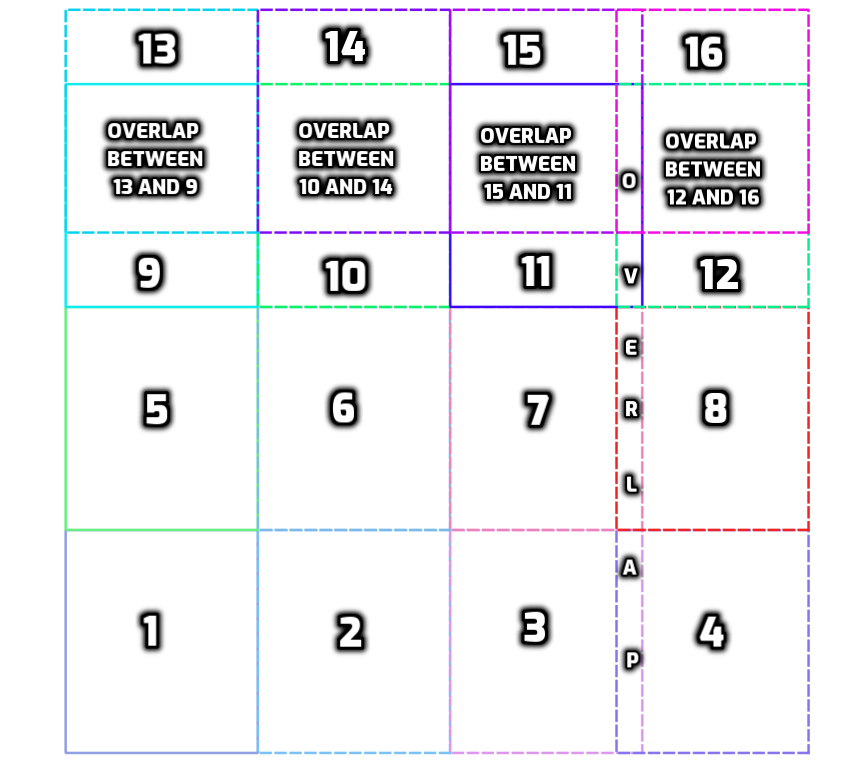 |
 |
mesh size = (10000, 10000), grid size = (2587, 3000) were used for above example
The number of grid generated in both cases are the same, the only difference is, the image in the left doesn't compromises the grid size when it encounters
an overlap, where as the image on the right adjusts its grid size to mesh size // (mesh size / grid size)
to avoid any overlap
Mesh Computing From geo-referenced image
The One mandatory Parameter while computing Mesh is the geo referencing transformation matrix.
-
When the size of the mesh and the grid are provided in regular dimension, then the position where the mesh is to be drawn is extracted from the affine transform and conversion of the dimension to reference coordinate system is done with the help of pixel resolution present in affine transform
  mesh = mesh_from_geo_transform(
  mesh_size=(w, h),
  transform=transfromation_matrix,
  grid_size=(w, h)
  )
This will generate a Mesh of dimension (w, h) which will have Grid of dimension (w, h), which will be bounded within the region transform * (mesh_size)
-
When the bounds of mesh are passed, The transformation matrix for the mesh have to be constructed explicitly, the width and height are computed internally from the given transformation
  transfromation_matrix = get_affine_transform(
  mesh_bounds[0],
  mesh_bounds[-1],
  *get_pixel_resolution(image.transform)
  )

  mesh = mesh_from_geo_transform(
      grid_size=(w, h),
      transform=transfromation_matrix,
      mesh_bounds=mesh_bounds,
  )
Output
Grid can can accessed by the extent() call which is a Generator for providing individual grid along with the information associated with the grid
mesh_overlap = mesh_from_geo_transform(mesh_size=(10000, 10000, 3), transform=affine_transform,
grid_size=(2587, 3000, 3))

for grid in mesh.extent():
    print(grid)
    .....
If the coordinate system available is different than the ones listed here, then the coordinate must be reprojected before mesh computation
transform=geo_transform_to_26190(w, h, arbitrary_image_coordinate_system.bounds,
     arbitrary_image_coordinate_system.crs),
If width and height of the bounds are not known, to calculate it, use
compute_dimension(arbitrary_image_coordinate_system.bounds, pixel_resolution)
Working Coordinate System
- EPSG:26910
- EPSG:26986
1 maintainer

Metadata
1 maintainer
Release files for stitch-n-split 0.1.2
For a detailed explanation of source distributions (sdists) and built distributions (wheels), please see the package formats documentation.
Source distribution (sdist)
| File | Size | Uploaded | |
|---|---|---|---|
| stitch_n_split-0.1.2.tar.gz | 12.7 kB | Details |
Built distribution (wheel)
| File | Interpreter | ABI | Platform | Reset |
|---|---|---|---|---|
| stitch_n_split-0.1.2-py3-none-any.whl | Python 3 | none | any | Details |
Total release size: 24.9 kB
Release files / stitch_n_split-0.1.2.tar.gz
| Download URL | stitch_n_split-0.1.2.tar.gz |
|---|---|
| Size | 12.7 kB |
| Tags | Source |
|
SHA-256 checksum How to use checksums |
7c8c897d582a96c93b05d5c899f2ef7acccc193cda08a9c6c97af5c36f3eb4d8
|
|
BLAKE2b-256 checksum How to use checksums |
35f3bc447179c82767ec79d80bc99f41787ea222b21a88c77d78d4094fc2abb7
|
| Upload date | |
|
Uploaded using Trusted Publishing? What is trusted publishing? |
No |
| Uploaded via |
twine/4.0.2 CPython/3.11.3
|
Release files / stitch_n_split-0.1.2-py3-none-any.whl
| Download URL | stitch_n_split-0.1.2-py3-none-any.whl |
|---|---|
| Size | 12.1 kB |
| Tags | Python 3 |
|
SHA-256 checksum How to use checksums |
3d5a8eff56d27eab214544c97b67481af6ea979029b4ebe72cdf0c1b962b1697
|
|
BLAKE2b-256 checksum How to use checksums |
516d8fa4182c8b1a91fe19ca0f06fea2341356853a0371b22701282e9ab87fad
|
| Upload date | |
|
Uploaded using Trusted Publishing? What is trusted publishing? |
No |
| Uploaded via |
twine/4.0.2 CPython/3.11.3
|














