
StitchIt
🧵/\/\/\✂️/\/\/\🪡/\/\/\🧵/\/\/\✂️/\/\/\🪡/\/\/\🧵/\/\/\✂️/\/\/\🪡
StitchIt generates a cross stitch chart from an image for free. Main features include:
- User option for number of colors and stitches per row
- DMC colors and symbols are used for a better experience
- Legend with DMC codes and symbols is also produced
- Thread information is also shown (ready to purchase)
- Aida simulation (image background replaced)
- Backstitch (limited to background-objects border, so far)
- CIEDE2000 color perception is used for the most accurate palette
- Optionally, multiple format tweaks for the chart
- Output formats include svg (vectorized image), png and pdf
NOTE: StitchIt is developed with Python 3.10 and tested with pytest.
Install
Directly from PyPI.
pip install stitchit
It will create an entrypoint to call the main script if you write stitchit in the terminal. The following third-party modules are required.
- pillow>=12.2.0
- cairosvg>=2.9.0
- tabulate>=0.10.0
- scikit-image>=0.22.0
- numpy>=1.24.3
You could also clone the GitHub repository with:
gh repo clone girdeux31/StitchIt
Quick guide
stitchit -i input_file -n n_colors -s stitches_per_row
WARNING: If you clone the repo, then call the main script as
python src/stitchitfrom the project root.
Only 3 parameters are mandatory, see the list of all available options.
input_file(str): image to processn_colors(int): number of DMC colorsstitches_per_row(int): number of stitches (squares) per row
For example:
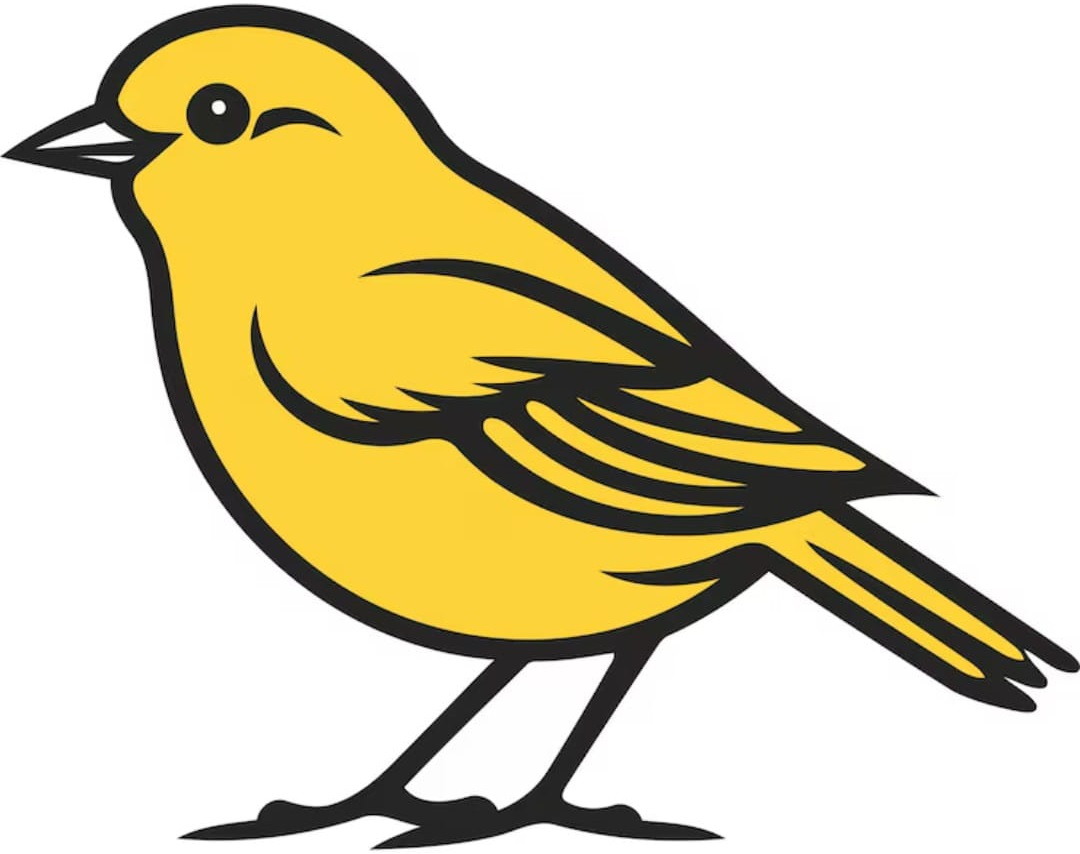
stitchit -i examples/bird.jpg -n 2 -s 60
That is, use 2 different DMC colors and 60 stitches in each row.
| Original | Chart |
|---|---|
 |
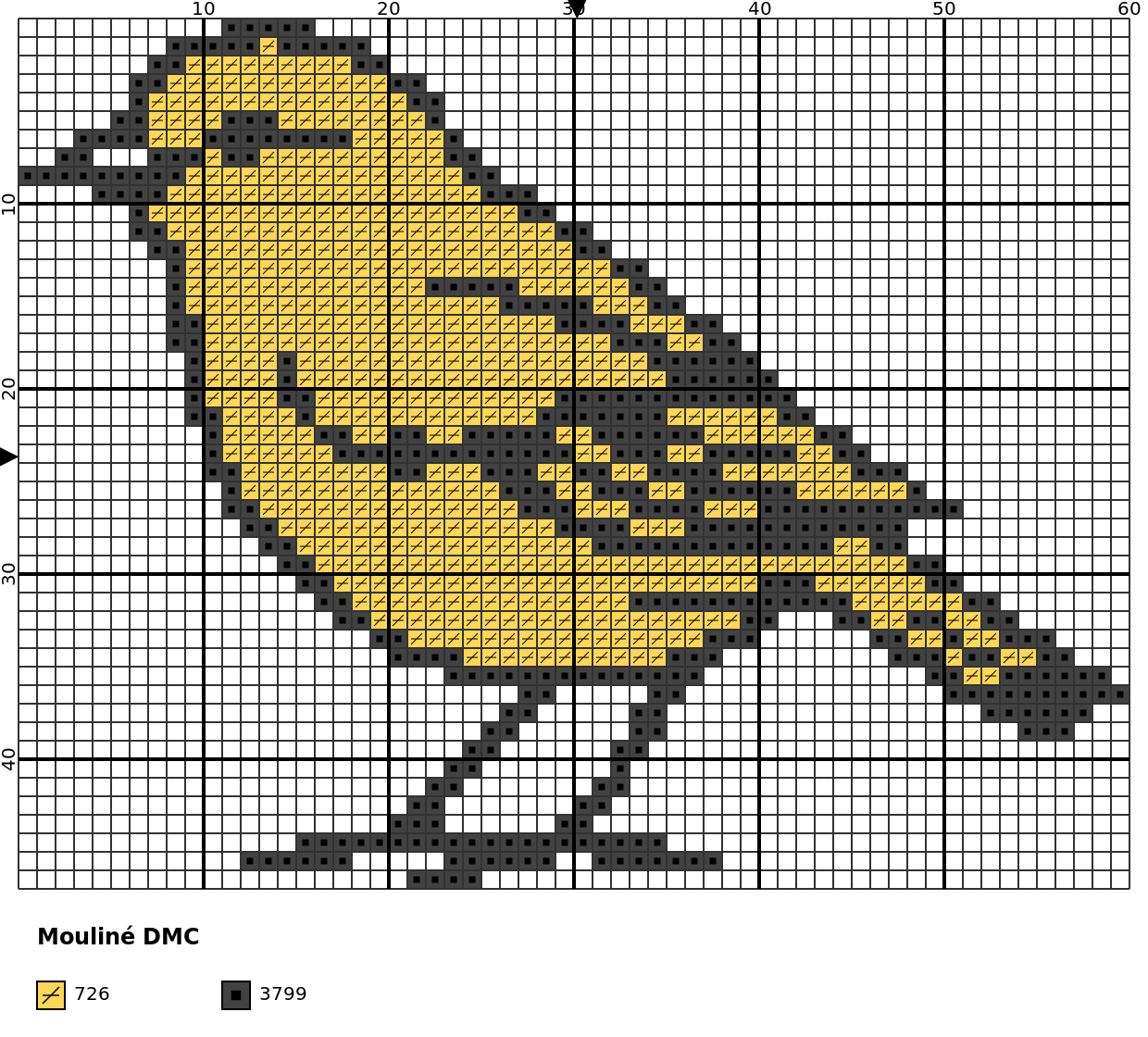 |
Image recommendations
The following recommendations apply to input images:
- Cartoonish images
- Plain colors or slightly shaded
- Few details
- Homogeneous backgrounds
- No gray-scale images
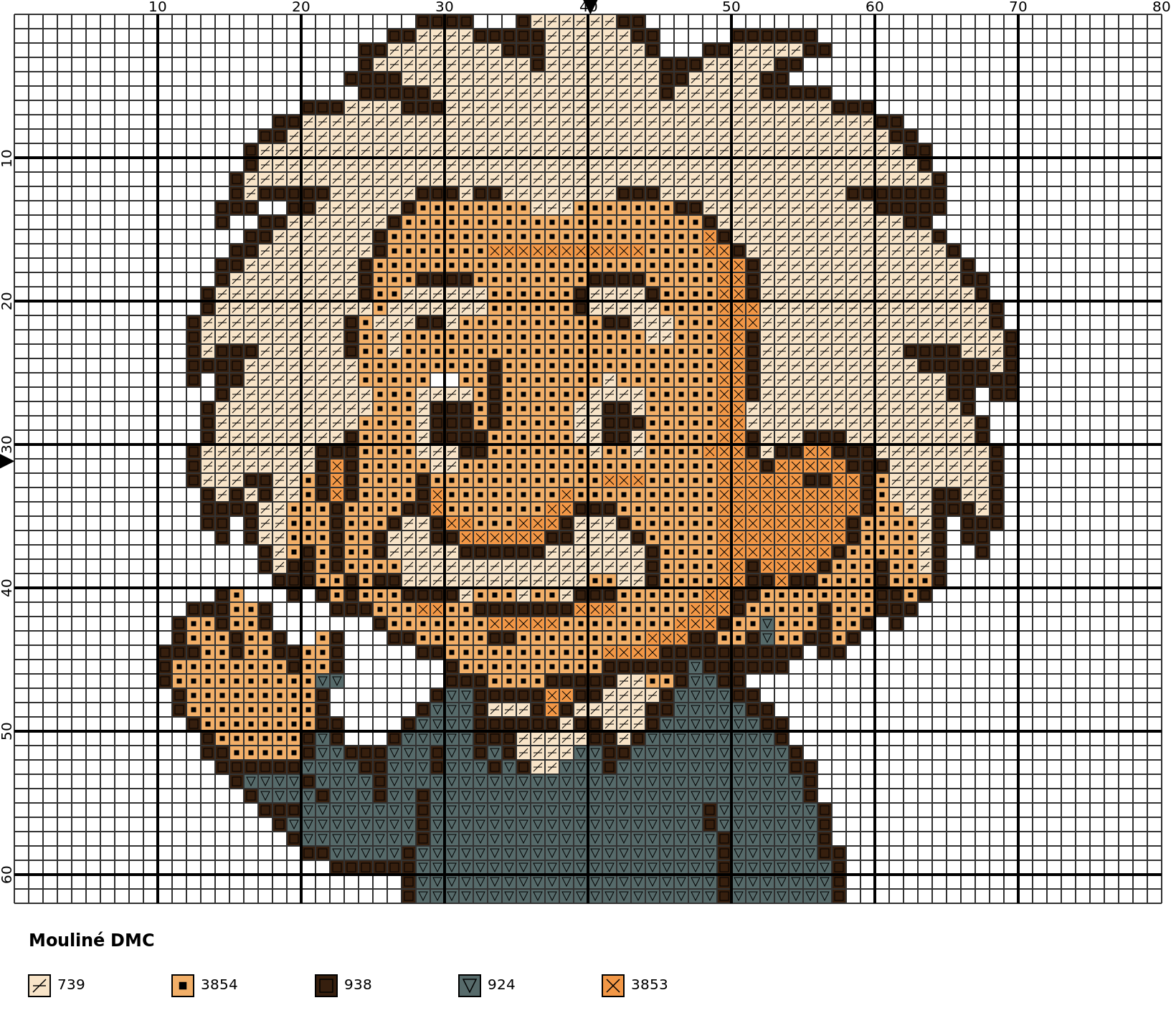
The previous image is a good one but it is rather simple. A greater variety of colors is handled properly (increase n-colors accordingly). For example:
stitchit -i examples/einstain.jpg -n 5 -s 80
| Original | Chart |
|---|---|
 |
 |
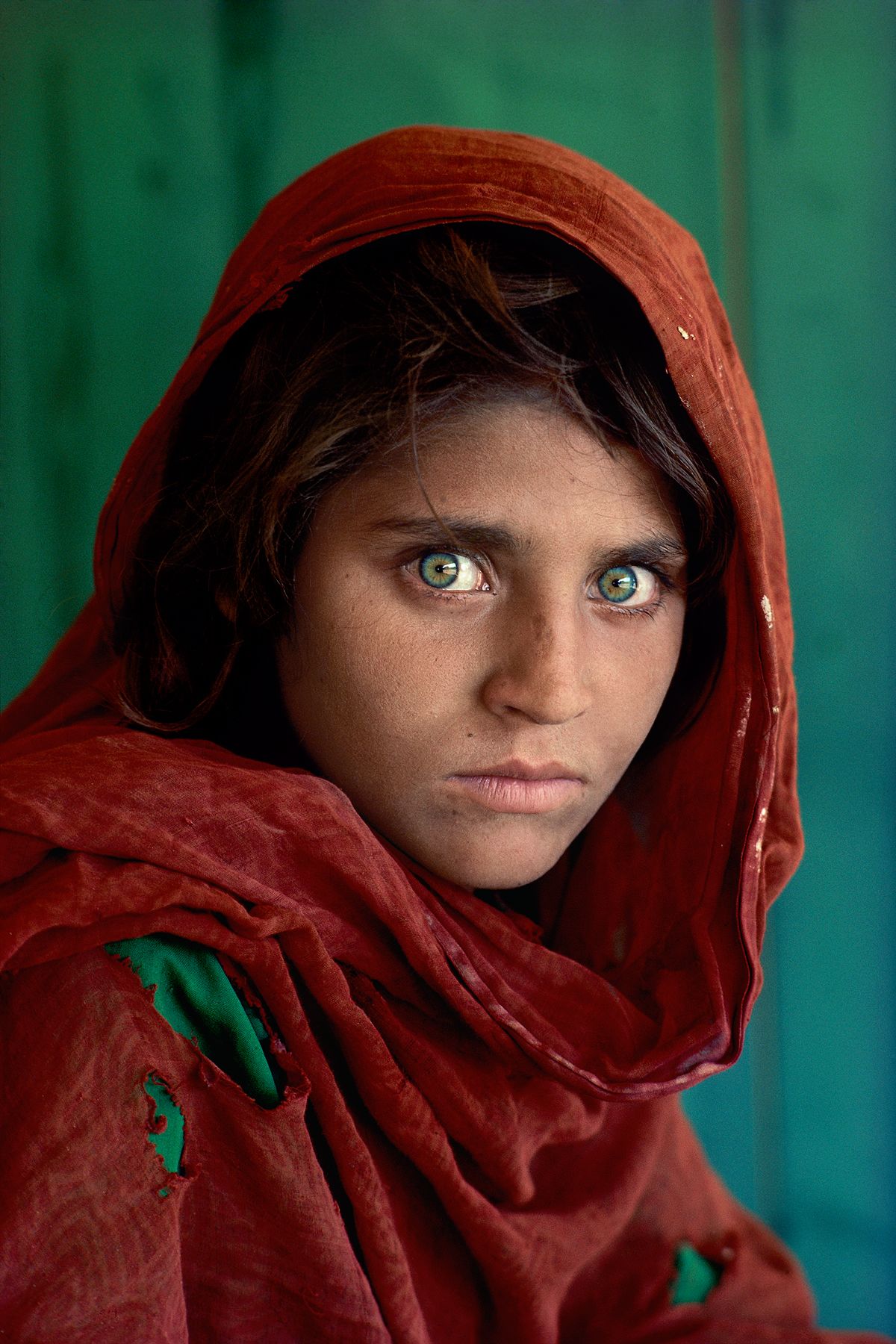
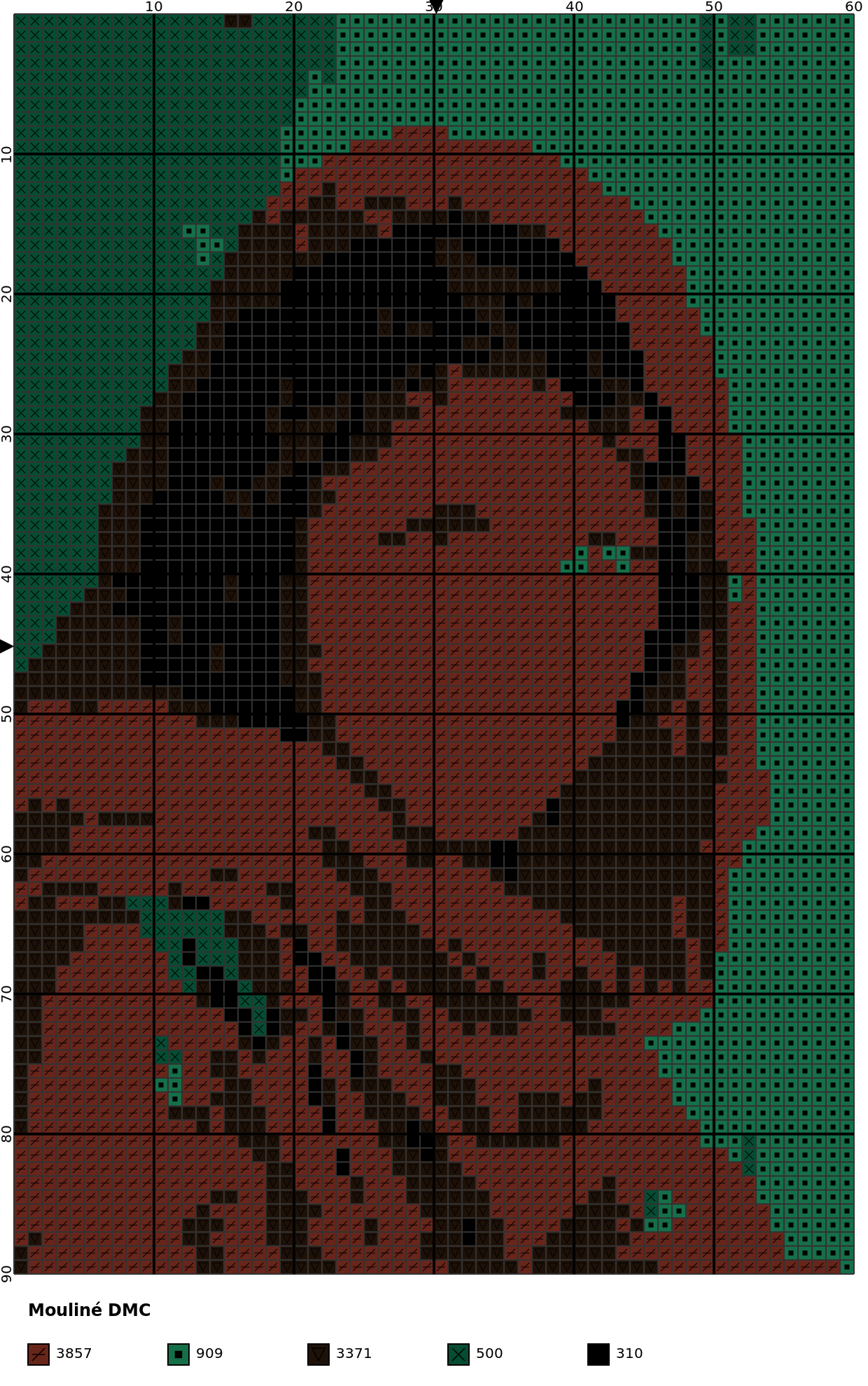
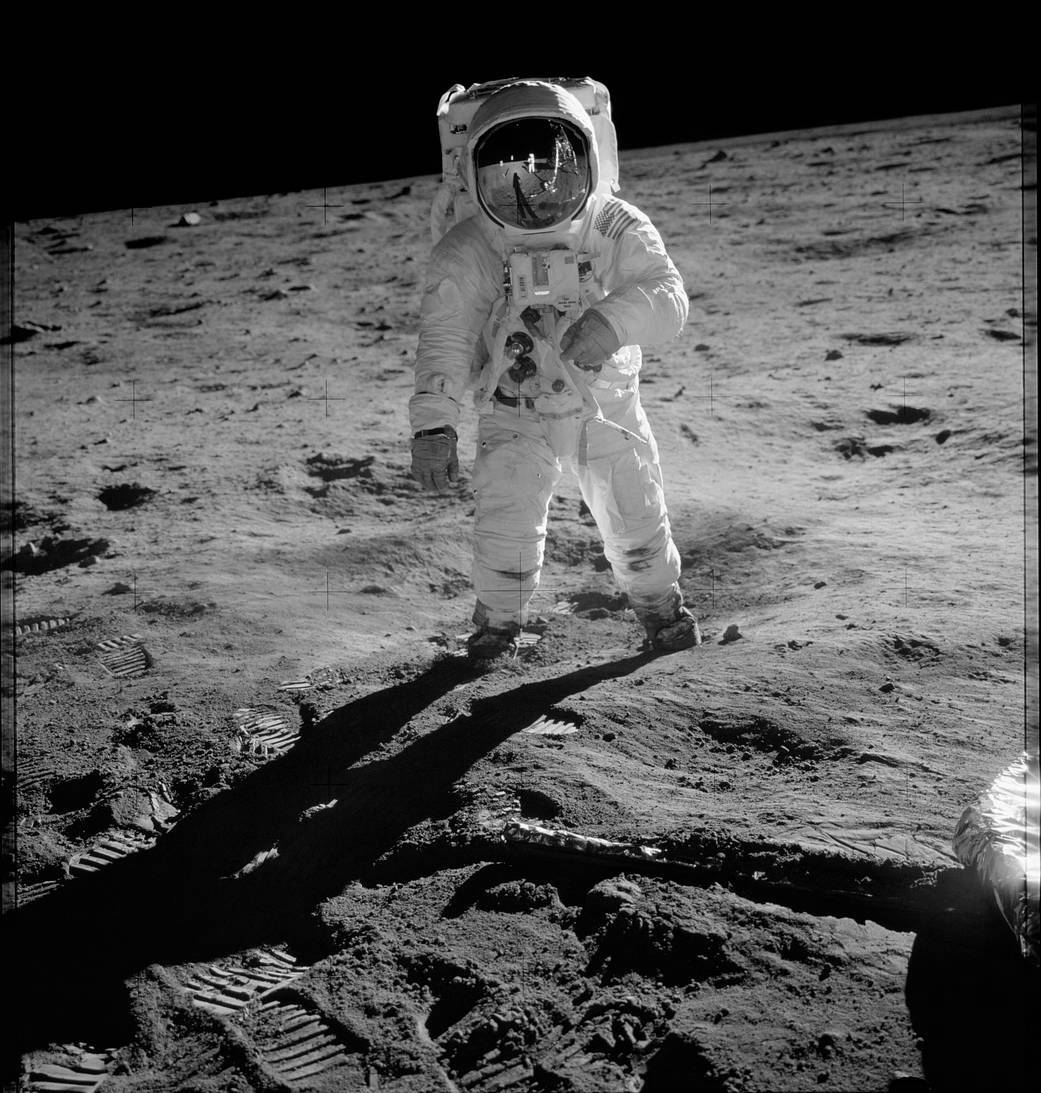
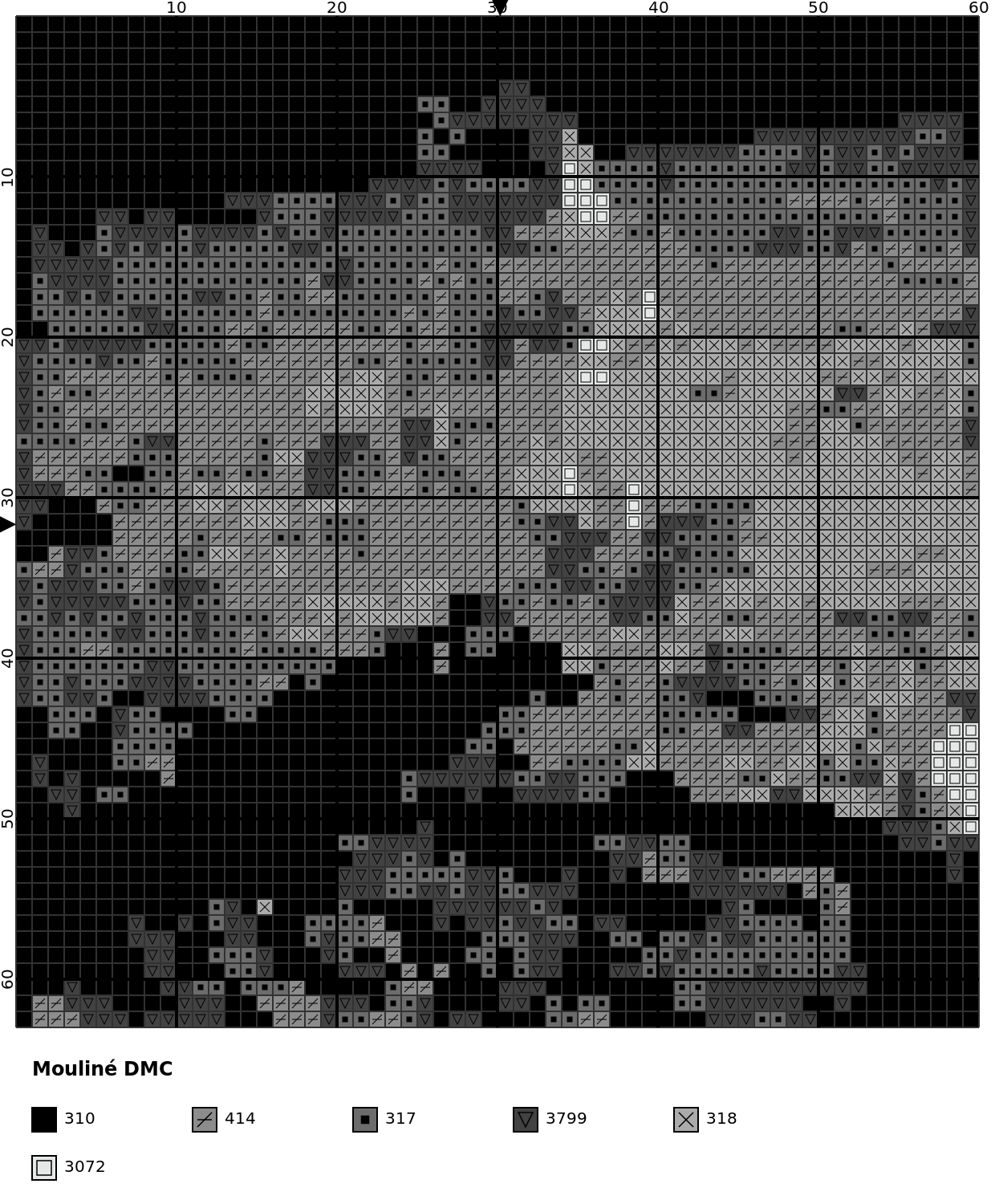
You can use any image, but the output of a real photography is not something you would stitch.
| Original | Ugly chart |
|---|---|
 |
 |
 |
 |
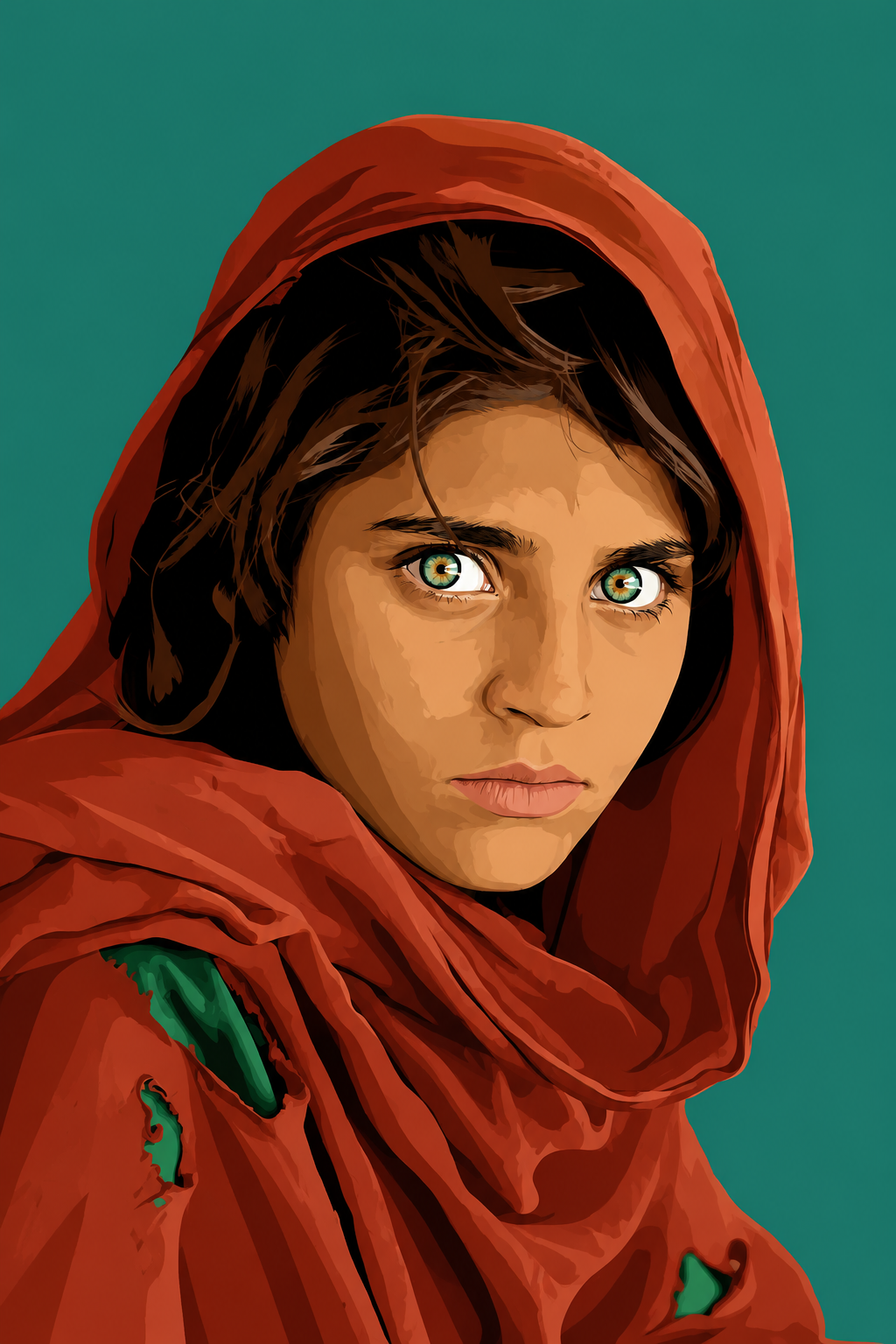
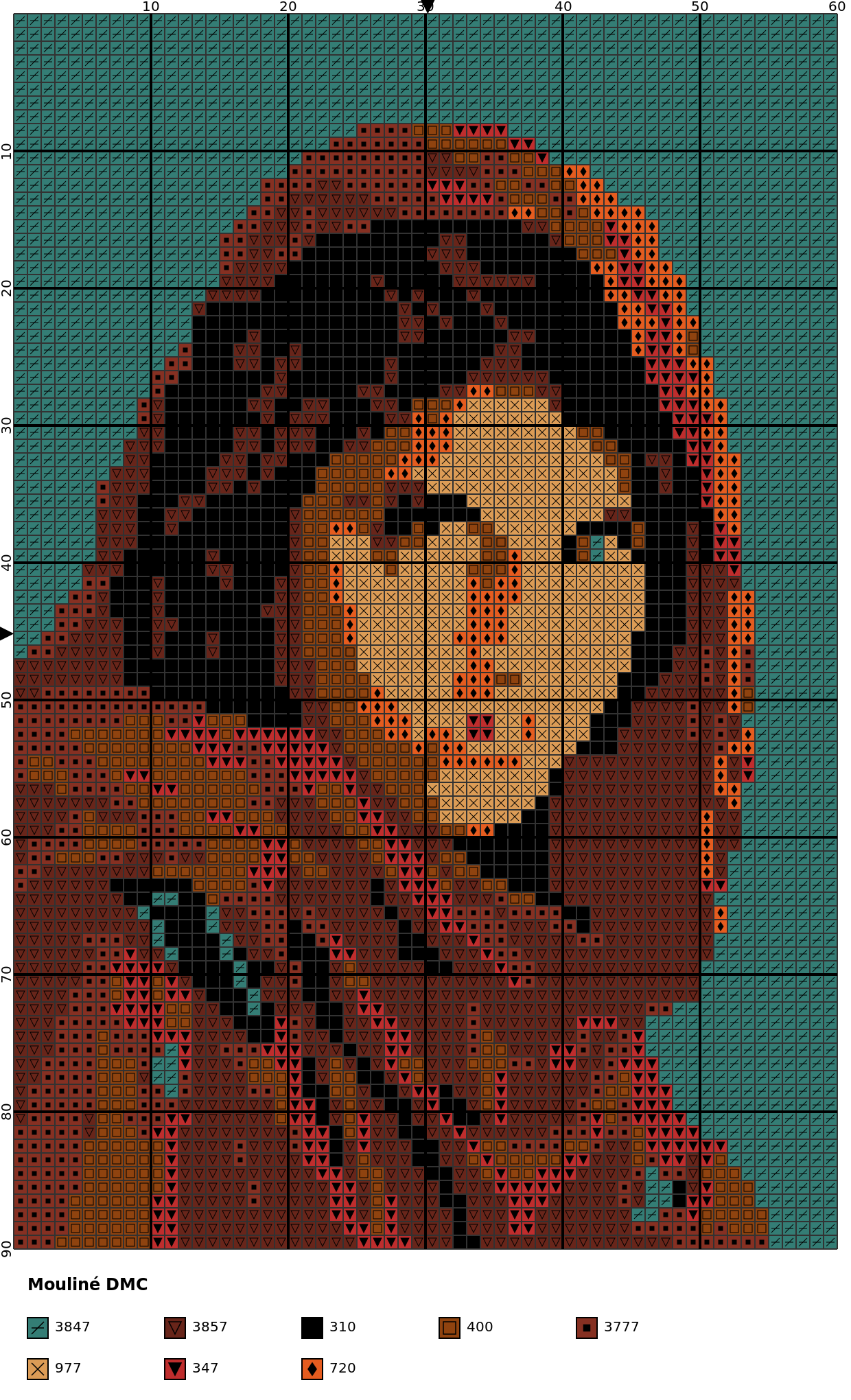
If you must use a real photography, try to convert it first with your favorite AI tool. You can use this prompt:
I attached an image. Can you convert it to a cartoonish picture so I can run it through an image-to-cross-stitch-chart program? Use plain colors or slightly shaded, few details, and homogeneous backgrounds. If it is in gray-scale, try to colorize it first.
| Original | Chart |
|---|---|
 |
 |
Thread information
Beside the cross stitch chart, a file (txt format) with design and thread information is generated. For example, for the first image shown above (bird.jpg):
Design information:

  Fabric count or Aida count: 14 (ct or stitches per inch)
  Strands for stitching: 2 strands
  Size (width x height): 10.89x8.53 (cm) or 4.29x3.36 (in)
  Stitches (width x height): 60x47

Thread information:

  DMC code  DMC color              DMC RGB       Stitches    Length (m)    Skeins     MSE
----------  ---------------------  ----------  ----------  ------------  --------  ------
       726  Light Topaz            253,215,85         628         11.30         1  0.5451
      3799  Very Dark Pewter Gray  66,66,66           466          8.39         1  0.0060
This includes approx design real dimensions, thread usage information (based on Aida number, see --fabric-count), skeins to purchase and color MSE (error with respect to real image).
Special features
Among all optional options, there are two that is worth explaining in its own section.
Background
By default, image background is automatically detected and left as part of the Aida cloth. Besides:
- Color given by
--aida-coloris used in chart (default is white) - No symbol is given to those stitches
- Aida color is not shown in legend
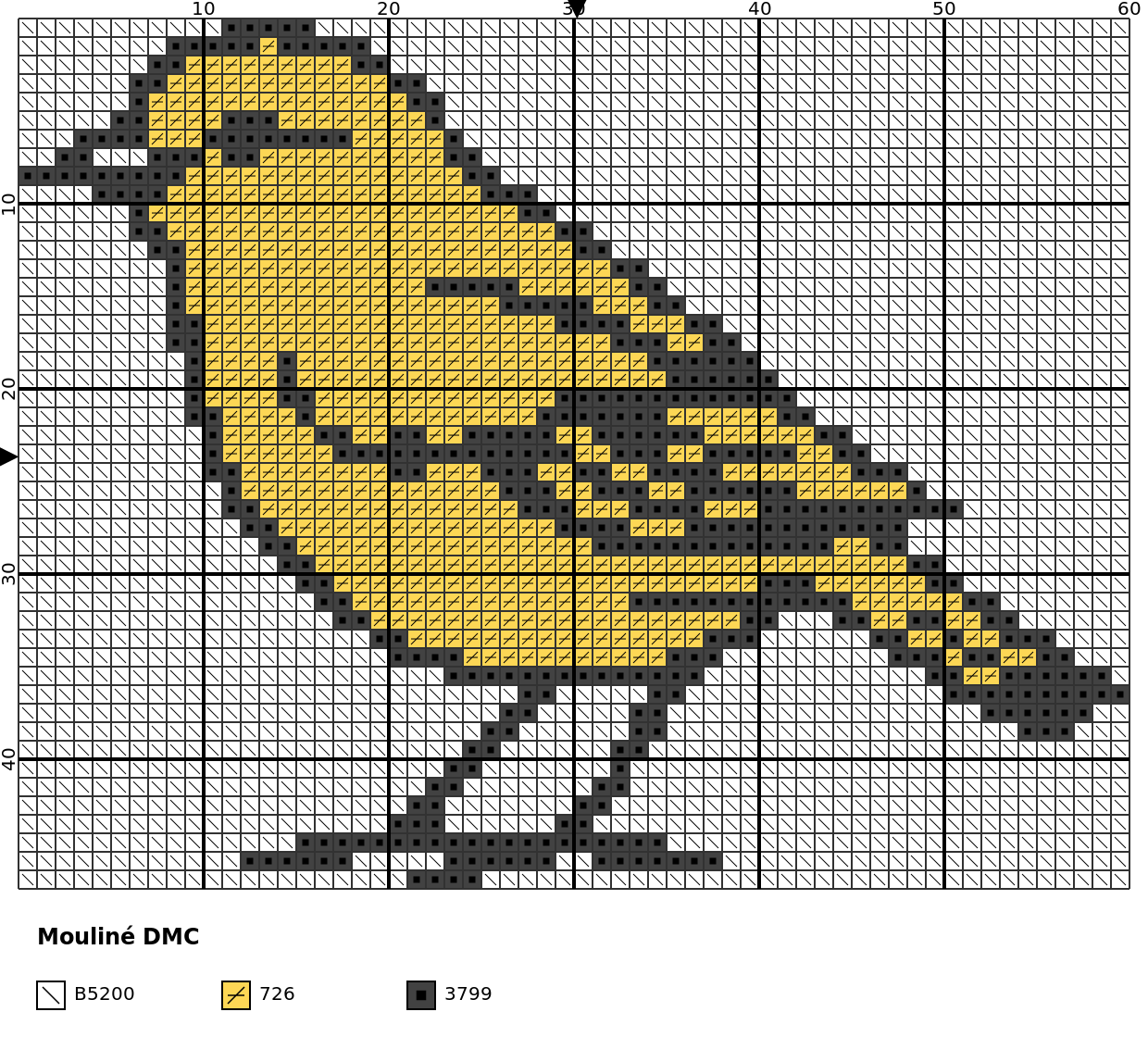
However, image background can be rendered as stitches with --no-aida. For example:
stitchit -i examples/bird.jpg -n 3 -s 60 --no-aida
| Default | With --no-aida |
|---|---|
|
 |
WARNING: When
--no-aidais present (not the default behavior), the image background takes up one color. Thus, to produce the same chart as the default behavior (background as Aida cloth) option--n-colors(or-n) must be increase by 1.
Background color is detected as the mode of the image outer border.
Backstitch
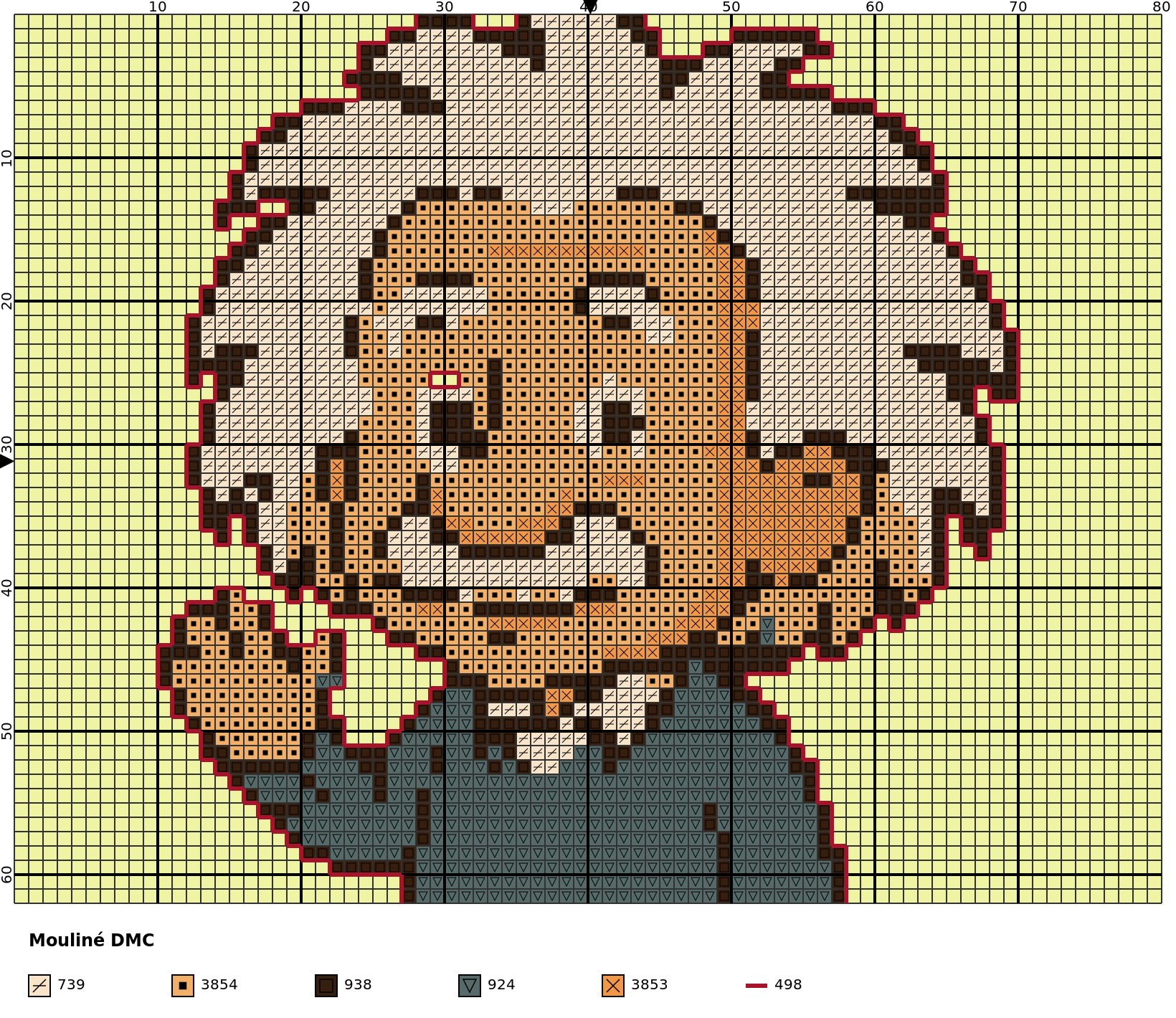
Backstitch is controlled with --backstitch-option. So far, only backstitch between objects and background is produced. It has 3 different options:
none: no backstitch is included in chartconstant: backstitch with constant color (given by--backstitch-code)inverse: backstitch with object inverse color (most similar DMC color)
For example:
stitchit -i examples/einstain.jpg -n 5 -s 80 --backstitch-option constant --backstitch-code 498 --aida-color "#EFF4A4"
stitchit -i examples/einstain.jpg -n 5 -s 80 --backstitch-option inverse --aida-color "#EFF4A4"
--backstitch-option constant |
--backstitch-option inverse |
|---|---|
 |
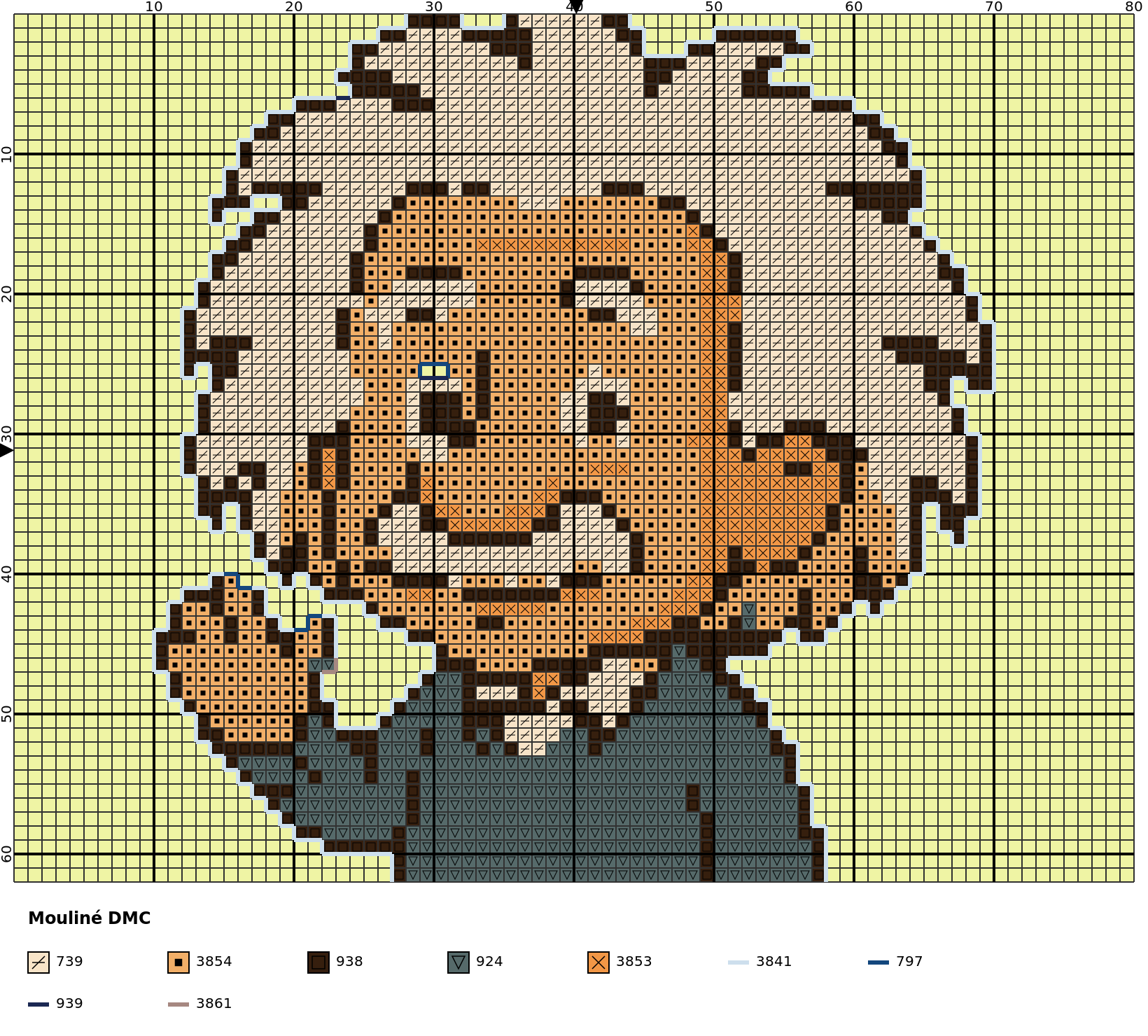 |
Additional control over backstitches is given by --backstitch-code (if --backstitch-option is constant) and --backstitch-line-width. Backstitch colors are also included in legend. Note that colors in legend are sorted according to the number of stitches (first cross stitches, then backstitches).
User options
In the table below there is a list of all available user options, along with the type, default value and a comment. Please, read carefully the following notes.
NOTE: Only options
--input-file(or-i),--n-colors(or-n) and--stitches-per-row(or-s) are mandatory. All others are optional (defaults are included in table).
NOTE: No value is needed for options
--no-colors,--no-symbols,--no-legend,--no-aida,--no-svg,--no-pngand--no-pdf. Their effect is applied if they are present in the command line. That's way they don't have type or default values. Their default behavior is explained in comments.
NOTE: Options
--backstitch-codeand--backstitch-code-no-colorsask for a DMC code. See available DMC codes.
NOTE: All options that end with
-colorask for a color. Colors can be specified with CSS4 names asgrayor HEX codes as"#808080". See available CSS4 colors.
WARNING: Double quotes must be used if HEX code is used as color, otherwise the terminal thinks it is a comment since it has the character
#.
NOTE: All options that end with
-pixelsask for a distance in pixels over the SVG file produced.
| Parameter | Type | Default | Comment |
|---|---|---|---|
-i or --input-file |
str |
Image file to convert. Required. | |
-n or --n-colors |
int |
DMC colors to use in chart (backstitch colors are not included). Parameter must be between 2 and 100, both included. Required. | |
-s or --stitches-per-row |
int |
Number of stitches/squares/pixels per row in chart. Must be greater or equal than 10. Required. | |
--no-colors |
Produces chart without colors (color specified in --aida-color is used). By default colors are used. |
||
--no-symbols |
Produces chart without symbols. By default symbols are used. | ||
--no-legend |
Produces chart without legend. By default legend is shown. | ||
--no-aida |
Image background is rendered as more stitches in chart if this option is present. By default Aida is shown, that is, stitches detected as background are drawn with color specified in --aida-color, without symbols and its color is not shown in legend (simulating Aida cloth). Background is detected as the mode of outer image borders. |
||
--no-svg |
Don't save chart as svg file. By default a svg file is generated. | ||
--no-png |
Don't save chart as png file. By default a png file is generated. | ||
--no-pdf |
Don't save chart as pdf file. By default a pdf file is generated. | ||
--png-scale |
float |
2.0 | Scale factor for the png generated file if --no-png is not used. |
--method |
str |
de00 |
Method to compute color distance. Options are: euclidean, de76 (deltaE CIE76, like euclidean distance but with LAB coordinates), de00 (deltaE CIELAB2000, more accurate method as it measure color difference as human perception). |
--cleaner-option |
str |
strong |
Level of confetti (bad pixels) cleaning. Options are none, moderate (cleans isoleted pixels) and strong (same as moderate plus cleans pixels with just one diagonal neighbor). |
--aida-color |
str |
white |
Color for Aida cloth when --no-aida is not used (default). Take into account that it is drawn in chart as the most similar DMC color. |
--backstitch-option |
str |
none |
Level of backstitching. Options are none, constant (backstitches with constant color between objects and background, color is defined by --backstitch-code) and inverse (backstitches with inverse color between objects and background). |
--backstitch-code |
str |
498 |
DMC code for backstitches when --backstitch-option is constant. |
--backstitch-code-no-colors |
str |
310 |
DMC code for backstitches when --backstitch-option is not none and --no-colors is used. |
--fabric-count |
int |
14 | Aida number of squares per inch. Only used to compute thread usage. |
--strands |
int |
2 | Strands used for stitching. Only used to compute thread usage. |
--skein-length-meters |
float |
8.0 | Skein length in meters. Only used to compute thread usage. |
--strands-per-skein |
int |
6 | Strands in a skein. Only used to compute thread usage. |
--legend-title |
str |
Mouliné DMC |
Legend title. |
--legend-title-font-size |
int |
12 | Legend title font size. |
--legend-title-font-color |
str |
black |
Legend title font color. |
--legend-title-font-weight |
str |
bold |
Legend title font weight. Options are normal and bold. |
--legend-title-x-pixels |
int |
20 | Horizontal space before legend title in pixels. |
--legend-title-y-pixels |
int |
30 | Vertical space before legend title in pixels. |
--legend-item-x-pixels |
int |
20 | Horizontal space before first legend item in pixels. |
--legend-item-y-pixels |
int |
20 | Vertical space before first legend item in pixels. |
--legend-column-width-pixels |
int |
100 | Horizontal space between legend columns in pixels. |
--legend-column-height-pixels |
int |
30 | Vertical space between legend rows in pixels. |
--legend-code-font-color |
str |
black |
Font color for each legend item. |
--legend-code-font-size |
int |
10 | Font size for each legend item. |
--legend-box-line-color |
str |
black |
Box line color for each legend item. |
--legend-box-line-width |
int |
1 | Box line width for each legend item. |
--svg-fill-color |
str |
none |
SVG background color (outside chart). Use none for transparent color. |
--major-grid-color |
str |
black |
Major grid color. |
--major-grid-step-pixels |
int |
100 | Space between major gird lines in pixels. |
--major-grid-width |
int |
2 | Major gird line width. |
--minor-grid-color |
str |
#323232 |
Minor grid color. Default is #323232. |
--minor-grid-step-pixels |
int |
10 | Space between minor gird lines in pixels. |
--minor-grid-width |
int |
1 | Minor gird line width. |
--coords-font-color |
str |
black |
Coordinates color in outer margin. |
--coords-font-size |
int |
10 | Coordinates font size. |
--coords-step-units |
int |
10 | Space between coordinate numbers in minor grid units. |
--coords-gap-pixels |
int |
2 | Space between coordinates and chart in pixels. |
--arrow-color |
str |
black |
Arrow color in outer margin. |
--arrow-gap-pixels |
int |
2 | Space before arrow and chart in pixels. |
--symbol-color |
str |
black |
Symbol color when --no-symbols is not used. |
--symbol-line-width |
int |
1 | Symbol line width when --no-symbols is not used. |
--backstitch-line-width |
int |
3 | Backstitch line width when --backstitch-option is not none. |
WARNING: A chart without colors, symbols and legend can be generated (with options
--no-colors,--no-symbolsand--no-legend), but then, you will get an empty chart.
Future work
The following ideas can be implemented in the future. It is not planned to do so, but maybe someone will fork this repo.
- Improve backstitch with inner borders and/or other options
- Implement half and quarter stitches
Acknowledgements
This repo is a fork (see original repo), but it has been refactored in a 99.9% and substantially extended.
Contact
Feel free to contact me for any suggestion or bug.
1 maintainer

Release files for stitchit 1.0.2
For a detailed explanation of source distributions (sdists) and built distributions (wheels), please see the package formats documentation.
Source distribution (sdist)
| File | Size | Uploaded | |
|---|---|---|---|
| stitchit-1.0.2.tar.gz | 869.1 kB | Details |
Built distribution (wheel)
| File | Interpreter | ABI | Platform | Reset |
|---|---|---|---|---|
| stitchit-1.0.2-py3-none-any.whl | Python 3 | none | any | Details |
Total release size: 903.7 kB
Release files / stitchit-1.0.2.tar.gz
| Download URL | stitchit-1.0.2.tar.gz |
|---|---|
| Size | 869.1 kB |
| Tags | Source |
|
SHA-256 checksum How to use checksums |
19e8e81158fee3d814359319416cd9a32c2e4b4b97172693da732d507aa144f0
|
|
BLAKE2b-256 checksum How to use checksums |
684ea3606591f585640be0cccc01fc76ac191a97f1476424229cd3807cb90d66
|
| Upload date | |
|
Uploaded using Trusted Publishing? What is trusted publishing? |
No |
| Uploaded via |
twine/7.0.0 CPython/3.10.12
|
Release files / stitchit-1.0.2-py3-none-any.whl
| Download URL | stitchit-1.0.2-py3-none-any.whl |
|---|---|
| Size | 34.6 kB |
| Tags | Python 3 |
|
SHA-256 checksum How to use checksums |
0af5e9e178f25a3c8f2bc9380f8cab08a6507e1082a41f220d0859ae51165b8a
|
|
BLAKE2b-256 checksum How to use checksums |
b5282f0d8edfe4b9b6e6cc110ae1f1b01420ef3cfc173bfef6196a20e46d9410
|
| Upload date | |
|
Uploaded using Trusted Publishing? What is trusted publishing? |
No |
| Uploaded via |
twine/7.0.0 CPython/3.10.12
|













