
stock是一个股票数据采集库,目前支持采集股票论坛的评论数据

Project description
Python 股票数据分析库
前言
今天介绍了 Python 采集股票吧帖子、评论数据的功能,通过使用 stock_stil 库,我们可以很轻松的采集到相关数据。
一、stock_stil 是什么?
stock_stil 是由科技创新实验室成员 (本人) 开发的一款用于股票数据分析库,目前仅支持股票吧数据的采集任务,后续会不断完善和更新相关功能。
二、背景知识
股票吧 (股吧_东方财富网旗下股票社区_东方财富网股吧 (eastmoney.com) 是东方财富旗下的股票论坛,东方财富是中国专业的互联网财富管理综合运营商,为海量用户提供基于互联网的财经资讯、数据、交易等服务。
通过采集股票论坛的用户帖子、评论等信息,可以进行帖子的主题、用户情感分析,从而进一步挖掘股票用户情感、主题趋向与股票价格变动的影响因素。
三、使用步骤
1. 引入库
#引入stock_stil的comments模块
from stock_stil import comments

#使用comments模块的方法获取对应吧的帖子内容
post_list=comments.getEastMoneyPostList(stock_code="zssh000001")
for post in post_list:
    #打印帖子标题
    print(post.post_id)
    #打印帖子发布者的昵称
    print(post.user_nickname)
    #打印帖子的点击数量
    print(post.post_click_count)
2. 获取对应吧的帖子内容
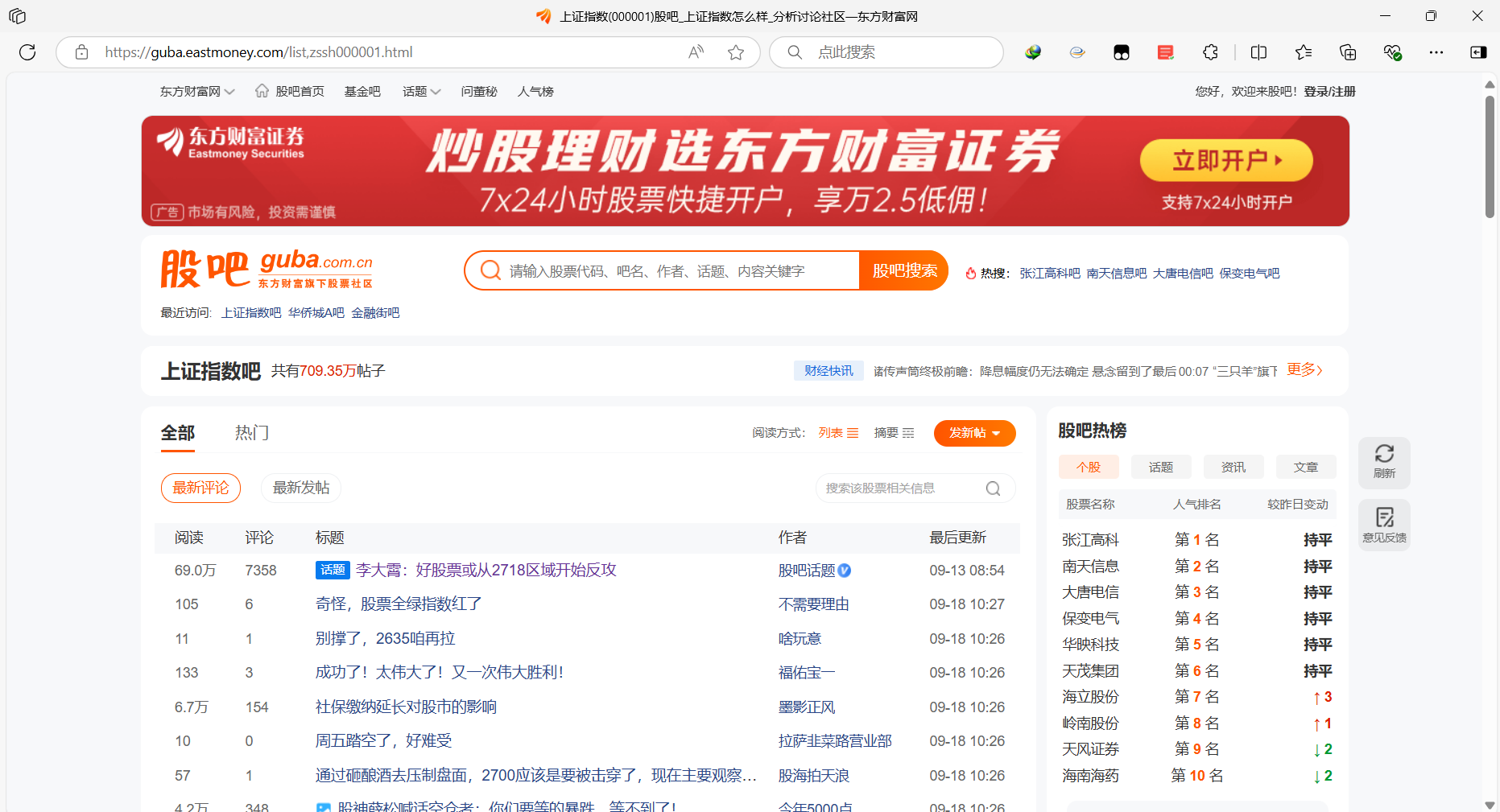
这里我们以上证指数吧为例子, 其中 zssh000001 是上证指数吧的代码。通过使用 stock_stil 的 comments 模块,使用其中的 getEastMoneyPostList() 函数,通过传递一个 stock_code,从而获取对应吧的帖子内容。
#引入stock_stil的comments模块
from stock_stil import comments

#使用comments模块的方法获取对应吧的帖子内容
post_detail=comments.getEstMoneyPostDetail(stock_code="zssh000001",post_id="1462421588")
#获取帖子最后评论时间
print(post_detail.post_last_time)
#获取帖子作者的作者信息
print(post_detail.post_user)
#打印正文内容
print(post_detail.post_content)
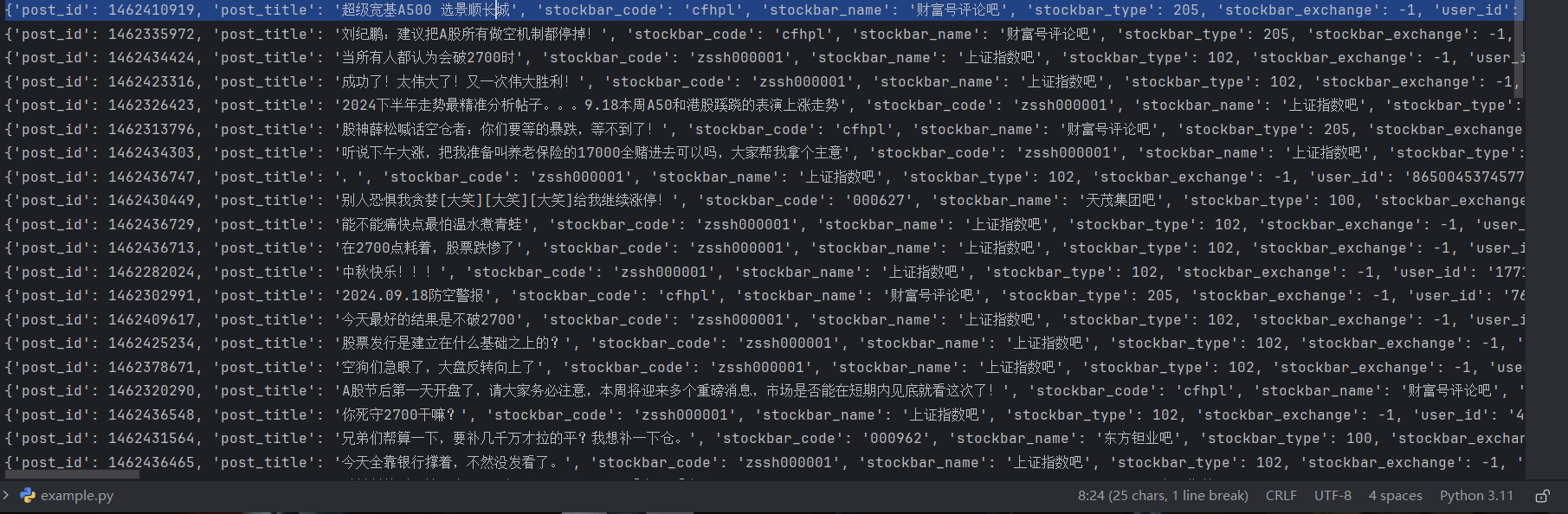
运行上述代码,返回对应吧的帖子列表,通过循环进行打印帖子标题。上述只是一个简单的演示,在 post 对象里面还有非常多的属性,所有的变量命名都是以下划线的形式,大家可以使用 Pycharm 编辑器的自动补全功能轻松显示各种属性值,最终结果如下所示:

通过对象的__dict__属性获取对象的字典形式。
- 获取对应帖子的正文内容
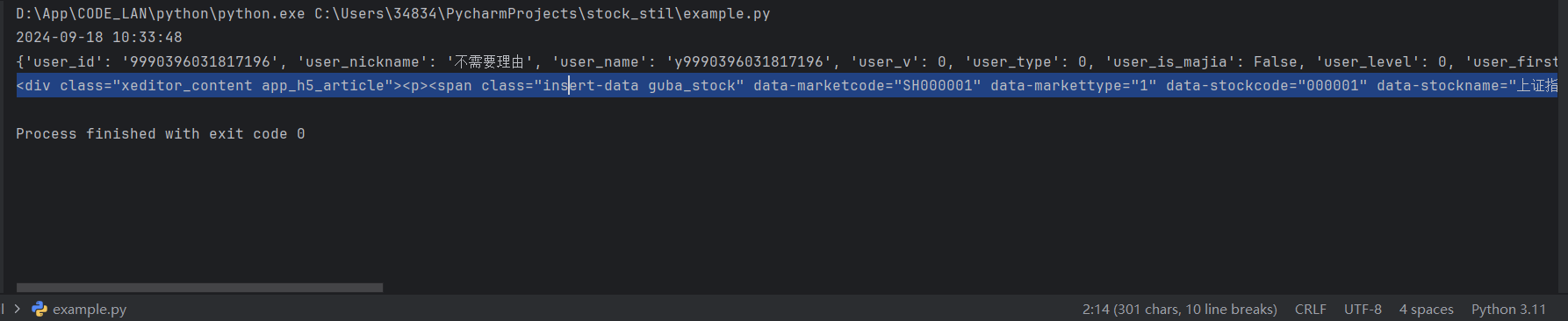
每一个帖子,除了标题外,进入帖子内部还会有帖子的正文内容,我们也可以使用 stock_stil 库轻松获得,通过示使用 getEstMoneyPostDetail() 函数,传递 stock_code(吧的代码)、post_id 帖子 id 从而获取对应吧下面的对应的帖子的相关信息。
#引入stock_stil的comments模块
from stock_stil import comments

#使用comments模块的方法获取对应吧的帖子内容,page是评论页数
comments_list=comments.getEasyMoneyPostReplyList(post_id="1461937740",page=1)
for comment in comments_list:
    #打印评论用户信息
    print(comment.reply_user.__dict__)
    #打印评论内容
    print(comment.reply_text)
    #打印评论点赞数量
    print(comment.reply_like_count)
    print("-"*20)
上述代码是一个简单的例子,post_detail 拥有很多的属性,可以获取帖子的状态、归属地、作者等级等信息,大家可以自行研究。下面是代码运行的结果, 其中正文是 html 格式,可以进一步进行解析。
- 获取对应帖子的评论内容
有些帖子可能会有评论数据,我们可以通过 comments 模块的 getEasyMoneyPostReplyList() 方法,通过传递一个 post_id 从而获取对应帖子下的评论,其中 page 是页数参数,用于控制获取评论的位置。
#引入stock_stil的comments模块
from stock_stil import comments

#使用comments模块的方法获取对应吧的帖子内容,page是评论页数
comments_list=comments.getEasyMoneyPostReplyList(post_id="1461937740",page=1)
for comment in comments_list:
    #打印评论用户信息
    print(comment.reply_user.__dict__)
    #打印评论内容
    print(comment.reply_text)
    #打印评论点赞数量
    print(comment.reply_like_count)
    print("-"*20)
上述是一个简单的示例,大家可以自行获取其他属性。运行结果如下所示:

总结
以上就是今天要讲的内容,本文仅仅简单介绍了 stock_stil 库的使用,后续 stock_stil 库也会不断更新和完善。通过使用 stock_stil 库,可以方便的获取股票用户信息、帖子以及对应的股票相关的评论。


Download files
Download the file for your platform. If you're not sure which to choose, learn more about installing packages.
Source Distribution
Built Distribution
Filter files by name, interpreter, ABI, and platform.
If you're not sure about the file name format, learn more about wheel file names.
Copy a direct link to the current filters
File details
Details for the file stock_stil-0.1.4.tar.gz.
File metadata
- Download URL: stock_stil-0.1.4.tar.gz
- Upload date:
- Size: 19.4 kB
- Tags: Source
- Uploaded using Trusted Publishing? No
- Uploaded via: twine/5.1.1 CPython/3.11.9
File hashes
| Algorithm | Hash digest | |
|---|---|---|
| SHA256 |
f9c6b2f9d3923eeb902e73e153cc100a3b3cf49547d540fe8f7328922f75844b
|
|
| MD5 |
728e1a1969f026eea7e1adf5a1ea31b8
|
|
| BLAKE2b-256 |
da98a9d71d453831ee7ec35bf018a550755551f5336db09b0afa5bdf80945611
|
File details
Details for the file stock_stil-0.1.4-py3-none-any.whl.
File metadata
- Download URL: stock_stil-0.1.4-py3-none-any.whl
- Upload date:
- Size: 9.4 kB
- Tags: Python 3
- Uploaded using Trusted Publishing? No
- Uploaded via: twine/5.1.1 CPython/3.11.9
File hashes
| Algorithm | Hash digest | |
|---|---|---|
| SHA256 |
b82a3487ba6d17ea2bf5414862ea58ff3dc7966e61a47502600454ac6e8345a2
|
|
| MD5 |
1fa4e7ce92ff097da382929f2b441807
|
|
| BLAKE2b-256 |
0cc725fea0cd99710db3f526bf4db35a30b8a2368439c86573c2c16d9ea46eab
|






