
storageanalyser
Storage Analyzer & Cleanup Recommender for macOS and Windows.
Scans your home directory (and optionally other paths) to find large files, stale files, junk directories, build artifacts, duplicates, and old downloads. Outputs a prioritised list of cleanup recommendations with estimated space savings.
Platform-aware: automatically detects OS-specific cache locations, system directories, and generates the appropriate cleanup script (bash on macOS, PowerShell on Windows).
Installation
pip install storageanalyser
Usage
storageanalyser                           # Scan home directory
storageanalyser --top 30                  # Show top 30 recommendations
storageanalyser --duplicates              # Include duplicate detection
storageanalyser --json                    # JSON output
storageanalyser --threshold 50            # Flag files over 50 MB
storageanalyser --ignoredir node_modules  # Skip directories
storageanalyser --includedir CloudStorage # Override a default-skipped directory
storageanalyser --list-skipped            # Show directories skipped by default
storageanalyser --web                     # Launch the web interface
storageanalyser --web --port 9000         # Web interface on a custom port
storageanalyser --desktop                 # Launch as a desktop app
Scan a specific drive or folder:
# macOS
storageanalyser /Volumes/ExternalDrive

# Windows
storageanalyser D:\Data
Platform Support
| Feature | macOS | Windows |
|---|---|---|
| CLI scanner | Yes | Yes |
| Web interface | Yes | Yes |
| OS-specific caches | Library/Caches, .Trash, Xcode, etc. | AppData/Local/Temp, CrashDumps, etc. |
| Cloud storage skip | iCloud, Google Drive, OneDrive, Dropbox | Google Drive, OneDrive, Dropbox |
| System dir skip | .Spotlight-V100, .fseventsd, Photos Library | $Recycle.Bin, System Volume Information |
| Cleanup script | Bash (.sh) | PowerShell (.ps1) |
| Duplicate detection | Yes | Yes |
| Google Drive integration | Yes | Yes |
| Desktop app mode | Yes | Yes |
Desktop App
Run StorageAnalyser as a standalone desktop application with its own window:
pip install storageanalyser[desktop]
storageanalyser --desktop
Uses the system's native WebView (WebKit on macOS, WebView2 on Windows) — no Chromium bundled. The same web interface runs inside a native window that closes cleanly when you're done.
Web Interface
Launch the web UI with storageanalyser --web. Features include:
- Live scan progress with cancel support
- Duplicate hashing progress bar
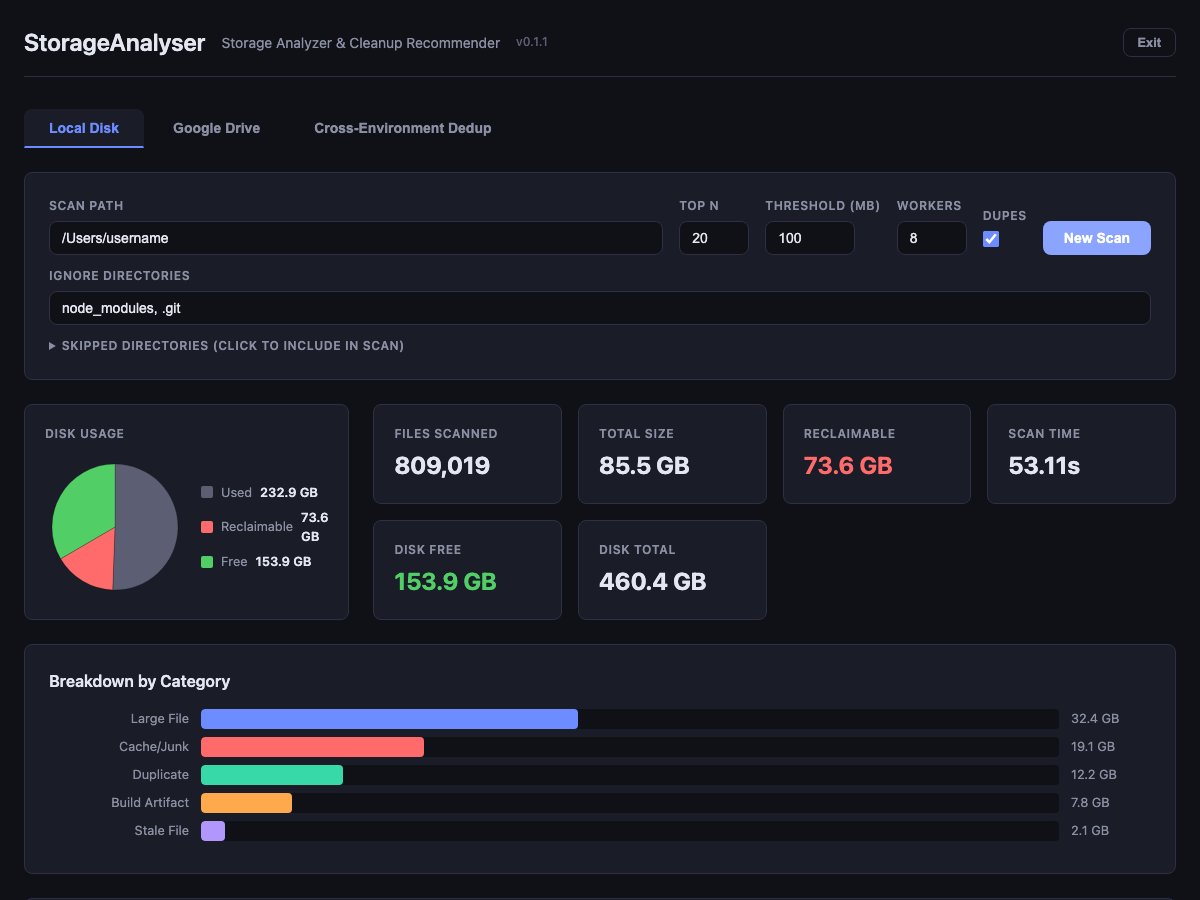
- Disk usage pie chart and summary cards
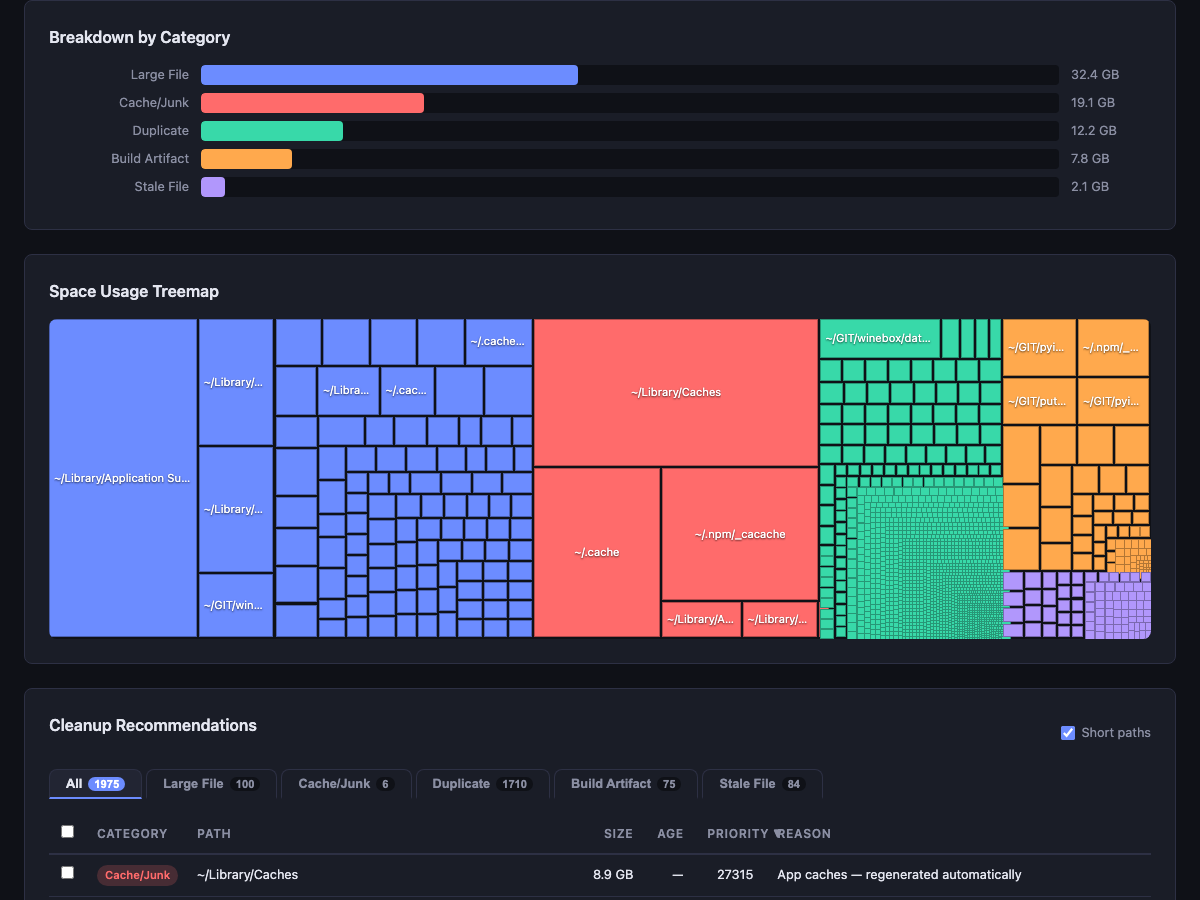
- Category breakdown bar chart
- Clickable treemap (click to jump to the recommendation)
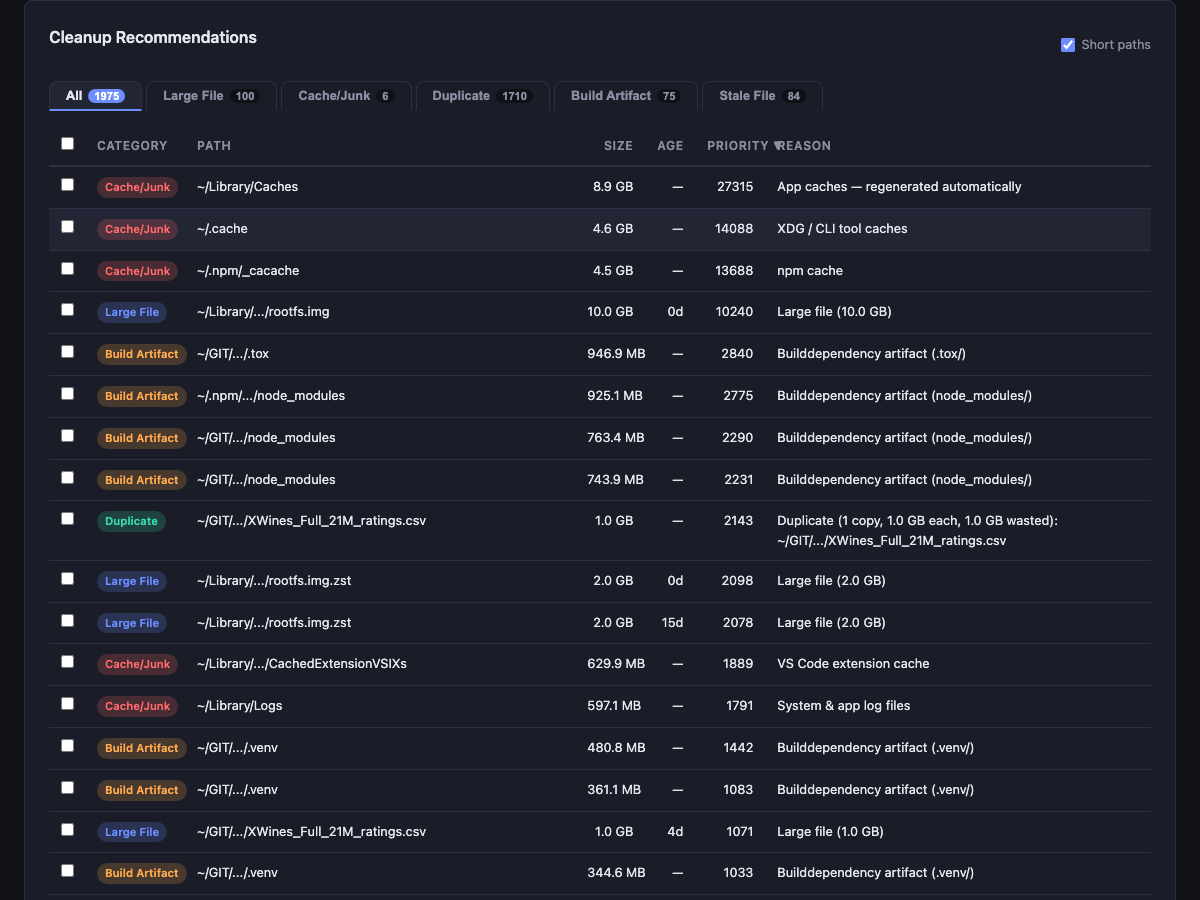
- Recommendations organized by category tabs with per-tab sorting
- Short/full path toggle for readability
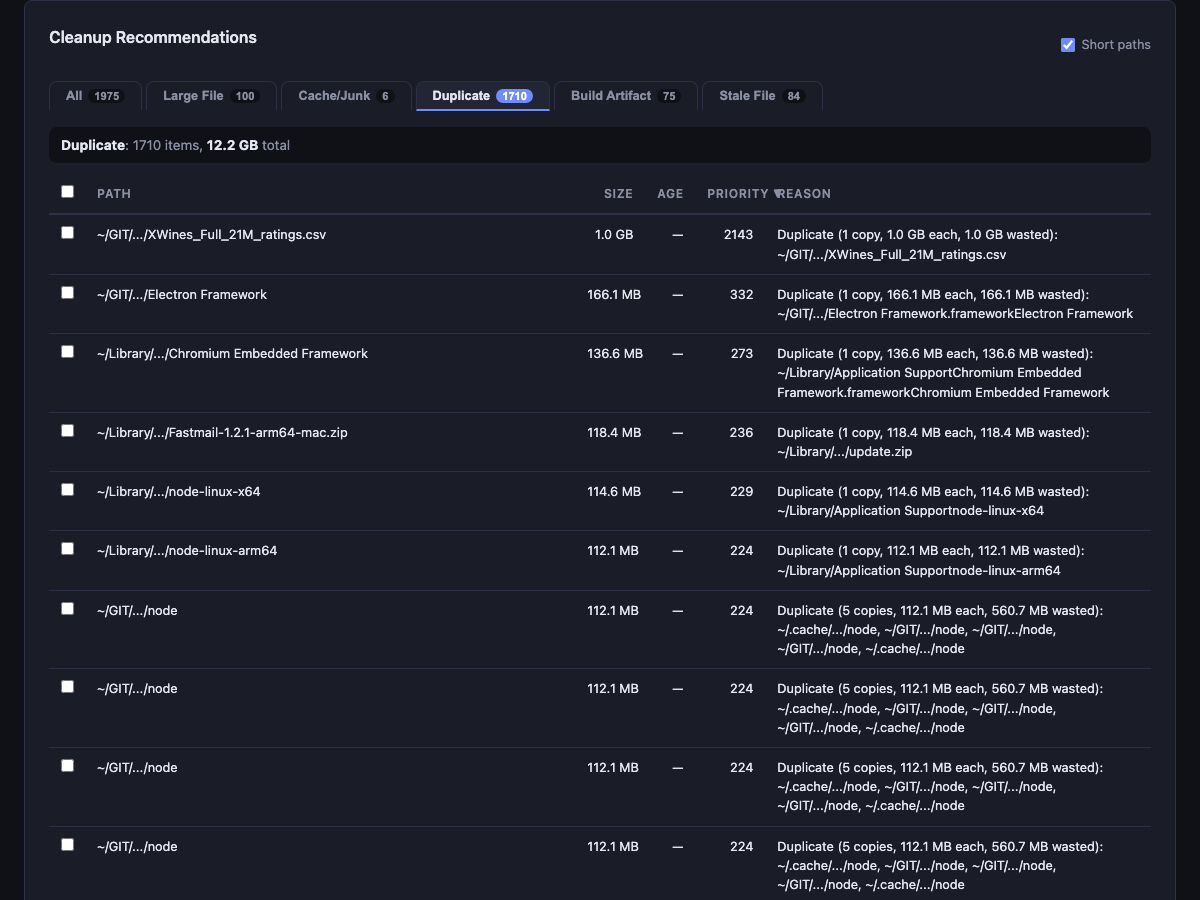
- Duplicate detection with full path listing and wasted space calculation
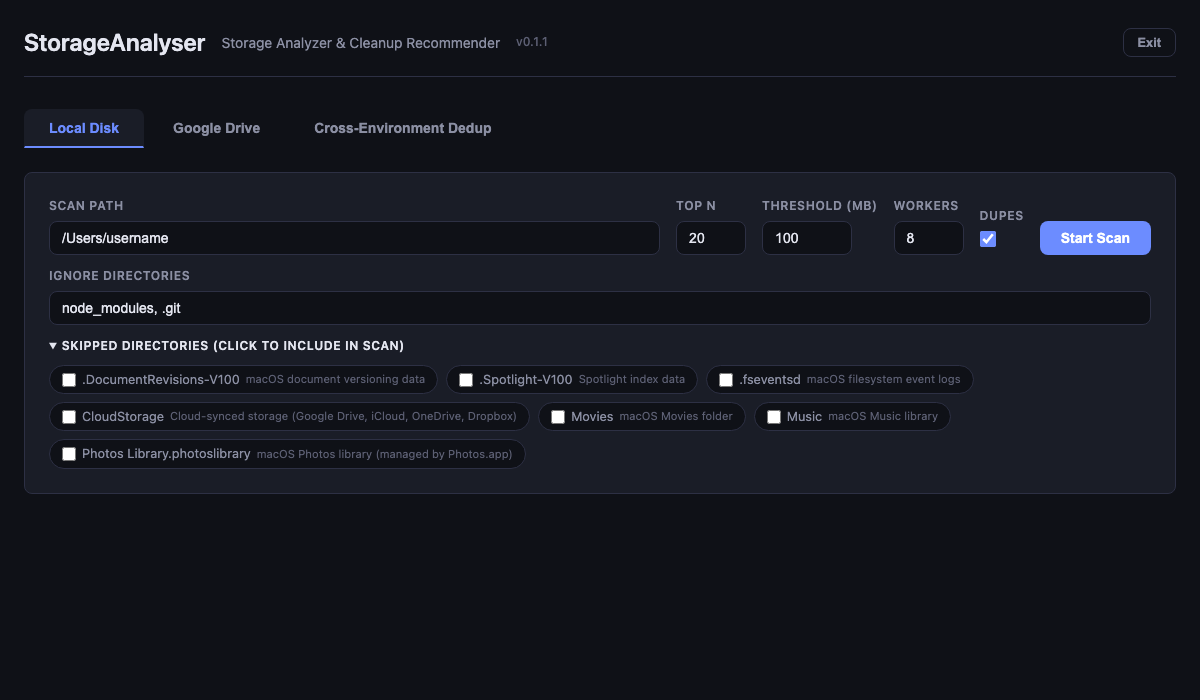
- Configurable skipped directories (override defaults to include cloud storage, etc.)
- Cleanup script download for selected items (bash or PowerShell)
- Google Drive integration and cross-environment deduplication
Screenshots
Scan form with configurable skipped directories:
Results summary with disk usage pie chart and summary cards:
Category breakdown and clickable treemap:
Recommendations organized by category tabs:
Duplicate detection with copy count and wasted space:
Skipped Directories
By default, certain directories are skipped during scans. The list is platform-specific
(cloud storage, OS system directories, managed libraries, etc.). Use --list-skipped
to see the defaults for your OS and --includedir to override:
storageanalyser --list-skipped
storageanalyser --includedir Music --includedir Movies
Documentation
Full documentation is available at storageanalyser.readthedocs.io.
1 maintainer

Metadata
1 maintainer
Release files for storageanalyser 0.1.4
For a detailed explanation of source distributions (sdists) and built distributions (wheels), please see the package formats documentation.
Source distribution (sdist)
| File | Size | Uploaded | |
|---|---|---|---|
| storageanalyser-0.1.4.tar.gz | 748.1 kB | Details |
Built distribution (wheel)
| File | Interpreter | ABI | Platform | Reset |
|---|---|---|---|---|
| storageanalyser-0.1.4-py3-none-any.whl | Python 3 | none | any | Details |
Total release size: 805.8 kB
Release files / storageanalyser-0.1.4.tar.gz
| Download URL | storageanalyser-0.1.4.tar.gz |
|---|---|
| Size | 748.1 kB |
| Tags | Source |
|
SHA-256 checksum How to use checksums |
685266062fcf41105d27673168cfa90051541619950e1bfc3e96e2d63ccd13e2
|
|
BLAKE2b-256 checksum How to use checksums |
6991cb6cf7eddb7fda5bbf0b86ac4f662d4b79226ae3c66e8efa555c56f5edd1
|
| Upload date | |
|
Uploaded using Trusted Publishing? What is trusted publishing? |
Yes |
| Uploaded via |
twine/6.1.0 CPython/3.13.12
|
Provenance
Provenance describes where a file came from. On PyPI, provenance is shared via attestations, which provide a verifiable record of the build or publishing details. View details, limitations and caveats.


PyPI Publish Attestation
PyPI verified that this artifact, at this checksum, originated from the publisher listed below.
Signed by GitHub Actions, verified by PyPI on Apr 8, 2026.
Transparency logRelease files / storageanalyser-0.1.4-py3-none-any.whl
| Download URL | storageanalyser-0.1.4-py3-none-any.whl |
|---|---|
| Size | 57.7 kB |
| Tags | Python 3 |
|
SHA-256 checksum How to use checksums |
ac48d057ea00a5e27ba5779aceaba02dcc26f22050ff08926e6d782fadac2af7
|
|
BLAKE2b-256 checksum How to use checksums |
37b1b393ae1721b85502209f9e07ae0b70ceeb0da4249d53166da094584f1ee3
|
| Upload date | |
|
Uploaded using Trusted Publishing? What is trusted publishing? |
Yes |
| Uploaded via |
twine/6.1.0 CPython/3.13.12
|
Provenance
Provenance describes where a file came from. On PyPI, provenance is shared via attestations, which provide a verifiable record of the build or publishing details. View details, limitations and caveats.
PyPI Publish Attestation
PyPI verified that this artifact, at this checksum, originated from the publisher listed below.
Signed by GitHub Actions, verified by PyPI on Apr 8, 2026.
Transparency log













