
storeframe




Turn raw app captures into App Store and Google Play screenshots.
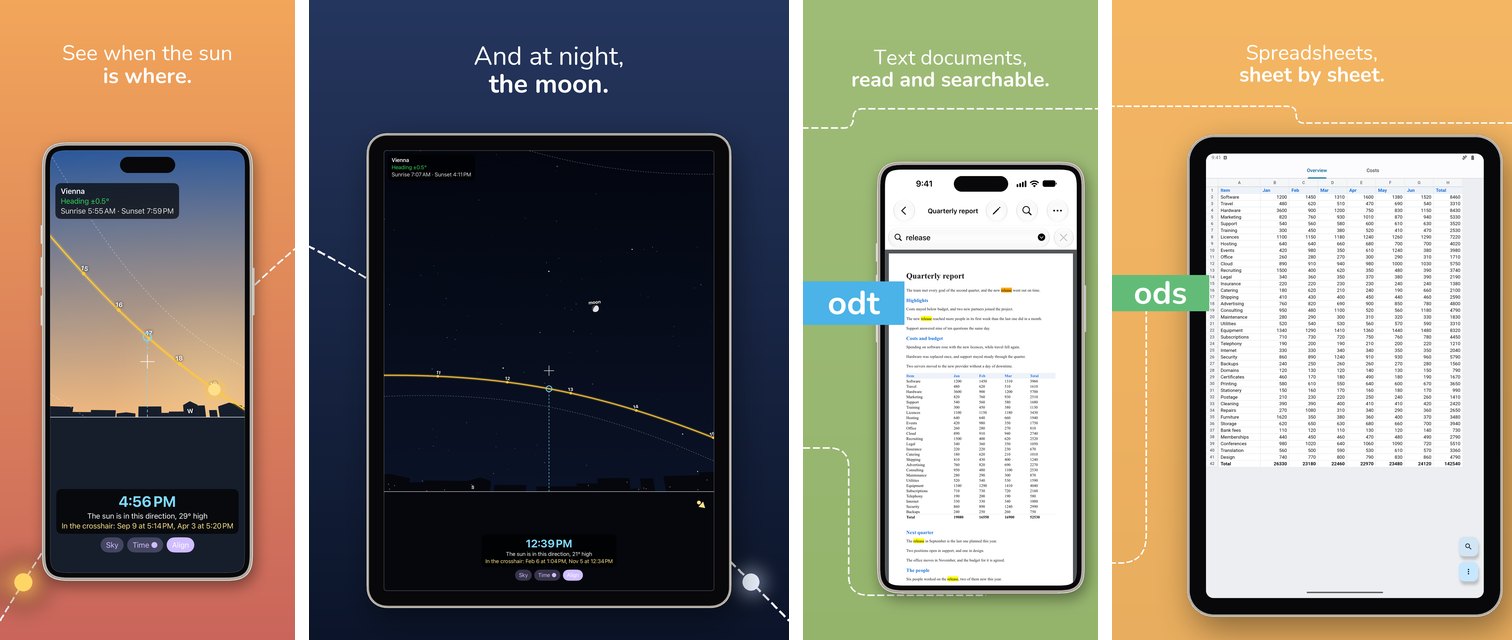
storeframe puts each capture inside a drawn device (a Pixel, Pixel Tablet,
iPhone or iPad, with no mockup images involved) on a gradient background, sets a
localized two-line headline above it, and can run a decoration across the whole
gallery so the pictures read as one strip when swiped. It works on fastlane's
folder layout, so it slots in between snapshot/screengrab and deliver/supply.
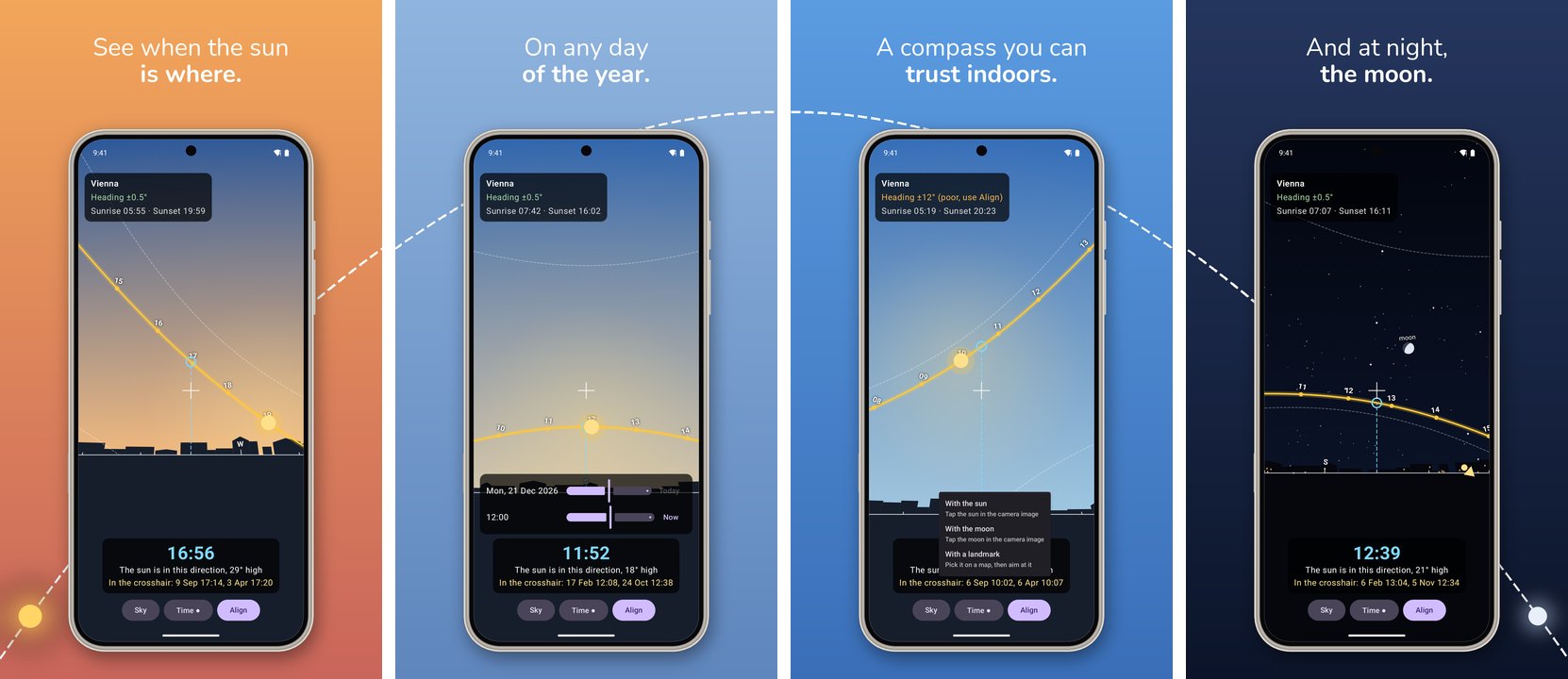
It was built for the store listings of OpenDocument Reader and the almucantar apps, and replaces the framing scripts they used to carry.
Install
pip install storeframe
# or run it without installing
uvx storeframe devices
pipx run storeframe devices
Requires Python 3.10 or newer and Pillow (installed with it).
Command line
# a fastlane-style tree: captures/<locale>/*.png -> framed/<locale>/*.png
storeframe frame design.json --platform android --captured fastlane/screenshots --out fastlane/framed
storeframe frame design.json --platform ios     --captured fastlane/screenshots --out fastlane/framed --locale en-US

# also draw Play's 1024x500 feature graphic from the first screen's phone capture
storeframe frame design.json --platform android --captured ... --out ... --feature-graphic

# a single picture
storeframe one design.json capture.png framed.png --screen 01-path --platform ios

storeframe devices          # the devices, platforms and styles there are
Each locale folder of the output is emptied first, so a renamed screen never
leaves a stale picture behind for the upload to find. Without --locale
(repeatable), every folder that holds PNGs is a locale; other folders, such as
another app's captures, are left alone.
Styles
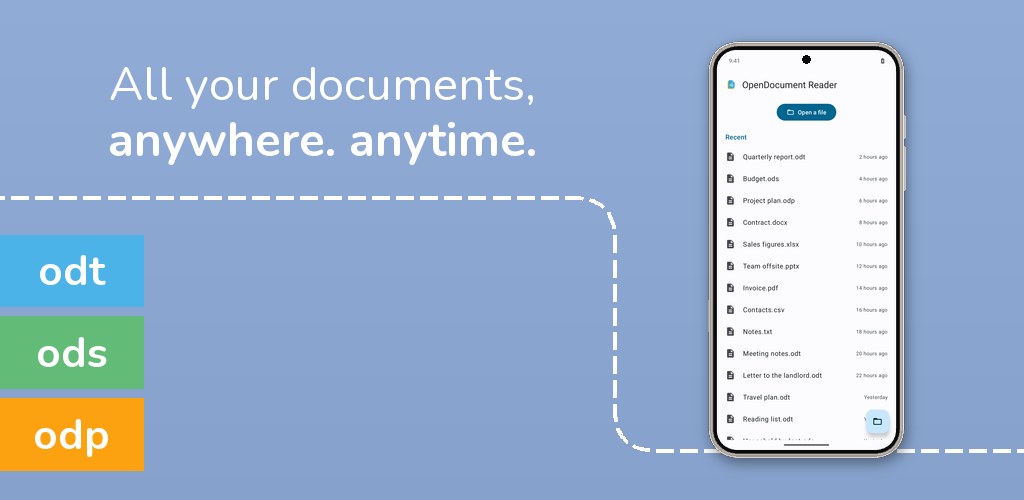
tabs: the device off-centre, coloured tabs running off the left edge, and a
dashed line that crosses every picture. Each picture picks the line up at the
height where the previous one left it.
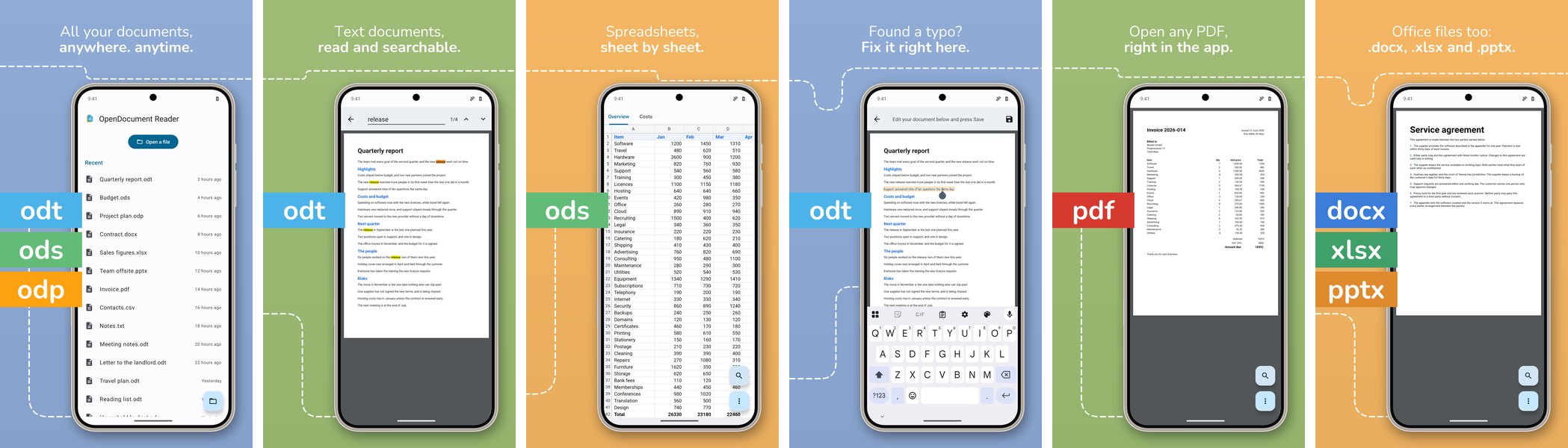
arc: a dashed parabola spanning the whole gallery, with the sun rising in the
first picture and the moon up in the last (see the top of this page).
plain: the device centred, headline above, nothing else.
Devices and platforms
| Platform | Kind | Device | Output size |
|---|---|---|---|
android |
phone |
pixel-pro |
1440×2560 (Play refuses anything longer than 2:1) |
android |
tablet |
pixel-tablet |
1600×2560 |
ios |
iphone |
iphone-pro-max |
the capture's size (the App Store wants the device's) |
ios |
ipad |
ipad-pro-13 |
the capture's size |
A capture named <kind>-<screen>.png (phone-01-path.png) says which kind it
is. Anything else, such as fastlane snapshot's iPhone 17 Pro Max-01-path.png,
is matched to the device with the closest aspect ratio. The screen is the one
whose name (or alias) the file name ends with.
The devices are drawn from their real proportions: bezel width, how much of it is black glass versus metal, corner shape (near-circular on a Pixel, a continuous curve on an iPhone), punch hole or Dynamic Island, keys and SIM tray. Every measure is a fraction of the screen, so a device looks the same at any size.
The design file
One JSON file per app describes its gallery:
{
  "style": "arc",
  "backgrounds": { "evening": ["#f2a65a", "#c9655b"], "night": ["#25365e", "#0b1429"] },
  "screens": [
    {
      "name": "01-path",
      "background": "evening",
      "headline": { "en-US": ["See when the sun", "is where."], "de-DE": ["Sieh, wann die Sonne", "wo steht."] }
    },
    {
      "name": "04-moon",
      "background": "night",
      "headline": { "en-US": ["And at night,", "the moon."] },
      "aliases": ["04-moon-lite"]
    }
  ]
}
| Key | |
|---|---|
style |
plain, arc or tabs |
backgrounds |
named top/bottom gradient colours; a screen may also give a pair inline |
screens |
in store order; headline per locale, one string per line (the first line light, the rest bold) |
chips |
tabs style: tab colours by name at the top level, and a list of tab names on each screen |
font, weights |
a font file relative to the design, and the named weights per line; the bundled Nunito by default |
fallback_locale |
used when a locale has no headline (de-AT tries de first); en-US by default |
layouts, params |
per-kind overrides (phone, tablet, iphone, ipad, feature) of where things sit and of the style's numbers |
options |
style switches, e.g. {"moon": false} for arc |
Hindi, Japanese and Chinese headlines are set in a system font: Noto
(fonts-noto-core, fonts-noto-cjk) on Linux and the system fonts on macOS.
Without one, framing stops with an error instead of drawing empty boxes in place of the text.
Python
from PIL import Image
import storeframe

design = storeframe.Design.load("design.json")

picture = storeframe.screenshot(
    Image.open("phone-01-path.png"), design, "01-path",
    kind="phone", device="pixel-pro", locale="de-DE", canvas_size=(1440, 2560),
)
picture.save("framed.png")

report = storeframe.frame_directory(design, "ios", "fastlane/screenshots", "fastlane/framed")
Development
uv venv && uv pip install -e '.[dev]'
.venv/bin/pytest
.venv/bin/ruff check src tests
Releases are published to PyPI by GitHub Actions when a GitHub release is
created; the tag has to match __version__ in src/storeframe/__init__.py.
License
MIT. The bundled Nunito font is under the SIL Open Font License 1.1
(src/storeframe/fonts/OFL.txt). The sample pictures show
Sonnseite and
OpenDocument Reader.
1 maintainer

Metadata
1 maintainer
Release files for storeframe 0.1.1
For a detailed explanation of source distributions (sdists) and built distributions (wheels), please see the package formats documentation.
Source distribution (sdist)
| File | Size | Uploaded | Provenance | Actions |
|---|---|---|---|---|
| storeframe-0.1.1.tar.gz | 156.4 kB | With provenance | Details for storeframe-0.1.1.tar.gz |
Built distribution (wheel)
| File | Interpreter | ABI | Platform | Actions Reset |
|---|---|---|---|---|
| storeframe-0.1.1-py3-none-any.whl | Python 3 | none | any | Details for storeframe-0.1.1-py3-none-any.whl |
Total release size: 319.2 kB
Release files / storeframe-0.1.1.tar.gz
| Download URL | storeframe-0.1.1.tar.gz |
|---|---|
| Size | 156.4 kB |
| Tags | Source |
|
SHA-256 checksum How to use checksums |
ad6b7a95e5d1efb9449631d9c647f71353618fc9a4188c52290d9f8a9400811b
|
|
BLAKE2b-256 checksum How to use checksums |
f10fd856cf8e4f20a88524916440de2df2f21da180d68f616be65ca973dc2224
|
| Upload date | |
|
Uploaded using Trusted Publishing? What is trusted publishing? |
Yes |
| Uploaded via |
twine/7.0.0 CPython/3.13.16
|
Provenance
Provenance describes where a file came from. On PyPI, provenance is shared via attestations, which provide a verifiable record of the build or publishing details. View details, limitations and caveats.


PyPI Publish Attestation
PyPI verified that this artifact, at this checksum, originated from the publisher listed below.
Signed by GitHub Actions, verified by PyPI on Nov 14, 2026.
Transparency logRelease files / storeframe-0.1.1-py3-none-any.whl
| Download URL | storeframe-0.1.1-py3-none-any.whl |
|---|---|
| Size | 162.8 kB |
| Tags | Python 3 |
|
SHA-256 checksum How to use checksums |
19819356f37cd993bbcd74b31aaa395599a856085b061c697ed24aec02976ad1
|
|
BLAKE2b-256 checksum How to use checksums |
c769eb5113611df0000b85a2e173d0d314b202a80f5fc762c5a5af4d813a9dde
|
| Upload date | |
|
Uploaded using Trusted Publishing? What is trusted publishing? |
Yes |
| Uploaded via |
twine/7.0.0 CPython/3.13.16
|
Provenance
Provenance describes where a file came from. On PyPI, provenance is shared via attestations, which provide a verifiable record of the build or publishing details. View details, limitations and caveats.
PyPI Publish Attestation
PyPI verified that this artifact, at this checksum, originated from the publisher listed below.
Signed by GitHub Actions, verified by PyPI on Nov 14, 2026.
Transparency logSecurity for storeframe 0.1.1
Provenance
Provenance describes where a file came from. On PyPI, provenance is shared via attestations, which provide a verifiable record of the build or publishing details. View details, limitations and caveats.
Full provenance
Both files in this release have been uploaded with provenance metadata.
Attestation for storeframe-0.1.1.tar.gz
PyPI Publish Attestation
PyPI verified that this artifact, at this checksum, originated from the publisher listed below.
Signed by GitHub Actions, verified by PyPI on Nov 14, 2026.
Transparency logA note on package security
PyPI is a repository for distributing packages, not a service for auditing them. While third-party security researchers and our staff do their best to detect and remove malicious packages, PyPI cannot guarantee the quality, security or suitability of any given package.
To learn more about protecting yourself from malicious actors, visit our package security documentation.














