
🛠️ stouputils
Every utility you rewrite in each project, already written: colored logging, decorators, parallel maps, archives, backups, a CLI, and more.















Installation | Quick start | Modules | CLI | Documentation

📚 What is it?
One import gives you the utilities every project ends up rewriting.
Logs are colored and timestamped, repeated lines collapse into (x3), decorators time and retry your functions, and multiprocessing gets a progress bar for free, and many more.
Everything is strongly typed, doctested on Python 3.12 to 3.15 including the free threaded builds, and every submodule is declared lazy (PEP 810) so import stouputils costs almost nothing on Python 3.15.
🔧 Installation
pip install stouputils
✨ Enable tab completion on Linux (optional)
For a better CLI experience, enable bash tab completion:
# Option 1: Using argcomplete's global activation
activate-global-python-argcomplete --user

# Option 2: Manual setup for bash
register-python-argcomplete stouputils >> ~/.bashrc
source ~/.bashrc
After enabling completion, you can use <TAB> to autocomplete commands:
stouputils <TAB>        # Shows: --version, -v, all_doctests, backup
stouputils all_<TAB>    # Completes to: all_doctests
Note: Tab completion works best in bash, zsh, Git Bash, or WSL on Windows.
🚀 Quick start
import stouputils as stp

# Print how long each call takes, and log errors instead of crashing
@stp.measure_time()
@stp.handle_error(message="Doubling failed")
def double(value: int) -> int:
	return value * 2

stp.info("Starting", 3, "jobs")
stp.info("Starting", 3, "jobs")	# A repeated line collapses instead of scrolling away

# Run double() on several threads at once, with a progress bar
results: list[int] = stp.multithreading(double, [1, 2, 3], desc="Doubling")

# Describe any value: its type, its size and its content
stp.whatisit(results)
stp.warning("Two files were skipped")
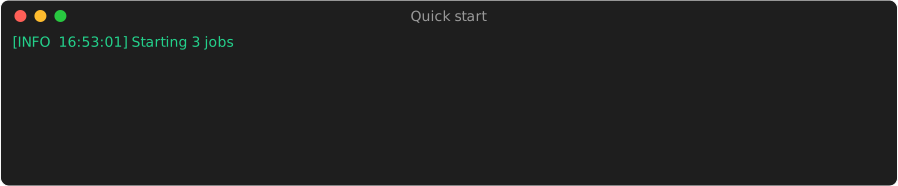
Colors, timestamps and the progress bar come from the defaults, they are configurable.
Send the same logs to a file with with stp.LogToFile("run.log"):, silence a noisy library with with stp.Muffle():, and swap multithreading for multiprocessing when the work is CPU bound.
💻 From the command line
The same toolbox is available as a CLI, one example per subcommand:
# Show version information of polars with dependency tree of depth 3
stouputils --version polars -t 3

# Run all doctests in a directory with pattern filter (fnmatch)
stouputils all_doctests "./src" "*_test"

# Repair a corrupted/obstructed zip archive
stouputils archive repair "./input.zip" "./output.zip"

# Create a delta backup
stouputils backup delta "./source" "./backups"

# Build with a minor version bump, then publish to PyPI
stouputils build minor --publish

# Generate changelog from git history (since a specific date, with commit URLs from origin remote, output to file)
stouputils changelog date "2026-01-01" -r origin -o "CHANGELOG.md"

# Redirect (move) a folder and create a junction/symlink at the original location
stouputils redirect "C:/Games/MyGame" "D:/Games/" --hardlink

# Check the style rules ruff cannot express
stouputils check src
📖 See the Extensive CLI Documentation section below for detailed usage and all available options.
🧰 Modules
Every name below links to its reference page.
<style> .code-tree { border-radius: 6px; padding: 16px; font-family: monospace; line-height: 1.45; overflow: auto; white-space: pre; background-color:rgb(43, 43, 43); color: #d4d4d4; } .code-tree a { color: #569cd6; text-decoration: none; } .code-tree a:hover { text-decoration: underline; } .code-tree .comment { color:rgb(231, 213, 48); } .code-tree .paren { color: orange; } </style>
stouputils/
├── print         # 🖨️ Utility functions for printing (info, debug, warning, error, whatisit, breakpoint, progress_bar, ...)
├── decorators    # 🎯 Decorators (measure_time, handle_error, timeout, retry, simple_cache, abstract, deprecated, silent)
├── ctx           # 🔇 Context managers (LogToFile, MeasureTime, Muffle, DoNothing, SetMPStartMethod)
├── io            # 💾 Utilities for file management (json_dump, json_load, csv_dump, csv_load, read_file, super_copy, super_open, clean_path, redirect_folder, ...)
├── parallel      # 🔀 Utility functions for parallel processing (multiprocessing, multithreading, run_in_subprocess)
├── image         # 🖼️ Little utilities for image processing (image_resize, auto_crop, numpy_to_gif, numpy_to_obj)
├── collections   # 🧰 Utilities for collection manipulation (Registry, unique_list, at_least_n, sort_dict_keys, upsert_in_dataframe, array_to_disk)
├── typing        # 📝 Utilities for typing enhancements (IterAny, JsonDict, JsonList, ..., convert_to_serializable, inheritable, overridable, hook)
├── all_doctests  # ✅ Run all doctests for all modules in a given directory (launch_tests, test_module_with_progress)
├── backup        # 💾 Utilities for backup management (delta backup, consolidate)
├── lock          # 🔒 Inter-process FIFO locks (LockFifo, RLockFifo, RedisLockFifo)
├── archive       # 📦 Functions for creating and managing archives (create, repair)
├── check         # 🧹 Style rules ruff cannot express (banned AI typography, comment and docstring layout, indentation)
├── system        # 🖥️ What this process may really use inside a container (cpu_limit, memory_limit_megabytes)
├── version_pkg   # 🏷️ Versions of a package and its dependencies (show_version, also stouputils --version)
├── config        # ⚙️ Global configuration (StouputilsConfig: global options)
│
├── applications/
│   ├── automatic_docs    # 📚 Documentation generation utilities (used to create this documentation)
│   ├── upscaler          # 🔎 Image & Video upscaler (configurable)
│   └── ...
│
├── continuous_delivery/
│   ├── cd_utils          # 🔧 Utilities for continuous delivery
│   ├── git               # 📜 Utilities for local git changelog generation
│   ├── github            # 📦 Utilities for continuous delivery on GitHub (upload_to_github)
│   ├── gitlab            # 📦 Utilities for continuous delivery on GitLab (upload_to_gitlab)
│   ├── pypi              # 📦 Utilities for PyPI (pypi_full_routine)
│   ├── pyproject         # 📝 Utilities for reading, writing and managing pyproject.toml files
│   └── ...
│
├── compression/
│   ├── deadband                   # 📉 Thin a curve down to the points the line drawn through it needs (DeadbandFilter)
│   └── ...
│
├── mlflow/
│   ├── process_metrics_monitor    # 📊 Monitor CPU, memory, I/O, and thread metrics for a specific process tree and log them to MLflow
│   └── ...
│
├── installer/
│   ├── common            # 🔧 Common functions used by the Linux and Windows installers modules
│   ├── downloader        # ⬇️ Functions for downloading and installing programs from URLs
│   ├── linux             # 🐧 Linux/macOS specific implementations for installation
│   ├── main              # 🚀 Core installation functions for installing programs from zip files or URLs
│   ├── windows           # 💻 Windows specific implementations for installation
│   └── ...
└── ...
📖 Extensive CLI Documentation
The stouputils CLI provides several powerful commands for common development tasks.
⚡ General Usage
stouputils <command> [options]
Running stouputils without arguments displays help with all available commands.
📌 --version / -v - Show Version Information
Display the version of stouputils and its dependencies, along with the used Python version.
# Basic usage - show stouputils version
stouputils --version
stouputils -v

# Show version for a specific package
stouputils --version numpy
stouputils -v requests

# Show dependency tree (depth 3+)
stouputils --version -t 3
stouputils -v stouputils --tree 4
Options:
| Option | Description |
|---|---|
[package] |
Optional package name to show version for (default: stouputils) |
-t, --tree <depth> |
Show dependency tree with specified depth (≤2 for flat list, ≥3 for tree view) |
✅ all_doctests - Run Doctests
Execute all doctests in Python files within a directory.
# Run doctests in current directory
stouputils all_doctests

# Run doctests in specific directory
stouputils all_doctests ./src

# Run doctests with file pattern filter
stouputils all_doctests ./src "*image/*.py"
stouputils all_doctests . "*utils*"
Arguments:
| Argument | Description |
|---|---|
[directory] |
Directory to search for Python files (default: .) |
[pattern] |
Glob pattern to filter files (default: *) |
Exit codes:
0: All tests passed1: One or more tests failed
📦 archive - Archive Utilities
Create and repair ZIP archives.
# Show archive help
stouputils archive --help
archive make - Create Archive
# Basic archive creation
stouputils archive make ./my_folder ./backup.zip

# Create archive with ignore patterns
stouputils archive make ./project ./project.zip --ignore "*.pyc,__pycache__,*.log"

# Create destination directory if needed
stouputils archive make ./source ./backups/archive.zip --create-dir
Arguments & Options:
| Argument/Option | Description |
|---|---|
<source> |
Source directory to archive |
<destination> |
Destination zip file path |
--ignore <patterns> |
Comma-separated glob patterns to exclude |
--create-dir |
Create destination directory if it doesn't exist |
archive repair - Repair Corrupted ZIP
# Repair with auto-generated output name
stouputils archive repair ./corrupted.zip

# Repair with custom output name
stouputils archive repair ./corrupted.zip ./fixed.zip
Arguments:
| Argument | Description |
|---|---|
<input_file> |
Path to the corrupted zip file |
[output_file] |
Path for repaired file (default: adds _repaired suffix) |
💾 backup - Backup Utilities
Create delta backups, consolidate existing backups, and manage backup retention.
# Show backup help
stouputils backup --help
backup delta - Create Delta Backup
Create an incremental backup containing only new or modified files since the last backup.
# Basic delta backup
stouputils backup delta ./my_project ./backups

# Delta backup with exclusions
stouputils backup delta ./project ./backups -x "*.pyc" "__pycache__/*" "node_modules/*"
stouputils backup delta ./source ./backups --exclude "*.log" "temp/*"
Arguments & Options:
| Argument/Option | Description |
|---|---|
<source> |
Source directory or file to back up |
<destination> |
Destination folder for backups |
-x, --exclude <patterns> |
Glob patterns to exclude (space-separated) |
backup consolidate - Consolidate Backups
Merge multiple delta backups into a single complete backup.
# Consolidate all backups up to latest.zip into one file
stouputils backup consolidate ./backups/latest.zip ./consolidated.zip
Arguments:
| Argument | Description |
|---|---|
<backup_zip> |
Path to the latest backup ZIP file |
<destination_zip> |
Path for the consolidated output file |
backup limit - Limit Backup Count
Limit the number of delta backups by consolidating the oldest ones.
# Keep only the 5 most recent backups
stouputils backup limit 5 ./backups

# Allow deletion of the oldest backup (not recommended)
stouputils backup limit 5 ./backups --no-keep-oldest
Arguments & Options:
| Argument/Option | Description |
|---|---|
<max_backups> |
Maximum number of backups to keep |
<backup_folder> |
Path to the folder containing backups |
--no-keep-oldest |
Allow deletion of the oldest backup (default: keep it) |
🏗️ build - Build and Publish to PyPI
Build a Python package with the uv tool: bump the version, build, and publish to PyPI with --publish.
# Bump the patch version and build
stouputils build

# Build without bumping the version, then publish to PyPI
stouputils build --no_bump --publish

# Bump minor version before build
stouputils build minor

# Bump major version before build
stouputils build major
Options:
| Option | Description |
|---|---|
--publish |
Upload the built package to PyPI |
--no_bump |
Skip version bumping (use current version) |
minor |
Bump minor version (e.g., 1.2.0 -> 1.3.0) |
major |
Bump major version (e.g., 1.2.0 -> 2.0.0) |
📜 changelog - Generate Changelog
Generate a formatted changelog from local git history.
# Show changelog help
stouputils changelog --help
# Generate changelog since latest tag (default)
stouputils changelog

# Generate changelog since a specific tag
stouputils changelog tag v1.9.0

# Generate changelog since a specific date
stouputils changelog date 2026/01/05
stouputils changelog date "2026-01-15 14:30:00"

# Generate changelog since a specific commit
stouputils changelog commit 847b27e

# Include commit URLs from a remote
stouputils changelog --remote origin
stouputils changelog tag v2.0.0 -r origin

# Output to a file
stouputils changelog -o CHANGELOG.md
stouputils changelog tag v1.0.0 --output docs/CHANGELOG.md
Arguments & Options:
| Argument/Option | Description |
|---|---|
[mode] |
Mode for selecting commits: tag, date, or commit (default: tag) |
[value] |
Value for the mode (tag name, date, or commit SHA) |
-r, --remote <name> |
Remote name for commit URLs (e.g., origin) |
-o, --output <file> |
Output file path (default: stdout) |
Supported date formats:
YYYY/MM/DDorYYYY-MM-DDDD/MM/YYYYorDD-MM-YYYYYYYY-MM-DD HH:MM:SS- ISO 8601:
YYYY-MM-DDTHH:MM:SS
🔍 check - Style Rules Ruff Cannot Express
Prints one path:line: message per violation and exits with 1 if there is any.
A directory expands to the files git tracks or does not ignore, and binary or non UTF-8 files are skipped.
- Every text file: no em or en dash, ellipsis, multiplication sign, arrow, curly quote, or comment banner drawn with box characters.
.pyand.mdend with exactly two newline characters by default;.jsonends with one..mdand.mcfunctionstart with one newline character by default..pyindentation is tabs only, and alignment after the first character is spaces only. Lines inside a multi-line string are data and stay unchecked.- A line break in a comment or docstring falls after a sentence or a clause, never leaving three words or fewer of a clause alone, and a comment spans two lines at most.
- Inline code and quotes in a comment or docstring,
``like_this``or"like this", stay on one line. - Docstrings have no
Examples:header, no type repeated inArgs:, and at most 15 lines on a function or class. - A module docstring sits on line 1, and a constant is documented by a docstring below it rather than a trailing comment.
- A run of statements with no blank or comment line between them spans 7 lines at most when it holds more than 2
if, loops,try,withormatchand assigns more than 1 name.
stouputils check              # current directory
stouputils check src tests
stouputils check src/module.py data/config.json
Each line names the rule it breaks.
The nearest pyproject.toml holding a [tool.stouputils.check] table tunes them, and stouputils check --help lists every rule:
[tool.stouputils.check]
ignore = ["tab-indentation", "space-alignment"]   # a project indented with spaces
final-newlines = { ".py" = 1, ".json" = 1 }       # replaces the defaults, { ".py" = 2, ".json" = 1, ".md" = 2 }
initial-newlines = { ".md" = 1, ".mcfunction" = 1 }
docstring-max-lines = 20                          # 15 by default
comment-max-lines = 3                             # 2 by default
fragment-max-words = 2                            # 3 by default
paragraph-max-lines = 10                          # 7 by default
paragraph-max-branches = 3                        # 2 by default
paragraph-max-bindings = 2                        # 1 by default
per-file-ignores = { "tests/**" = ["long-comment"], "*.json" = ["final-newlines"] }   # a pattern without "/" matches file names anywhere
The same settings exist as options, which add to ignore, final-newlines and initial-newlines and replace the limits:
stouputils check src --ignore tab-indentation,space-alignment --final-newlines .py=1 --initial-newlines .md=1 --docstring-max-lines 20
In a .py file, a comment silences rules by name, on its own line or for the whole file.
On the closing line of a multi-line string it covers the whole string, which is how a docstring is reached.
A rule such a comment names without silencing anything is reported as unused-ignore.
X = 1  # stp: ignore[banned-characters]

def build():
	""" ...
	"""  # stp: ignore[long-docstring]

# stouputils: ignore[long-comment, stranded-fragment]
🔗 redirect - Redirect a Folder
Move a folder to a new location and create a junction or symlink at the original path. Useful for redirecting game installs, large data folders, etc. across drives.
# Show redirect help
stouputils redirect --help

# Redirect with auto-detected basename (destination ends with /)
stouputils redirect "C:/Games/MyGame" "D:/Games/" --hardlink

# Redirect with explicit destination name
stouputils redirect "C:/Games/MyGame" "D:/Storage/MyGame" --symlink

# Interactive mode (asks for link type)
stouputils redirect "./my_folder" "/mnt/external/"
Arguments & Options:
| Argument/Option | Description |
|---|---|
<source> |
Source folder to redirect |
<destination> |
Destination path (append / to auto-use source basename) |
--hardlink / --junction |
Use NTFS junction (Windows) or fallback to symlink (Linux/macOS) |
--symlink |
Use a symbolic link (may need admin on Windows) |
Notes:
- If
--hardlinkfails (e.g., unsupported OS), it automatically falls back to symlink - If the source is already a symlink or junction, the operation is skipped
- On Linux/macOS, junctions are not available so
--hardlinkuses a symlink instead
📋 Examples Summary
| Command | Description |
|---|---|
stouputils -v |
Show version |
stouputils -v numpy -t 3 |
Show numpy version with dependency tree |
stouputils all_doctests ./src |
Run doctests in src directory |
stouputils archive make ./proj ./proj.zip |
Create archive |
stouputils archive repair ./bad.zip |
Repair corrupted zip |
stouputils backup delta ./src ./bak -x "*.pyc" |
Create delta backup |
stouputils backup consolidate ./bak/latest.zip ./full.zip |
Consolidate backups |
stouputils backup limit 5 ./bak |
Keep only 5 backups |
stouputils build minor |
Build with minor version bump |
stouputils changelog tag v1.0.0 -r origin -o CHANGELOG.md |
Generate changelog to file |
stouputils redirect "C:/Games/MyGame" "D:/Games/" --hardlink |
Redirect folder with junction |
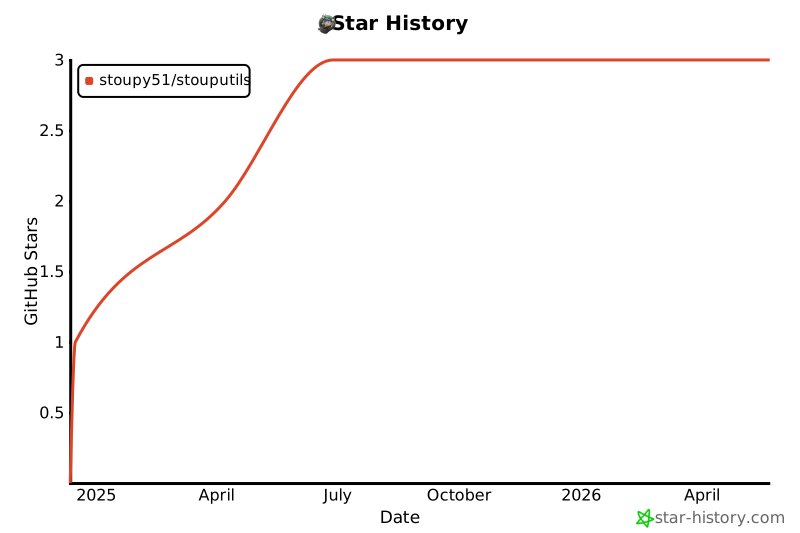
⭐ Star History
1 maintainer

Metadata
1 maintainer
Release files for stouputils 26.10.1
For a detailed explanation of source distributions (sdists) and built distributions (wheels), please see the package formats documentation.
Source distribution (sdist)
| File | Size | Uploaded | |
|---|---|---|---|
| stouputils-26.10.1.tar.gz | 211.8 kB | Details |
Built distribution (wheel)
| File | Interpreter | ABI | Platform | Reset |
|---|---|---|---|---|
| stouputils-26.10.1-py3-none-any.whl | Python 3 | none | any | Details |
Total release size: 496.4 kB
Release files / stouputils-26.10.1.tar.gz
| Download URL | stouputils-26.10.1.tar.gz |
|---|---|
| Size | 211.8 kB |
| Tags | Source |
|
SHA-256 checksum How to use checksums |
eef24b63f13cc95840f136edd3f4ae0c0d49bdfeacb3ce769e8f284a79a45982
|
|
BLAKE2b-256 checksum How to use checksums |
05c42c7d356161a1ac4f32a8745462cf8cee7414ca1c90df819f48780c69ef08
|
| Upload date | |
|
Uploaded using Trusted Publishing? What is trusted publishing? |
No |
| Uploaded via |
uv/0.12.23 {"installer":{"name":"uv","version":"0.12.23","subcommand":["publish"]},"python":null,"implementation":{"name":null,"version":null},"distro":{"name":"Ubuntu","version":"24.04","id":"noble","libc":null},"system":{"name":null,"release":null},"cpu":null,"openssl_version":null,"setuptools_version":null,"rustc_version":null,"ci":true}
|
Release files / stouputils-26.10.1-py3-none-any.whl
| Download URL | stouputils-26.10.1-py3-none-any.whl |
|---|---|
| Size | 284.6 kB |
| Tags | Python 3 |
|
SHA-256 checksum How to use checksums |
5803c46fb9e12ac5745fa160157bcb265d00976e125c857e9c403f54a1668eb2
|
|
BLAKE2b-256 checksum How to use checksums |
2d49e23cbcc22701ad68a2bc696fcd327c6f68a845f825ac260418bae052d71f
|
| Upload date | |
|
Uploaded using Trusted Publishing? What is trusted publishing? |
No |
| Uploaded via |
uv/0.12.23 {"installer":{"name":"uv","version":"0.12.23","subcommand":["publish"]},"python":null,"implementation":{"name":null,"version":null},"distro":{"name":"Ubuntu","version":"24.04","id":"noble","libc":null},"system":{"name":null,"release":null},"cpu":null,"openssl_version":null,"setuptools_version":null,"rustc_version":null,"ci":true}
|














