
Stratarc
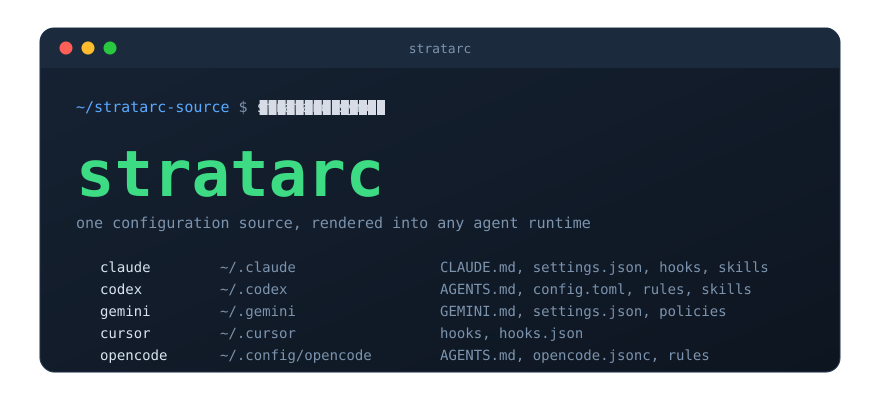
One agent configuration source, rendered into any agent runtime you use.






Installation · Quick Start · How It Works · Commands · Docs · Contributing
If you use more than one coding agent, you already know the problem. Claude Code wants a CLAUDE.md and a settings.json. Codex wants AGENTS.md. Gemini CLI, Cursor and OpenCode each want their own layout, their own hook format and their own idea of what a rule or a skill looks like. You end up with five copies of the same instructions, and they drift apart the moment you stop paying attention.
Stratarc gives you one place to write it all down. You keep a single source tree of instructions, rules, hooks, skills, commands, agents and permissions. Stratarc compiles that tree into the native format of any runtime you enable and deploys it into the right directory. Edit once, sync, and every agent sees the same configuration.
Highlights
- Any runtime, one source. Claude Code, Codex, Gemini CLI, Cursor and OpenCode are all rendered from the same tree; enable the ones you use.
- Everything agents read. Instructions, rules, hooks, skills, commands, subagents and permissions, each translated into the form the runtime expects.
- Safe by default.
diffandcheckshow exactly what would change beforesyncwrites anything, and Stratarc only ever touches files it owns. - Validated before deploy. The source root is checked against bundled JSON Schemas and the engine's own rules on every run.
- Projects too. Managed project checkouts receive their configuration alongside the user-level runtime directories.
- Bring your own runtime. A runtime Stratarc does not ship with is one Python file in your source root;
stratarc adapter newwrites the starting point, and it is managed like the rest. - Nothing to install but Python. Pure standard library at runtime, no dependencies.
Installation
Stratarc needs Python 3.11 or newer. pipx is the easiest way to get a command-line tool onto your path:
pipx install stratarc
Or pin a tagged release straight from GitHub:
pipx install git+https://github.com/klappe-pm/stratarc@v0.3.0
Then check the install and see which runtimes Stratarc found on your machine:
stratarc doctor
Quick Start
Scaffold a source root wherever you like to keep it:
stratarc init ~/stratarc-source
Open ~/stratarc-source/stratarc.toml and enable the runtimes you use. Then fill in the rules, skills and hooks under the same directory; every file the scaffold writes is commented, so it shows you where each piece goes.
Preview what a deploy would change. diff is read only, so run it as often as you like:
cd ~/stratarc-source && stratarc diff
When the diff looks right, write it out to the enabled runtimes:
cd ~/stratarc-source && stratarc sync
That is the whole loop. From here on, changing your agent setup means editing one tree and running sync.
How It Works
A source root is an ordinary directory. This is roughly what stratarc init gives you:
stratarc-source/
├── stratarc.toml        which runtimes are enabled and where they live
├── AGENTS.md            shared instructions any runtime receives
├── rules/               one Markdown file per rule, plus tiers.json
├── hooks/               hook scripts and hooks.json, the hook registry
├── skills/              one folder per skill
├── commands/            slash commands
├── agents/              subagent definitions
├── permissions.json     the single permission policy
├── components.json      MCP servers, plugins and other external components
└── projects-root/       per-project configuration overrides
On sync, Stratarc validates the tree, hands it to one adapter per enabled runtime, and each adapter renders the files that runtime expects into its target directory:
| Runtime | Target | Receives |
|---|---|---|
| Claude Code | ~/.claude |
CLAUDE.md, settings.json, hooks, skills, commands, agents |
| Codex | ~/.codex |
AGENTS.md, config.toml, rules, hooks, skills, prompts |
| Gemini CLI | ~/.gemini |
GEMINI.md, settings.json, policies, hooks, skills |
| Cursor | ~/.cursor |
rules, hooks, hooks.json |
| OpenCode | ~/.config/opencode |
AGENTS.md, opencode.jsonc, rules, hooks, skills |
The runtime directories are generated output. Change the source, run sync, and they are rebuilt.
A complete worked example lives in examples/notes-cli: a small source root beside the exact output each runtime receives from it.
Commands
| Command | What it does |
|---|---|
stratarc init TARGET |
Scaffolds a new source root from the bundled template. |
stratarc doctor |
Reports the health of the install without changing anything. |
stratarc validate |
Checks the source root against the bundled schemas and engine rules. |
stratarc diff |
Prints what a sync would change and writes nothing. |
stratarc check |
Compares each runtime directory with the source and exits non-zero when anything is stale. |
stratarc sync |
Renders the source root into the enabled runtimes and managed projects. |
stratarc prune |
Removes files a runtime holds that the source no longer produces. |
stratarc reconcile |
Refreshes control-plane.md, the table that records which item reaches which scope. |
stratarc projects |
Delivers each project's configuration from projects-root/ into its checkout. sync runs it for you. |
stratarc gen-rules-digest |
Renders the rules digest, or embeds and checks it inside hand-authored instruction files. |
stratarc components |
Validates components.json and, with --list, prints what it declares. |
stratarc adapter |
Lists the adapters, and writes the starting point for a runtime of your own. |
Running stratarc with no arguments starts a guided setup the first time; after that it shows the status of the install and the commands to run next. stratarc help COMMAND shows one command's help, the same as stratarc COMMAND --help.
Every command accepts --help and --json. The CLI reference covers the full surface, including exit statuses and the JSON envelope, and the command reference lists every command and option, generated from the parser.
Documentation
The docs live in one tree under docs/, following the Diátaxis layout: tutorials, how-to guides, reference and explanation.
- Using it: start with getting started, then browse the rest of docs.
- Hacking on it: start with first contribution, which sits in the same tree.
- What ships: the changelog.
Contributing
Contributions are welcome. Read CONTRIBUTING.md first; it will save you a round trip. If you are stuck or have found a bug, SUPPORT.md says where to ask and where to file an issue.
Security
Please report vulnerabilities privately as described in SECURITY.md rather than opening a public issue.
License
Stratarc is released under the MIT License.
1 maintainer

Metadata
1 maintainer
Release files for stratarc 0.3.0
For a detailed explanation of source distributions (sdists) and built distributions (wheels), please see the package formats documentation.
Source distribution (sdist)
| File | Size | Uploaded | |
|---|---|---|---|
| stratarc-0.3.0.tar.gz | 446.5 kB | Details |
Built distribution (wheel)
| File | Interpreter | ABI | Platform | Reset |
|---|---|---|---|---|
| stratarc-0.3.0-py3-none-any.whl | Python 3 | none | any | Details |
Total release size: 715.9 kB
Release files / stratarc-0.3.0.tar.gz
| Download URL | stratarc-0.3.0.tar.gz |
|---|---|
| Size | 446.5 kB |
| Tags | Source |
|
SHA-256 checksum How to use checksums |
574491f4654150780ffa62baf2f440863490747bb739e35926d50c2a64654967
|
|
BLAKE2b-256 checksum How to use checksums |
ff1b23eb9a0055f9223320f11c348bfdd6b812d4db948d96ba1ffa6088f37a70
|
| Upload date | |
|
Uploaded using Trusted Publishing? What is trusted publishing? |
No |
| Uploaded via |
twine/7.0.0 CPython/3.14.3
|
Release files / stratarc-0.3.0-py3-none-any.whl
| Download URL | stratarc-0.3.0-py3-none-any.whl |
|---|---|
| Size | 269.4 kB |
| Tags | Python 3 |
|
SHA-256 checksum How to use checksums |
43c3b12344e246673d17d476320329d4322caed68241ca039b2e13ce88046ccb
|
|
BLAKE2b-256 checksum How to use checksums |
97ad256aebc0ecfe0e2daa17848b23635eb24d8db1eb1c8bba2197a508edac60
|
| Upload date | |
|
Uploaded using Trusted Publishing? What is trusted publishing? |
No |
| Uploaded via |
twine/7.0.0 CPython/3.14.3
|














