
Streambook
Python notebooks without compromises.

- Write your code in any editor (emacs, vi, vscode)
- Use standard tools (git, black, lint, pytest)
- Export to standard Jupyter format for collaboration
Quick start
Install:
pip install streambook
Run streambook on a Python file. For the example notebook included:
pip install matplotlib
streambook run example.py
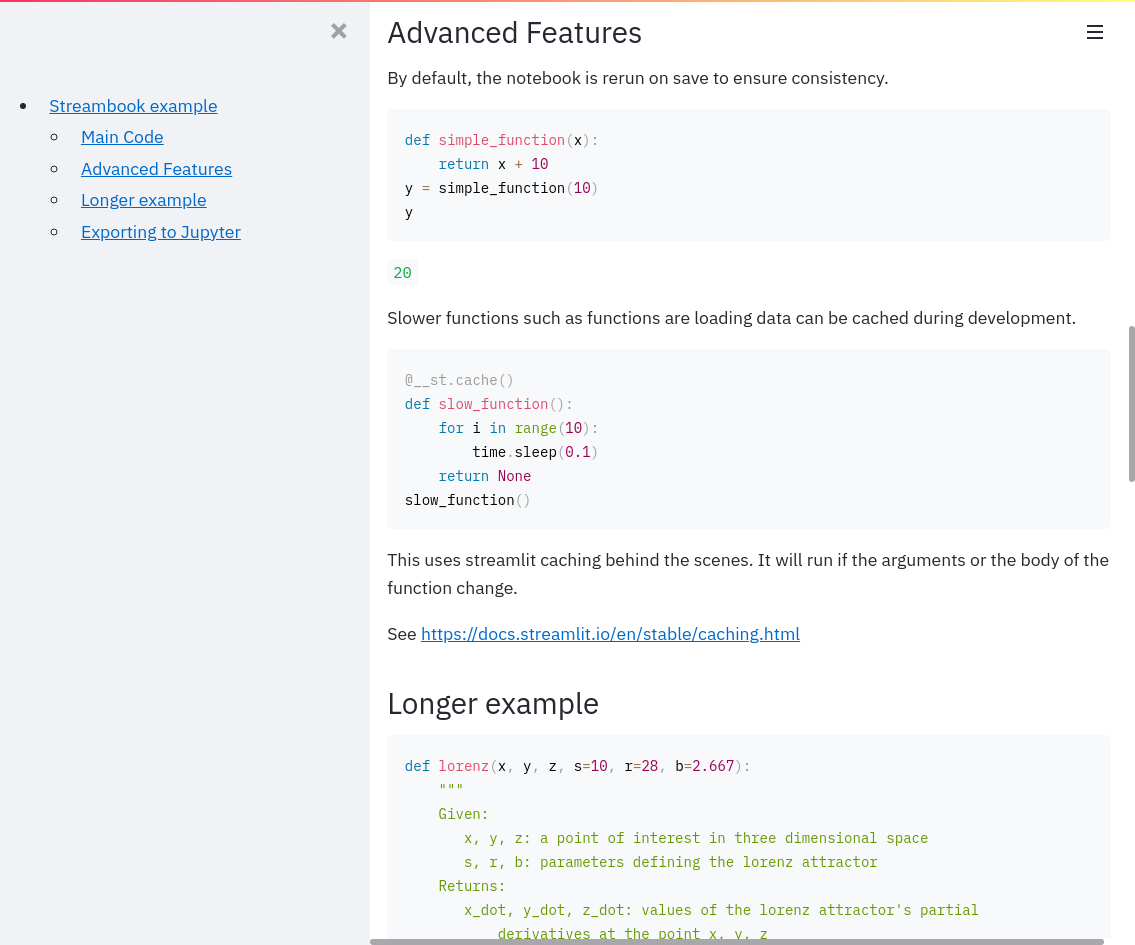
The output should look like this streambook.
Editing your file example.py should automatically update the viewer.
When you are done and ready to export to a notebook run:
streambook convert example.py
This produces a standard notebook.
How does this work?
Streambook is a simple library (< 50 lines!) that hooks together Streamlit + Jupytext + Watchdog.
- Streamlit - Live updating webview with an advanced caching system
- Jupytext - Bidirectional bridge between plaintext and jupyter format
- Watchdog - File watching in python
Is this fast enough?
A "benefit" of using notebooks is being able to keep data cached in memory, at the cost of often forgetting how it was created and in what order.
Streambook instead reruns your notebook from the top whenever the file is changed. Typically this is pretty fast for writing demos or quick notebooks.
However this can be very slow for long running ML applications, particularly for users used to standard notebooks. In order to circumvent this issue there are two tricks.
- You can divide your notebook us into sections. This allows you to edit individual parts of the notebook.
streambook run --section "Main" example.py
- You can write functions and add caching.
Streamlit's caching API to makes it pretty easy in most use case. See https://docs.streamlit.io/en/stable/caching.html for docs.
An example is given in the notebook.
1 maintainer

Metadata
1 maintainer
Release files for streambook 0.3
For a detailed explanation of source distributions (sdists) and built distributions (wheels), please see the package formats documentation.
Source distribution (sdist)
| File | Size | Uploaded | |
|---|---|---|---|
| streambook-0.3.tar.gz | 6.7 kB | Details |
Built distribution (wheel)
| File | Interpreter | ABI | Platform | Reset |
|---|---|---|---|---|
| streambook-0.3-py3-none-any.whl | Python 3 | none | any | Details |
Total release size: 14.5 kB
Release files / streambook-0.3.tar.gz
| Download URL | streambook-0.3.tar.gz |
|---|---|
| Size | 6.7 kB |
| Tags | Source |
|
SHA-256 checksum How to use checksums |
e8d4cc4d183f97878198f9fce840052e14fad601c350ffb4a49848ddd5b751dc
|
|
BLAKE2b-256 checksum How to use checksums |
b823614ad69c5e4602e6d8a2df6110da65cc378a93d795f7cf979b4f59b40b37
|
| Upload date | |
|
Uploaded using Trusted Publishing? What is trusted publishing? |
No |
| Uploaded via |
twine/3.8.0 pkginfo/1.8.2 readme-renderer/29.0 requests/2.25.1 requests-toolbelt/0.9.1 urllib3/1.26.3 tqdm/4.60.0 importlib-metadata/4.0.1 keyring/23.0.1 rfc3986/1.4.0 colorama/0.4.4 CPython/3.8.10
|
Release files / streambook-0.3-py3-none-any.whl
| Download URL | streambook-0.3-py3-none-any.whl |
|---|---|
| Size | 7.8 kB |
| Tags | Python 3 |
|
SHA-256 checksum How to use checksums |
2b3fdf09b4be5e097ee03e575c56d88573375db029812e67b4e289cc35f8e20d
|
|
BLAKE2b-256 checksum How to use checksums |
380599b9e21b0de5837c945a3e29a5e5de00dfce8d95d2d3a4acba2f80829ba3
|
| Upload date | |
|
Uploaded using Trusted Publishing? What is trusted publishing? |
No |
| Uploaded via |
twine/3.8.0 pkginfo/1.8.2 readme-renderer/29.0 requests/2.25.1 requests-toolbelt/0.9.1 urllib3/1.26.3 tqdm/4.60.0 importlib-metadata/4.0.1 keyring/23.0.1 rfc3986/1.4.0 colorama/0.4.4 CPython/3.8.10
|














