
Streamlit-AnyWidget
A Streamlit component that brings the power of AnyWidget to Streamlit applications. Create and use custom interactive widgets directly in your Streamlit apps without iframe limitations.
🌟 Features
- Full AnyWidget Compatibility: Works with both class-based and module-based widget formats
- Custom Styling: Apply CSS to your widgets for beautiful integration with Streamlit
- Bidirectional Communication: State updates flow seamlessly between Python and JavaScript
- Simple API: Familiar interface for AnyWidget users
📦 Installation
pip install streamlit-anywidget
Requires:
- streamlit >= 0.63
- anywidget
🚀 Quick Start
import streamlit as st
from streamlit_anywidget import anywidget
from anywidget import AnyWidget
import traitlets

# Create a simple counter widget
class CounterWidget(AnyWidget):
        value = traitlets.Int(0).tag(sync=True)

        _esm = """
        function render({ model, el }) {
            // Create function to get current value from model
            let count = () => model.get("value");

            // Create button element
            let btn = document.createElement("button");
            btn.classList.add("counter-button");
            btn.innerHTML = `Module-based Counter: ${count()}`;

            // Handle click event
            btn.addEventListener("click", () => {
                model.set("value", count() + 1);
                model.save_changes();
                // Update UI immediately
                btn.innerHTML = `Module-based Counter: ${count()}`;
            });

            // Listen for changes from Python
            model.on("change:value", () => {
                console.log("Value changed to:", count());
                btn.innerHTML = `Module-based Counter: ${count()}`;
            });

            // Add to DOM
            el.appendChild(btn);
        }
        export default { render };
        """

        _css = """
        .counter-button {
            background-image: linear-gradient(to right, #a1c4fd, #c2e9fb);
            border: 0;
            border-radius: 10px;
            padding: 10px 50px;
            color: black;
            font-weight: bold;
            cursor: pointer;
        }
        .counter-button:hover {
            background-image: linear-gradient(to right, #c2e9fb, #a1c4fd);
        }
        """

# Display the widget in Streamlit
st.title("Counter Widget Example")
counter = CounterWidget()
counter_state = anywidget(counter, key="counter")

# Interact with the widget state
st.write(f"Current value: {counter.value}")

# Show debug info
with st.expander("Module Counter Debug Info"):
    st.write("Module-based Counter State:", counter_state)
    st.json({
        "module_counter_value": counter.value
    })
🎮 Demo Widgets
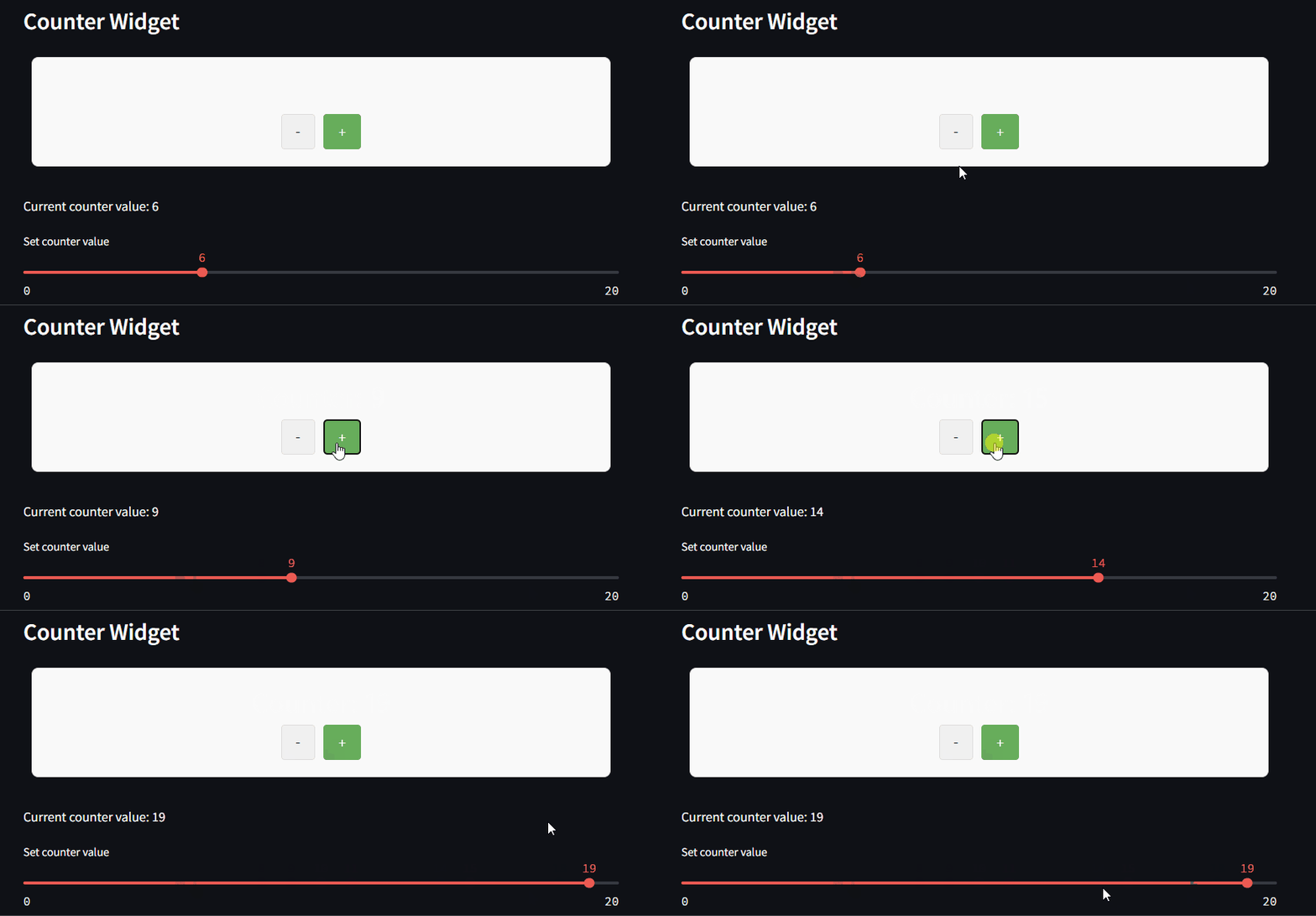
Basic Counter Widget
A simple counter widget showcasing basic interactivity.
Text Input Widget
Sync text input between Streamlit and a custom text widget.

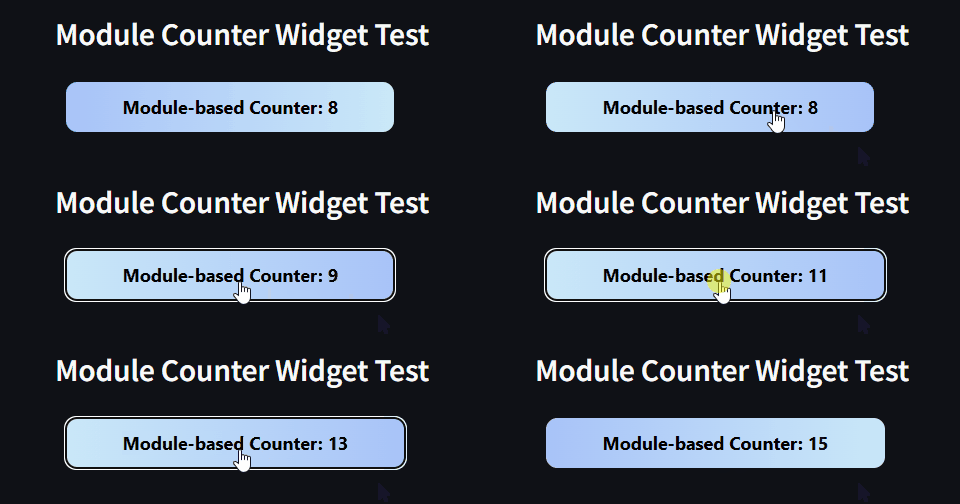
Module-based Widget
Using the module-based format for more complex widgets.
🎯 Try the Demos
To see all available widgets in action, run:
streamlit run examples.py
🔄 How It Works
Streamlit-AnyWidget creates a bridge between Streamlit's component system and AnyWidget:
- Widget Definition: Define your widget in Python with AnyWidget
- Streamlit Integration: Use the
anywidget()function to render it in Streamlit - State Synchronization: Changes in either Python or JavaScript automatically sync
📋 API Reference
anywidget(widget_instance, key=None)
Renders an AnyWidget instance within Streamlit.
Parameters:
widget_instance: An AnyWidget instancekey: Optional unique key for the component (string)
Returns:
- Dictionary containing the current widget state
💡 Example Use Cases
- Custom Controls: Create specialized UI controls tailored to your data
- Interactive Visualizations: Build charts and graphs with interactive elements
- Form Elements: Design custom form inputs with validation and feedback
- Games & Demos: Create interactive demos and simple games
🤝 Contributing
Contributions are welcome! Please feel free to submit a Pull Request.
- Fork the repository
- Create your feature branch (
git checkout -b feature/amazing-feature) - Commit your changes (
git commit -m 'Add some amazing feature') - Push to the branch (
git push origin feature/amazing-feature) - Open a Pull Request
📜 License
Distributed under the MIT License. See LICENSE file for more information.
🙏 Acknowledgements
1 maintainer

Metadata
1 maintainer
Release files for streamlit-anywidget 0.1.3
For a detailed explanation of source distributions (sdists) and built distributions (wheels), please see the package formats documentation.
Source distribution (sdist)
| File | Size | Uploaded | |
|---|---|---|---|
| streamlit_anywidget-0.1.3.tar.gz | 410.6 kB | Details |
Built distribution (wheel)
| File | Interpreter | ABI | Platform | Reset |
|---|---|---|---|---|
| streamlit_anywidget-0.1.3-py3-none-any.whl | Python 3 | none | any | Details |
Total release size: 1.2 MB
Release files / streamlit_anywidget-0.1.3.tar.gz
| Download URL | streamlit_anywidget-0.1.3.tar.gz |
|---|---|
| Size | 410.6 kB |
| Tags | Source |
|
SHA-256 checksum How to use checksums |
9da7b6c85c4cde911aec663daccafdae21649d7f15645f733c4c4a753a5c56a3
|
|
BLAKE2b-256 checksum How to use checksums |
0b299f410650dffb397e745aeeb428fb3b388e77fd62a8386fa62edca4e5f64a
|
| Upload date | |
|
Uploaded using Trusted Publishing? What is trusted publishing? |
No |
| Uploaded via |
twine/6.1.0 CPython/3.10.12
|
Release files / streamlit_anywidget-0.1.3-py3-none-any.whl
| Download URL | streamlit_anywidget-0.1.3-py3-none-any.whl |
|---|---|
| Size | 788.6 kB |
| Tags | Python 3 |
|
SHA-256 checksum How to use checksums |
cf87e404d52825a65c69b557bc922fae94121929cf6d5adcf0b72e834b7542be
|
|
BLAKE2b-256 checksum How to use checksums |
68042c4733a31ed2374d137819fc300461914c1d3287d458a1542025a051e512
|
| Upload date | |
|
Uploaded using Trusted Publishing? What is trusted publishing? |
No |
| Uploaded via |
twine/6.1.0 CPython/3.10.12
|














