
Streamlit Chat Prompt




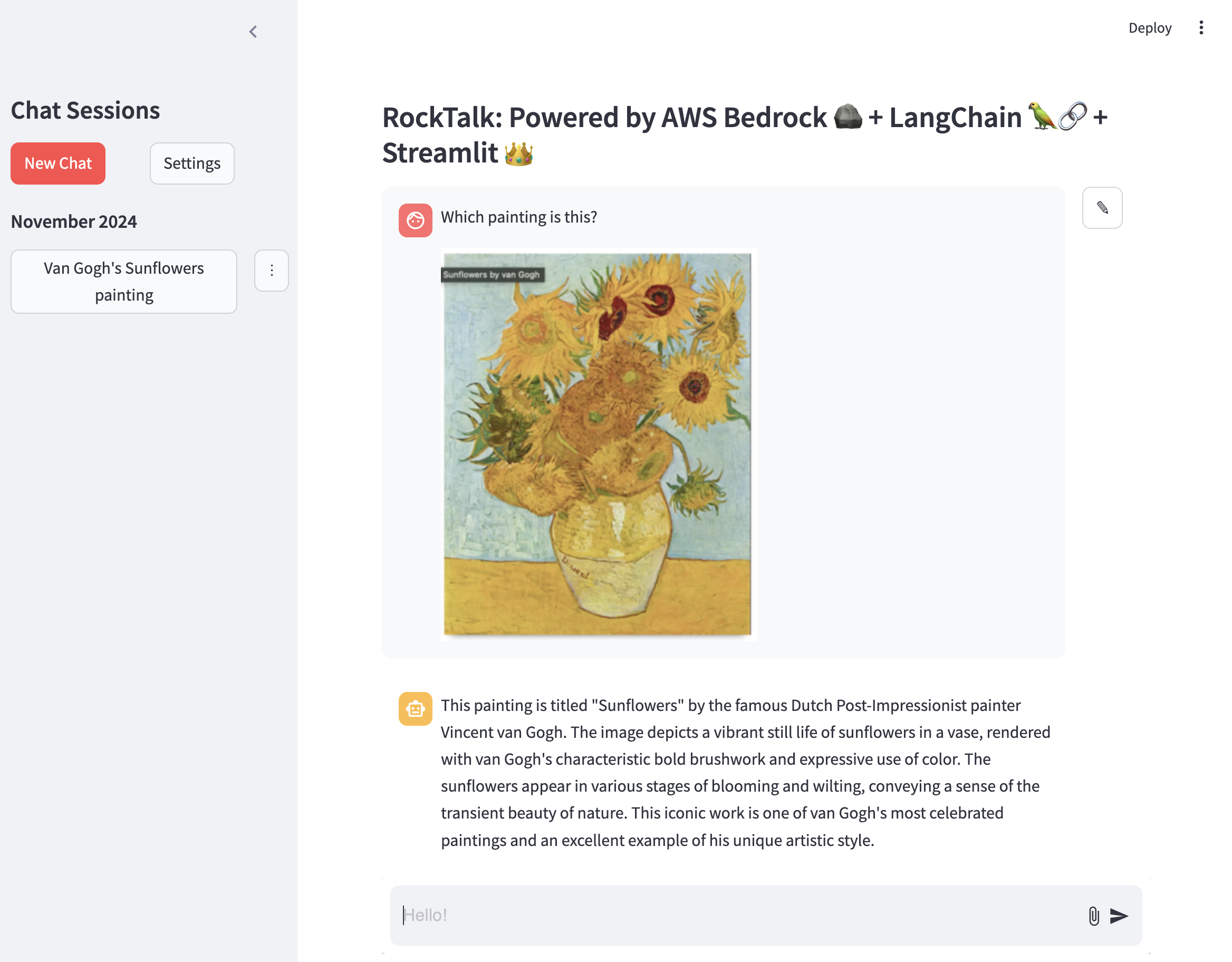
A Streamlit component that provides a modern chat-style prompt with image attachment and paste support. This component was built to mimic the style of streamlit.chat_input while expanding functionality with images. Future work may include addition of speech-to-text input.
Author: Tyler House (@tahouse)
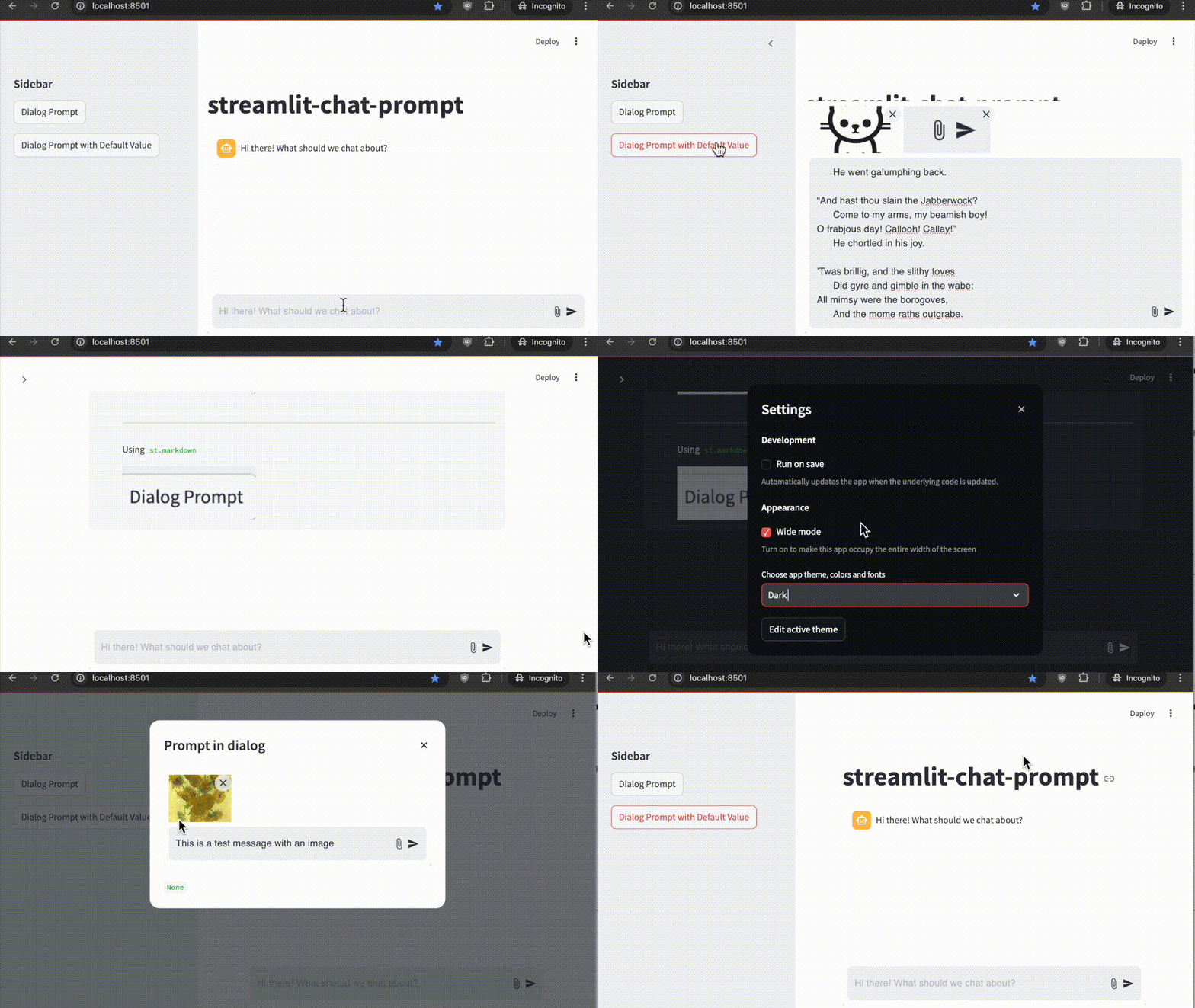
Features
- 📝 Chat-style text input with multi-line support
- 📎 Image attachment support via button or drag-and-drop
- 📋 Paste image support (paste images directly from clipboard)
- 🖼️ Image preview with ability to remove attached images
- ⌨️ Submit with Enter key (Shift+Enter for new line)
- 🎨 Automatic theme integration with Streamlit
- 📱 Responsive design that works well on mobile and desktop
- 🗜️ Automatic image compression/scaling to stay under size limits (customizable, default 5MB)
- 📌 Optional pinned-to-bottom placement for main chat interface (one per app)
- 🔄 Flexible positioning for use in dialogs, sidebars, or anywhere in the app flow
- ✏️ Support for default/editable content - perfect for message editing workflows
- 🔤 Smart focus management - automatically returns to text input after interactions
Installation
pip install streamlit-chat-prompt
Usage
import streamlit as st
from streamlit_chat_prompt import prompt

# Create a chat prompt
response = prompt(
    name="chat",  # Unique name for the prompt
    key="chat",   # Unique key for the component instance
    placeholder="Hi there! What should we talk about?",  # Optional placeholder text
    main_bottom=True,  # Pin prompt to bottom of main area
    max_image_size=5 * 1024 * 1024,  # Maximum image size (5MB default)
    disabled=False,  # Optionally disable the prompt
)

# Handle the response
if response:
    if response.text:
        st.write(f"Message: {response.text}")

    if response.images:
        for i, img in enumerate(response.images):
            st.write(f"Image {i+1}: {img.type} ({img.format})")
Examples
Here are some usage patterns, or check out rocktalk for a full working example.
-
Main Chat Interface
import base64 from io import BytesIO import streamlit as st from streamlit_chat_prompt import PromptReturn, prompt, ImageData from PIL import Image st.chat_message("assistant").write("Hi there! What should we chat about?") prompt_return: PromptReturn | None = prompt( name="foo", key="chat_prompt", placeholder="Hi there! What should we chat about?", main_bottom=True, ) if prompt_return: with st.chat_message("user"): st.write(prompt_return.text) if prompt_return.images: for image in prompt_return.images: st.divider() image_data: bytes = base64.b64decode(image.data) st.markdown("Using `st.image`") st.image(Image.open(BytesIO(image_data))) # or use markdown st.divider() st.markdown("Using `st.markdown`") st.markdown(f"")
-
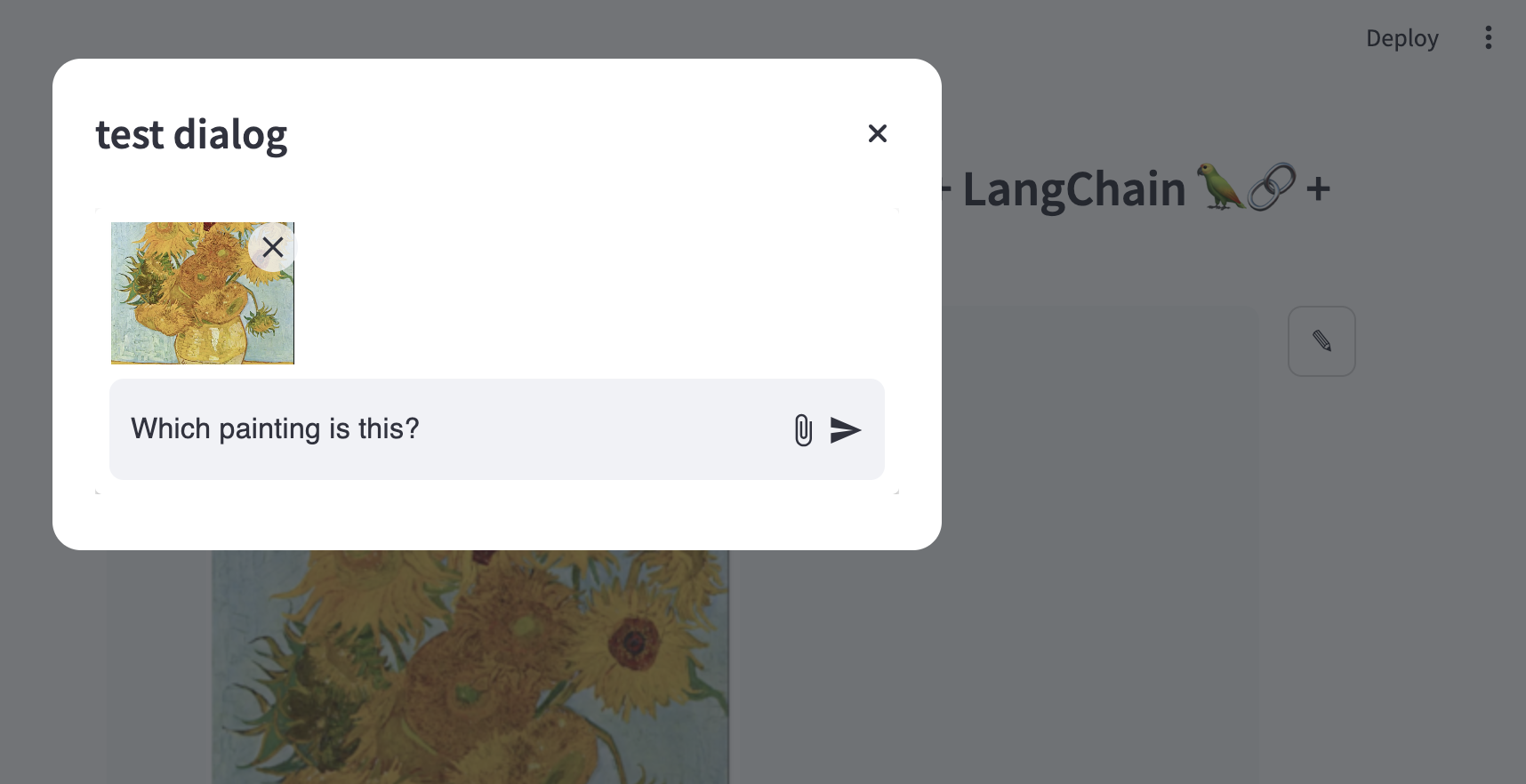
Dialog Usage and Starting From Existing Message
if st.button(
    "Dialog Prompt with Default Value", key=f"dialog_prompt_with_default_button"
):
    with open("example_images/vangogh.png", "rb") as f:
        image_data = f.read()
        image = Image.open(BytesIO(image_data))
        base64_image = base64.b64encode(image_data).decode("utf-8")
        test_dg(
            default_input=PromptReturn(
                text="This is a test message with an image",
                images=[
                    ImageData(data=base64_image, type="image/png", format="base64")
                ],
            ),
            key="dialog_with_default",
        )
Component API
prompt()
Main function to create a chat prompt.
Parameters:
name(str): Unique name for this prompt instancekey(str): Unique key for the component instanceplaceholder(str, optional): Placeholder text shown in input fielddefault(Union[str, PromptReturn], optional): Default value for the prompt. Can include text and images using thePromptReturnobject type.main_bottom(bool, optional): Pin prompt to bottom of main area (default: True)max_image_size(int, optional): Maximum image size in bytes (default: 5MB)disabled(bool, optional): Disable the prompt (default: False)
Returns:
Optional[PromptReturn]: Object containing message and images if submitted, None otherwise
PromptReturn
Object returned when user submits the prompt.
Properties:
text(Optional[str]): Text message entered by userimages(Optional[List[ImageData]]): List of attached images
ImageData
Object representing an attached image.
Properties:
type(str): Image MIME type (e.g. "image/jpeg")format(str): Image format (e.g. "base64")data(str): Image data as base64 string
Development
This repository is based on the Streamlit Component template system. If you want to modify or develop the component:
-
Clone the repository
-
Install development dependencies:
pip install -e ".[devel]"
-
Start the frontend development server:
cd streamlit_chat_prompt/frontend
npm install
npm run start
-
In a separate terminal, run your Streamlit app:
streamlit run your_app.py
License
This project is licensed under the Apache License 2.0 - see the LICENSE file for details.
1 maintainer

Metadata
1 maintainer
Release files for streamlit-chat-prompt 0.4.1
For a detailed explanation of source distributions (sdists) and built distributions (wheels), please see the package formats documentation.
Source distribution (sdist)
| File | Size | Uploaded | |
|---|---|---|---|
| streamlit_chat_prompt-0.4.1.tar.gz | 972.2 kB | Details |
Built distribution (wheel)
| File | Interpreter | ABI | Platform | Reset |
|---|---|---|---|---|
| streamlit_chat_prompt-0.4.1-py3-none-any.whl | Python 3 | none | any | Details |
Total release size: 2.0 MB
Release files / streamlit_chat_prompt-0.4.1.tar.gz
| Download URL | streamlit_chat_prompt-0.4.1.tar.gz |
|---|---|
| Size | 972.2 kB |
| Tags | Source |
|
SHA-256 checksum How to use checksums |
2467326b3f112c192d5dfbef42978b8145e1b062161657b0de3b6fd244f554cf
|
|
BLAKE2b-256 checksum How to use checksums |
5f5aa2c83a58dc34fd19bf4f166117f952b5c6100142da026ed0602774d8eb24
|
| Upload date | |
|
Uploaded using Trusted Publishing? What is trusted publishing? |
Yes |
| Uploaded via |
twine/6.1.0 CPython/3.12.9
|
Provenance
Provenance describes where a file came from. On PyPI, provenance is shared via attestations, which provide a verifiable record of the build or publishing details. View details, limitations and caveats.


PyPI Publish Attestation
PyPI verified that this artifact, at this checksum, originated from the publisher listed below.
Signed by GitHub Actions, verified by PyPI on Apr 30, 2025.
Transparency logRelease files / streamlit_chat_prompt-0.4.1-py3-none-any.whl
| Download URL | streamlit_chat_prompt-0.4.1-py3-none-any.whl |
|---|---|
| Size | 980.1 kB |
| Tags | Python 3 |
|
SHA-256 checksum How to use checksums |
9e7e69b1c5bce07dbb04ddafb406549e0e6088427749b4cfcbfc2e0ea961a18f
|
|
BLAKE2b-256 checksum How to use checksums |
53f2caaac946c97ef969fb926c6a7a82430ee1dee27563493c4b44d6205ac1ff
|
| Upload date | |
|
Uploaded using Trusted Publishing? What is trusted publishing? |
Yes |
| Uploaded via |
twine/6.1.0 CPython/3.12.9
|
Provenance
Provenance describes where a file came from. On PyPI, provenance is shared via attestations, which provide a verifiable record of the build or publishing details. View details, limitations and caveats.
PyPI Publish Attestation
PyPI verified that this artifact, at this checksum, originated from the publisher listed below.
Signed by GitHub Actions, verified by PyPI on Apr 30, 2025.
Transparency log













