
Components and Frameworks to give new features to streamlit

Project description
Navbar (Sidebar, Topbar and Under Streamlit Header)
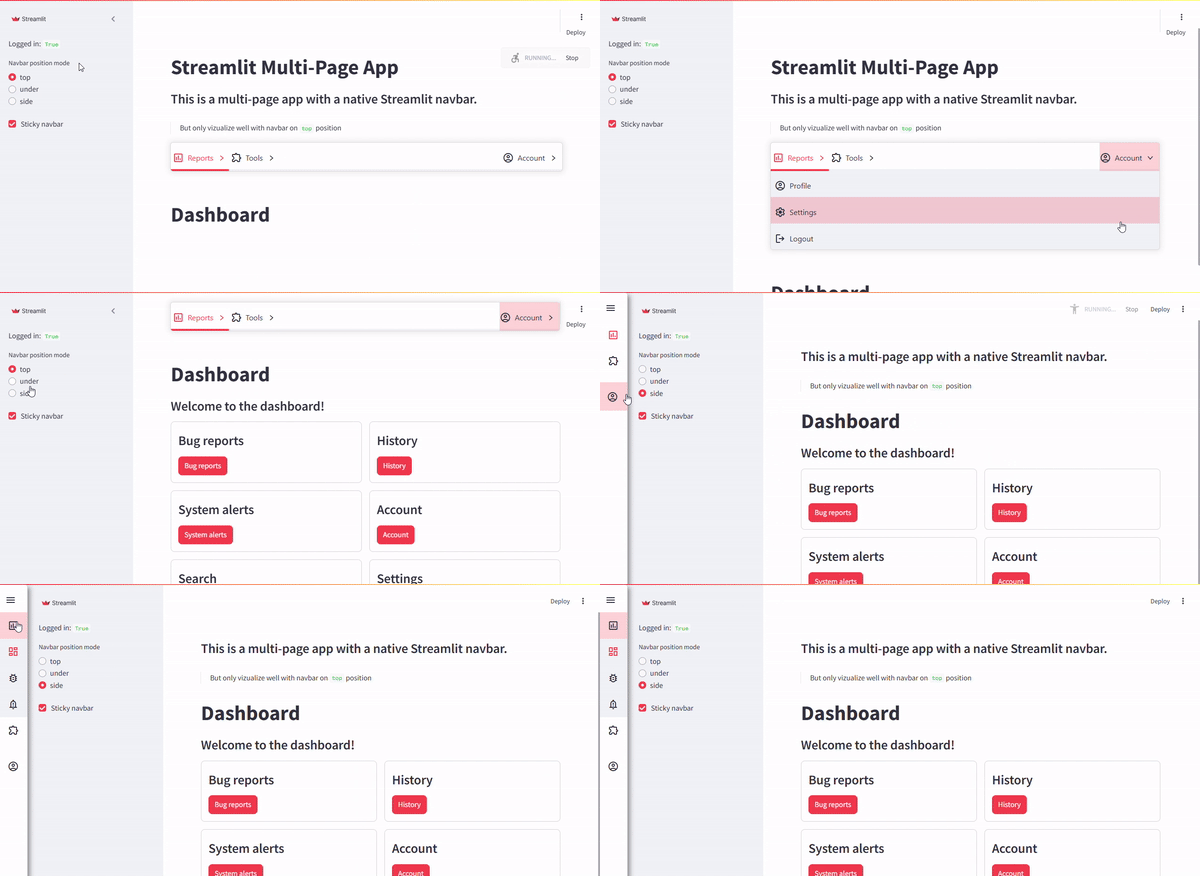
If you want to use the native multipage streamlit, you can use the st_navbar function to create the navbar.
This component it returns the id of the defined menu that has to run the page.
This is an example of multipage with native streamlit
st.set_page_config(layout="wide")

if "logged_in" not in st.session_state:
    st.session_state.logged_in = True

if "app_id" not in st.session_state:
    st.session_state.app_id = None

if "active_app_id" not in st.session_state:
    st.session_state.active_app_id = None

USER = "admin"
PASSWORD = "admin"

positions = ["top", "under", "side"]

def my_sidebar():
    with st.sidebar:
        st.write("Logged in:", st.session_state.logged_in)
        position_mode = st.radio(
            "Navbar position mode",
            positions,
            # index=positions.index(st.session_state.get("position_mode", "top")),
        )
        sticky_nav = st.checkbox(
            "Sticky navbar", value=st.session_state.get("sticky_nav", True)
        )
        st.session_state["position_mode"] = position_mode
        st.session_state["sticky_nav"] = sticky_nav


def my_heading():
    st.title("Streamlit Multi-Page App")
    st.subheader("This is a multi-page app with a native Streamlit navbar.")
    st.markdown("> But only vizualize well with navbar on `top` position")


def login():
    _, col, _ = st.columns([2, 6, 2])
    with col:
        with st.form(key="login_form"):
            user = st.text_input("Username")
            password = st.text_input("Password", type="password")
            submitted = st.form_submit_button("Submit")

        with st.expander("Psst! Here's the login info"):
            st.write(f"Username and Password is:")
            st.markdown(f"""
            ```bash
            {USER}
            ```
            """)

    if submitted:
        if user == USER and password == PASSWORD:
            st.session_state.logged_in = True
            st.session_state.app_id = "app_default"
            st.rerun()
        else:
            st.toast("Invalid username or password", icon="❌")


def account():
    st.write("Account page")
    st.caption("This is a protected page. Only logged in users can view this.")


def settings():
    st.button("Theme")


def logout():
    st.session_state.logged_in = False
    st.session_state.app_id = None
    st.session_state.active_app_id = None
    st.rerun()

st.logo(
    image="https://streamlit.io/images/brand/streamlit-logo-primary-colormark-darktext.svg",
    icon_image="https://streamlit.io/images/brand/streamlit-mark-color.png"
)

login_page = st.Page(login, title="Log in", icon=":material/login:")
account_page = st.Page(account, title="Account", icon=":material/account_circle:")
settings_page = st.Page(settings, title="Settings", icon=":material/settings:")
dashboard = st.Page("dashboard.py", title="Dashboard", icon=":material/dashboard:", default=True)
bugs = st.Page("reports/bugs.py", title="Bug reports", icon=":material/bug_report:")
alerts = st.Page("reports/alerts.py", title="System alerts", icon=":material/notification_important:")
search = st.Page("tools/search.py", title="Search", icon=":material/search:")
history = st.Page("tools/history.py", title="History", icon=":material/history:")

# Streamlit Navigation
if st.session_state.logged_in:
    pg = st.navigation(
        {
            "Account": [account_page, settings_page, logout],
            "Reports": [dashboard, bugs, alerts],
            "Tools": [search, history],
        }
    )
else:
    pg = st.navigation([login_page])

pg.run()
And if you want to use streamlit Navbar, it has to be addapted to this code:
# ...
search = st.Page("tools/search.py", title="Search", icon=":material/search:")
history = st.Page("tools/history.py", title="History", icon=":material/history:")

# ---Only for the demo---
my_sidebar()
position_mode = st.session_state.get("position_mode", "top")
sticky_nav = st.session_state.get("sticky_nav", True)
# ---Only for the demo---


app_id = "app_login"
if st.session_state.logged_in:
    # SOME TEXT ABOVE THE NAVBAR
    if position_mode == "top":
        my_heading()

    # --------# HERE IS THE CHANGE #--------
    from streamlit_plugins.components.navbar import st_navbar, build_menu_from_st_pages
    # Create the menu definition
    menu_data, menu_account_data, app_map = build_menu_from_st_pages(
        {
            "name": "Reports", "subpages": [dashboard, bugs, alerts], "icon": ":material/assessment:"
        },
        {
            "name": "Tools", "subpages": [search, history], "icon": ":material/extension:"
        },
        login_app=login_page, account_app=account_page, settings_app=settings_page,
        logout_callback=logout,
    )
    # Instantiate a Navbar (You can made more than one - Maybe unstable)
    app_id = st_navbar(
        menu_definition=menu_data if st.session_state.logged_in else [],
        login_name=menu_account_data,
        hide_streamlit_markers=False,
        override_app_selected_id=st.session_state.app_id,
        sticky_nav=sticky_nav,  # at the top or not
        position_mode=position_mode,  # top or subtop
    )
    # --------# HERE IS THE CHANGE #--------

    if position_mode != "top":
        my_heading()

if not st.session_state.logged_in and app_id != "app_login":
    app_id = "app_login"

if app_id == "app_login":
    if st.session_state.logged_in:
        app_id = "app_logout"


# Loads the selected app content
# Handled by Streamlit page navigation, but hardcoded to make work with navbar plugin
# In a future, can be hide this code as internal, inside of `st_navbar`
st.session_state.app_id = None  # Added to fix login/logout issue
st.session_state.active_app_id = app_id
app_map[app_id]._can_be_called = True
app_map[app_id].run()
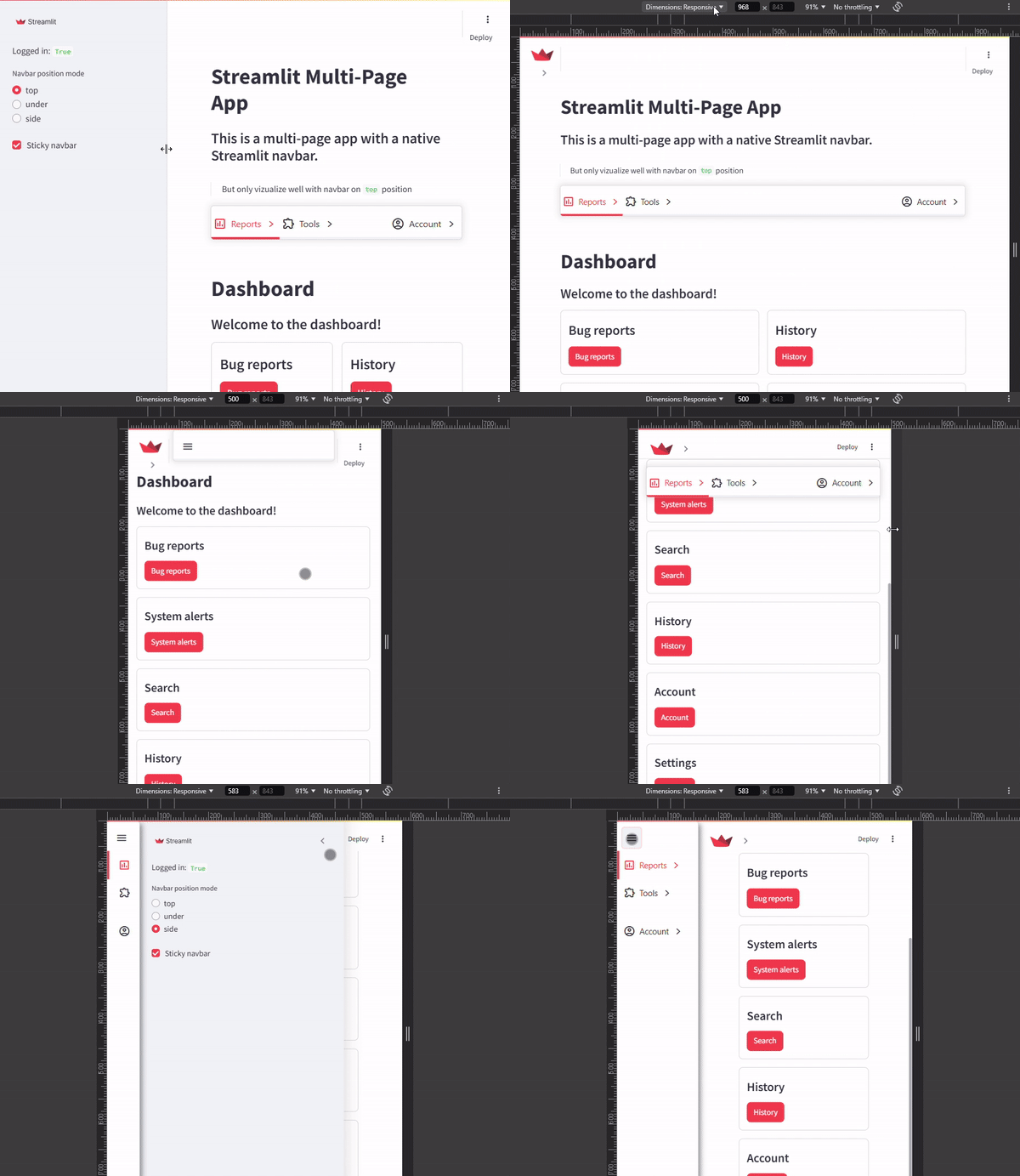
Is responsive!!
Toogle Between Custom themes
Now we can change theme on client side (and even more configurations)
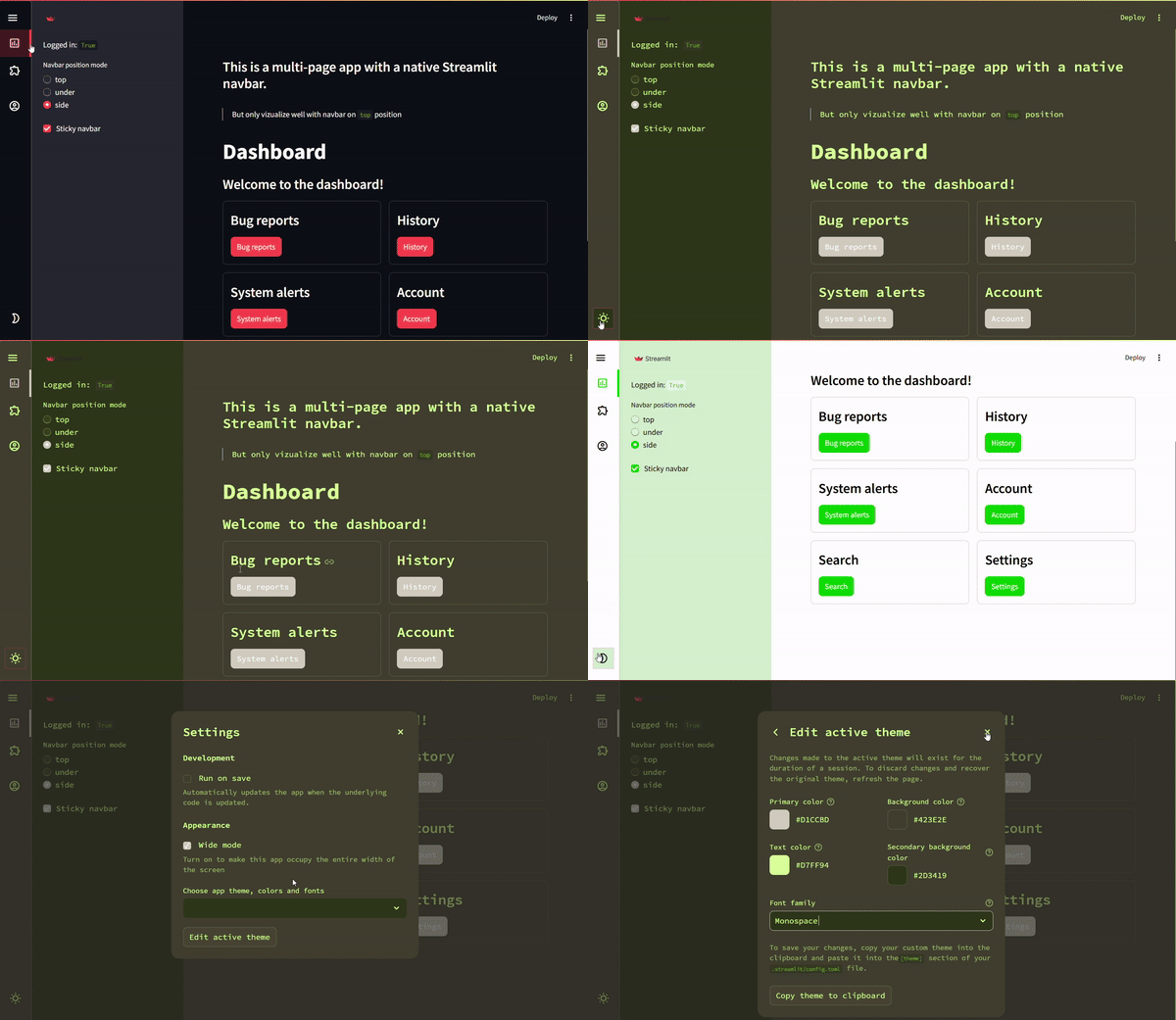
To override the css props of streamlit, we need to pass as arguments into st_navbar component.
Release history Release notifications | RSS feed


Download files
Download the file for your platform. If you're not sure which to choose, learn more about installing packages.
Source Distribution
Built Distribution
Filter files by name, interpreter, ABI, and platform.
If you're not sure about the file name format, learn more about wheel file names.
Copy a direct link to the current filters






