
streamlit-py2dmol

A bidirectional Streamlit Custom Component v2 for py2Dmol. It embeds py2Dmol's interactive 2D molecular viewer in a Streamlit app and synchronizes frame, object, residue-selection, and visibility state with Python.
What it supports
The component preserves nearly the complete static py2Dmol viewer payload:
- Protein, DNA, RNA, and ligand coordinates
- Single structures, trajectories, and multiple named objects
- Local PDB/mmCIF files, RCSB PDB downloads, and AlphaFold DB structures
- Chain filtering, biological assemblies, and ligand loading
- pLDDT, chain, rainbow, entropy, DeepMind, literal, and targeted colors
- PAE matrices and synchronized trajectory scatter plots
- Contact restraints and explicit bonds
- Alignment, best-view rotation, overlay, autoplay, and auto-rotation
- Shadow, outline, trace width, projection, bounding box, and bond cutoffs
- SVG export and browser-dependent animation recording
- Streamlit Session State and callbacks for interactive viewer state
The main unsupported area is py2Dmol's IPython/Jupyter display machinery. In a Streamlit app, call py2dmol(viewer, key=...) instead of viewer.show().
Requirements and installation
- Python 3.10 or newer
- Node.js 24 or newer when developing from source
- Streamlit 1.53 or newer
- py2Dmol 1.6.5 through 1.7.x
Install the released package with:
pip install streamlit-py2dmol
For a clean local checkout, build the frontend before installing the Python package. The generated assets are intentionally excluded from Git:
uv venv --python 3.12
cd streamlit_py2dmol/frontend
npm ci
npm run build
cd ../..
uv pip install --python .venv/bin/python -e '.[devel]' --force-reinstall
.venv/bin/python scripts/verify_component_assets.py
Quick start
Create a normal py2Dmol.view, add data, and pass the viewer to the Streamlit component. Do not call viewer.show().
import numpy as np
import py2Dmol
import streamlit as st

from streamlit_py2dmol import py2dmol

st.set_page_config(layout="wide")

t = np.linspace(0, 4 * np.pi, 40)
coords = np.column_stack((3 * np.cos(t), 3 * np.sin(t), 1.2 * t))

viewer = py2Dmol.view(
    size=(640, 440),
    controls=True,
    box=True,
    color="plddt",
)
viewer.add(
    coords,
    plddts=np.linspace(55, 95, len(coords)),
    chains=["A"] * len(coords),
    position_types=["P"] * len(coords),
    position_names=["CA"] * len(coords),
    residue_numbers=list(range(1, len(coords) + 1)),
    name="helix",
)

state = py2dmol(viewer, key="molecule")
st.json(state)
Run the included example:
.venv/bin/streamlit run example.py
Loading molecular data
Coordinates and trajectories
viewer.add() accepts an N x 3 array for one frame or a frames x N x 3 array for a batch. Repeated calls with the same object name build a trajectory.
viewer = py2Dmol.view(controls=True, autoplay=False)

for frame in trajectory:
    viewer.add(
        frame,
        name="simulation",
        chains=chains,
        position_types=position_types,
        plddts=confidence,
    )

state = py2dmol(viewer, key="trajectory")
Frames are aligned to the first frame by default. Pass align=False to preserve their original coordinates or allow_reflection=True when reflected Kabsch alignment is acceptable.
Local PDB and mmCIF files
viewer = py2Dmol.view(color="chain")
viewer.add_pdb(
    "structure.cif",
    chains=["A", "B"],
    load_ligands=True,
    use_biounit=True,
    biounit_name="1",
)

py2dmol(viewer, key="local-structure")
Multi-model files become trajectories. Chain filters, biological assemblies, ligands, contacts, scatter values, and color settings are processed by py2Dmol before the component serializes the viewer.
RCSB PDB
Use show=False to suppress py2Dmol's notebook display:
viewer = py2Dmol.view(color="chain")
viewer.from_pdb(
    "4HHB",
    chains=["A", "B"],
    use_biounit=True,
    load_ligands=True,
    show=False,
)

py2dmol(viewer, key="hemoglobin")
The download occurs on the Streamlit server, so the server needs network access on the first load.
AlphaFold DB and PAE
viewer = py2Dmol.view(color="plddt", pae=True, pae_size=300)
viewer.from_afdb("P0A8I3", show=False)

py2dmol(viewer, key="alphafold")
When pae=True, py2Dmol also requests the matching PAE data when available.
Visual features
Color modes
Set a global color mode through py2Dmol.view(color=...) or override an object, frame, chain, or position with viewer.set_color().
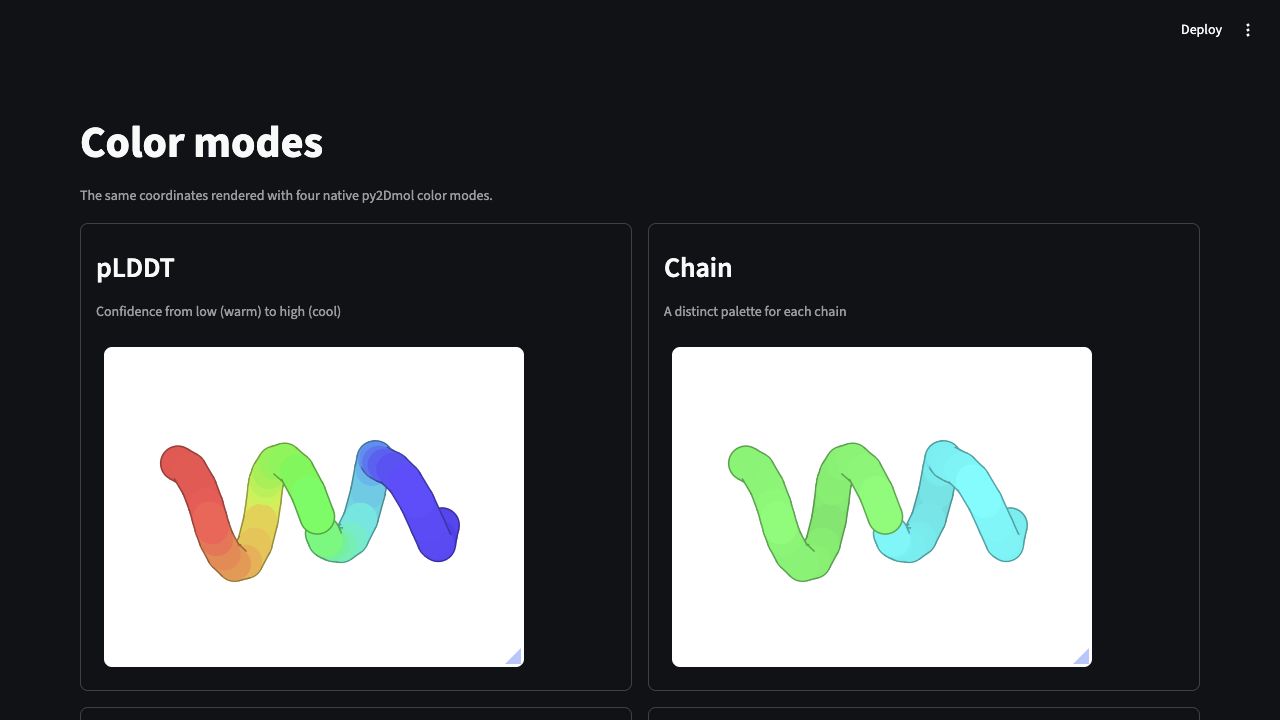
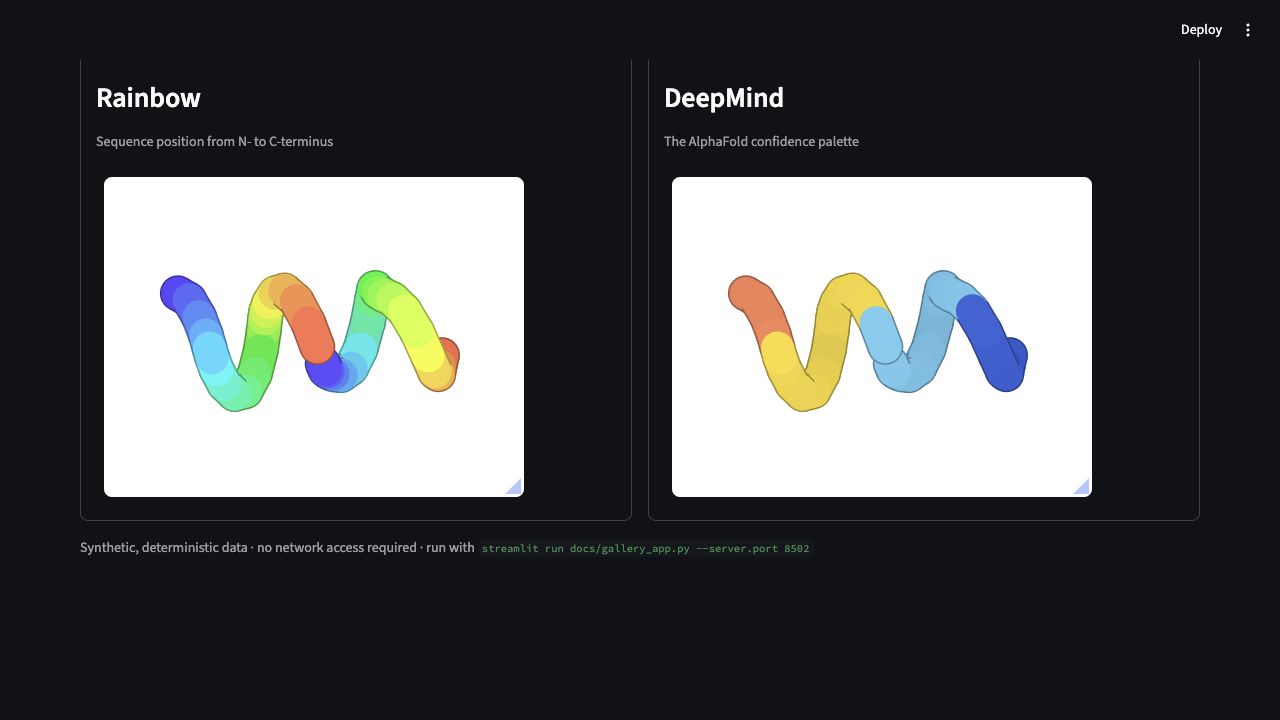
Available modes in py2Dmol 1.6.5 are:
| Mode | Effect |
|---|---|
auto |
Chooses a suitable mode from the available metadata. |
chain |
Assigns a distinct color to each chain. |
plddt |
Maps per-position confidence to the pLDDT palette. |
rainbow |
Colors positions along sequence order. |
entropy |
Colors entropy metadata when present. |
deepmind |
Uses the AlphaFold/DeepMind confidence palette. |
Literal colors can be names such as "red", hex strings such as "#7c3aed", or RGB dictionaries.
viewer.set_color("red", chain="B")
viewer.set_color("yellow", position=10)
viewer.set_color("blue", position=(20, 35))
viewer.set_color("green", frame=2)
viewer.set_color({"A": "red", "B": "blue"}, chain=True)
Specific position colors take priority over chain, frame, object, and global modes.
Rendering controls
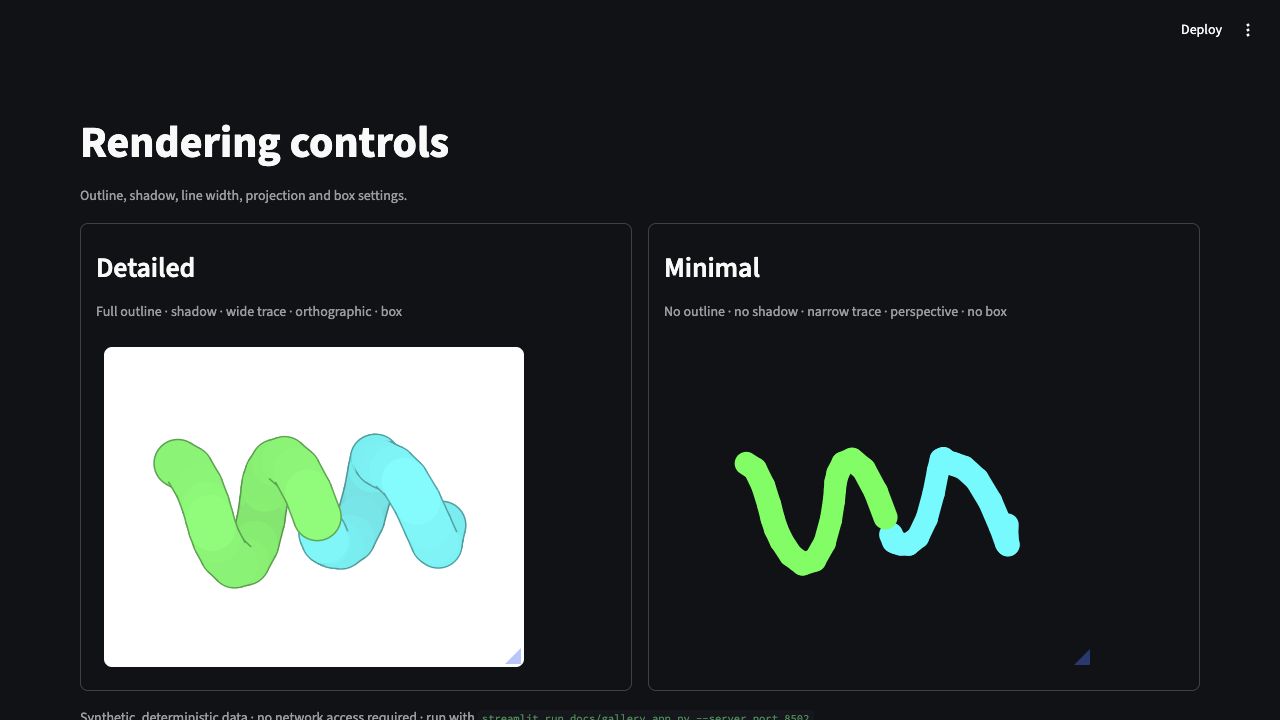
These constructor arguments are forwarded to the bundled renderer:
| Argument | Type/default | Effect |
|---|---|---|
size |
(400, 400) |
Molecular canvas width and height in CSS pixels. |
controls |
True |
Shows trajectory and viewer controls. |
box |
True |
Draws the viewer boundary/background box. |
shadow |
True |
Enables depth shading and shadows. |
shadow_strength |
0.5 |
Controls shadow intensity from 0 to 1. |
outline |
"full" |
Uses "none", "partial", or "full" outlines. |
width |
3.0 |
Sets the molecular trace width. |
ortho |
1.0 |
Projection strength; 1 is orthographic and 0 is perspective. |
rotate |
False |
Starts continuous auto-rotation. |
autoplay |
False |
Starts trajectory playback. |
colorblind |
False |
Switches to a colorblind-friendly palette. |
detect_cyclic |
True |
Detects bonds that close cyclic polymers. |
cutoffs |
None |
Overrides protein, nucleic, and ligand bond cutoffs. |
The browser Style panel also exposes renderer-side controls such as tube/cartoon style, line width, outline, projection, shadow, color, dark background, and cartoon settings. Those visual changes currently remain browser-local and are not returned to Python.
Trajectories and playback
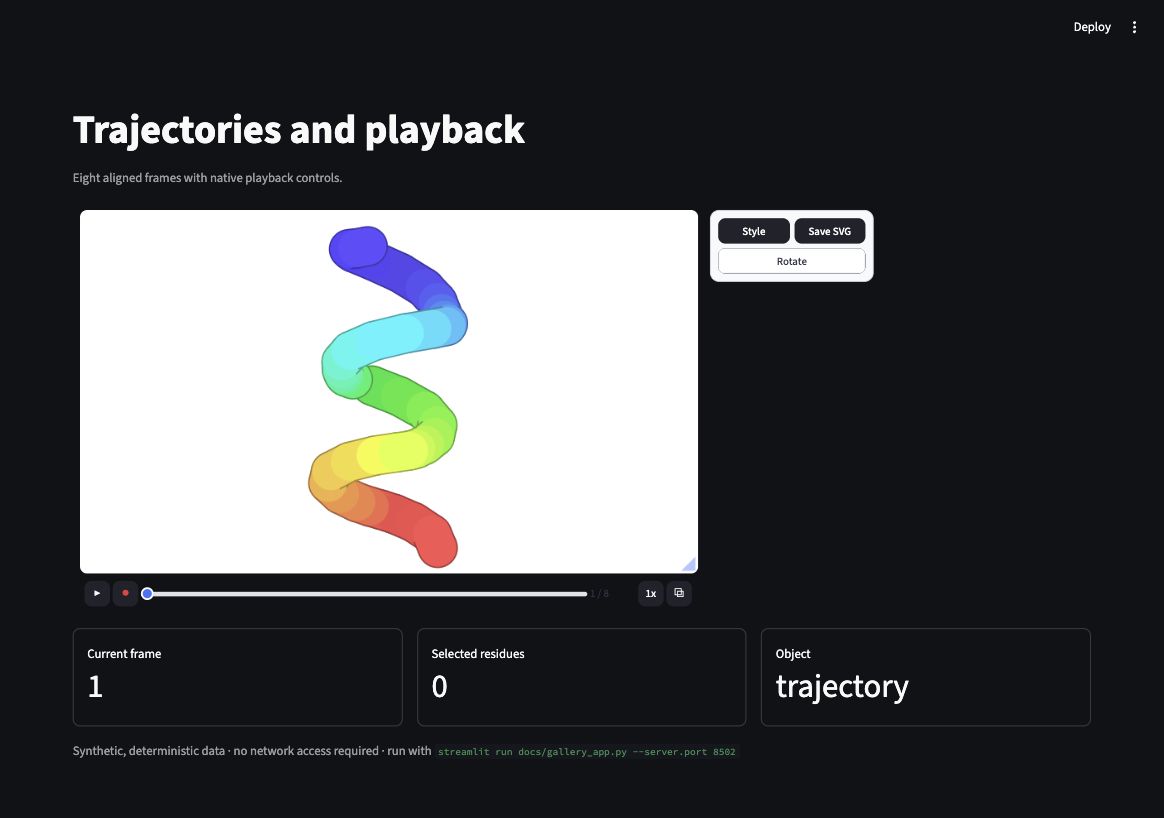
The built-in toolbar provides:
- Play and pause
- Frame slider and frame counter
- Playback speed
- Browser-dependent video recording
- Overlay toggle
- Auto-rotation
- SVG export
The current frame is synchronized to state["frame_index"] and st.session_state[key].frame_index.
Overlay mode
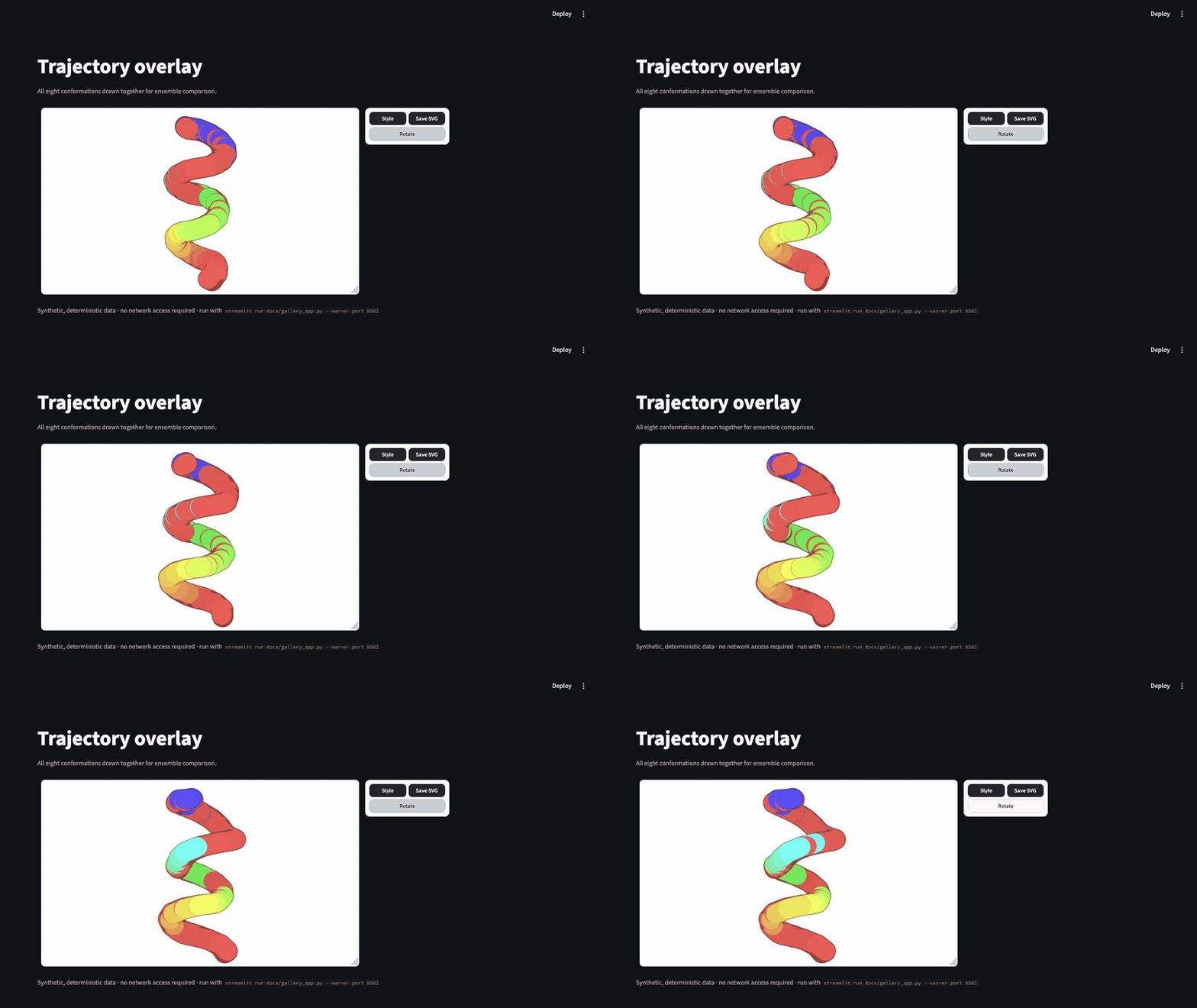
Overlay mode draws all frames together. Enable it in Python or with the toolbar button:
viewer = py2Dmol.view(overlay=True)
PAE and scatter plots
PAE and scatter panels can appear beside the molecular viewer. Both follow the active frame, and clicking a scatter point selects its frame.
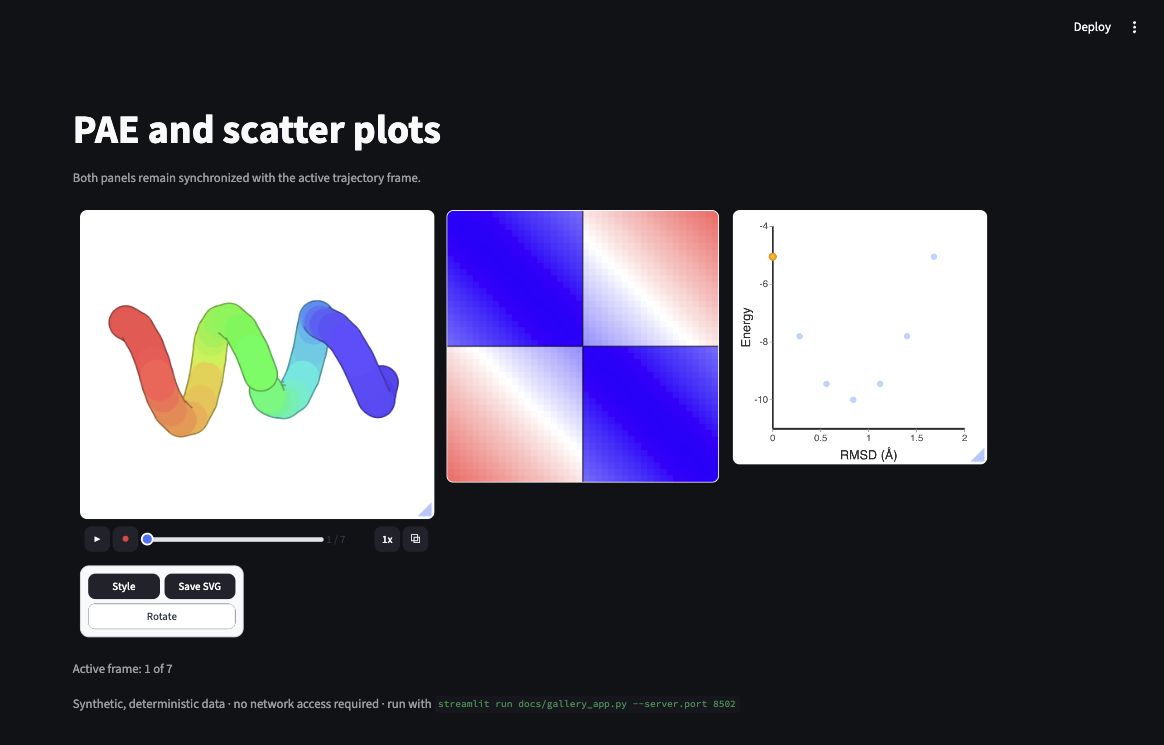
viewer = py2Dmol.view(
    controls=True,
    pae=True,
    pae_size=280,
    scatter=True,
    scatter_size=280,
)

for frame_index, coords in enumerate(trajectory):
    viewer.add(
        coords,
        name="ensemble",
        pae=pae_matrix,
        scatter=[rmsd[frame_index], energy[frame_index]],
        scatter_config={
            "xlabel": "RMSD (Å)",
            "ylabel": "Energy (kcal/mol)",
            "xlim": [0, 10],
            "ylim": [-150, -90],
        },
    )
Scatter data can also be loaded by py2Dmol from a two-column CSV file.
Contacts, explicit bonds, and targeted colors
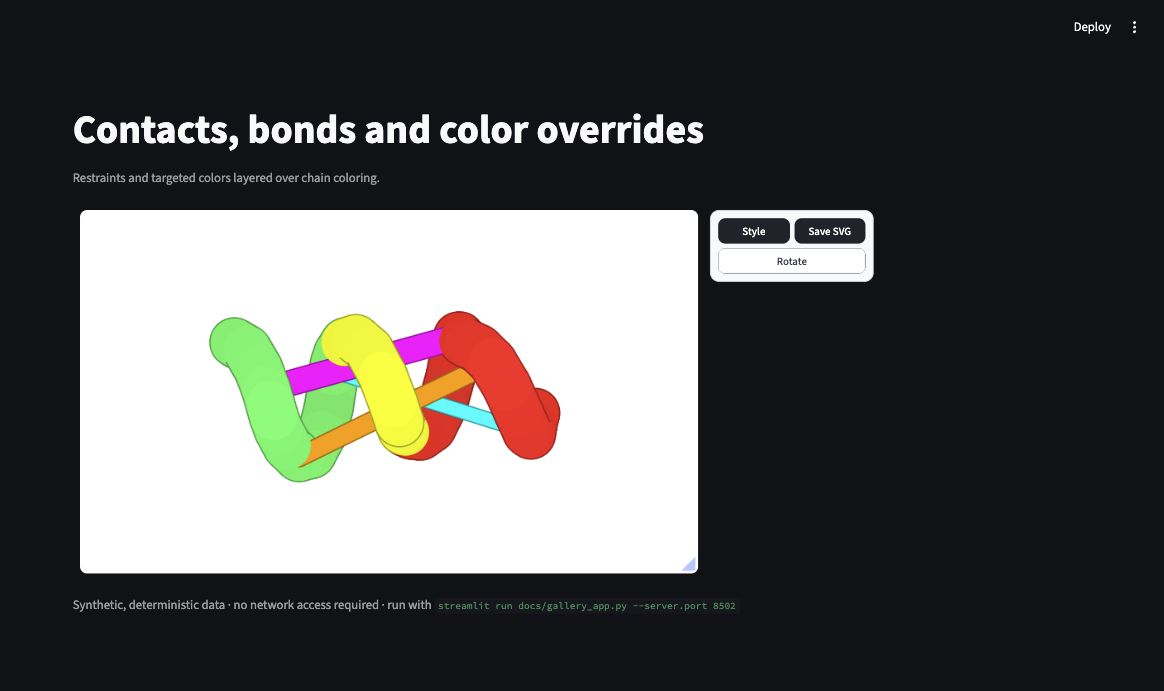
Contacts can use zero-based position indices or chain/residue identifiers:
viewer.add_contacts(
    [
        [10, 50, 1.0, "magenta"],
        ["A", 25, "B", 80, 0.6, "orange"],
    ]
)
They can also be loaded from a .cst file. Explicit bonds replace distance-based ligand bonding:
viewer.add_bonds([[0, 1], [1, 2], [2, 3]])
Multiple objects
Adding a different name creates another object. The bundled selector switches between them and the selected object name is synchronized with Streamlit.
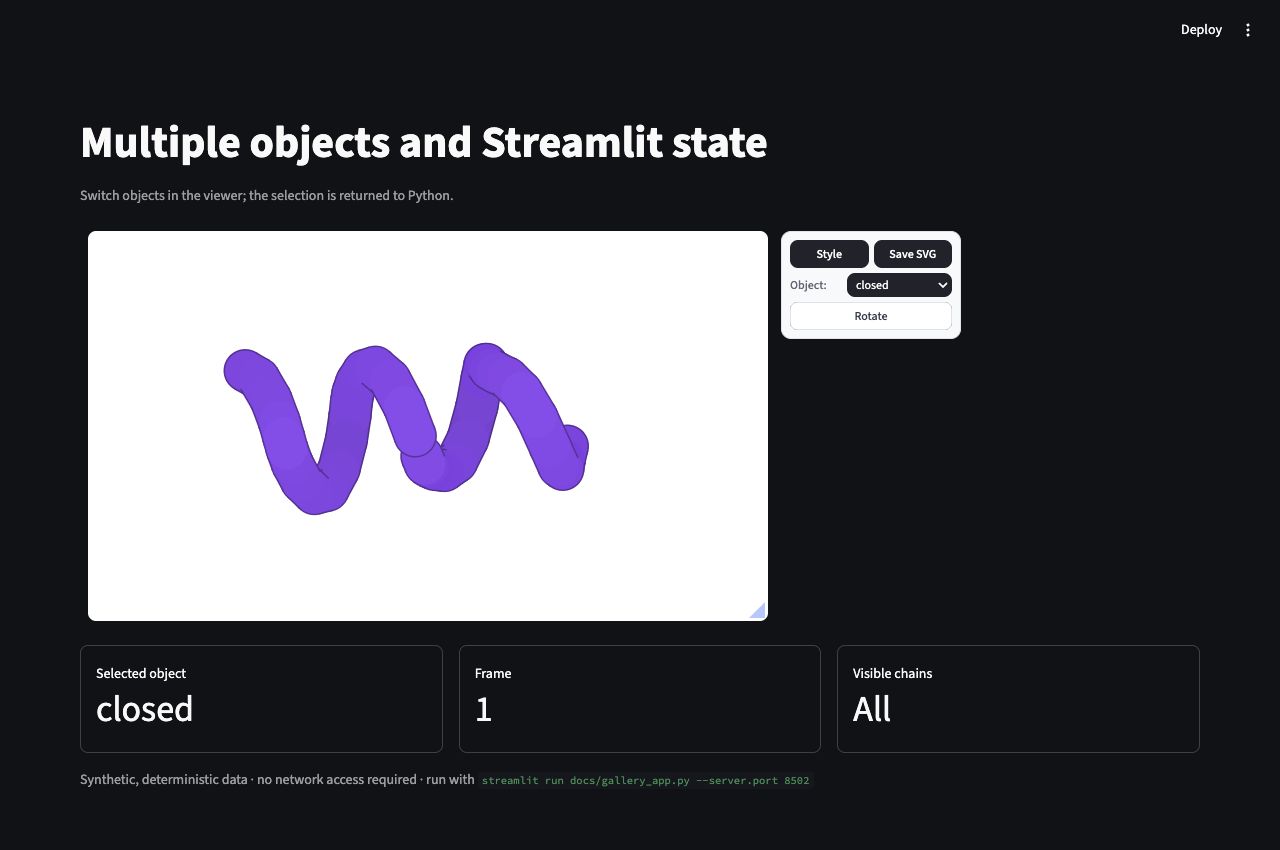
viewer = py2Dmol.view(controls=True)
viewer.add(closed_coords, name="closed", chains=chains)
viewer.add(open_coords, name="open", chains=chains)

state = py2dmol(viewer, key="conformations")
st.write("Selected object:", state["object_name"])
Multiple chains in one object
To render chains simultaneously, combine their coordinates in one object and provide one chain identifier per position. This is different from multiple named objects, where the selector displays one object at a time.
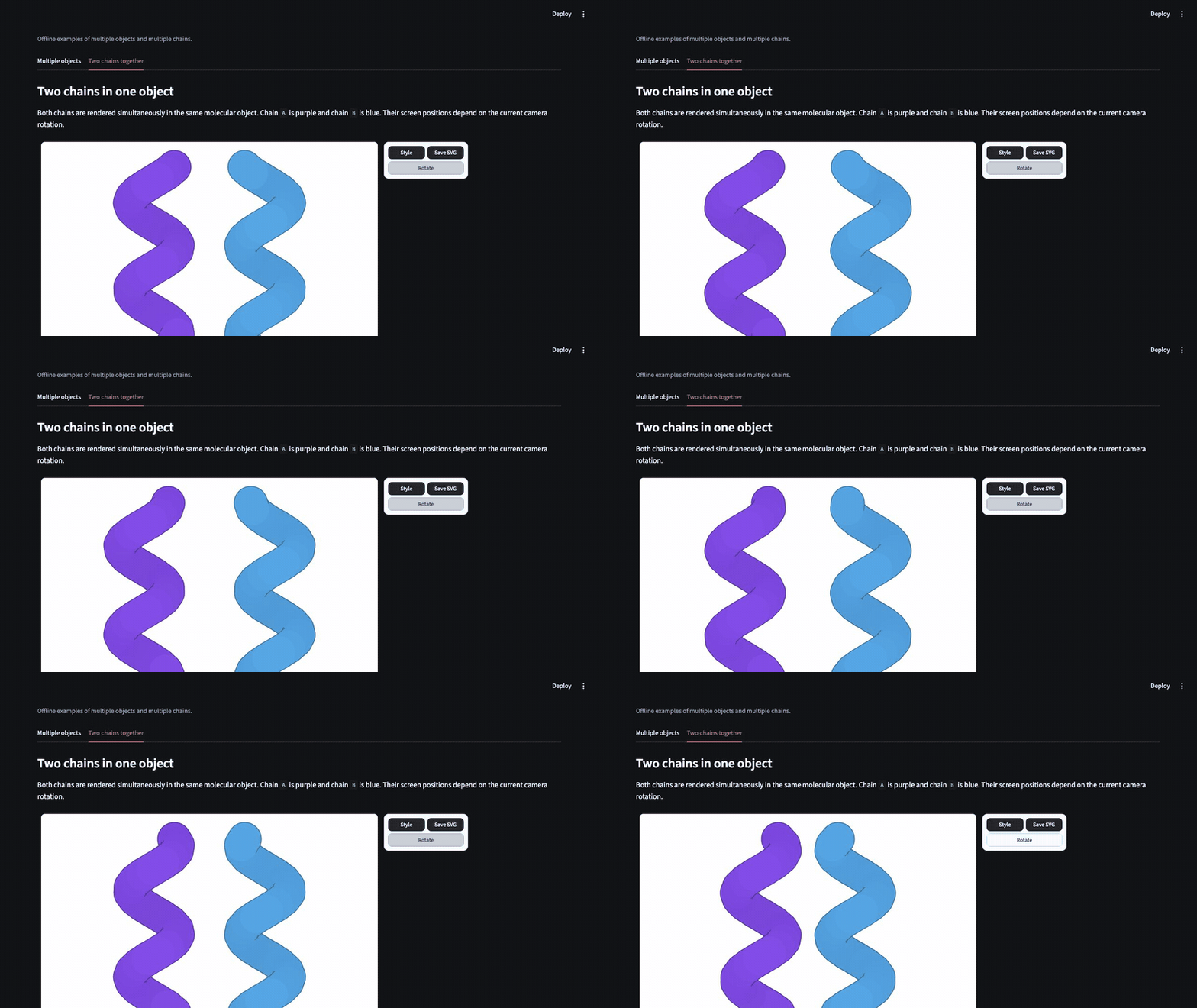
coords = np.vstack((chain_a_coords, chain_b_coords))
viewer = py2Dmol.view(controls=True, color="chain")
viewer.add(
    coords,
    name="two-chain complex",
    chains=["A"] * len(chain_a_coords) + ["B"] * len(chain_b_coords),
)
viewer.set_color("#7c3aed", name="two-chain complex", chain="A")
viewer.set_color("#0ea5e9", name="two-chain complex", chain="B")

state = py2dmol(viewer, key="two-chain-viewer")
Component API
py2dmol(
    viewer,
    *,
    key,
    width="stretch",
    height="content",
    on_frame_change=None,
    on_object_change=None,
    on_selection_change=None,
    on_visibility_change=None,
)
| Parameter | Description |
|---|---|
viewer |
A configured py2Dmol.view. Its config and objects are serialized. |
key |
Required non-empty string identifying this component instance and its Session State. |
width |
"stretch", "content", or an integer pixel width. |
height |
"content", "stretch", or an integer pixel height. |
on_frame_change |
Called before the rerun when frame_index changes. |
on_object_change |
Called before the rerun when object_name changes. |
on_selection_change |
Called before the rerun when residue selection changes. |
on_visibility_change |
Called before the rerun when visibility changes. |
streamlit_py2dmol() is retained as an alias of py2dmol().
Returned state
The return value contains the same four keys stored under st.session_state[key]:
{
    "frame_index": 0,
    "object_name": "trajectory",
    "selected_positions": [],
    "visibility": {
        "positions": [],
        "chains": [],
        "pae_boxes": [],
        "mode": "default",
    },
}
| State key | Description |
|---|---|
frame_index |
Zero-based active frame, or -1 when no frame exists. |
object_name |
Active object name, or None for an empty viewer. |
selected_positions |
Sorted zero-based position indices selected in the browser. |
visibility.positions |
Explicitly visible position indices. Empty means the default/all set. |
visibility.chains |
Explicitly visible chain identifiers. |
visibility.pae_boxes |
PAE selection boxes maintained by the renderer. |
visibility.mode |
Renderer visibility mode, normally "default" or "explicit". |
Callbacks
Callbacks run before the script body reruns. Read the new value from Session State inside the callback:
VIEWER_KEY = "protein-viewer"


def frame_changed() -> None:
    state = st.session_state[VIEWER_KEY]
    st.session_state["last_frame"] = state.frame_index


state = py2dmol(
    viewer,
    key=VIEWER_KEY,
    on_frame_change=frame_changed,
)
Every browser tab has independent component state. State is temporary and is lost when the Streamlit session ends.
Complete viewer.add() data coverage
The component serializes the following py2Dmol frame and object fields:
viewer.add() argument |
Support and behavior |
|---|---|
coords |
Required N x 3 numeric coordinates; NumPy arrays and JSON-like sequences work. |
plddts |
Per-position confidence values used by pLDDT coloring. |
chains |
Per-position chain identifiers. |
position_types |
P, D, R, or L for protein, DNA, RNA, or ligand. |
pae |
Two-dimensional PAE matrix. |
scatter |
One [x, y] point per frame. |
name |
Object name; repeated names append frames and new names create objects. |
align |
Aligns subsequent frames to the first frame. |
allow_reflection |
Allows reflected alignment. |
position_names |
Atom or residue names used for labels and ligand handling. |
residue_numbers |
Source residue numbers used for labels and chain/residue contacts. |
contacts |
Contact restraints attached to the object. |
bonds |
Explicit position-index bonds. |
color |
Frame color mode, literal, or advanced color specification. |
scatter_config |
Axis labels and optional x/y limits. |
atom_types |
Supported by py2Dmol as the deprecated alias of position_types. |
NumPy arrays and scalar types are converted to JSON-safe values. Coordinates must contain at least one position and exactly three finite numeric values per position. Non-finite values such as NaN and infinity raise ValueError before rendering.
Updating data across Streamlit reruns
The component fingerprints the serialized viewer. If its data changes on a later rerun, the browser renderer is safely rebuilt from the new payload.
frame_count = st.slider("Frames", 1, len(all_frames), 5)

viewer = py2Dmol.view(controls=True)
for frame in all_frames[:frame_count]:
    viewer.add(frame, name="trajectory")

py2dmol(viewer, key="dynamic-trajectory")
viewer.replace(), add_contacts(), add_bonds(), set_color(), load_state(), and other methods that update viewer.config or viewer.objects are reflected the next time py2dmol() runs.
This is snapshot-based synchronization, not py2Dmol notebook live mode. Very large trajectories are transferred to the browser when their payload changes, so cache expensive loading or preprocessing and avoid rebuilding unchanged data unnecessarily.
If using st.cache_resource for a viewer, treat the cached viewer as immutable because resources are shared across sessions. A safer general pattern is to cache downloaded or parsed arrays with st.cache_data and build a viewer from them for each run.
Multiple viewers and layouts
Each component requires a unique, stable key. Use native Streamlit layouts instead of py2Dmol.grid():
left, right = st.columns(2)

with left:
    py2dmol(viewer_a, key="viewer-a")

with right:
    py2dmol(viewer_b, key="viewer-b")
Multiple instances have isolated DOM roots, renderer registries, callbacks, and Session State.
Compatibility matrix
| Original py2Dmol capability | Status in this component |
|---|---|
| Static structures and trajectories | Supported |
| Multiple objects | Supported |
| PDB/mmCIF, RCSB, AlphaFold, and biological assemblies | Supported before rendering |
| PAE, scatter, contacts, bonds, and advanced colors | Supported |
| Alignment, overlay, rotation, playback, SVG, and recording | Supported |
save_state() / load_state() |
Supported as Python-side preprocessing |
replace() and viewer mutation |
Reflected on the next Streamlit rerun |
| Browser frame/object/selection/visibility → Python | Supported |
| Browser style/color settings → Python | Not currently synchronized |
viewer.show() |
Replaced by py2dmol() |
Notebook live mode and persistence mailboxes |
Not supported or applicable |
py2Dmol.grid() |
Use Streamlit columns or containers instead |
| MSA and sequence companion views | Not bundled |
Important limitations
- Do not call
viewer.show(). It emits IPython HTML and activates py2Dmol's notebook live mode. Forfrom_pdb()andfrom_afdb(), passshow=False. - Use a stable, unique key. The key owns Session State and the browser-side renderer instance.
- Live updates follow Streamlit's rerun model. py2Dmol's
DisplayHandle, mailbox, and BroadcastChannel update path is not used. - Renderer-side styling is not Python state. Frame, object, selection, and visibility are synchronized; interactive style sliders and color choices currently are not.
- Large payloads have a transfer cost. Shared fields are compacted across frames, but coordinates are still sent for every frame.
- Downloads happen server-side. RCSB and AlphaFold helpers need server network access unless their files are already cached.
Renderer-side styling intentionally remains browser-local in the 0.1.x API. Treating every style slider and camera drag as controlled Streamlit state would cause high-frequency reruns and would expand the public result schema. A future opt-in visual-state contract can add that capability without changing the current interaction model.
Architecture
The package is a Streamlit Custom Component v2:
- Python validates and converts
viewer.configandviewer.objectsinto a versioned JSON payload. - A payload fingerprint prevents unnecessary renderer reconstruction.
- The frontend initializes a vendored py2Dmol renderer inside the component's isolated root.
- Component state is hydrated from Streamlit on each rerun.
- Viewer-scoped renderer events are coalesced and emitted with CCv2
setStateValue()calls. - Event listeners, timers, animation frames, observers, channels, and auxiliary renderers are cleaned up on unmount.
No CDN or notebook runtime is required after installation. The compiled JavaScript and CSS are included in the Python wheel.
Development
Build the frontend
cd streamlit_py2dmol/frontend
npm ci
npm run build
cd ../..
.venv/bin/python scripts/verify_component_assets.py
The component manifest requires the build directory to contain exactly one index-*.js file and one index-*.css file.
Install and run
uv venv --python 3.12
cd streamlit_py2dmol/frontend
npm ci
npm run build
cd ../..
uv pip install --python .venv/bin/python -e '.[devel]'
.venv/bin/streamlit run example.py
Run checks
cd streamlit_py2dmol/frontend && npm run build && cd ../..
.venv/bin/ruff check .
.venv/bin/ruff format --check .
.venv/bin/pytest
.venv/bin/python -m build
.venv/bin/python scripts/verify_distributions.py
GitHub Actions runs the same frontend, Python 3.10–3.13, and packaging checks for every push and pull request. In particular, packaging is only attempted after the compiled frontend has been built and verified.
Release builds and trusted-publishing setup are documented in
RELEASING.md.
Reproduce the documentation media
The documentation gallery is offline and deterministic:
.venv/bin/streamlit run docs/gallery_app.py --server.port 8502
Open these views with the view query parameter:
?view=colors?view=rendering?view=trajectory?view=overlay?view=analysis?view=annotations?view=objects
The animated GIFs were recorded from the same local views, scaled to 900 pixels wide, encoded at 8 frames per second, and palette-optimized for small repository size. PNG screenshots remain in sections where motion does not add useful information.
Licensing and vendored renderer
The component adapter is MIT licensed. The browser renderer is derived from py2Dmol and retains its Beer-Ware license notice. See THIRD_PARTY_NOTICES.md for the synchronized upstream commit and adapter changes.
1 maintainer

Metadata
1 maintainer
Release files for streamlit-py2dmol 0.1.0
For a detailed explanation of source distributions (sdists) and built distributions (wheels), please see the package formats documentation.
Source distribution (sdist)
| File | Size | Uploaded | Provenance | Actions |
|---|---|---|---|---|
| streamlit_py2dmol-0.1.0.tar.gz | 1.6 MB | With provenance | Details for streamlit_py2dmol-0.1.0.tar.gz |
Built distribution (wheel)
| File | Interpreter | ABI | Platform | Actions Reset |
|---|---|---|---|---|
| streamlit_py2dmol-0.1.0-py3-none-any.whl | Python 3 | none | any | Details for streamlit_py2dmol-0.1.0-py3-none-any.whl |
Total release size: 1.7 MB
Release files / streamlit_py2dmol-0.1.0.tar.gz
| Download URL | streamlit_py2dmol-0.1.0.tar.gz |
|---|---|
| Size | 1.6 MB |
| Tags | Source |
|
SHA-256 checksum How to use checksums |
feb8d3dc7ade8fe2da2cc24c974d965178a932a08ccbb82f12e37f367a187b44
|
|
BLAKE2b-256 checksum How to use checksums |
cf2435d39680a07c6fac887a62dfb360cc639b5cebefb3438b544a19f57597ee
|
| Upload date | |
|
Uploaded using Trusted Publishing? What is trusted publishing? |
Yes |
| Uploaded via |
twine/7.0.0 CPython/3.13.14
|
Provenance
Provenance describes where a file came from. On PyPI, provenance is shared via attestations, which provide a verifiable record of the build or publishing details. View details, limitations and caveats.


PyPI Publish Attestation
PyPI verified that this artifact, at this checksum, originated from the publisher listed below.
Signed by GitHub Actions, verified by PyPI on Aug 15, 2026.
Transparency logRelease files / streamlit_py2dmol-0.1.0-py3-none-any.whl
| Download URL | streamlit_py2dmol-0.1.0-py3-none-any.whl |
|---|---|
| Size | 90.2 kB |
| Tags | Python 3 |
|
SHA-256 checksum How to use checksums |
79205d3323740ff935c251f929d4c637c2fb039972c1f881b5b0196b7dd1deae
|
|
BLAKE2b-256 checksum How to use checksums |
5d18e3e71d31f77ef36bfcbe0ca79c9ed284a9ecc7e919bc2bbb5967073d09a6
|
| Upload date | |
|
Uploaded using Trusted Publishing? What is trusted publishing? |
Yes |
| Uploaded via |
twine/7.0.0 CPython/3.13.14
|
Provenance
Provenance describes where a file came from. On PyPI, provenance is shared via attestations, which provide a verifiable record of the build or publishing details. View details, limitations and caveats.
PyPI Publish Attestation
PyPI verified that this artifact, at this checksum, originated from the publisher listed below.
Signed by GitHub Actions, verified by PyPI on Aug 15, 2026.
Transparency logSecurity for streamlit-py2dmol 0.1.0
Provenance
Provenance describes where a file came from. On PyPI, provenance is shared via attestations, which provide a verifiable record of the build or publishing details. View details, limitations and caveats.
Full provenance
All 2 files in this release have been uploaded with provenance metadata.
Attestation for streamlit_py2dmol-0.1.0.tar.gz
PyPI Publish Attestation
PyPI verified that this artifact, at this checksum, originated from the publisher listed below.
Signed by GitHub Actions, verified by PyPI on Aug 15, 2026.
Transparency logA note on package security
PyPI is a repository for distributing packages, not a service for auditing them. While third-party security researchers and our staff do their best to detect and remove malicious packages, PyPI cannot guarantee the quality, security or suitability of any given package.
To learn more about protecting yourself from malicious actors, visit our package security documentation.













